
Chazie Baniquid
Technical Content Marketer
4 minutes to read
How to verify and clean up your EmailOctopus email list?
An unclean email list quietly works against you. Fake signups, disposable addresses, and spam traps all damage your sender reputation over time, leading to lower inbox placement and skewed analytics. If you’re using EmailOctopus, OOPSpam now connects directly to your account so you can scan and remove risky contacts without leaving the dashboard.
Here’s how to set it up.
Step 1: Open the Integrations Page
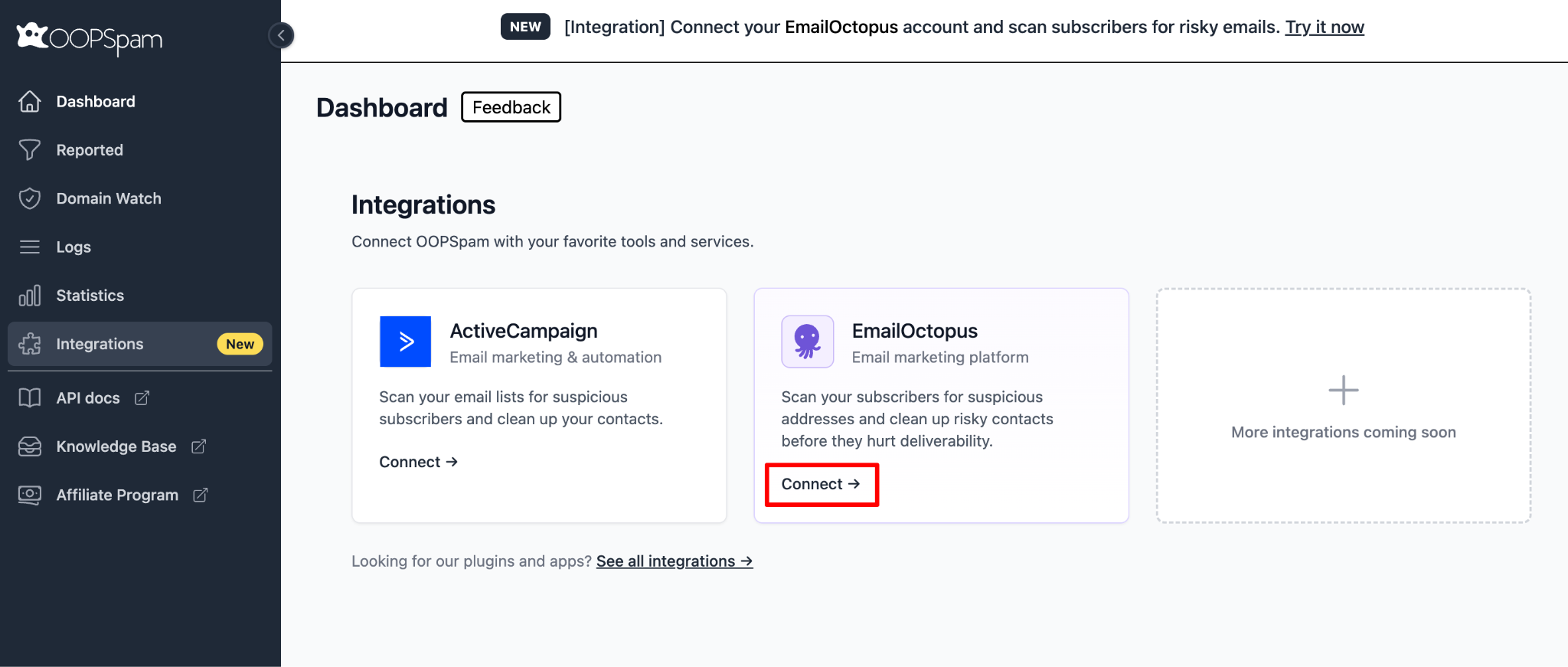
Log in to your OOPSpam Dashboard and select Integrations from the left menu. You’ll see both ActiveCampaign and EmailOctopus listed. Click Connect on the EmailOctopus card.
Step 2: Enter Your EmailOctopus API Key
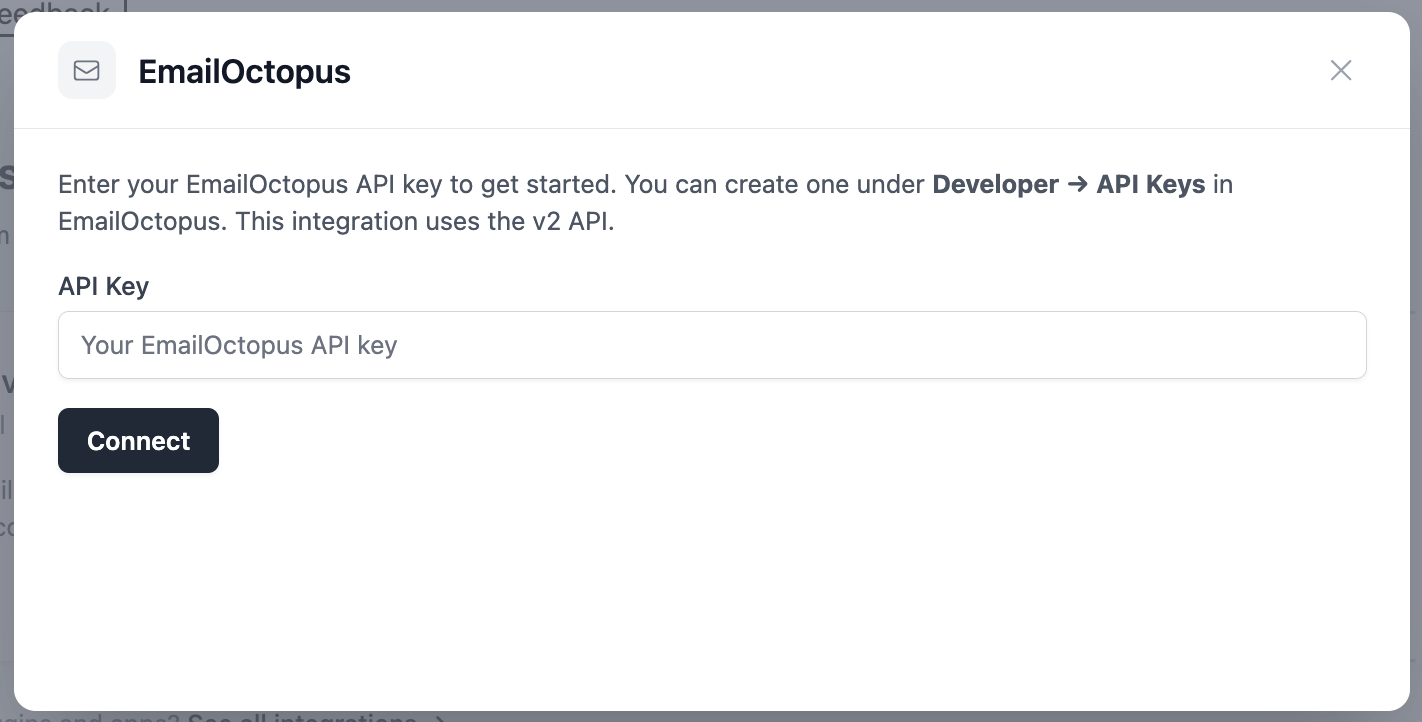
A dialog will appear asking for your API Key. You can find or create one in EmailOctopus under Developer → API Keys. This integration uses the v2 API.
Paste your key into the field and click Connect.
Step 3: Select a List to Scan
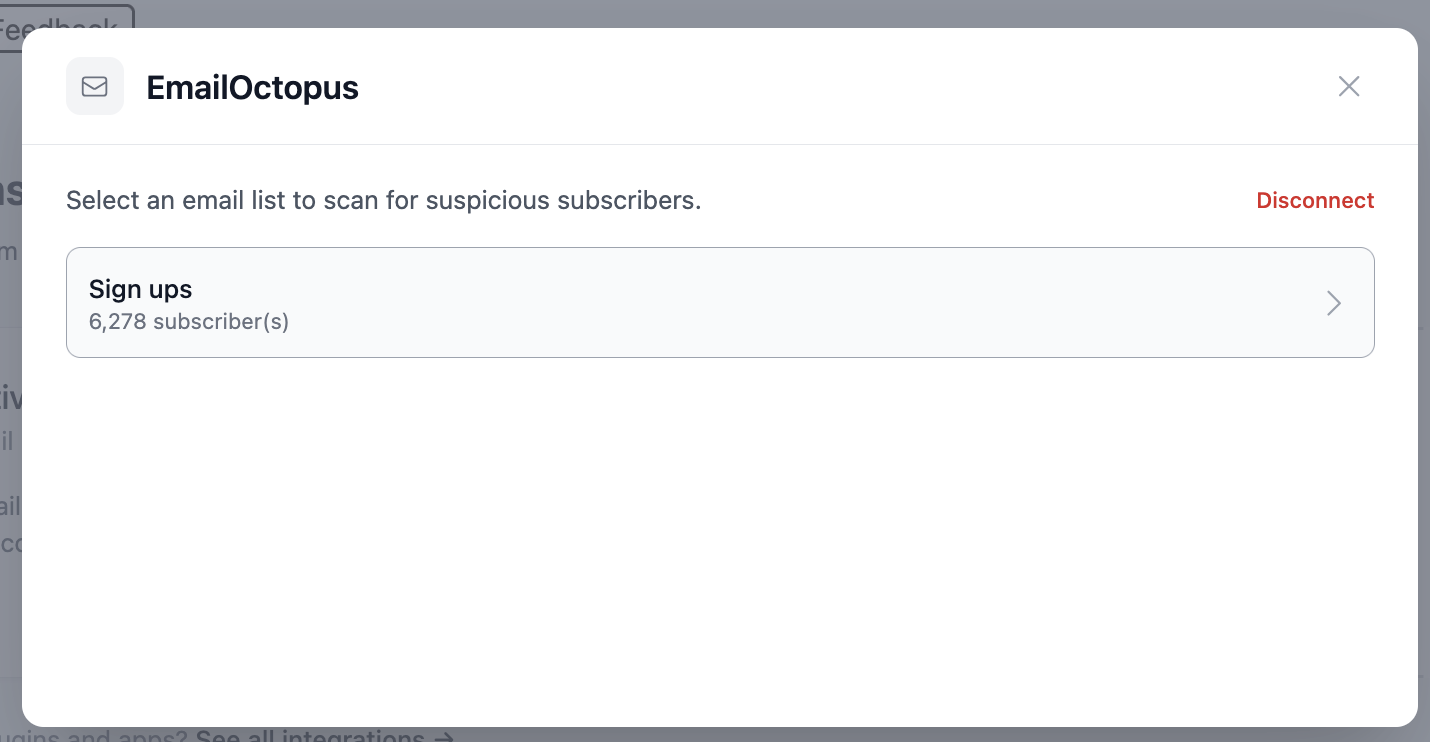
Once connected, OOPSpam fetches all your EmailOctopus lists along with their subscriber counts. Click on the list you want to scan.
Step 4: Load Contacts and Start Scanning
For larger lists, OOPSpam runs the process in two steps: you’ll see the progress at the bottom of the screen.
Step 1 of 2 loads all your contacts from EmailOctopus:
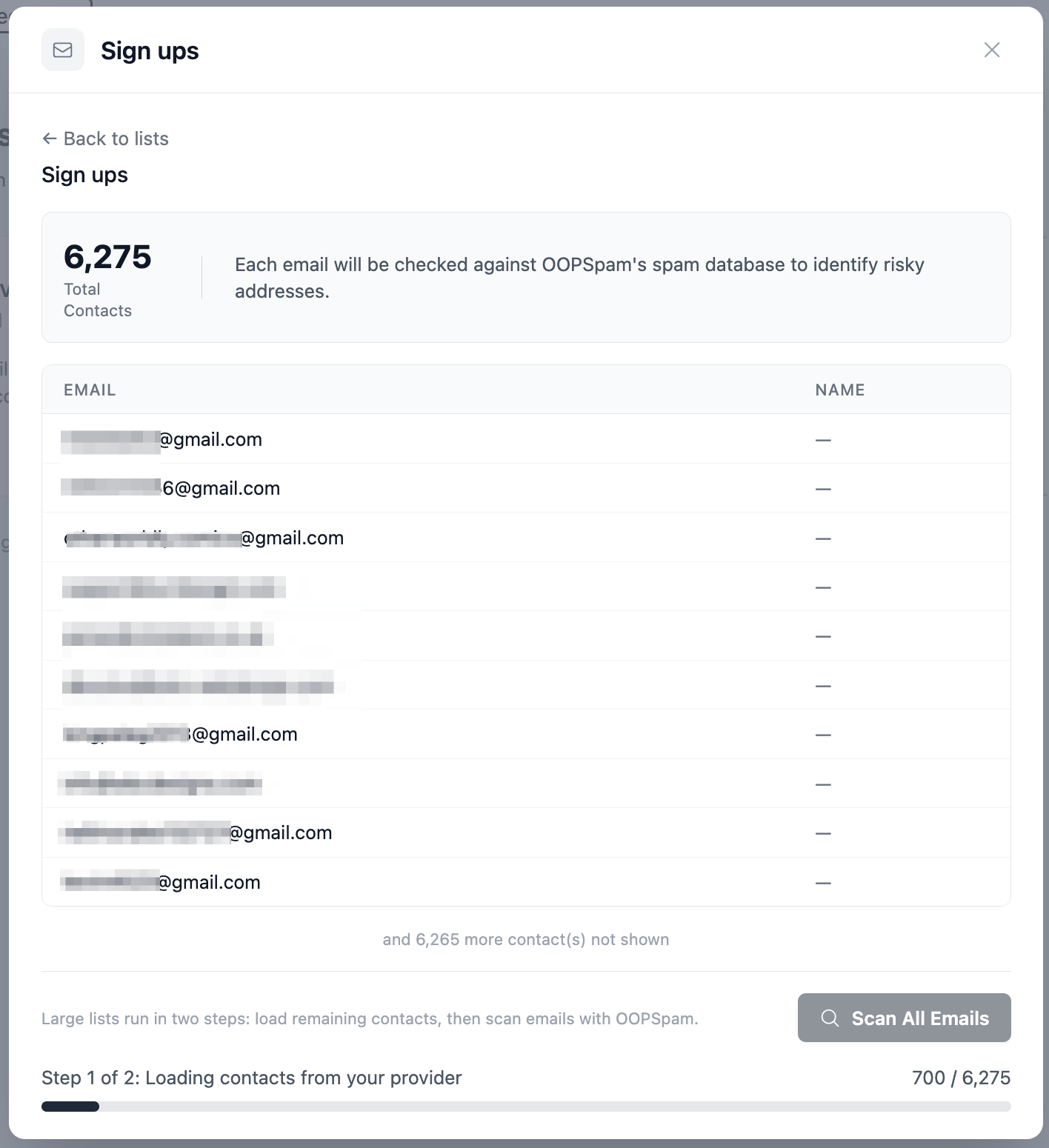
Once all contacts are loaded, Step 2 of 2 begins scanning each email against OOPSpam’s spam database:
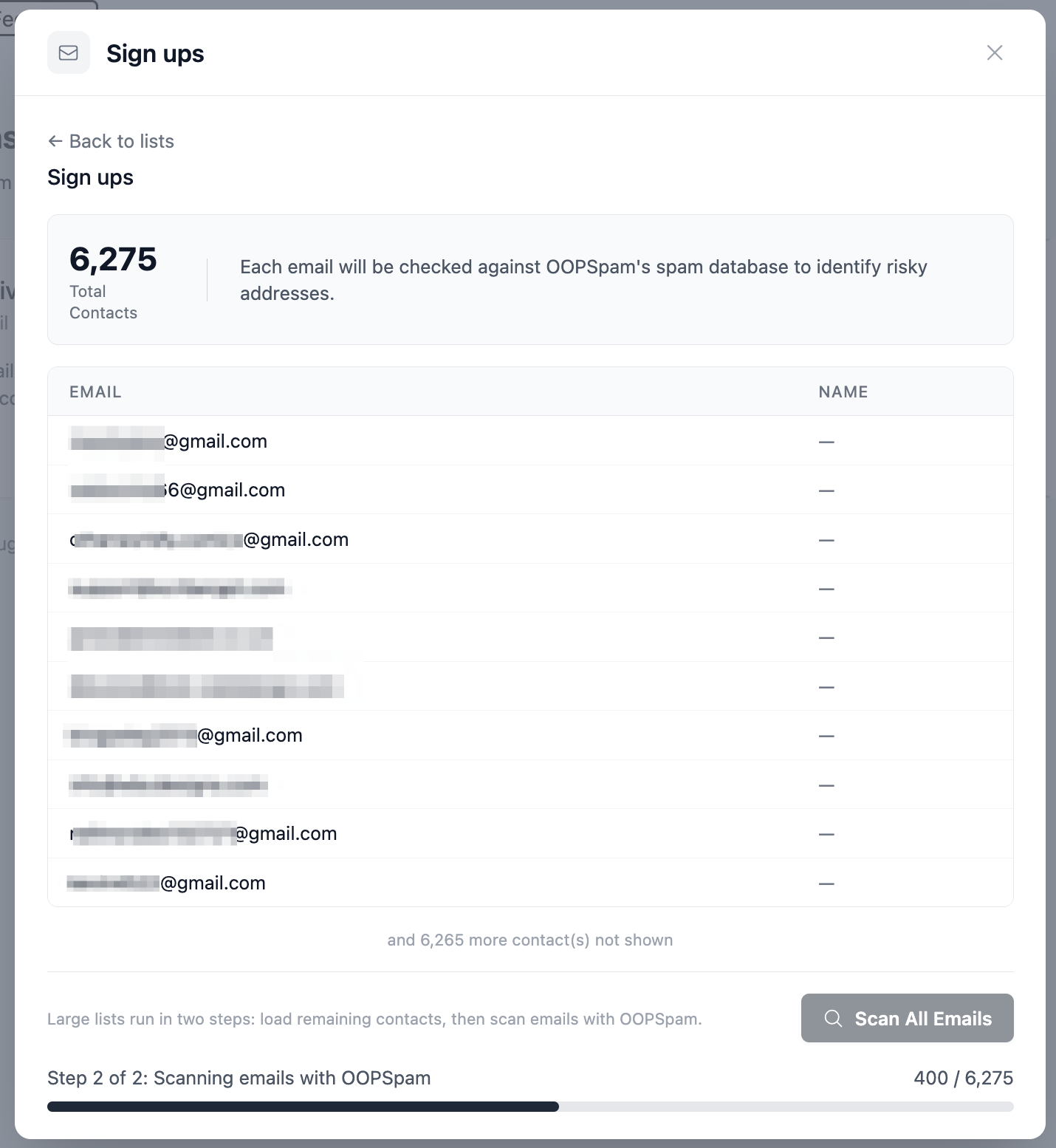
Note: scanning uses your OOPSpam API credits.
Step 5: Review Results and Take Action
When the scan completes, you’ll see a summary at the top:
- Total Scanned - every address that was checked
- Clean - addresses that are safe to keep
- Risky - addresses flagged as suspicious or harmful
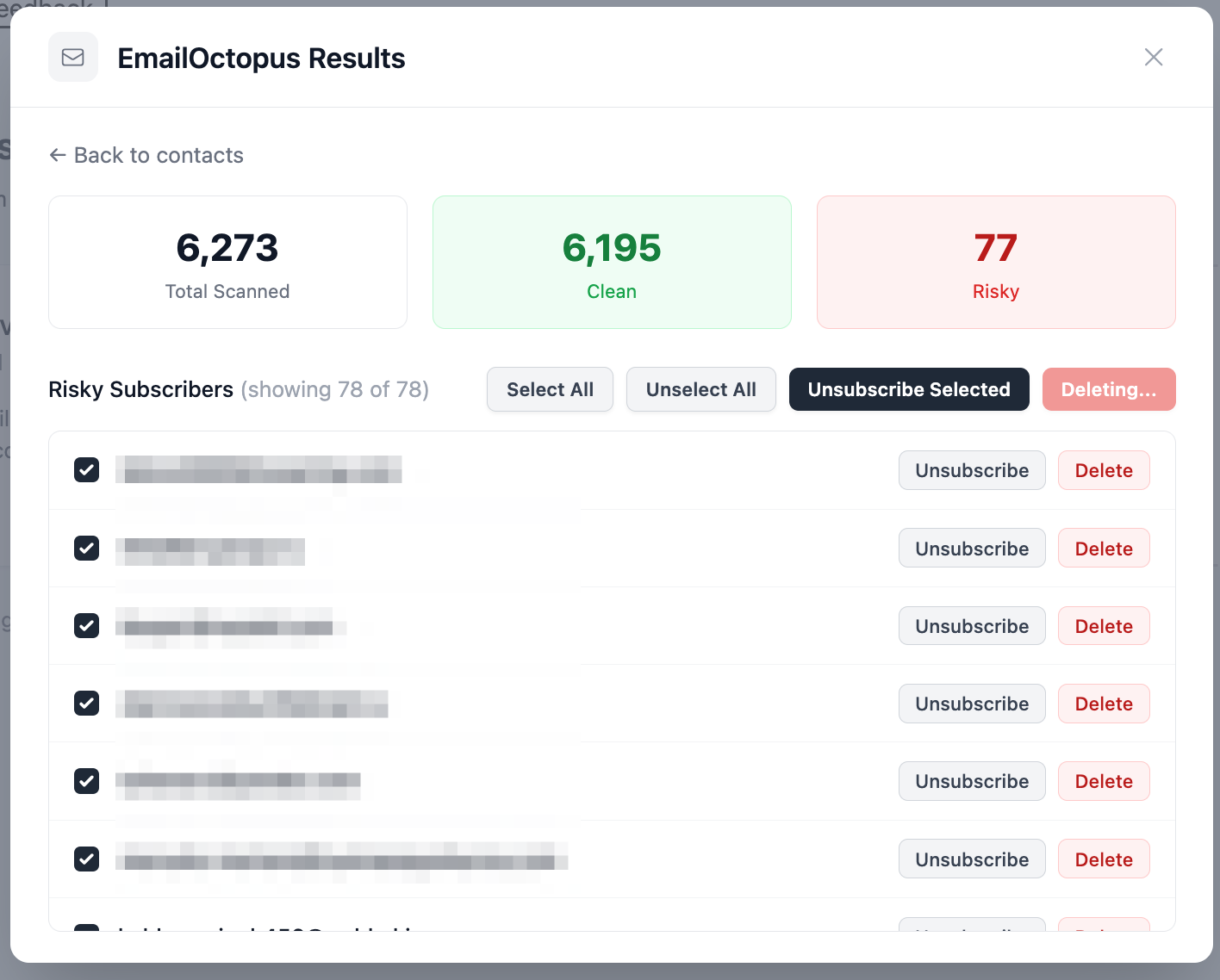
All risky subscribers are listed below with individual action buttons:
- Unsubscribe - removes the contact from this list only; they remain in your EmailOctopus account
- Delete - permanently removes the contact from your entire EmailOctopus account
To act on multiple contacts at once, use the bulk buttons:
- Unsubscribe Selected - unsubscribes all checked contacts from the list
- Delete Selected - permanently deletes all checked contacts from your account
Use Select All to select every risky contact at once, or pick them individually.
Step 6: Done! Your List Is Clean
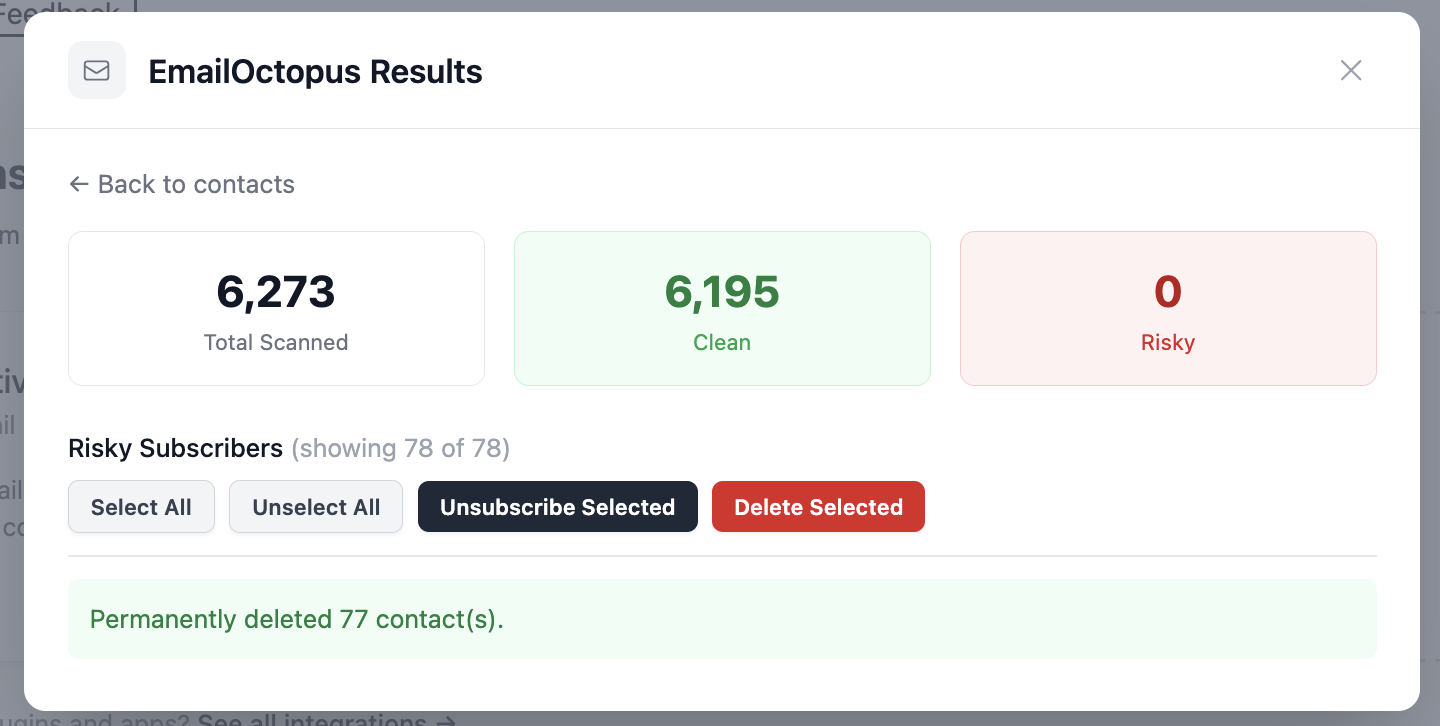
Once you’ve taken action, the risky count drops to 0 and a confirmation message appears. In this example, 77 contacts were permanently deleted from the account.
What Makes an Email “Risky”?
Not every bad address looks obviously fake. OOPSpam flags several types:
- Disposable emails - temporary inboxes used to bypass sign-up forms
- Known spam addresses - emails tied to spam activity in OOPSpam’s database
- Invalid domains - addresses where the domain doesn’t exist or can’t receive mail
- Spam traps - addresses used by inbox providers to catch senders with poor list hygiene
Letting these accumulate quietly raises your bounce rate and can get your domain flagged by email providers, even if your campaigns themselves are legitimate.
Scanning regularly keeps your EmailOctopus list healthy and your campaigns performing the way they should. No exports, no third-party tools, no manual cleanup. Just connect and scan.
