How to verify and clean up your Brevo email list?

Technical Content Marketer

Reviewed by Onar Alili
Co-founder & Engineer
Updated Published 6 min read
Email lists naturally collect invalid, inactive, and spam contacts over time, which can hurt deliverability and engagement. oopspam’s new Brevo integration connects directly to your account, scans your lists against a spam database, and lets you act on flagged contacts, all without exporting a single CSV.
Step 1: Find the Brevo Integration
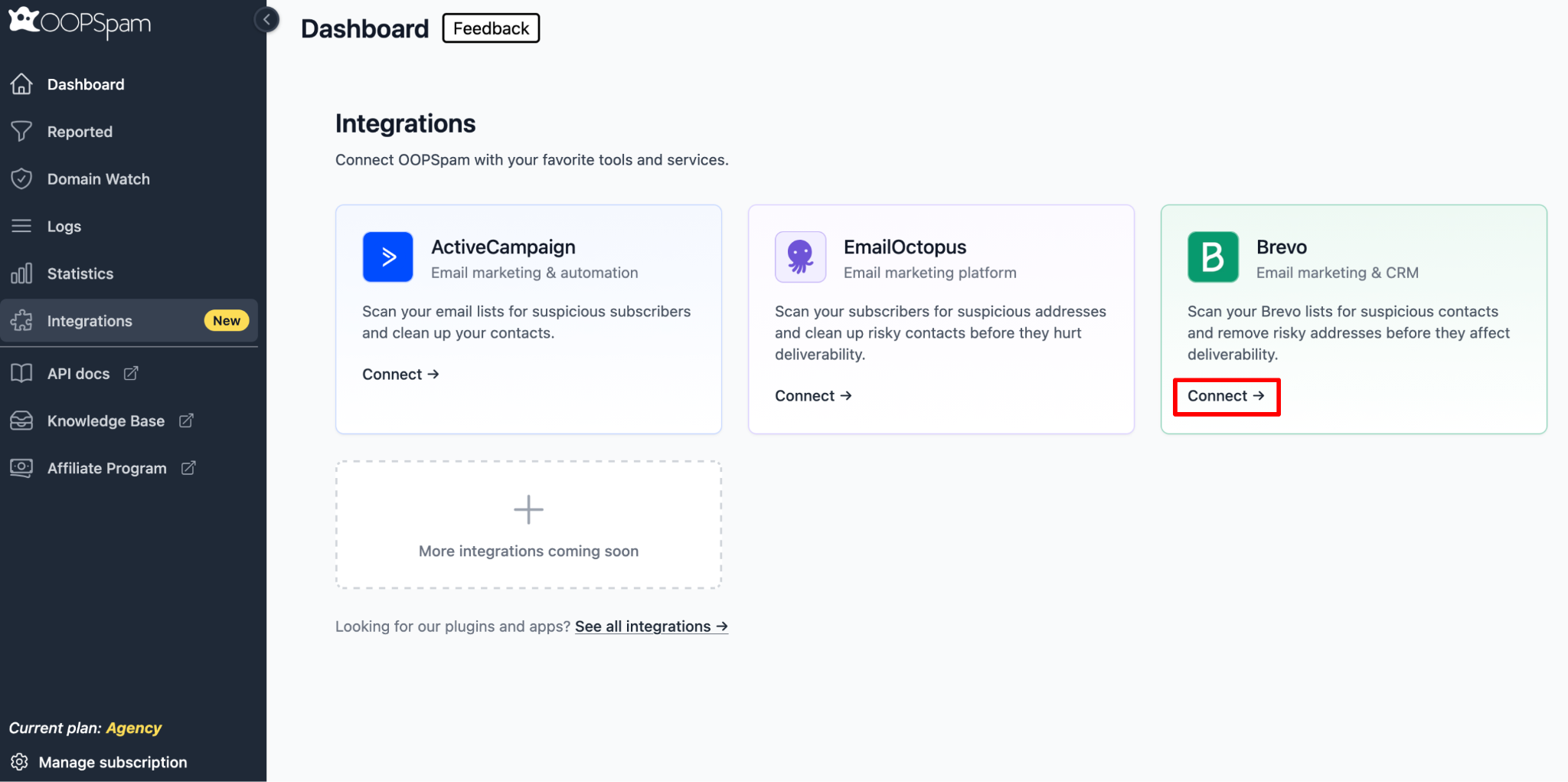
From your oopspam Dashboard, click Integrations in the left sidebar. You’ll see Brevo listed alongside the other available integrations. Click Connect on the Brevo card.
Step 2: Connect with Your Brevo API Key
You’ll be asked for your Brevo API Key. To get one, go to your Brevo account and navigate to Account Settings → SMTP & API.
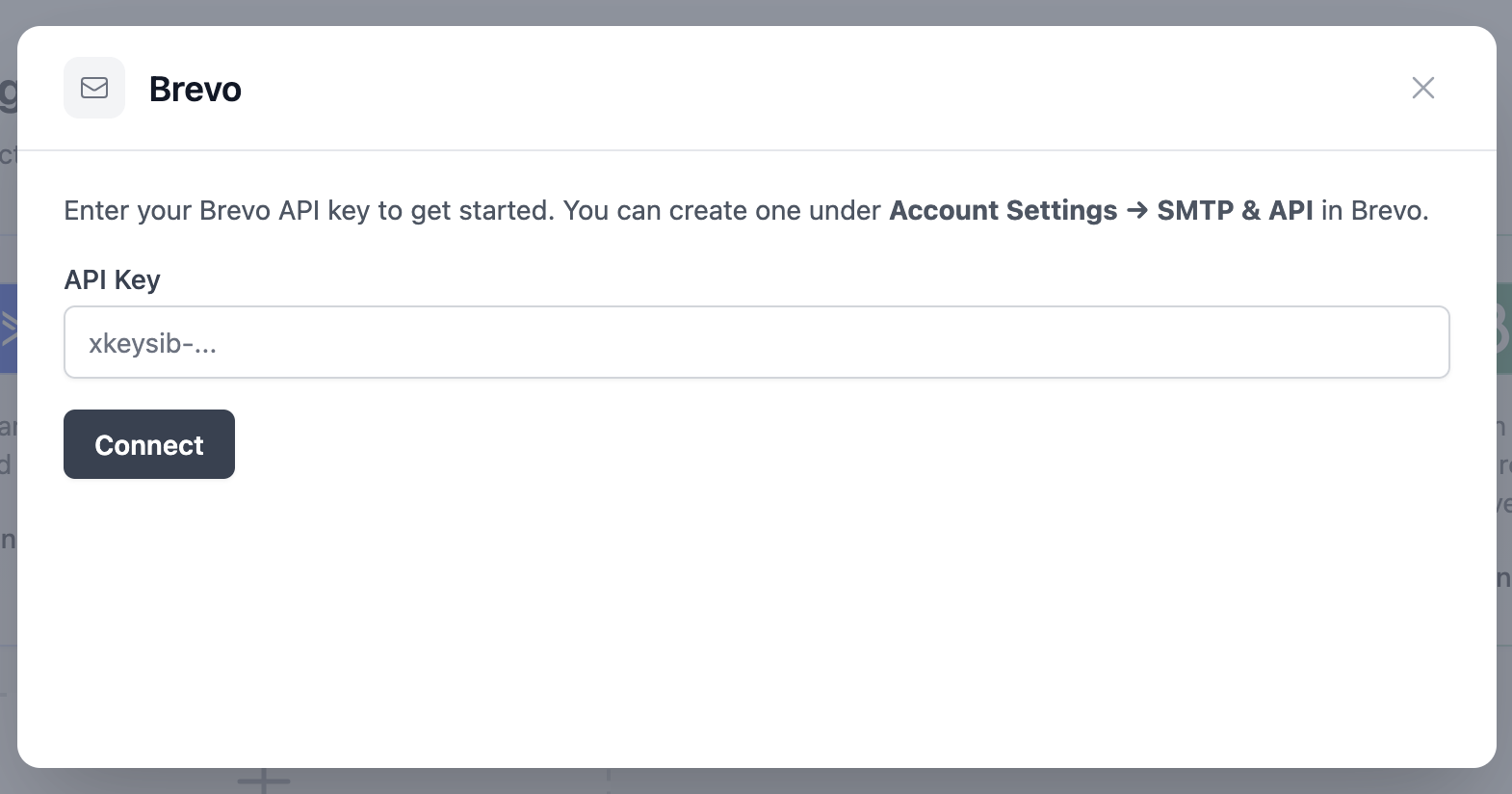
Paste it into the field and click Connect.
Step 3: Pick a List to Scan
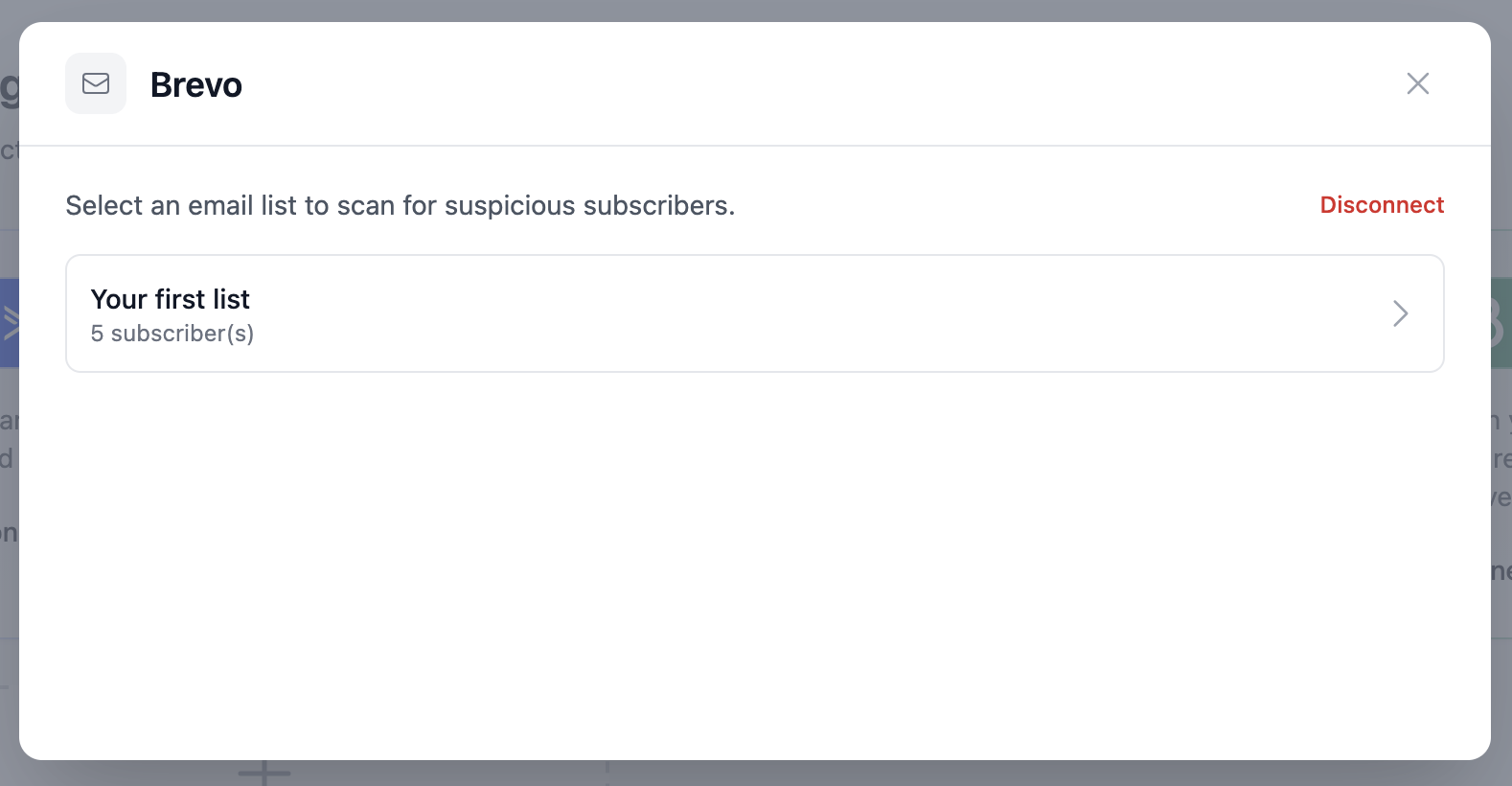
After connecting, oopspam fetches your Brevo lists along with their subscriber counts. Click on the list you want to check.
Step 4: Preview Contacts and Start the Scan
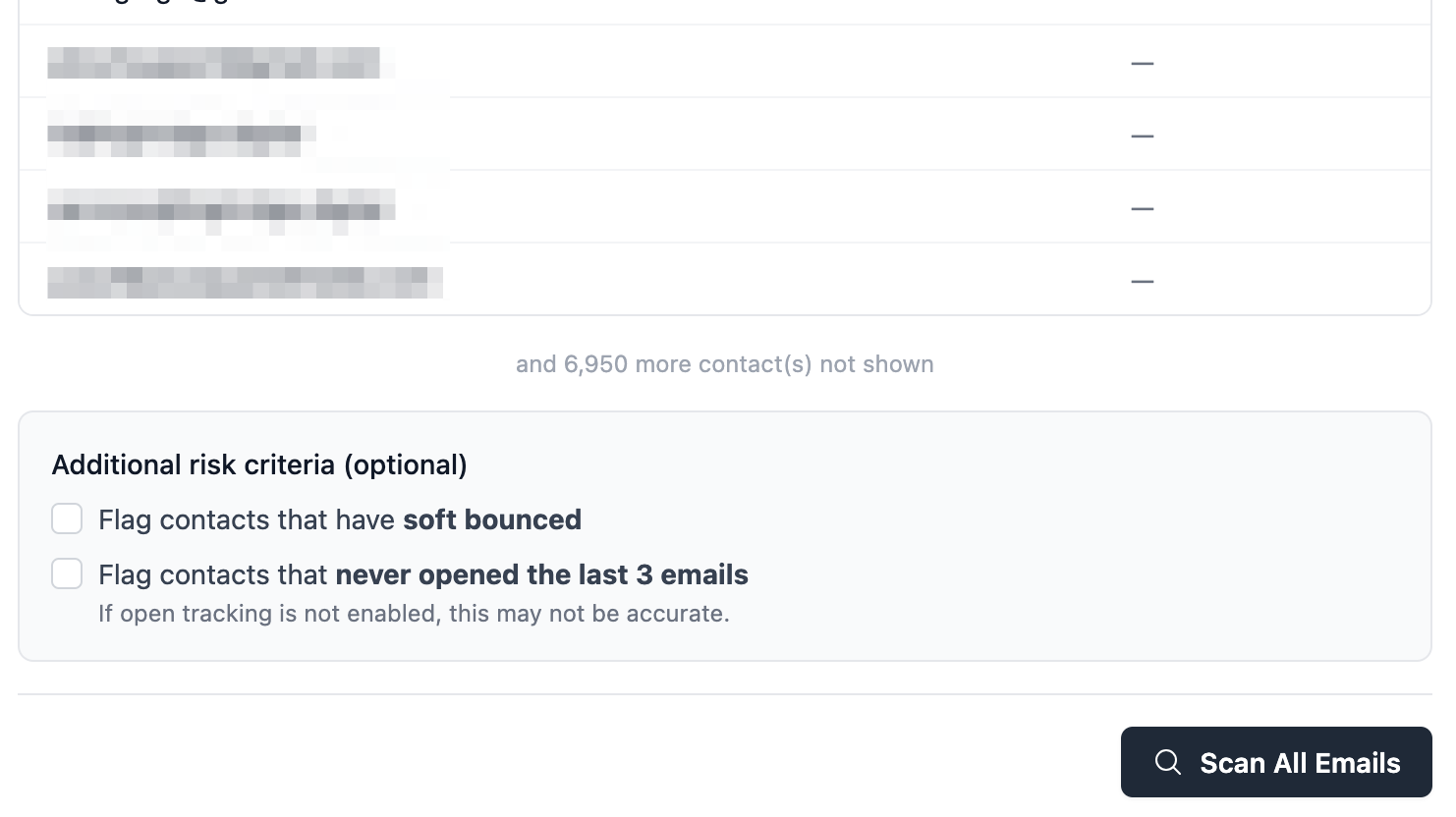
You’ll see a full preview of the contacts in your selected list before the scan runs. oopspam will check each address against its spam database to identify risky emails.
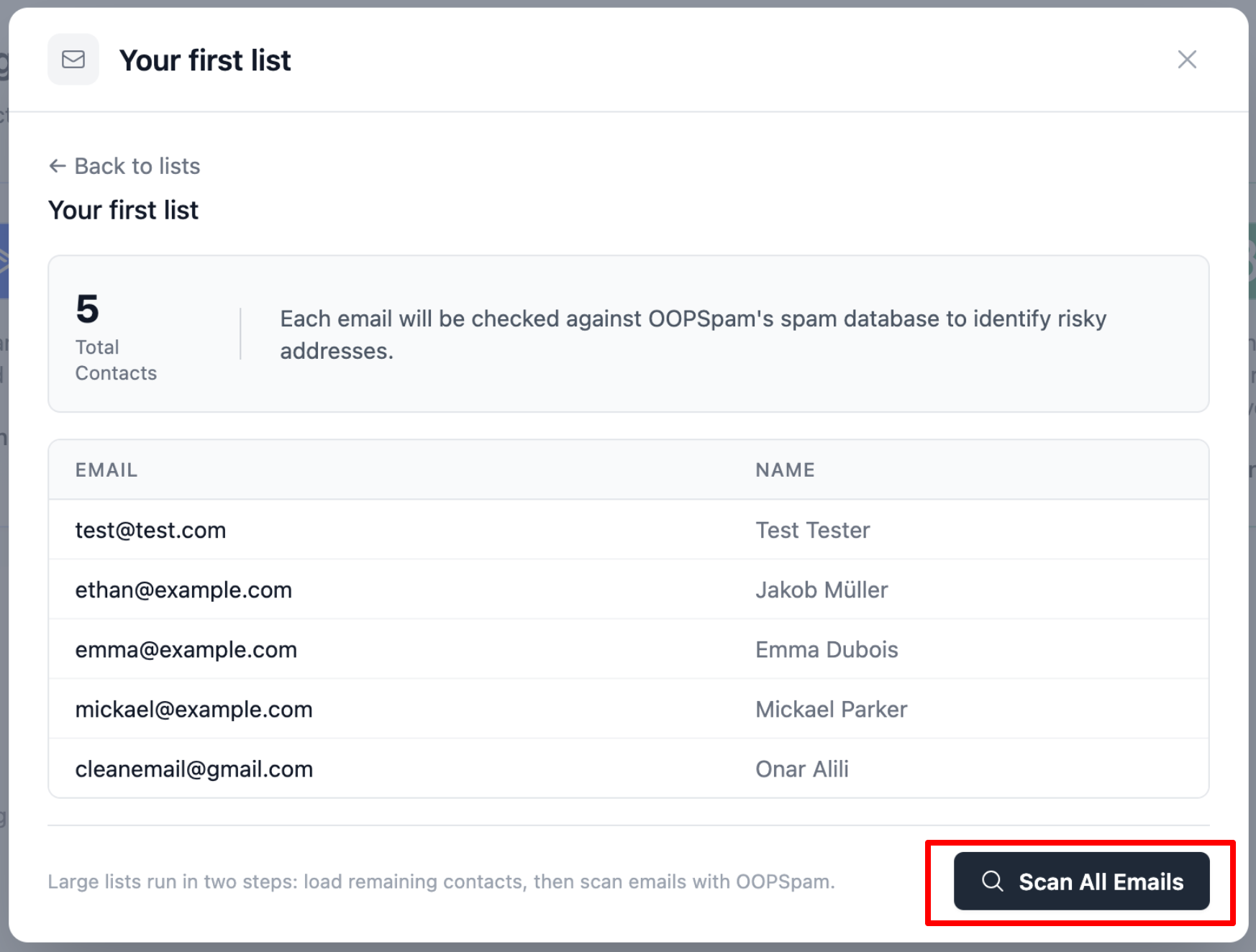
Click Scan All Emails when ready. For larger lists, the scan runs in two steps: first loading all contacts, then scanning them with oopspam. Either way, the process runs automatically.
Note: scanning uses your oopspam API credits.
Step 5: Fine-Tune What Counts as Risky (optional)
Before you scan, you can flag two additional situations under Additional risk criteria. Both are optional and sit on the same screen as the contact preview.
- Soft bounced flags any contact whose most recent send came back as a soft bounce, since repeated soft bounces are an early warning sign of a dying address.
- Never opened the last 3 emails flags contacts who haven’t opened your last three campaigns. This needs open tracking to be enabled in Brevo, and without it the results may not be accurate.
Turning either option on adds extra checks to the scan, so expect it to take a bit longer than a standard scan.
Step 6: Filter by IP Address (optional)
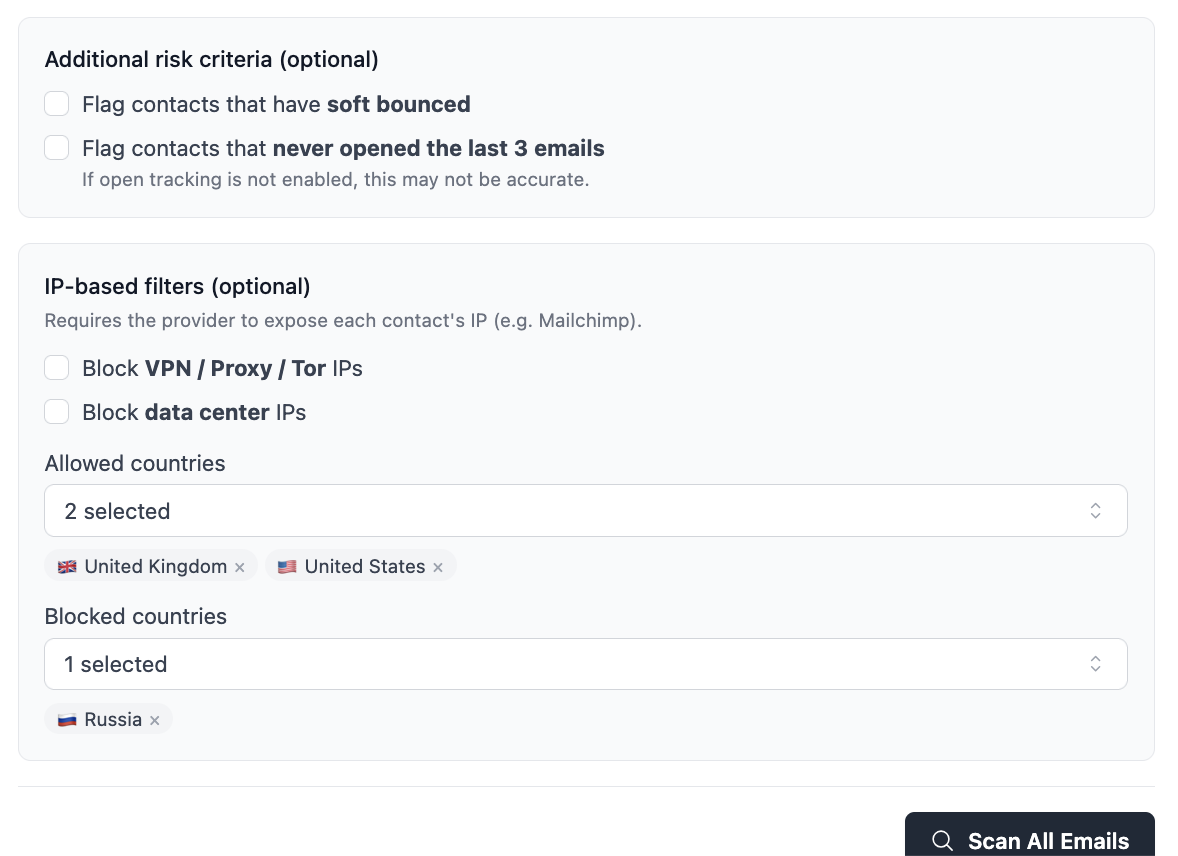
Further down the same screen, IP-based filters let you flag contacts by where and how they signed up. This section only appears if your provider exposes each contact’s IP address.
- Block VPN / Proxy / Tor IPs flags signups that came through anonymizing services, a common pattern for fake or scraped addresses.
- Block data center IPs flags signups originating from server infrastructure rather than a real person’s device.
You can also set Allowed countries and Blocked countries to restrict scans to the regions you actually market to. Like the risk criteria above, IP-based filtering adds extra checks and can slow down scan time.
Step 7: Let the Scan Run in the Background
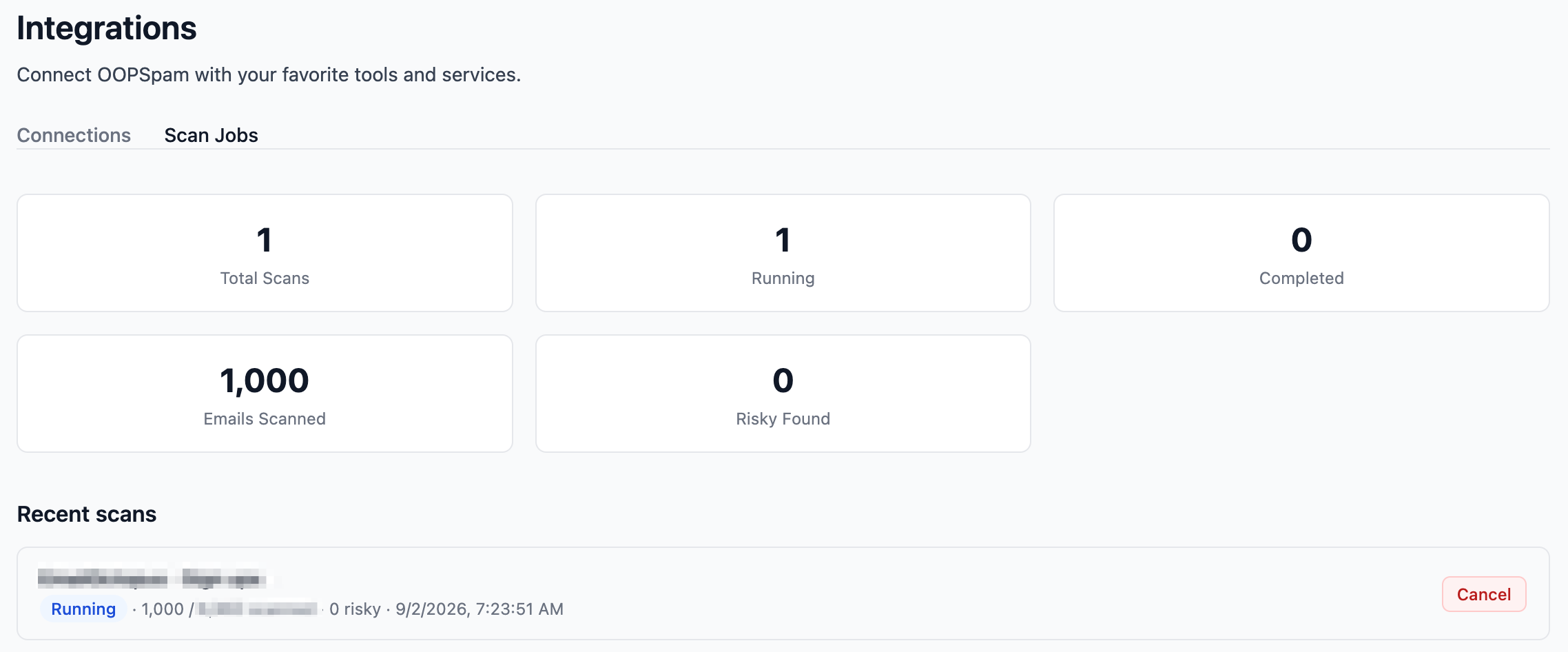
Once you click Scan All Emails, the scan now runs entirely in the background, which is especially handy for large lists. You can close the tab and keep working; oopspam emails you the moment the scan finishes.

You can track progress at any time from Integrations → Scan Jobs, which shows whether a scan is running, completed, or cancelled, along with how many emails have been scanned and how many were flagged as risky.
Step 8: Review and Act on Risky Contacts
Once the scan finishes, results are displayed in three summary cards:
- Total Scanned - every address checked
- Clean - addresses that passed
- Risky - addresses flagged as suspicious or harmful
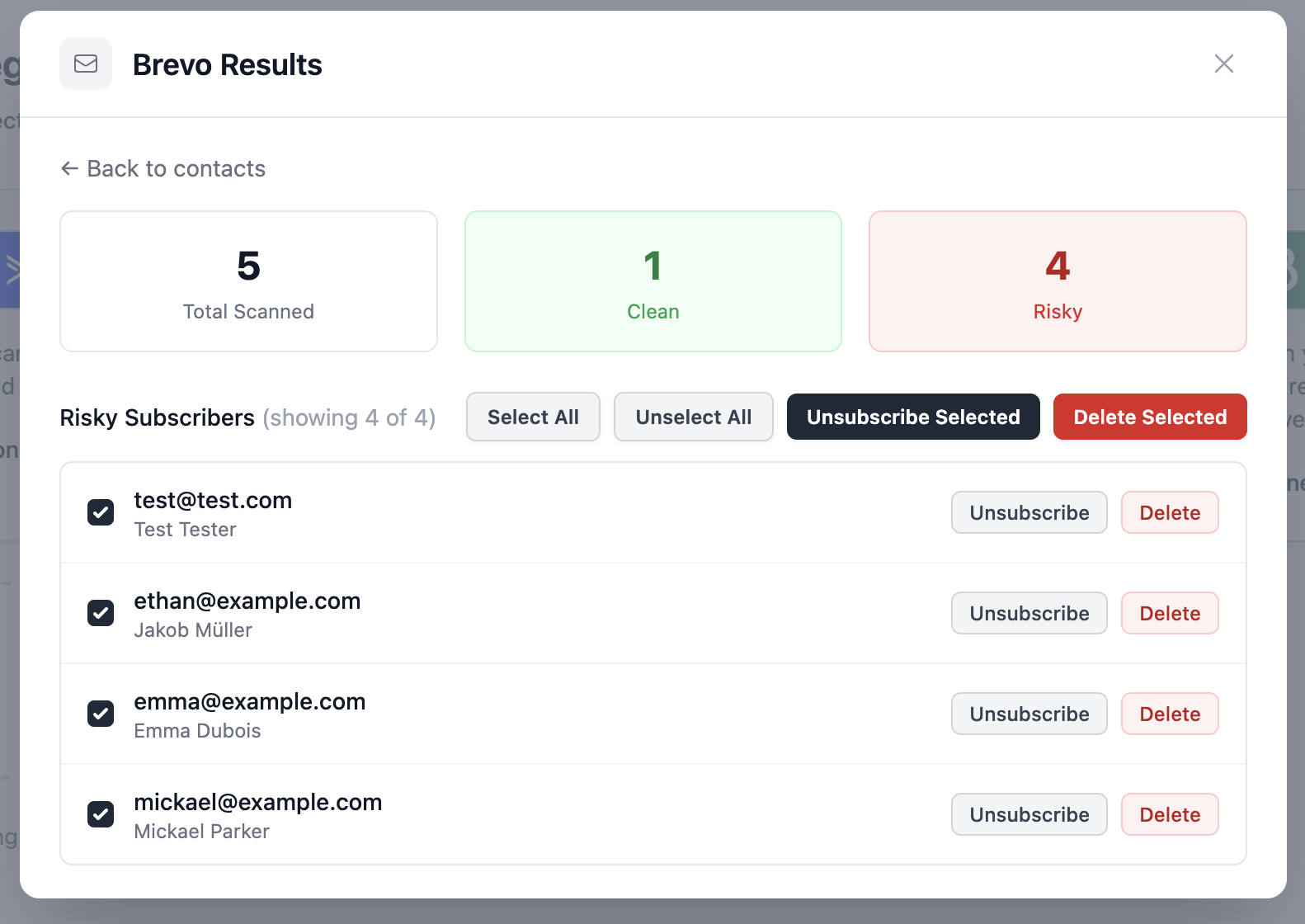
All risky contacts appear in the list below with individual action buttons. For each one you can:
- Unsubscribe - removes the contact from this list only; they remain in your Brevo account
- Delete - permanently removes the contact from your Brevo account entirely
To handle them in bulk, use the buttons at the top of the list:
- Unsubscribe Selected - unsubscribes all checked contacts from the list
- Delete Selected - permanently deletes all checked contacts from your account
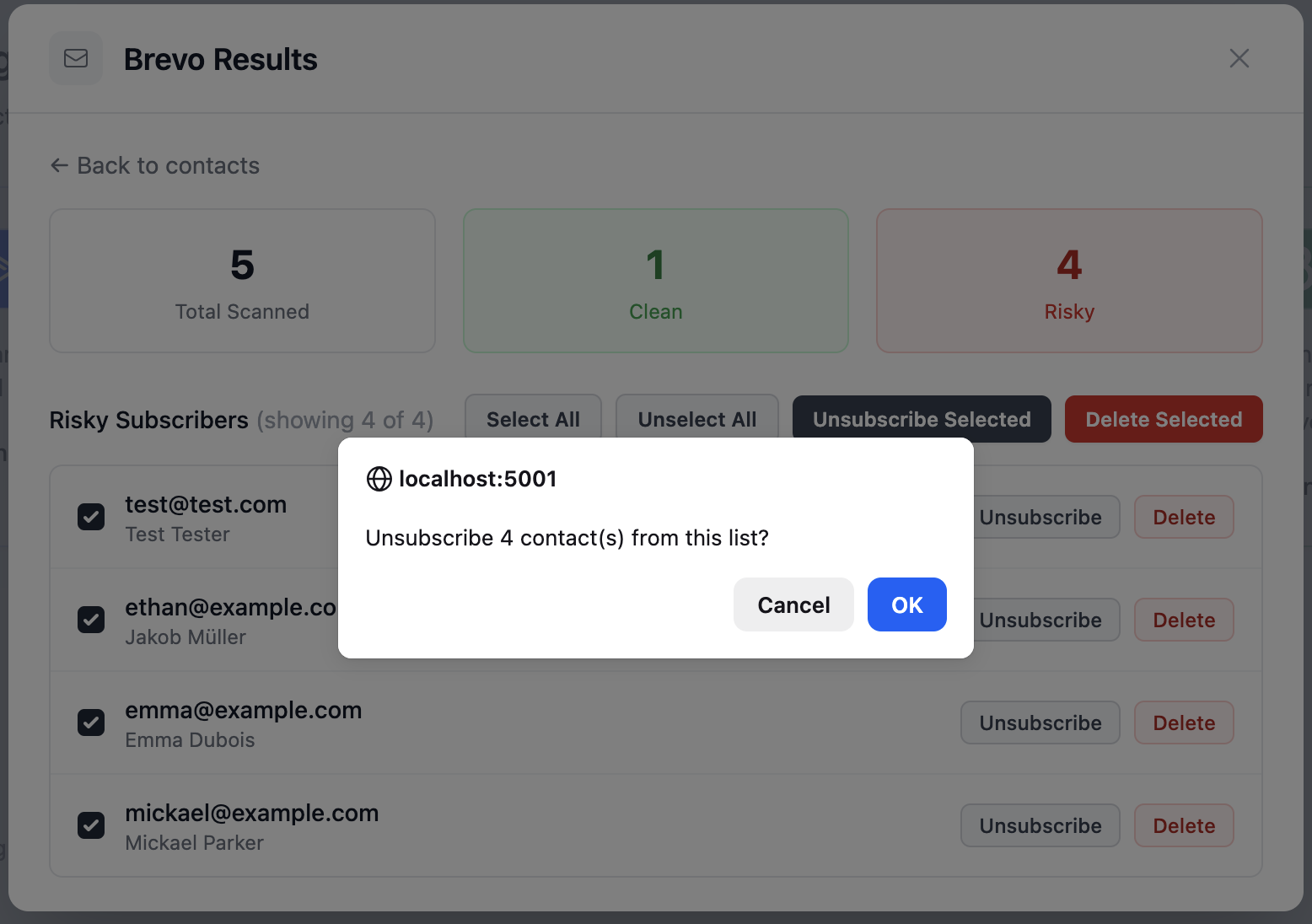
Before bulk actions are applied, Brevo will show a confirmation dialog to make sure you intended the action. Click OK to proceed.
Step 9: Done! List Cleaned
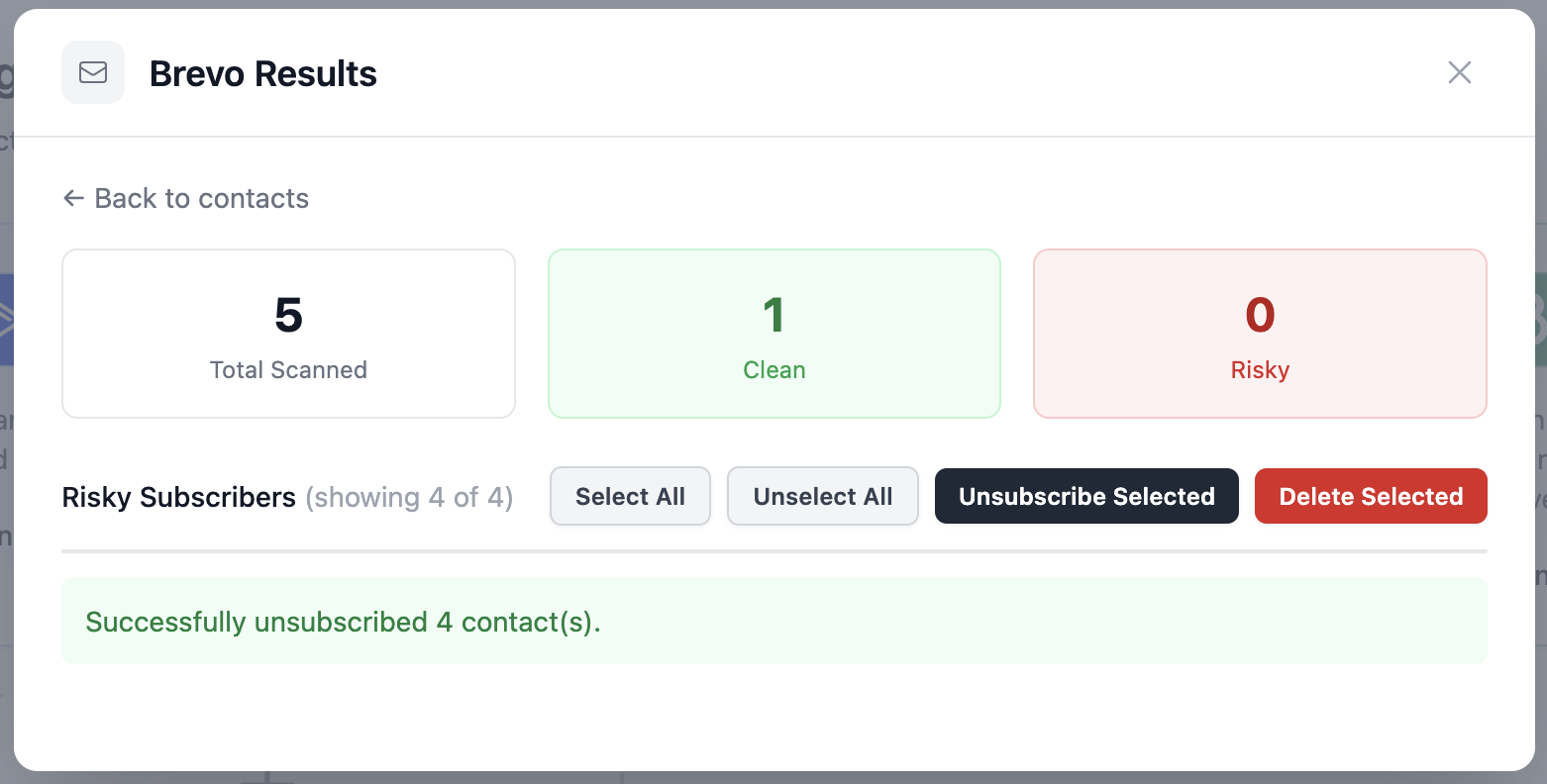
After confirming, the risky count drops to 0 and a success message appears. In this example, 4 contacts were successfully unsubscribed from the list.
Why Bother Cleaning Your Brevo List?
Most email problems don’t announce themselves, they build up quietly. A few reasons to scan regularly:
- Bounce rates rise when invalid addresses accumulate, hurting your sender score
- Spam traps get added to lists through scraped or purchased contacts, hitting one can get your domain flagged
- Engagement metrics become unreliable when a chunk of your list can’t or won’t open anything
- Brevo charges by email volume, removing dead contacts keeps your costs in check
A clean list means your campaigns reach real people and your stats reflect reality. Connect oopspam to Brevo once, and you can run a scan whenever your list needs it. No imports, no spreadsheets, no manual cross-referencing.
