4 Ways to Stop Spam in Brevo

Technical Content Marketer

Reviewed by Onar Alili
Co-founder & Engineer
Updated Published 7 min read
Spam in Brevo damages your sender reputation, hurts email deliverability, and wastes your marketing budget. To fix it, you need to clean your contact lists, secure your signup forms, authenticate your domain, manage sending volume, and use a dedicated spam-scanning tool. Here is exactly how to do each one.
1. Scan and Clean Your List with oopspam
Your first line of defense is knowing exactly which contacts in your Brevo list are risky before you send to them. oopspam (that’s us 👋) integrates directly with Brevo and checks every email address in your list against a spam database. Here is the workflow:
Go to your oopspam Dashboard and click Integrations in the left sidebar.
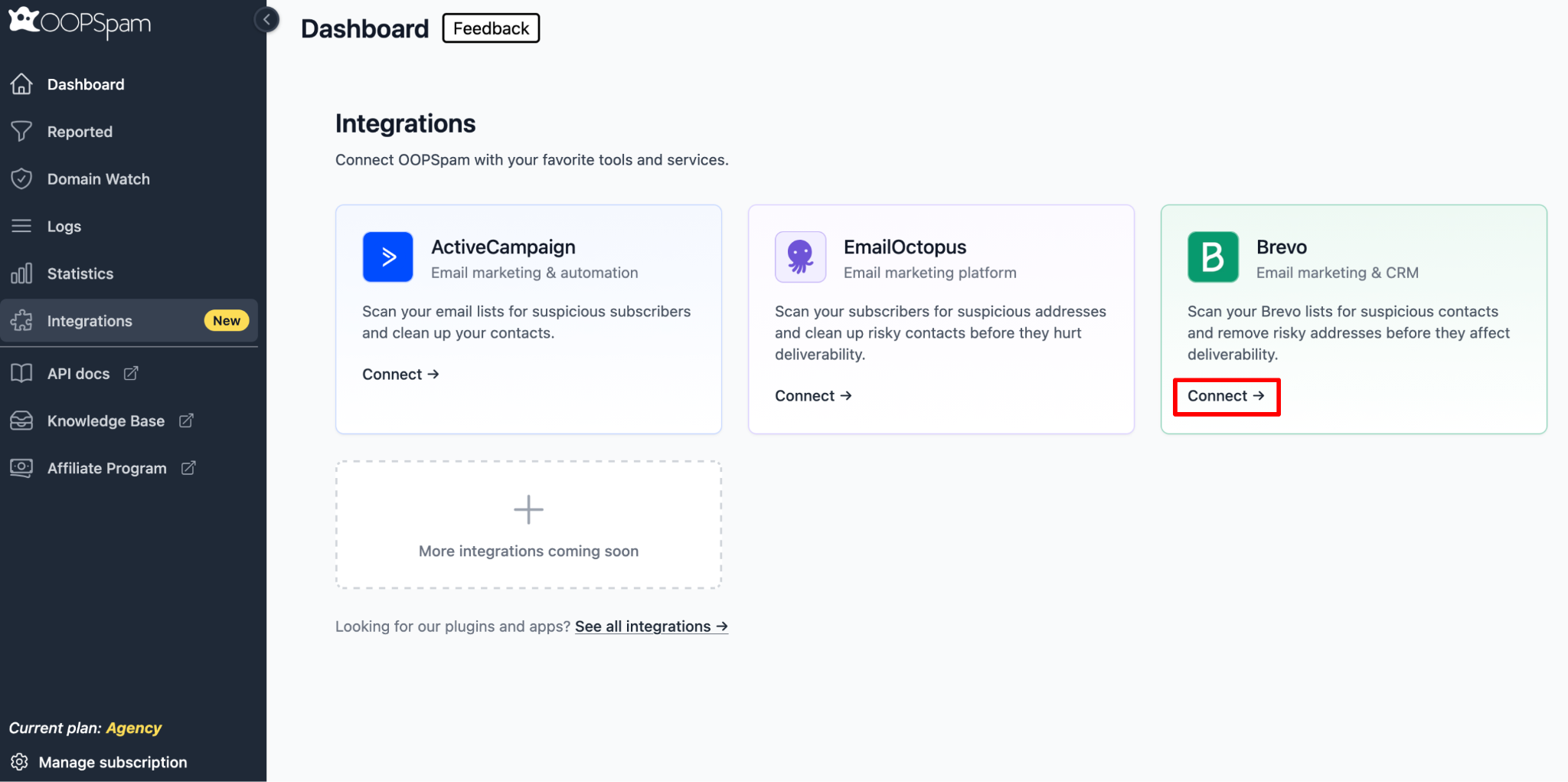
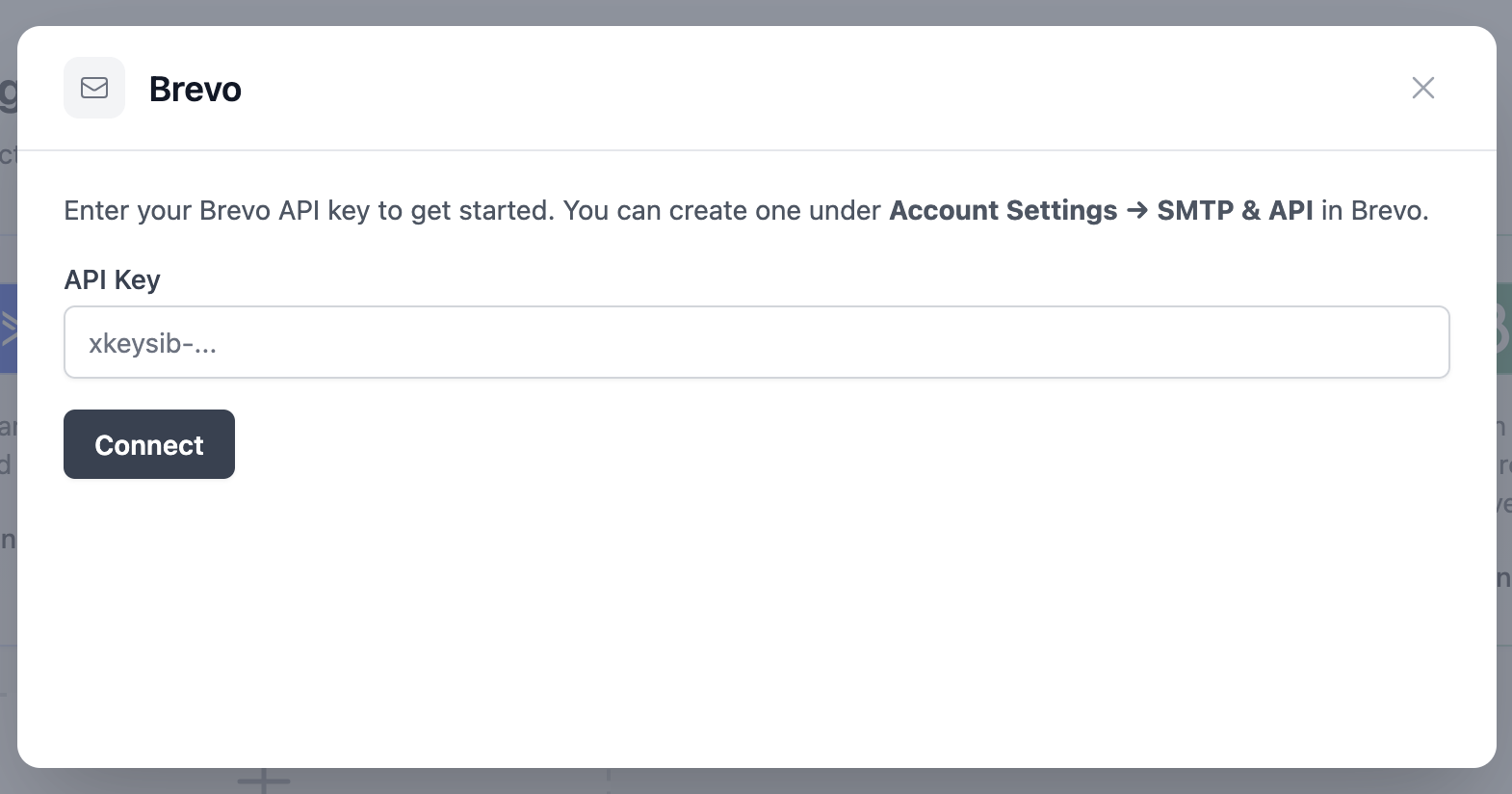
Click Connect on the Brevo card and enter your Brevo API Key (found under Account Settings > SMTP and API).
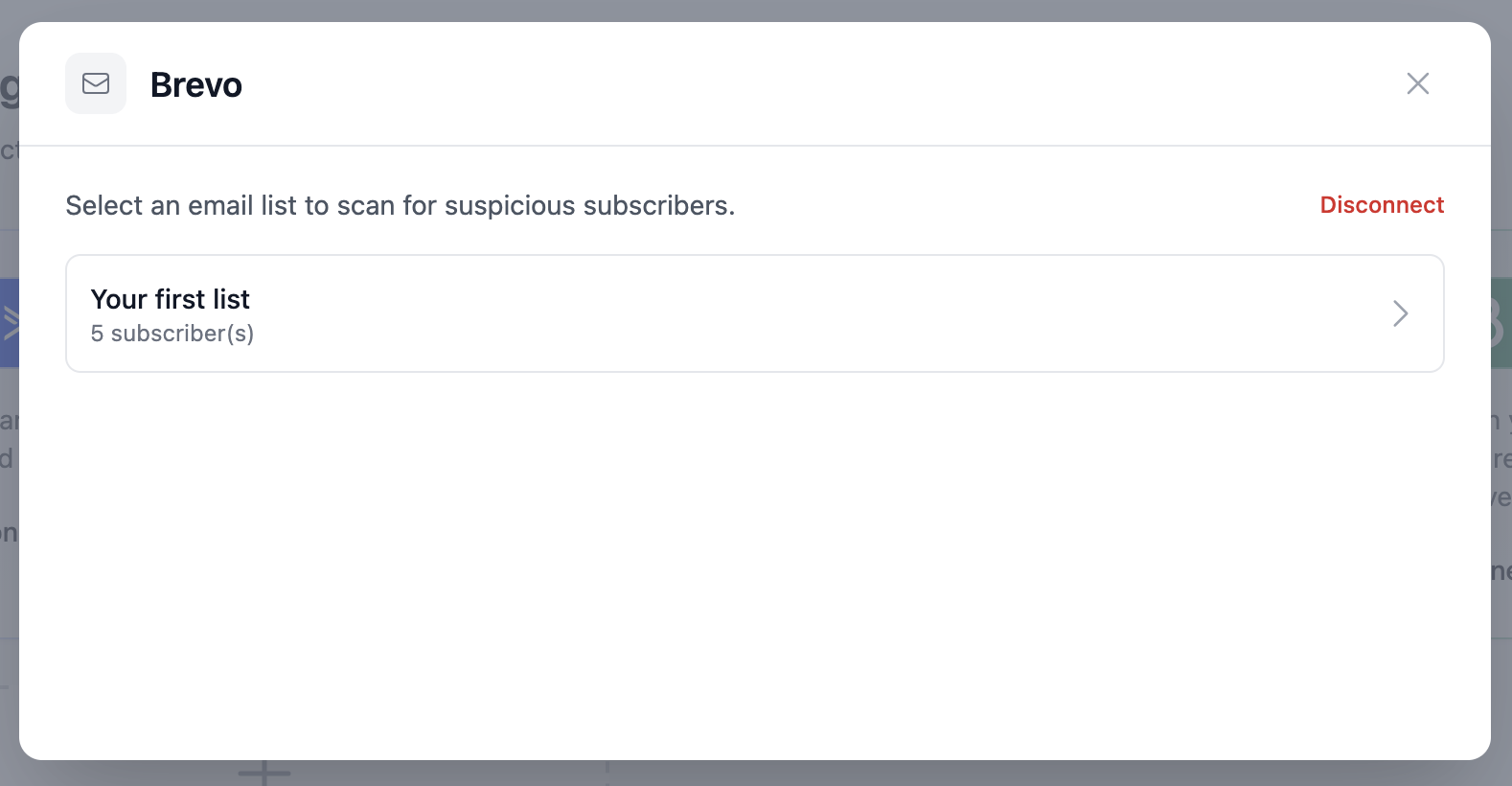
After connecting, select the Brevo list you want to scan.
Preview the contacts, then click Scan All Emails to begin.
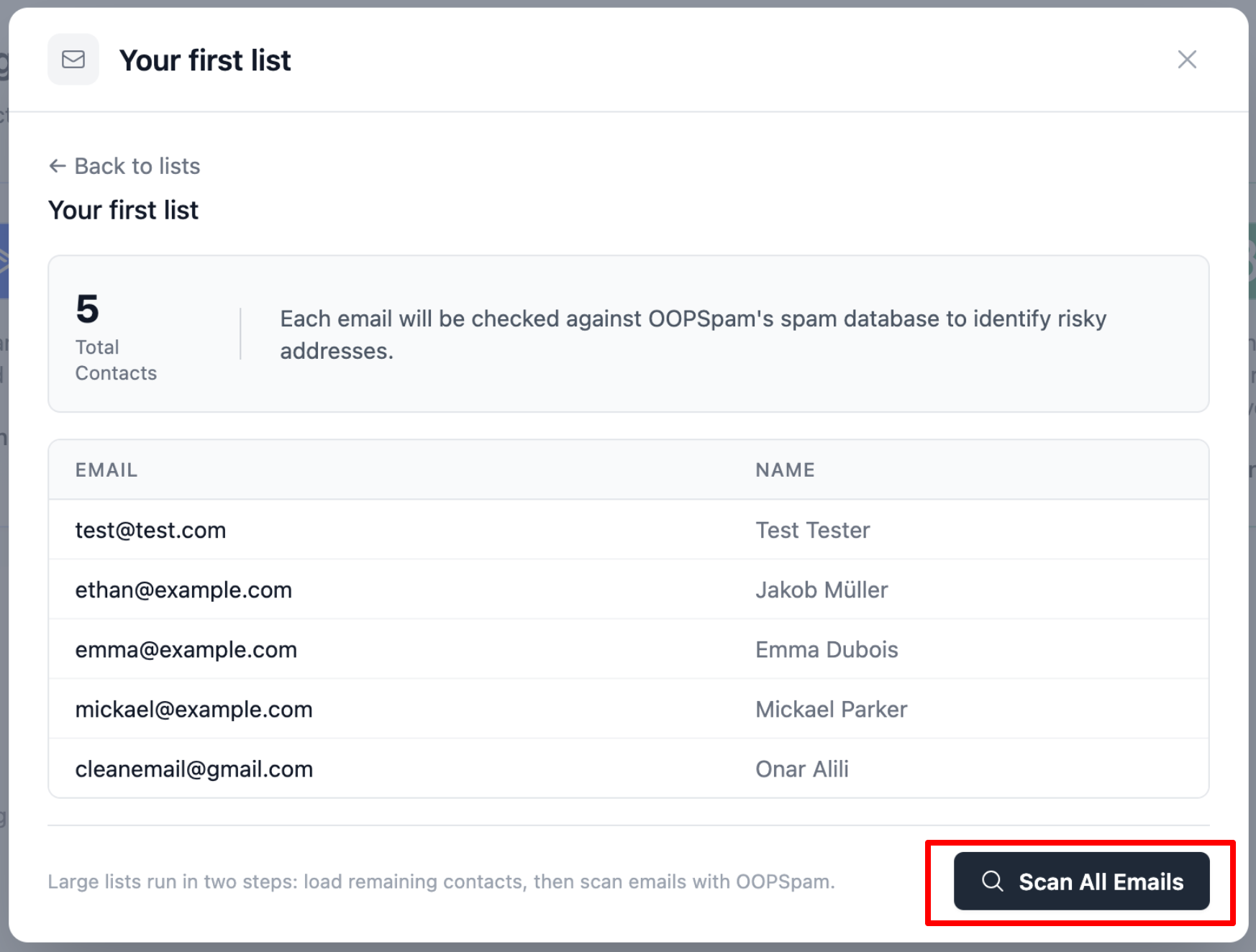
Review results across three categories: Total Scanned, Clean, and Risky.
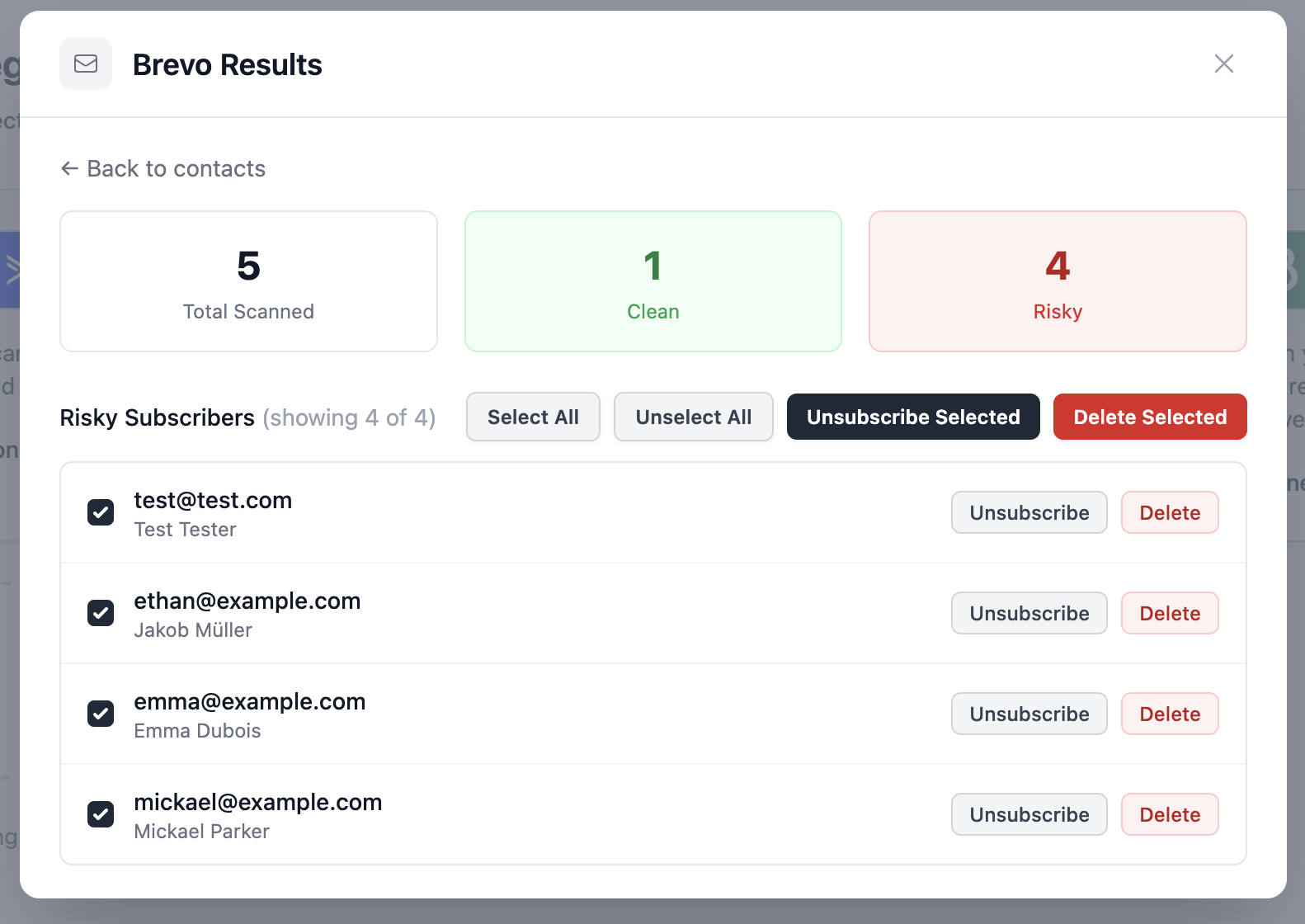
For each risky contact, you can Unsubscribe (removes from the list only) or Delete (removes from your entire account). Bulk actions are available at the top of the results list.
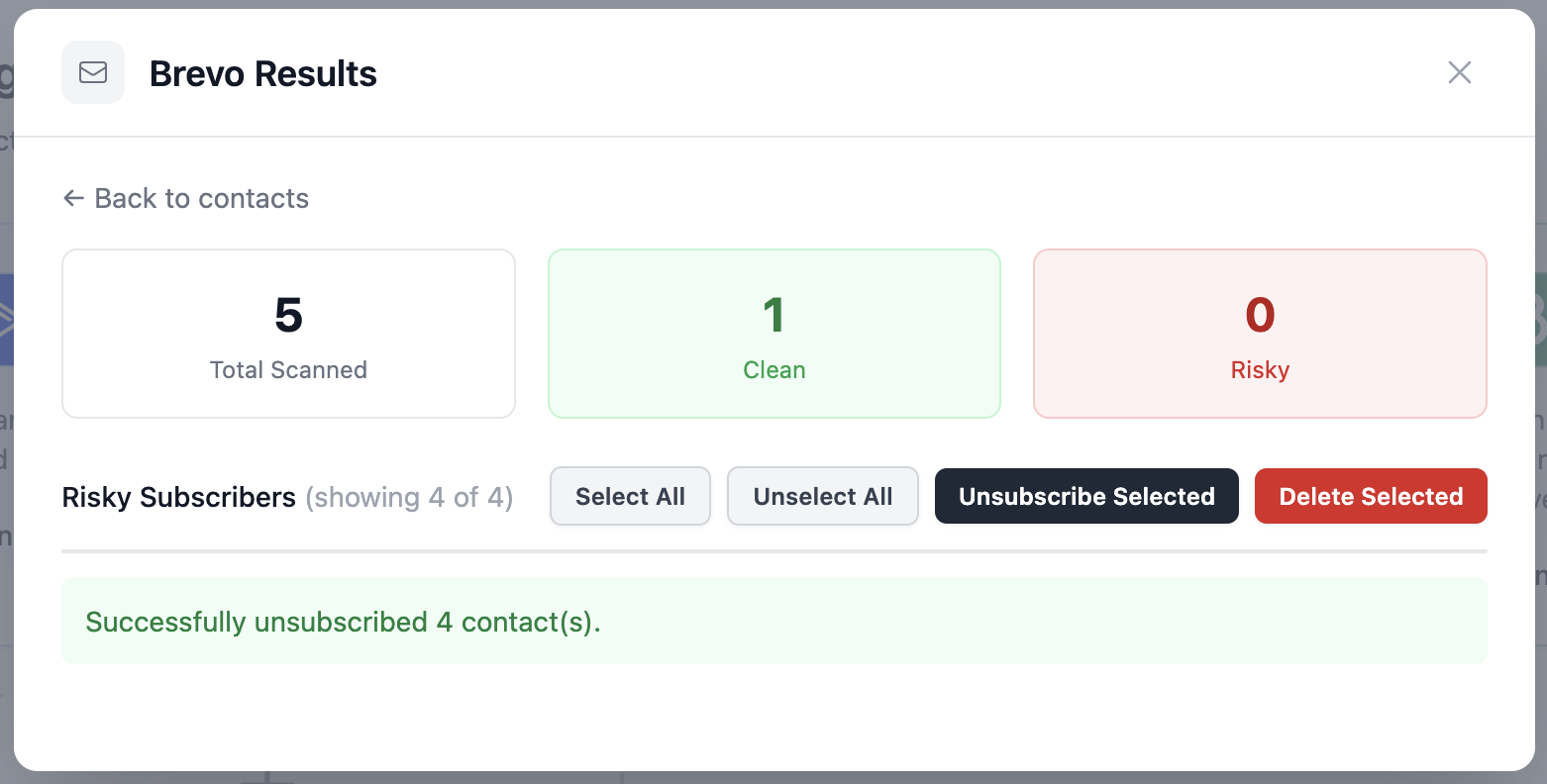
This single step alone can reduce bounces and spam complaints before your next campaign goes out. Note that scanning consumes oopspam API credits, so plan scans before major sends.
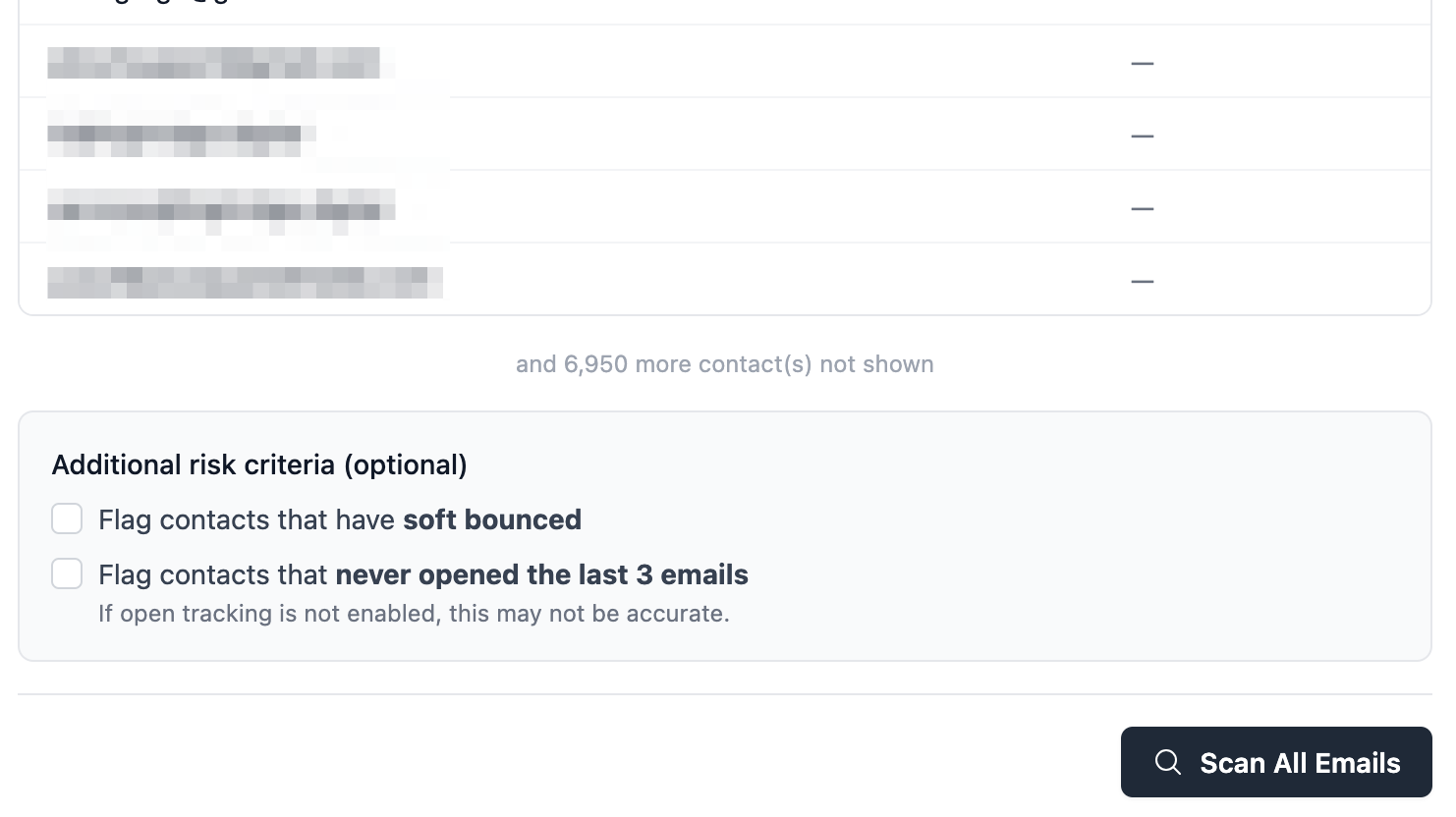
oopspam recently added a few new options worth turning on:
- Flag soft bounces - contacts whose most recent send came back as a soft bounce get flagged as risky.
- Flag non-openers - contacts who haven’t opened your last 3 emails get flagged. This needs open tracking enabled in Brevo and can be less reliable.
- Filter by IP - block VPN/proxy/Tor or data center addresses, or restrict scans to specific countries, wherever your provider exposes contact IPs.
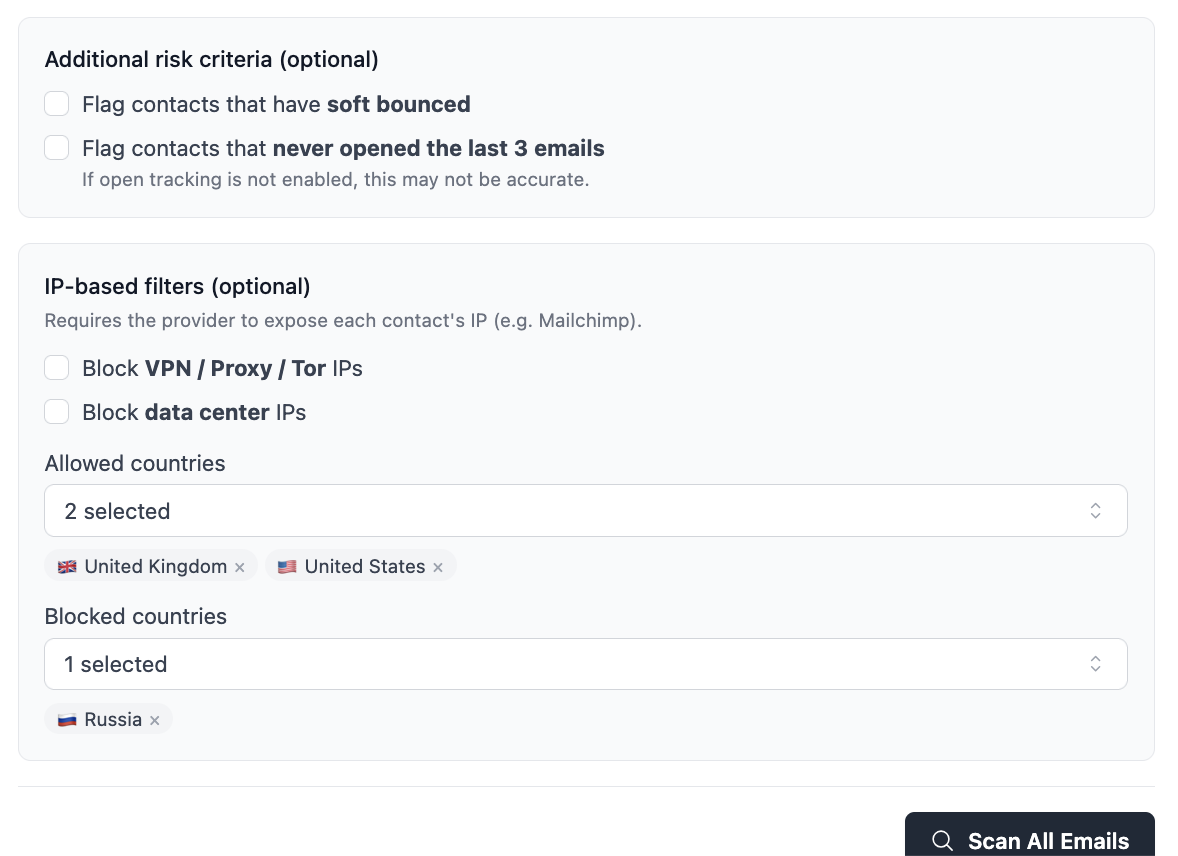
Larger scans now run entirely in the background, so you can close the tab and get an email when results are ready. These additional features checks add a bit of scan time.
2. Protect Signup Forms from Bot Abuse
Bots are a primary source of fake signups. They automatically fill out your Brevo forms with fraudulent or stolen email addresses, polluting your list from the moment someone signs up. Use a combination of these three defenses:
Enable Double Opt-In
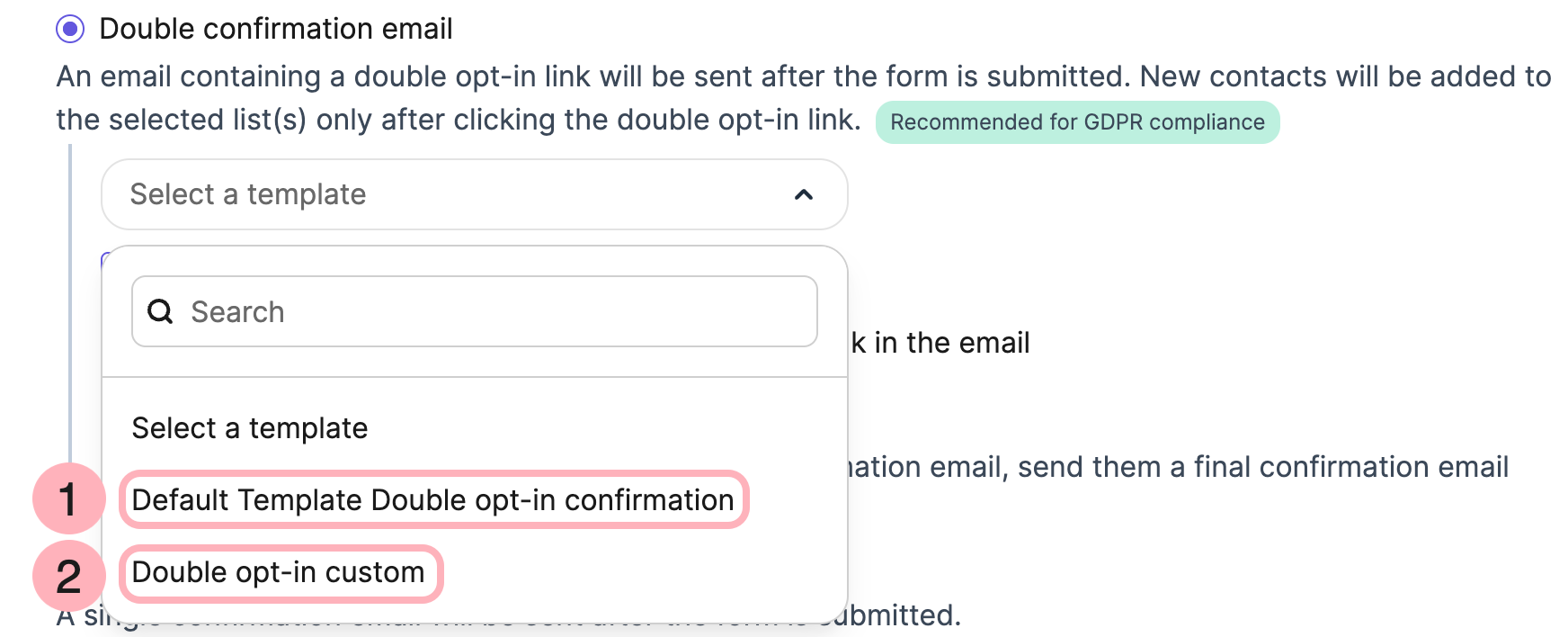
Require every new subscriber to click a confirmation link sent to their email address. Bots cannot complete this step because the email they submit is either fake or does not belong to them. Double opt-in is one of the most effective spam filters available and is built directly into Brevo.
Add a CAPTCHA
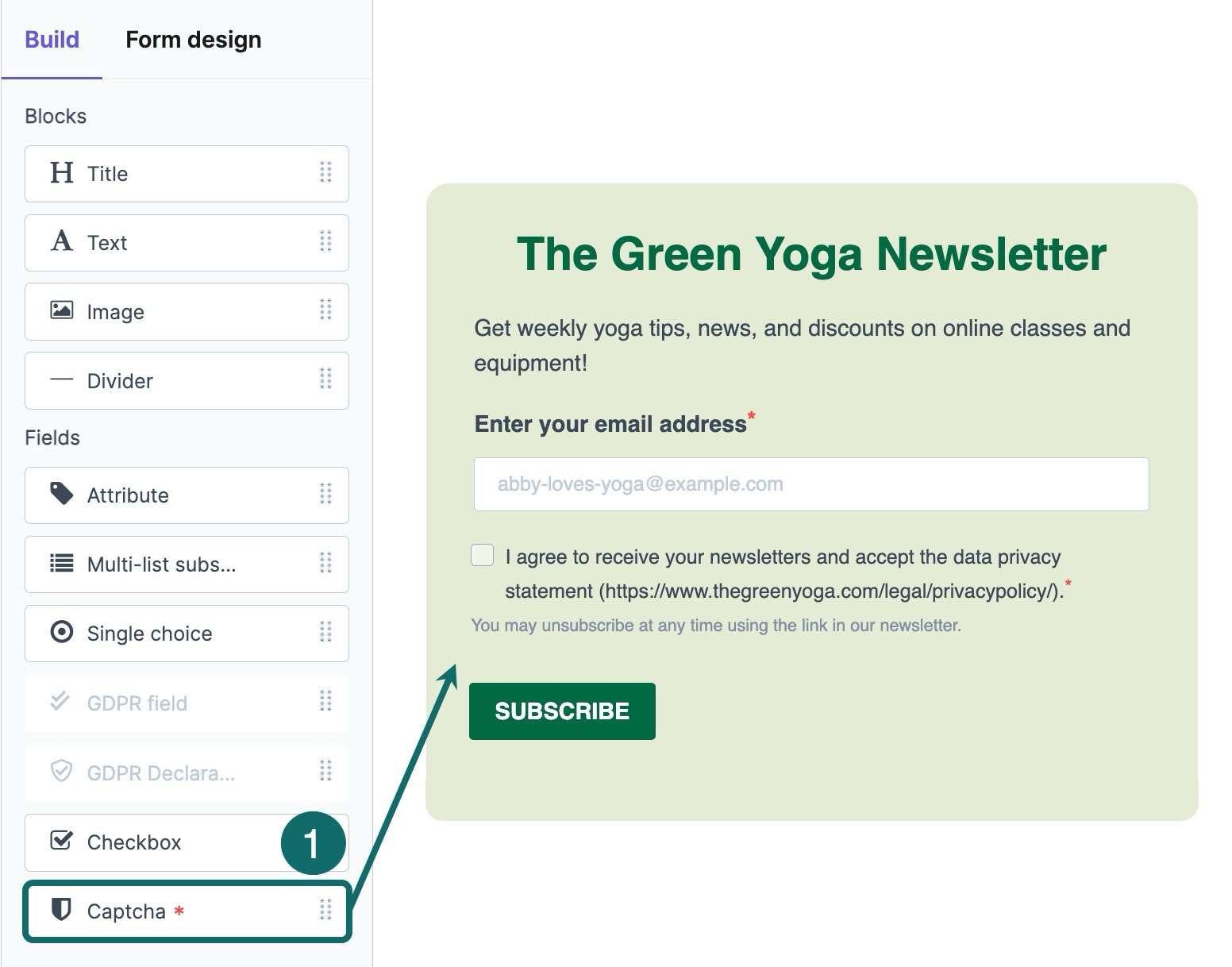
Google reCAPTCHA v2 (with the “I’m not a robot” checkbox) or Cloudflare Turnstile both integrate with Brevo forms. CAPTCHA challenges are easy for real users and nearly impossible for automated bots to solve consistently.
Use a Honeypot Field
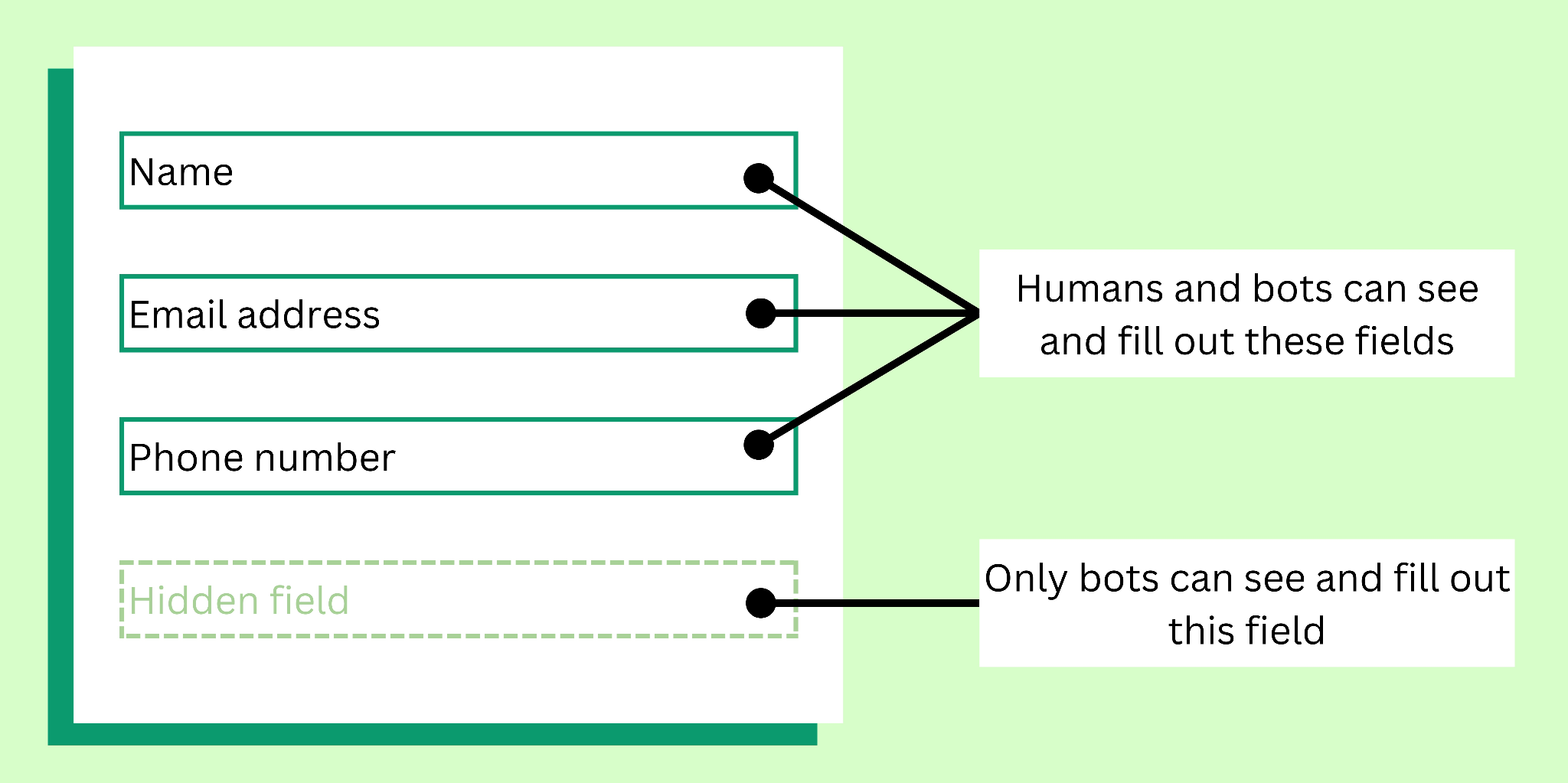
A honeypot is an invisible form field that only bots can see and fill in. When a submission includes data in that hidden field, it gets flagged as bot-generated and discarded. This requires basic HTML and CSS knowledge to implement but adds zero friction for real users.
Running all three defenses together significantly reduces fake signups reaching your Brevo account.
3. Authenticate Your Sending Domain
Domain authentication proves to receiving mail servers that your emails genuinely come from you, not a spammer impersonating your domain. Without it, your emails are more likely to be flagged or rejected outright.
Set up the following three records in your domain’s DNS settings:
- SPF (Sender Policy Framework): Specifies which mail servers are authorized to send email on behalf of your domain. Research shows that a properly configured SPF record can improve deliverability rates by up to 20%.
- DKIM (DomainKeys Identified Mail): Adds a cryptographic signature to every email you send, verifying it has not been altered in transit.
- DMARC (Domain-based Message Authentication, Reporting, and Conformance): Gives inbox providers clear instructions on what to do with emails that fail SPF or DKIM checks, such as quarantine or reject them.
You can verify your authentication status in Brevo under Settings > Senders, Domains, and Dedicated IPs.
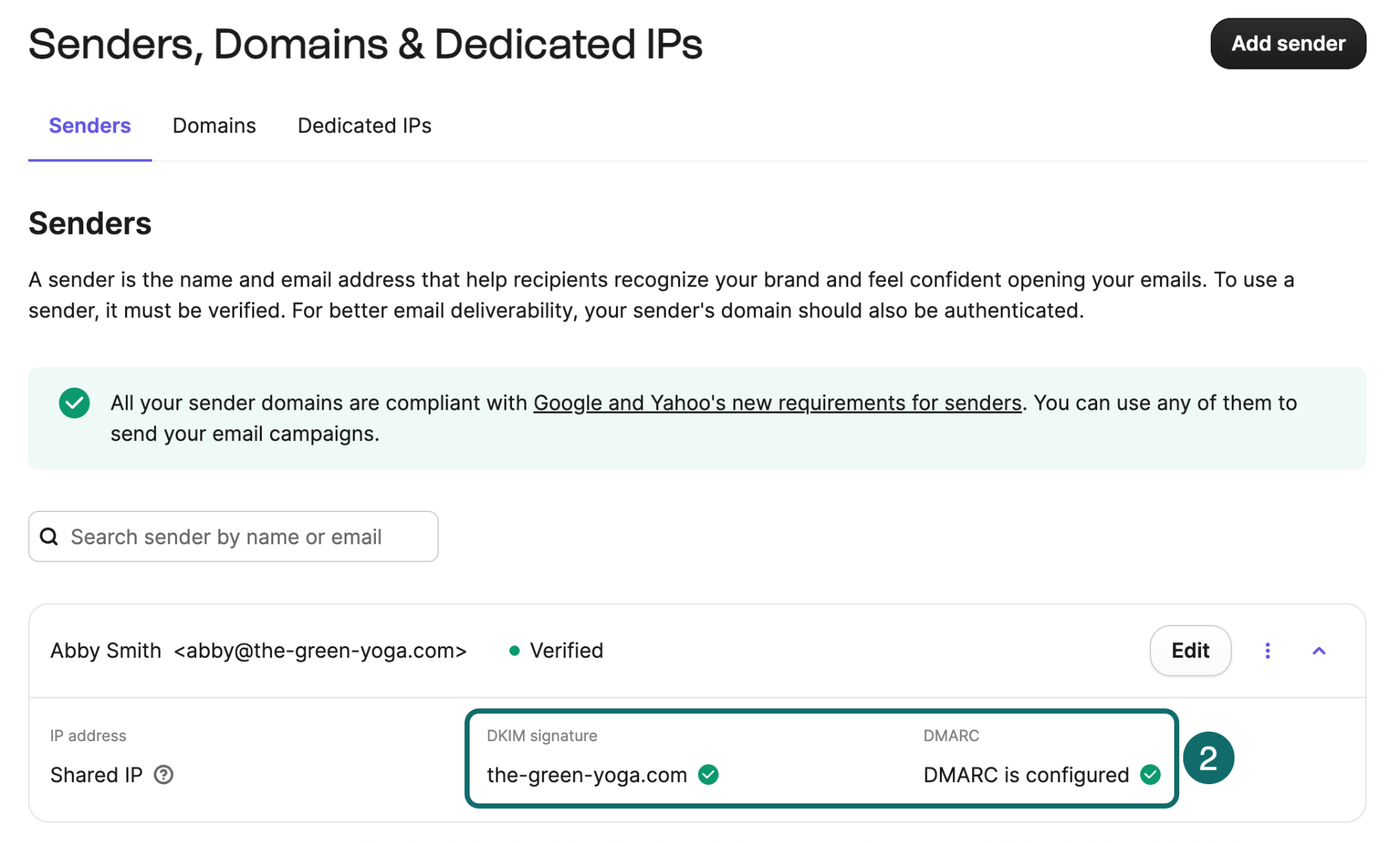
As of 2024, Gmail and Yahoo require SPF, DKIM, and DMARC compliance for bulk senders. Microsoft followed with similar requirements in May 2025. If you are sending from a free email address without domain authentication, Brevo temporarily replaces your sender address with a compliant one, but recipients may not recognize it and mark your emails as spam.
4. Control Your Email Sending Volume
Sudden spikes in email volume are a major red flag for ISPs (Internet Service Providers). If you have been quiet for weeks and then blast your entire list overnight, inbox providers interpret that pattern as suspicious behavior.
Use Brevo’s Sending Cadence feature (found under Campaigns > Sending Cadence) to cap the number of marketing emails any single contact receives within a set timeframe. This prevents both email overload for your subscribers and algorithmic flags from ISPs.
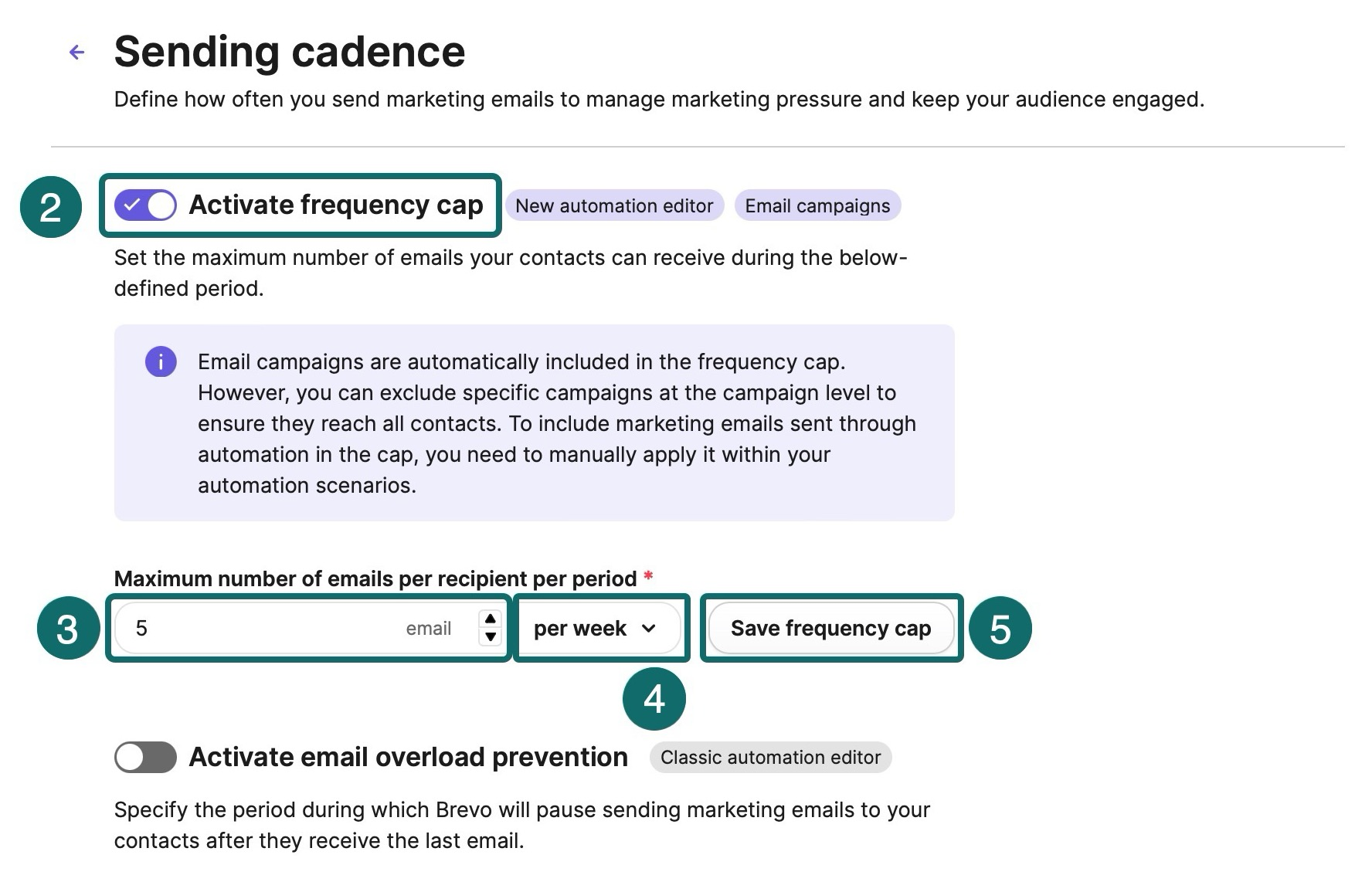
Additional tips for managing volume:
- If you are starting with a new domain or a dedicated IP address, warm it up gradually over four to six weeks. Begin with 50 to 100 emails per day to your most engaged contacts before scaling up.
- Send at a consistent cadence. Mailbox providers build expectations based on your sending patterns. Irregular sending, especially after long pauses, raises deliverability flags.
- Avoid sending to your entire contact list at once. Segment by engagement level and target recipients most likely to interact with your content first.
Final Takeaway
Stopping spam in Brevo is not a one-time fix. It requires an ongoing combination of the four strategies above. Each layer you add makes your account harder for spam to penetrate and your emails more likely to reach the inbox where they belong.
