
Chazie Baniquid
Technical Content Marketer
3 minutes to read
How to Limit Form Submissions in Elementor Atomic Forms?
Elementor Atomic Forms does not include built-in submission throttling. That means a bot can hit your form dozens of times in a few minutes, flooding your inbox and inflating your submission count with junk. Because Atomic Forms is still new, there is currently no native rate limiting option to fall back on.
To limit form submissions in Elementor Atomic Forms, you need to add rate limiting with oopspam (that’s us 👋). This caps how many times a single IP address or email can submit your form within a set time window, stopping rapid bot driven abuse before it reaches your database.
Below is the exact setup.
Add Rate Limiting with oopspam
oopspam checks each submission before it reaches your Atomic Form’s “Actions after submit” step. If a visitor exceeds your defined limit, the submission is blocked automatically.
Step 1: Install oopspam

Go to Plugins > Add New in your WordPress dashboard. Search for oopspam Anti-Spam, then install and activate it.

Create an account at oopspam.com and copy your API key from the dashboard.

In WordPress, go to oopspam > General Settings, paste your API key, and save. Your site is now connected.
Step 2: Enable Protection for Atomic Forms
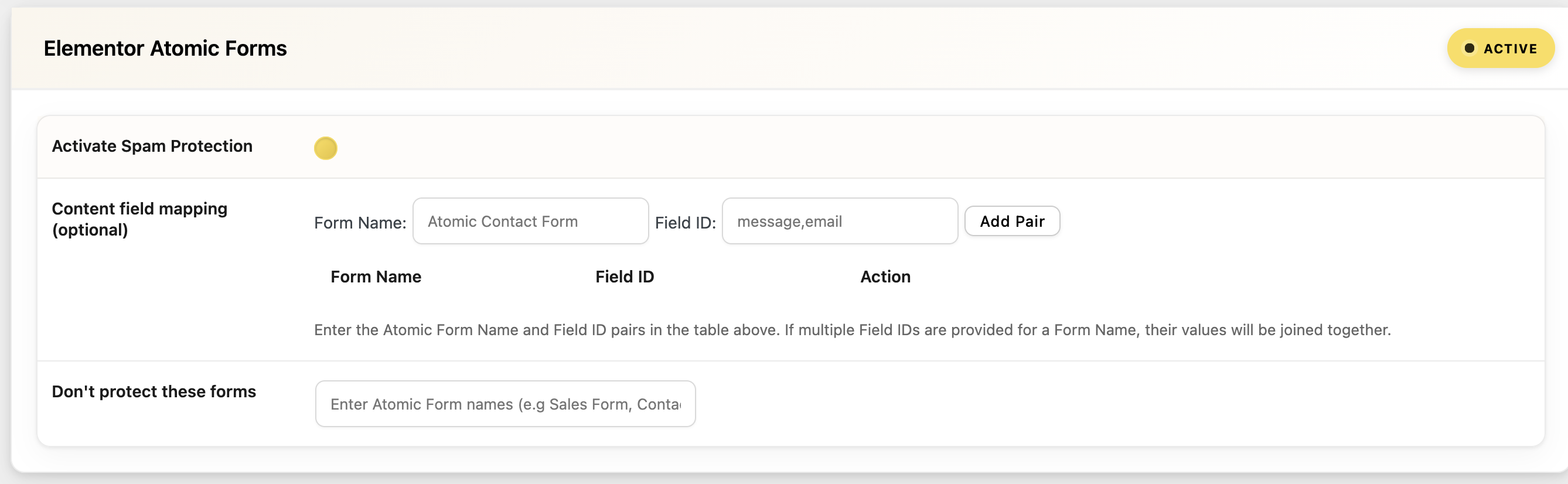
In the oopspam settings, find the Elementor Atomic Forms section and toggle on Activate Spam Protection.
This ensures every submission is checked before your form’s email or collect submissions actions run.
Step 3: Turn On Rate Limiting
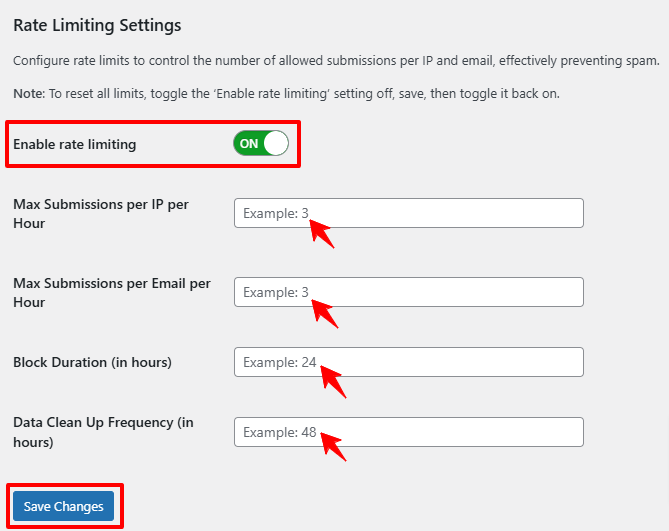
Open the Rate Limiting tab inside oopspam and enable it. You can configure:
- Max submissions per IP per hour: Limits how many times one IP address can submit your form in an hour.
- Max submissions per email per hour: Limits how often one email address can attempt a submission.
- Block duration: How long an IP or email stays blocked after hitting the limit.
- Data cleanup schedule: Automatically clears old logs so performance stays stable.
For example, you might allow 5 submissions per IP per hour. Once that limit is hit, the IP is temporarily blocked from submitting again.
This single setting stops the majority of rapid, bot driven form spam on Atomic Forms.
Strengthen Protection with Advanced Filters
Rate limiting works best when paired with oopspam’s other filtering options:
- VPN, proxy, and data center IP blocking.
- Country allow or deny lists.
- Disposable or suspicious email detection.
- Submission logs so you can review what is being blocked.
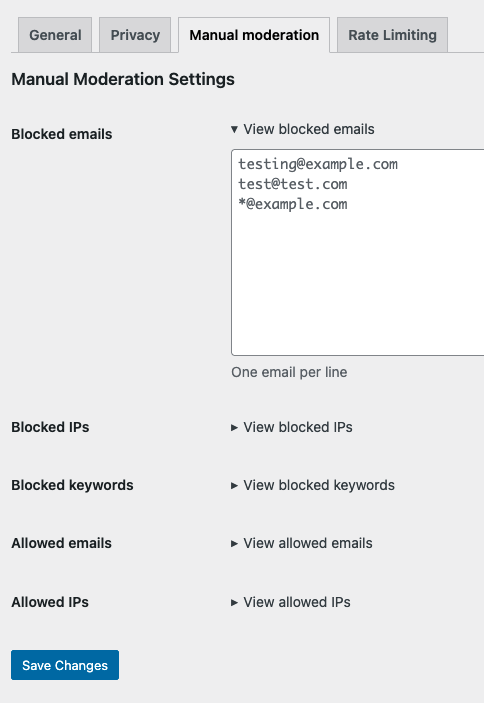
You can also manually block specific emails, IP addresses, or keywords, and allow trusted users to bypass checks entirely. These layers work together to reduce false positives while keeping spam volume low.
Final Thoughts
Limiting form submissions in Elementor Atomic Forms takes one setup step once oopspam is connected. Since the form builder itself has no native throttling yet, rate limiting through oopspam is the most direct way to stop repeated bot abuse without slowing down real visitors.
A clean, accurately limited form always performs better than one buried in repeat junk submissions. Set the limit early and you avoid the cleanup later.
