
Chazie Baniquid
Technical Content Marketer
5 minutes to read
How to Block Countries in Elementor Atomic Forms
Elementor Atomic Forms does not include built-in country blocking. To stop spam and unwanted submissions from specific regions, use oopspam for form-level country filtering or Cloudflare WAF for site-level blocking. The best practice is to combine both: oopspam for precision and Cloudflare for broad, edge-level protection.
Why You Might Need Country Blocking
Blocking certain countries can reduce spam, fake leads, and automated submissions, especially if your real audience is concentrated in a specific region. Atomic Forms is part of Elementor’s newer Editor V4 system and does not yet have a native geo filter, so you need an external tool to restrict submissions by country.
You can either:
- Filter countries at the form level using oopspam (that’s us 👋).
- Restrict countries at the edge level using Cloudflare’s WAF (Web Application Firewall).
Method 1: Use oopspam for Form-Level Country Filtering
oopspam integrates directly with Elementor Atomic Forms. It uses reputation checks and intelligent detection to identify spam and lets you block or allow countries right from your WordPress dashboard. This gives you accurate, invisible protection without disrupting real users or adding extra steps to your form.
How to Set It Up
Install and activate oopspam Anti-Spam from the WordPress Plugin Directory.

Create an oopspam account at oopspam.com and generate your API key.

In WordPress, go to Settings > oopspam Anti-Spam > General, and paste your API key.

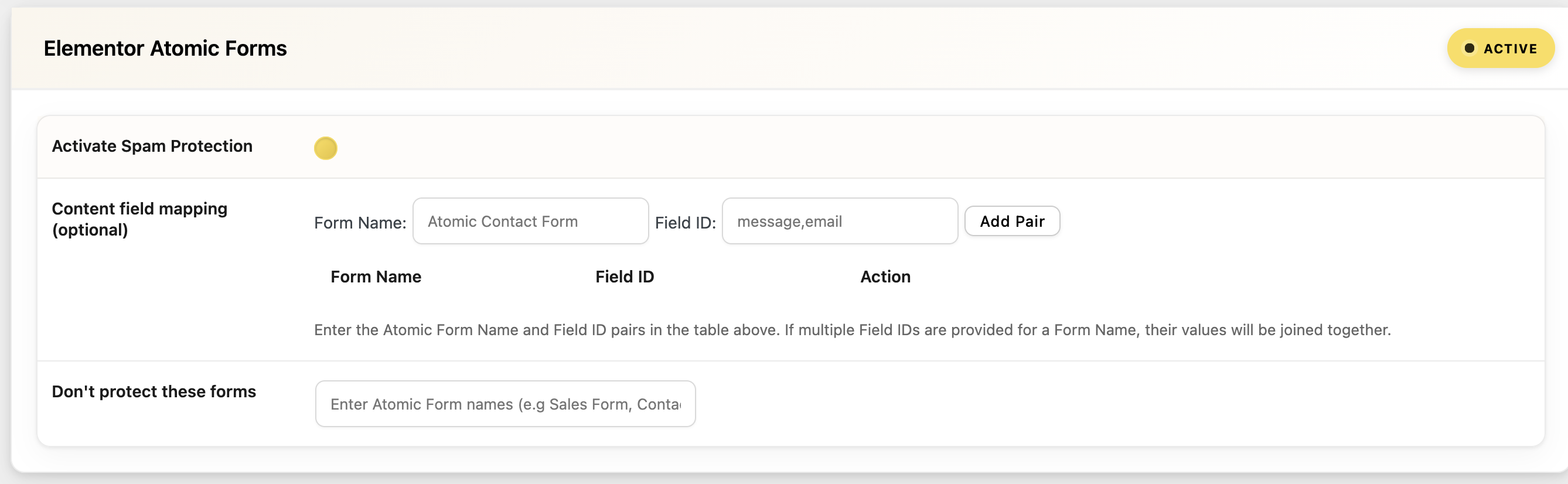
In the oopspam settings, find the Elementor Atomic Forms section and toggle on Activate Spam Protection so submissions are checked automatically.
Set up country filtering under the General Settings tab:
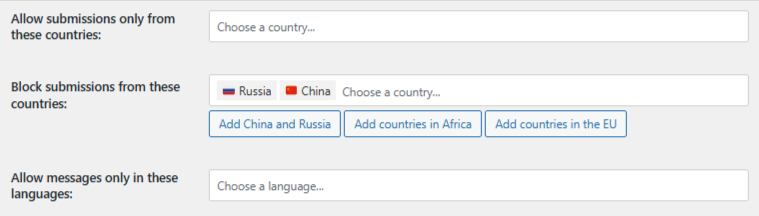
- Trusted Countries (always bypasses spam checks): Submissions from these countries skip all spam checks. Use this only for your core market or internal users.
- Country Allowlist (only accept from these countries): Only allows submissions from selected countries. Everyone else is blocked. Leave this empty if you do not want a strict region rule.
- Country Blocklist (reject submissions from these countries): Rejects submissions from listed countries. Trusted countries always override the blocklist.
Turn On Extra Filters
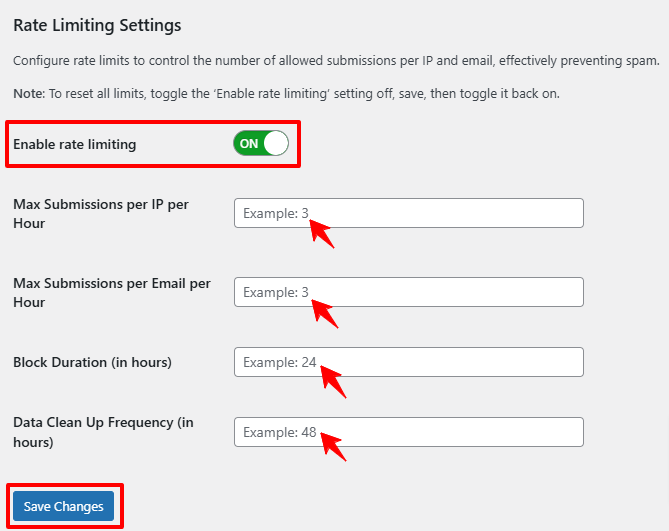
- Rate Limiting: Stop rapid, repeated submissions from the same IP or email.
- IP Filtering: Block bad IP addresses, VPNs, and data center traffic.
- Contextual Detection: Identify hidden or AI-generated spam in message fields.
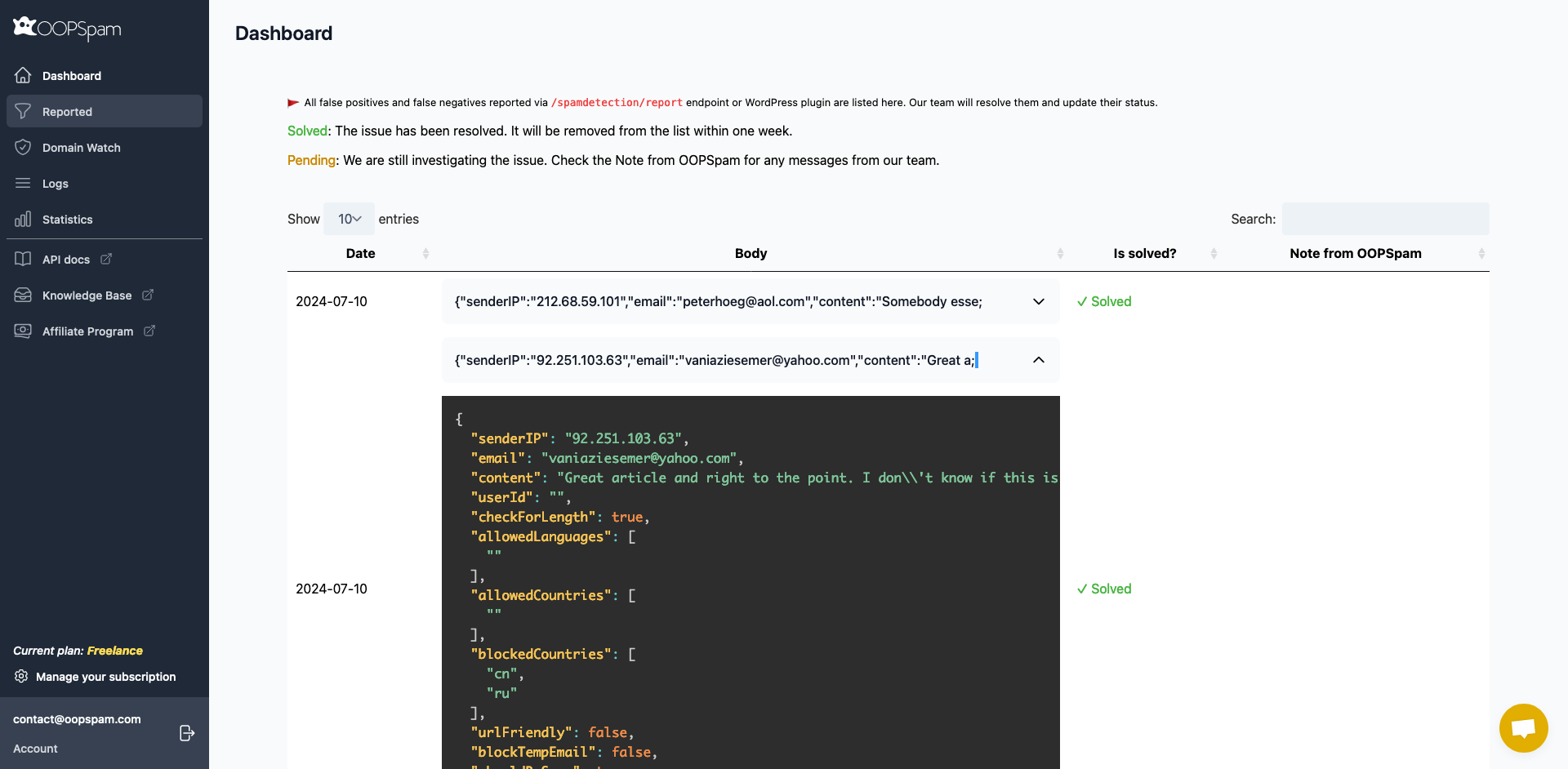
After setting up your filters, test your Atomic Form by submitting it in Incognito mode. Then check the Spam and Ham logs in WordPress to confirm unwanted submissions are being blocked. You can also review the oopspam Dashboard to see which submissions were filtered and why.
Benefits of oopspam for Atomic Forms
- Filters spam by country, language, content, IP reputation, and submission speed.
- Uses intelligent detection to stop advanced, human-like spam.
- Provides transparent logs so you can see exactly what was blocked.
- Works silently in the background, with no CAPTCHAs for users to complete.
Method 2: Use Cloudflare WAF to Block Countries at the Edge
Cloudflare’s Web Application Firewall (WAF) lets you block or challenge requests by country before they ever reach your WordPress site. This is best for region-limited sites or when you are facing high-volume spam attacks that need to be stopped before they hit your server.
How to Set It Up
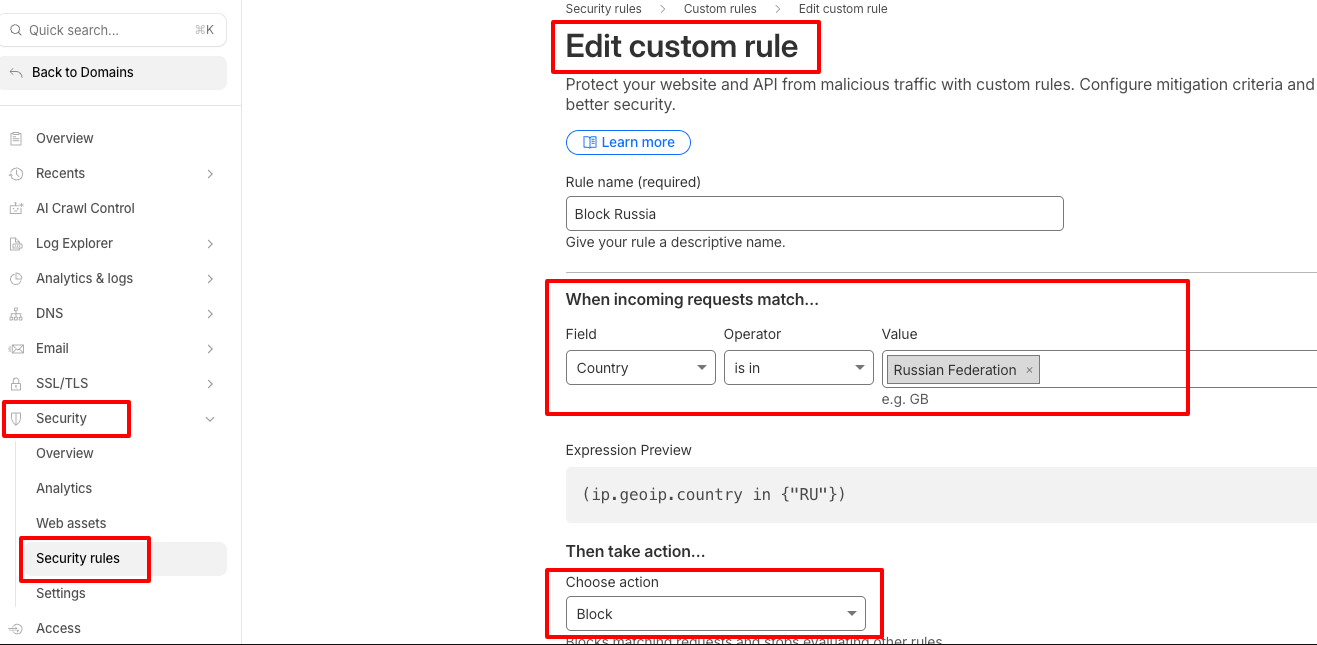
- Log in to your Cloudflare Dashboard.
- Go to Security > Security Rules.
- Click Create a new rule and name it “Block Countries.”
- Set the field to Country, choose the operator is in, and select the countries you want to block.
- Choose Block as the action and click Save to apply the rule.
A Note on Error Messages
When oopspam blocks a submission, Atomic Forms shows a default error message rather than a custom one. You can make this clearer for legitimate users:
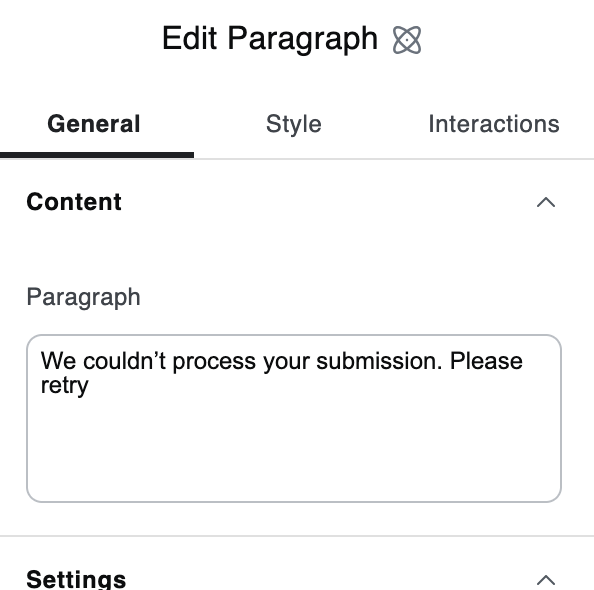
- Select the Atomic Form in the Elementor editor.
- In the left panel, go to General > Content > States and select Error.
- Click on the error message text on the canvas.
- Edit it to something more specific, such as “We’re unable to process submissions from your region.”
Final Takeaway
The best way to block countries in Elementor Atomic Forms is to use oopspam for precision and Cloudflare WAF for extra perimeter security. Together, they create a layered defense. Your Atomic Forms stay clean, your site remains accessible to real visitors, and only legitimate users get through.
