How to Block Disposable Email Addresses in WordPress Forms

Technical Content Marketer

Reviewed by Onar Alili
Co-founder & Engineer
Published 5 min read
Disposable email addresses pollute your WordPress form submissions with fake leads, spam registrations, and fraudulent entries. The fastest fix is to use your form builder’s built-in denylist feature for manual blocking, or install oopspam Anti-Spam for fully automated, always-updated protection.
What Are Disposable Email Addresses?
Disposable email addresses (also called temporary or throwaway emails) are one-time-use inboxes provided by services like Mailinator, Guerrilla Mail, and 10MinuteMail. They expire after a short period and require no registration to create.
While some users rely on them legitimately to avoid promotional emails, they are frequently misused to:
- Submit spam through your contact forms
- Create fake accounts or exploit free trials
- Bypass newsletter confirmation requirements
- Inflate your form submission data with junk entries
For WordPress site owners, the damage is real. Fake emails raise your email bounce rate, corrupt your CRM data, and make it nearly impossible to identify genuine leads from noise.
Method 1: Use Built-In Form Settings (Manual Denylist)
Most premium WordPress form builders include a built-in allowlist and denylist feature for email fields. This lets you block specific domains without installing any additional tools.
Works with: WPForms, Gravity Forms, WS Form, and similar builders.
Steps to set it up:
Open your WordPress dashboard and navigate to your form builder. Edit the form that contains the email address field.
Click on the Email Address field to open its settings. Go to the Advanced or Field Options tab.
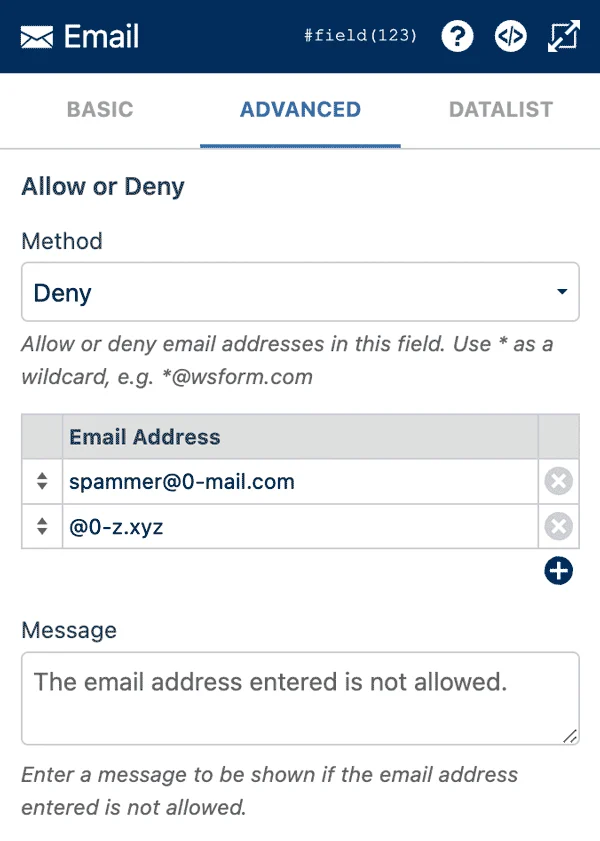
Look for the Allowlist/Denylist (sometimes labeled “Blacklist”) option. Set the method to Denylist.
Add the disposable domains you want to block. Use wildcard syntax to cover all addresses from a domain:
*@mailinator.com*@tempmail.com*@guerrillamail.com*@10minutemail.com
Customize the error message users see when they try to submit with a blocked domain.
Tip: Wildcards are your best friend here. The pattern *@mailinator.com blocks every email ending with that domain, not just specific addresses.
Limitation: This approach requires manual upkeep. As soon as a new disposable email service gains popularity, your denylist is already out of date. For low-traffic sites or forms with limited exposure, this may be acceptable. For anything with high volume or significant risk, you need something more robust.
Method 2: Use oopspam Anti-Spam Plugin (Automated Blocking)
oopspam (that’s us 👋) connects to a continuously updated database of disposable email domains and blocks them automatically across your WordPress forms, without any manual list maintenance on your part.
oopspam uses advanced machine learning to protect WordPress forms and comments from spam. Its system has blocked over 1 billion spam attempts across 3.5 million websites, maintaining 99.9% accuracy without compromising user privacy.
What oopspam Does
oopspam automatically blocks submissions from malicious IP addresses, disposable emails, and other known spam sources, keeping your data clean without requiring constant manual effort.
Beyond disposable email blocking, it also offers:
- Country and language filtering to restrict form submissions by geography
- IP blocking, including VPNs and cloud provider addresses
- Keyword filtering for message content
- Rate limiting to stop bot-driven submission floods
- Manual moderation controls for blocking specific IPs, emails, or keywords on demand
The plugin features an easy-to-use dashboard that gives access to all spam protection features in one organized place, along with spam management tools that show clear explanations of why each entry was blocked.
Supported Form Plugins
oopspam integrates seamlessly with the most popular form builders, including Ninja Forms, Jetpack Forms, Contact Form 7 and more.
How to Set It Up
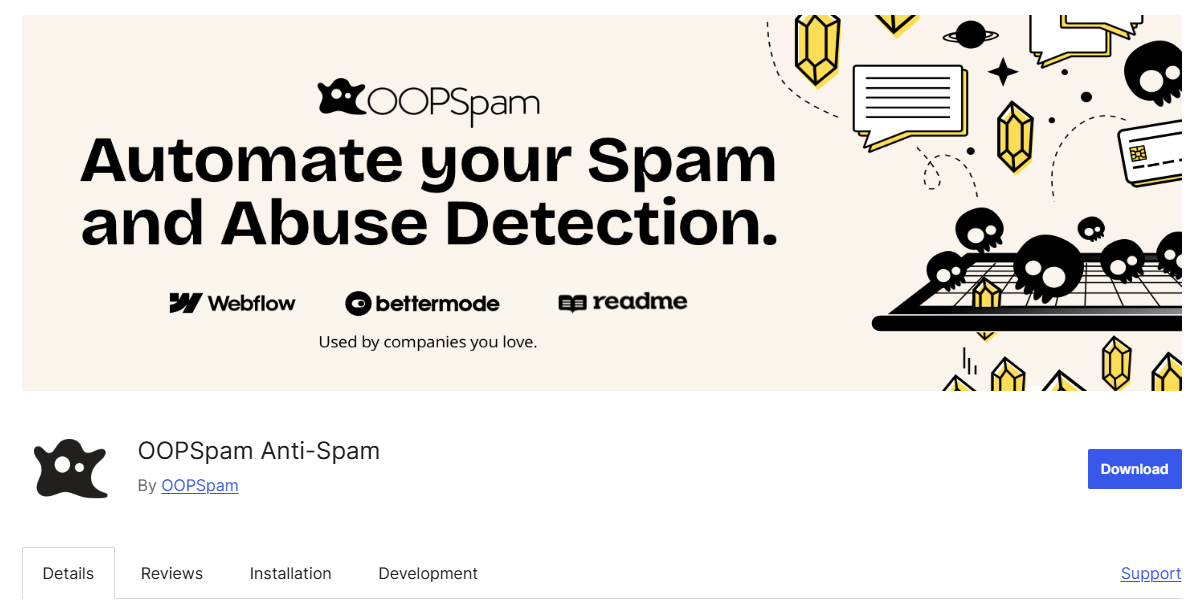
From your WordPress admin, go to Plugins > Add New and search for oopspam Anti-Spam. Install and activate the plugin.
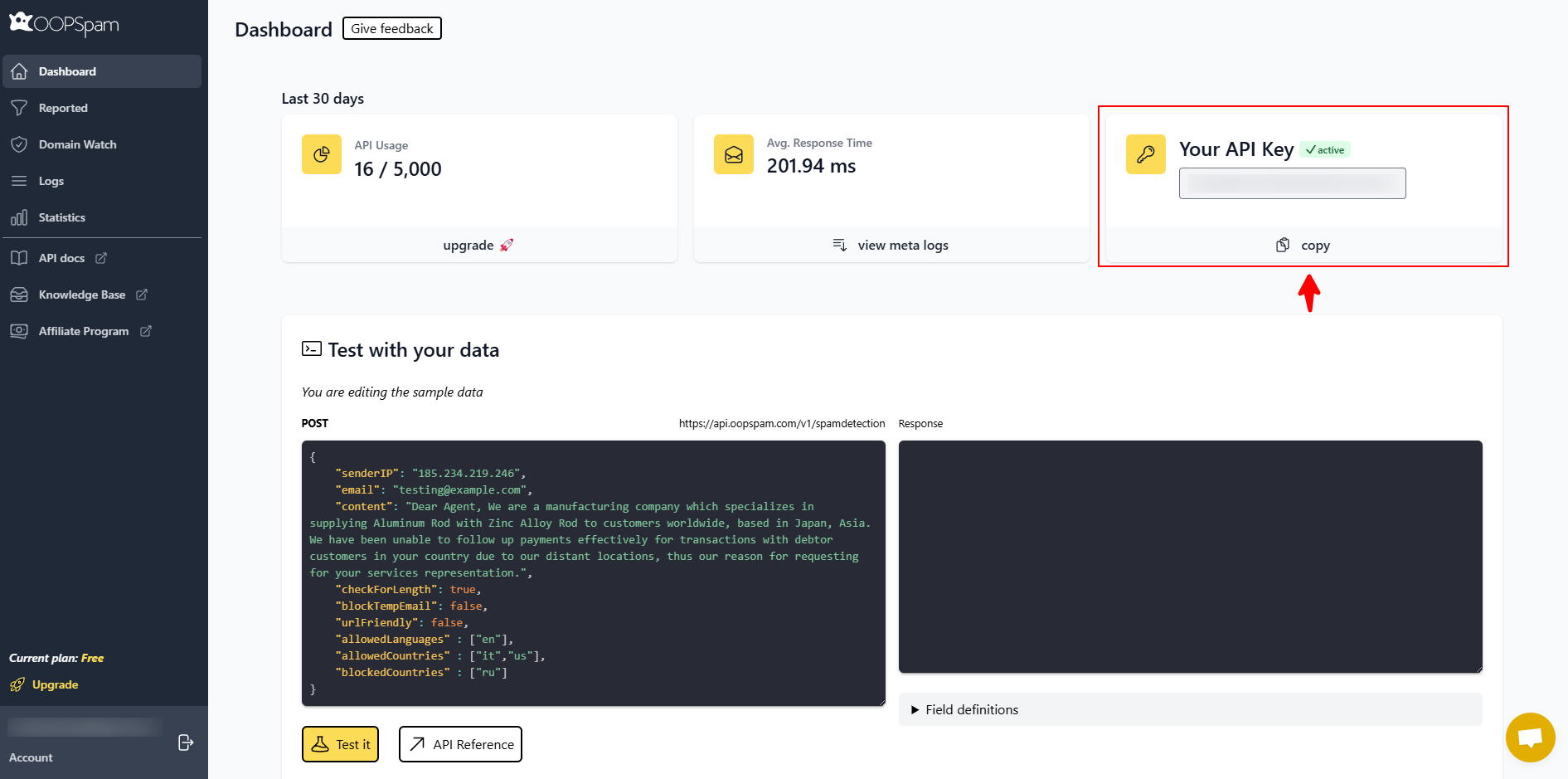
Visit oopspam.com and sign up for a free account to get your API key.
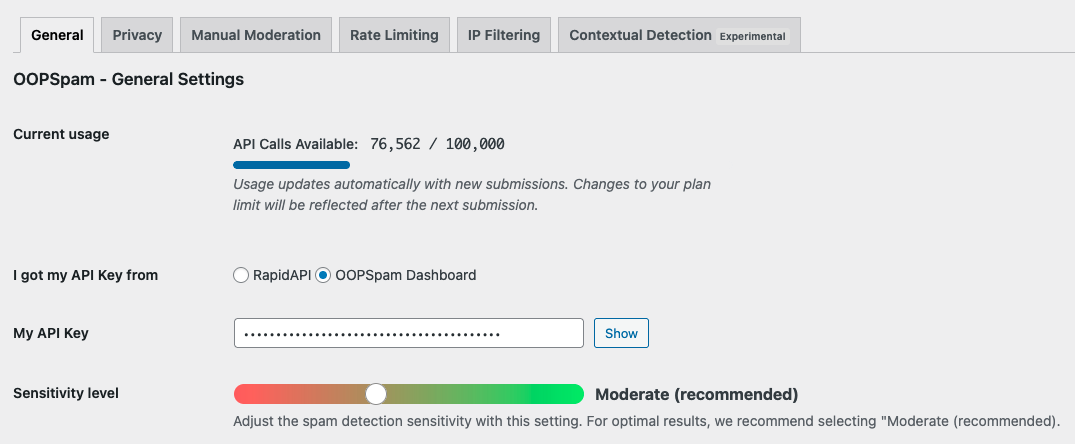
In your WordPress dashboard, go to oopspam Anti-Spam > General Settings and enter your API key.
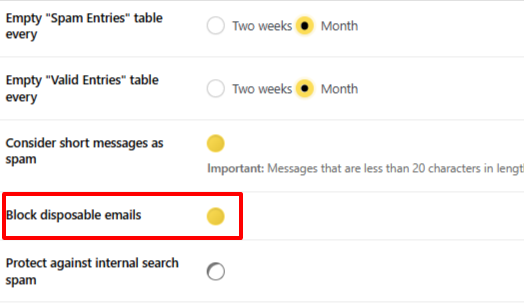
Under the General Settings spam filtering options, enable Block Disposable Emails.
Save your settings. The plugin will immediately begin filtering form submissions against its live database.
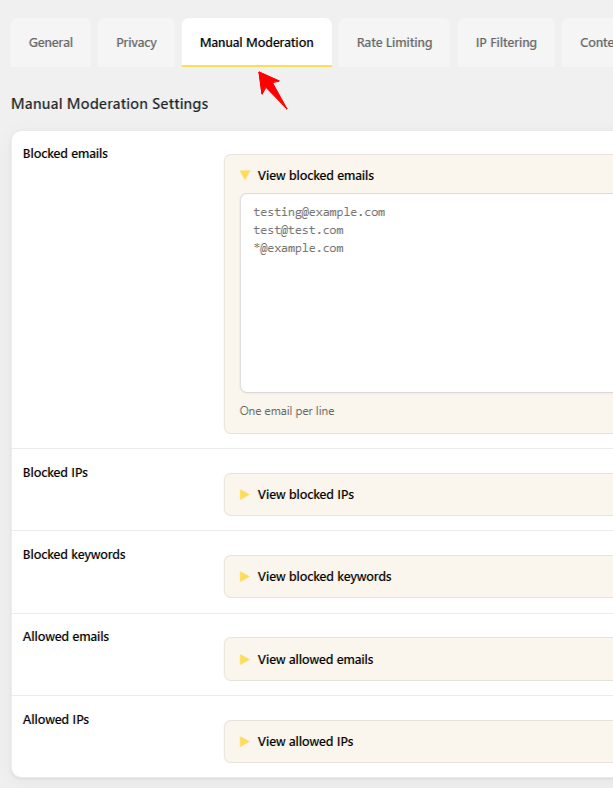
For additional manual control, oopspam includes a Manual Moderation tab in the plugin settings where you can add specific email addresses, IP addresses, or keywords, one item per line.
The plugin does not store any personal data submitted through the APIs. All data is stored in your local WordPress database.
Final Thoughts
Disposable email addresses can quickly fill your WordPress forms with spam and fake leads. While manual denylists work for basic protection, they require constant updates. For long-term, automated protection, oopspam helps keep your forms clean, reliable, and spam-free with minimal effort.