
Chazie Baniquid
Technical Content Marketer
5 minutes to read
5 Ways to Stop Spam in ActiveCampaign
Spam contacts, fake sign-ups, and bot-generated leads silently damage your sender reputation and tank your email deliverability. If you are using ActiveCampaign, the good news is that you have several proven tools at your disposal to stop spam before it reaches your list.
Here are five ways to protect your ActiveCampaign account from spam.
1. Scan and Verify Existing Contacts with OOPSpam
OOPSpam (that’s us 👋) connects directly to your ActiveCampaign account and scans your existing contacts for risky or invalid email addresses in real time, no manual exports required.
How to set it up:
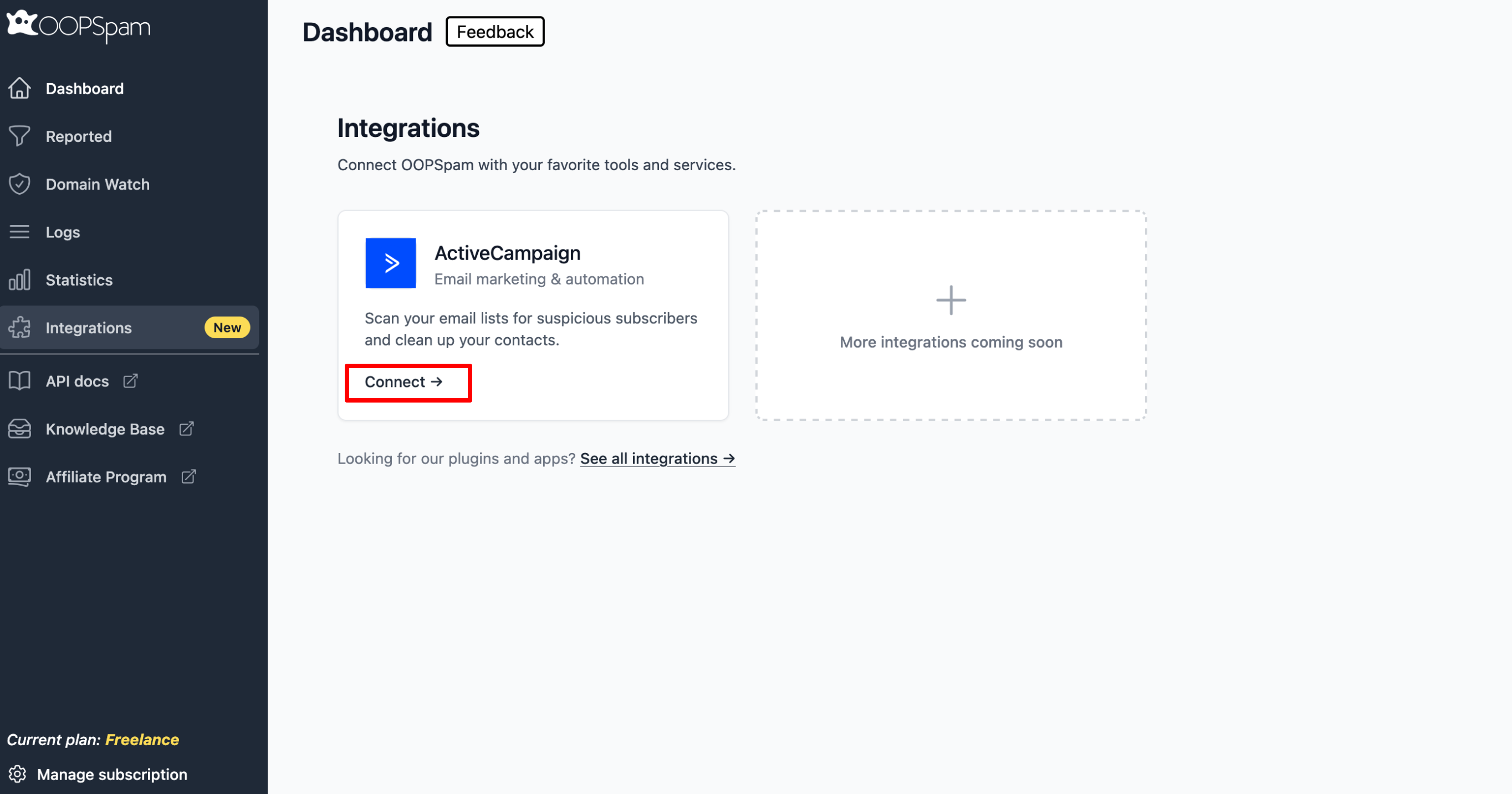
Go to your OOPSpam Dashboard and navigate to Integrations. Click Connect on the ActiveCampaign card.
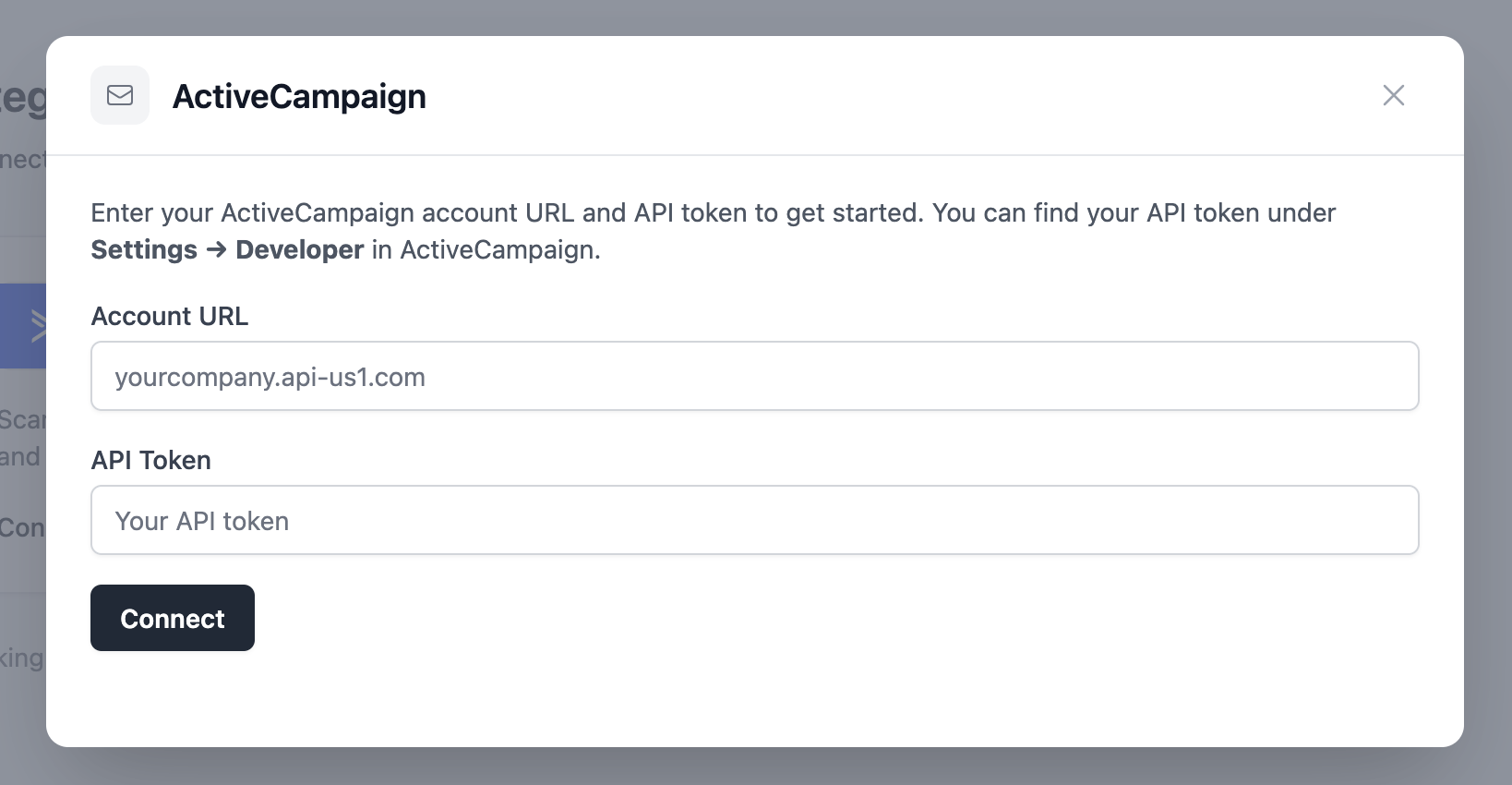
Enter your ActiveCampaign Account URL and API Token (found under Settings > Developer in ActiveCampaign).
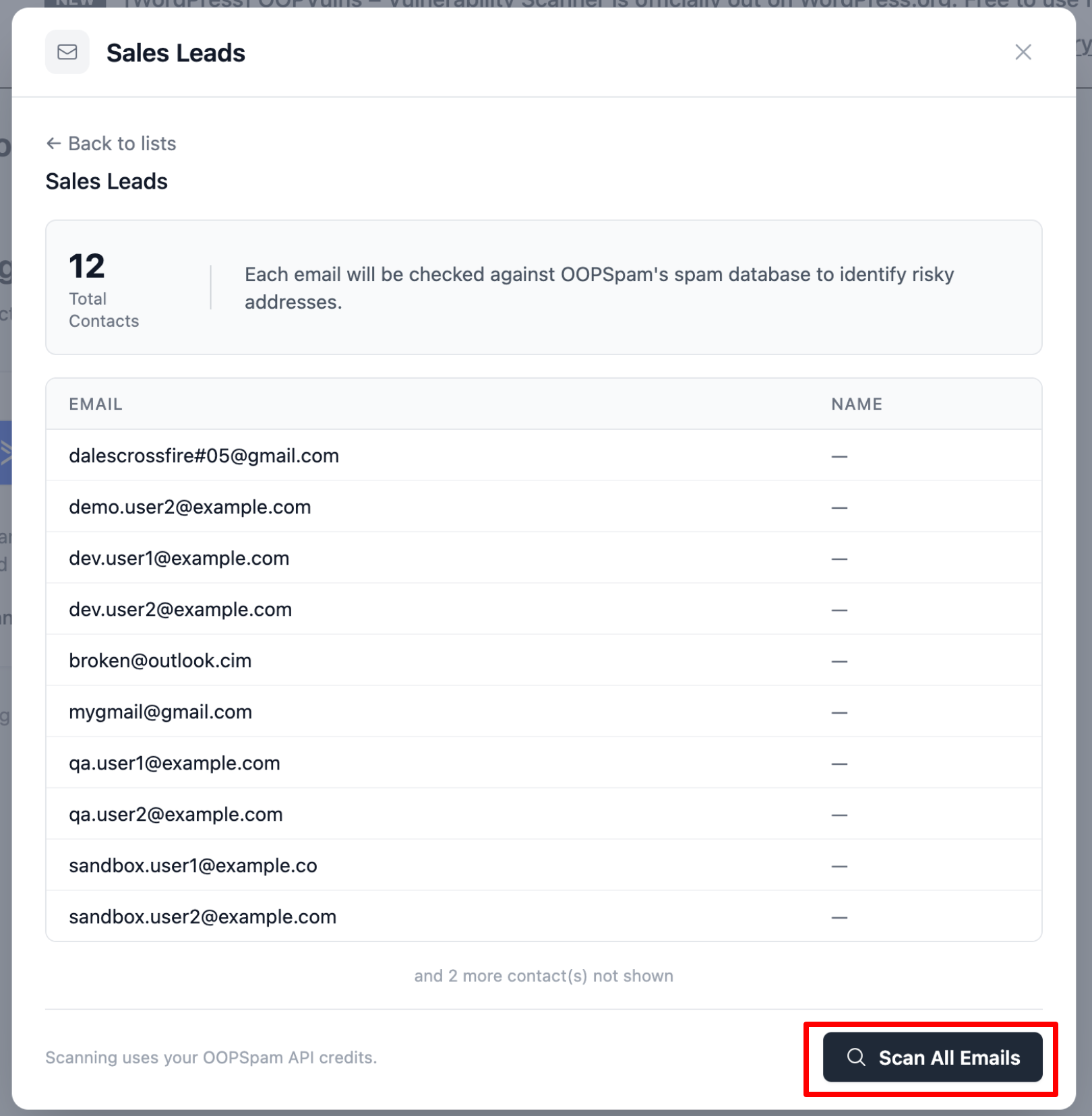
Select the list you want to scan and click Scan All Emails.
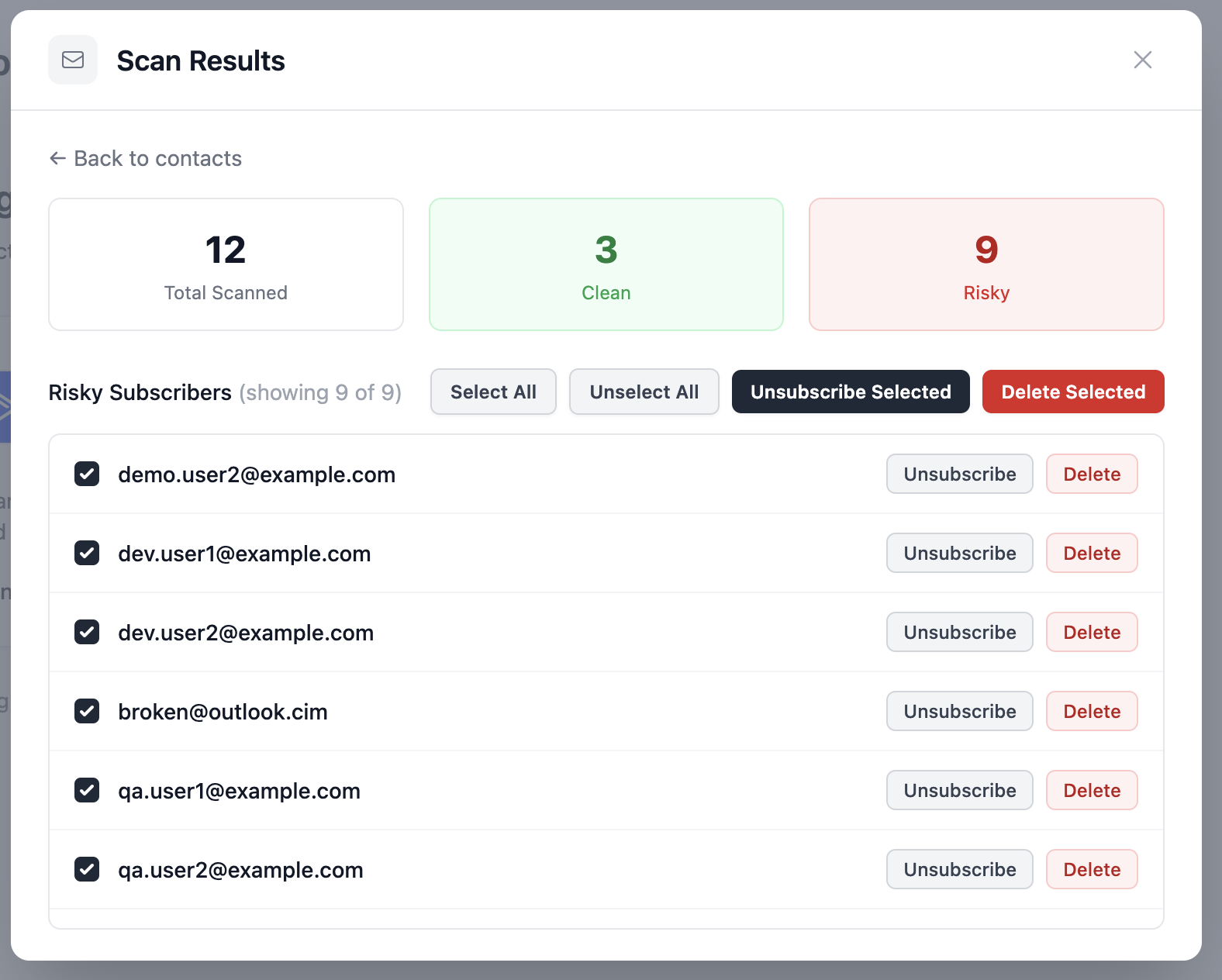
OOPSpam will flag each address as Clean or Risky. For risky contacts, choose to Unsubscribe (removes from the list) or Delete (removes from your entire account), individually or in bulk.
OOPSpam processes contact data in real time and does not store it on its servers. This tool is especially useful before sending a major campaign or as part of your routine list hygiene. It takes only a few minutes and saves your sender reputation from contacts that should not be there.
2. Enable CAPTCHA on Your Forms
CAPTCHA blocks automated bots from submitting your sign-up forms by requiring users to complete a human verification step.
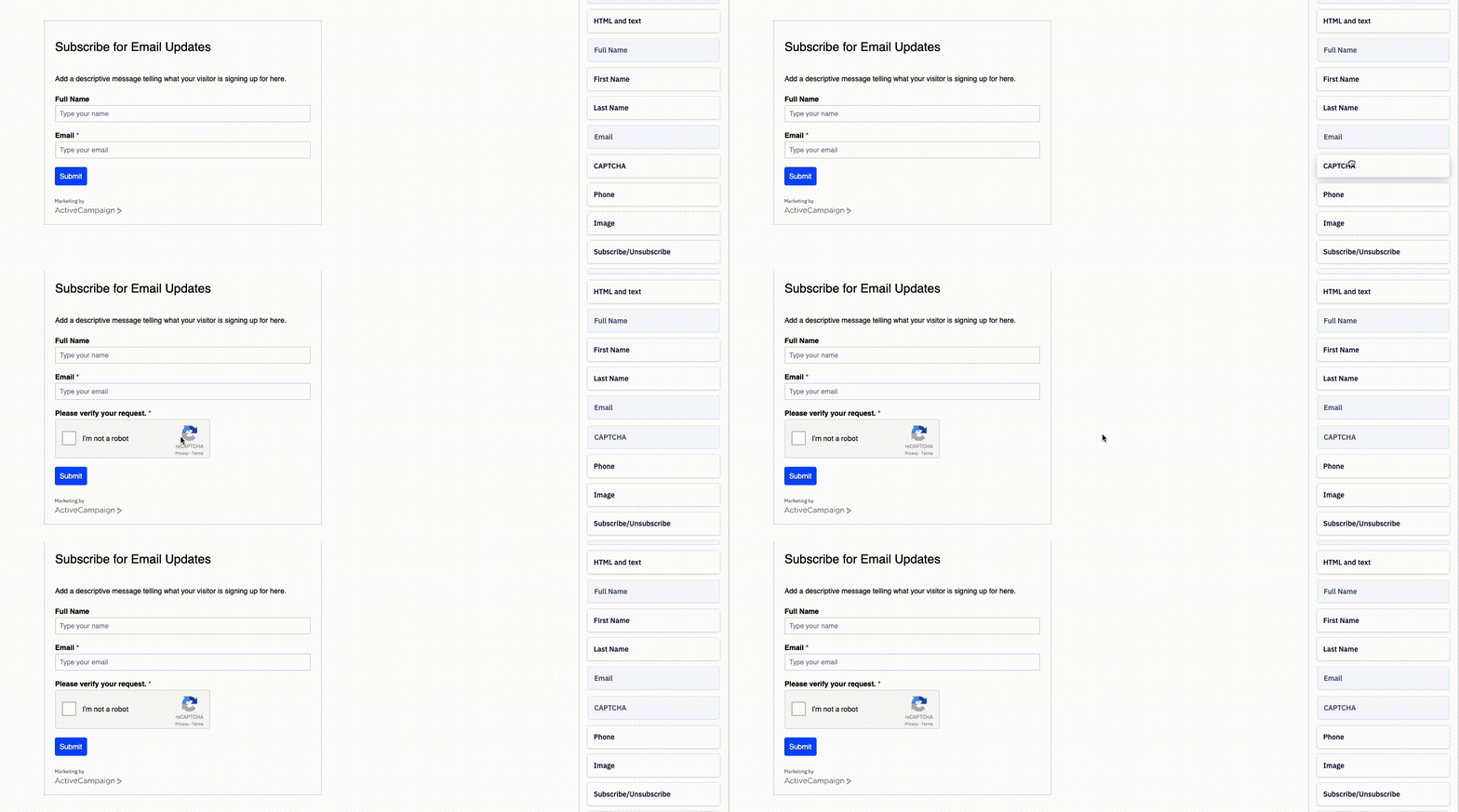
How to set it up:
- Go to your ActiveCampaign dashboard and open the Forms section.
- Select the form you want to protect and click Edit.
- Navigate to Fields within the form editor.
- Drag the CAPTCHA field to your form.
- Click the “Integrate” button on the top right of the form builder. Then click “Save and Exit.”
3. Use Double Opt-In on All Forms
Double opt-in requires a new subscriber to confirm their email address by clicking a link in a confirmation email before they are fully added to your list.
How to set it up:
- Go to Website > Forms on the left menu.
- Click the form you want to edit or create a new one.
- In the form builder, click the Options tab on the right pane.
- Under Form Action, click the pencil or gear icon next to Subscribes to List.
- In the modal window, toggle Double Opt-In on. Click Save.
This method is effective against spam traps. Spam trap addresses cannot open emails or click links, so they stay in an “unconfirmed” status and never make it onto your active list.
4. Add a Honeypot Hidden Field
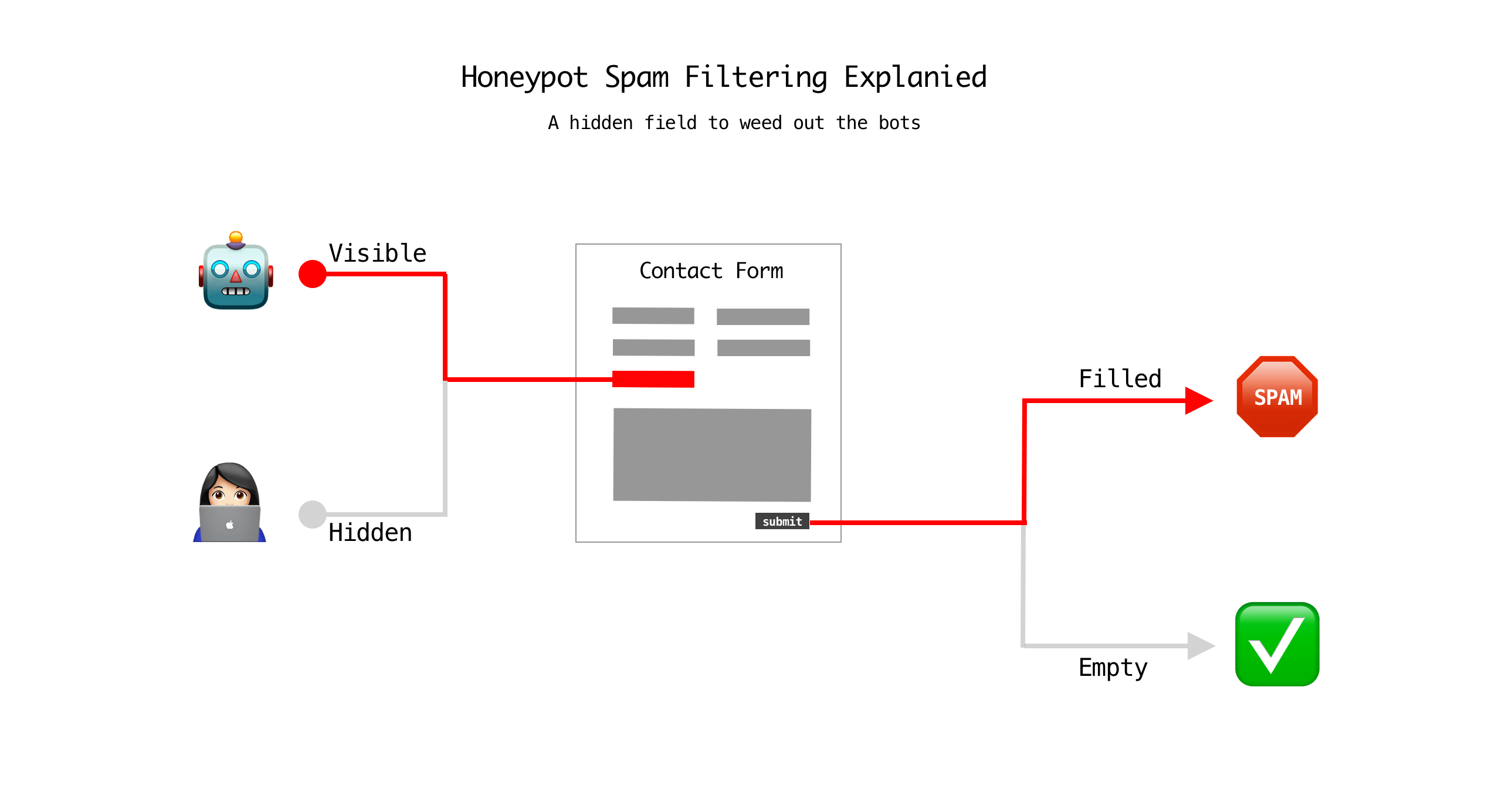
A honeypot is a hidden form field that is invisible to real users but gets automatically filled in by bots. Any submission with that field populated is flagged as a bot.
How to set it up:
- In your ActiveCampaign form editor, add a new text field.
- Label it something generic (e.g., “Website” or “Leave blank”).
- Use custom CSS to hide the field from human visitors:
display: none; - In ActiveCampaign’s Automations, create a trigger: “If [honeypot field] is not empty.”
- Set the action to Unsubscribe or Delete the contact immediately.
Because the field is invisible to real people, only bots fill it in. This gives you an automatic, zero-friction filter that works quietly in the background.
5. Never Use Purchased, Scraped, or Third-Party Lists
Avoiding purchased or scraped lists keeps your account compliant with ActiveCampaign’s Anti-Spam Policy and protects your sender reputation from the high spam complaint rates these lists generate.
- Purchased lists are filled with spam traps, invalid addresses, and people who never consented to hear from you.
- Sending to these contacts causes immediate deliverability damage and can get your account suspended.
- ActiveCampaign explicitly prohibits this practice in its Terms of Service.
Make it clear on your sign-up form exactly what content they will receive. Setting clear expectations upfront significantly reduces spam complaints from subscribers who feel surprised or misled by your emails.
Final Takeaway
Spam in ActiveCampaign is manageable when you act at every stage of the subscriber lifecycle. Enable CAPTCHA and double opt-in to stop bad contacts at entry. Use honeypot fields and OOPSpam to catch what slips through. Clean your list regularly to stay ahead of spam traps. And never compromise your list quality by importing unverified contacts.
If your sender reputation has already taken a hit from spam complaints, expect a recovery window of 30 to 60 days. During that period, make your unsubscribe link easy to find at both the top and bottom of every email. Giving users a simple way to opt out is far better than having them hit the spam button.
Start with steps one and two today, and work your way through the rest for a clean, high-performing ActiveCampaign list.
