
Chazie Baniquid
Technical Content Marketer
3 minutes to read
How to verify and clean up your ActiveCampaign email list?
Keeping your email list clean is essential for good deliverability, lower bounce rates, and accurate engagement metrics. OOPSpam now offers a direct ActiveCampaign integration that lets you scan your contacts for suspicious or risky email addresses, and remove them in just a few clicks.
Here’s how to get started.
Step 1: Go to the Integrations Page
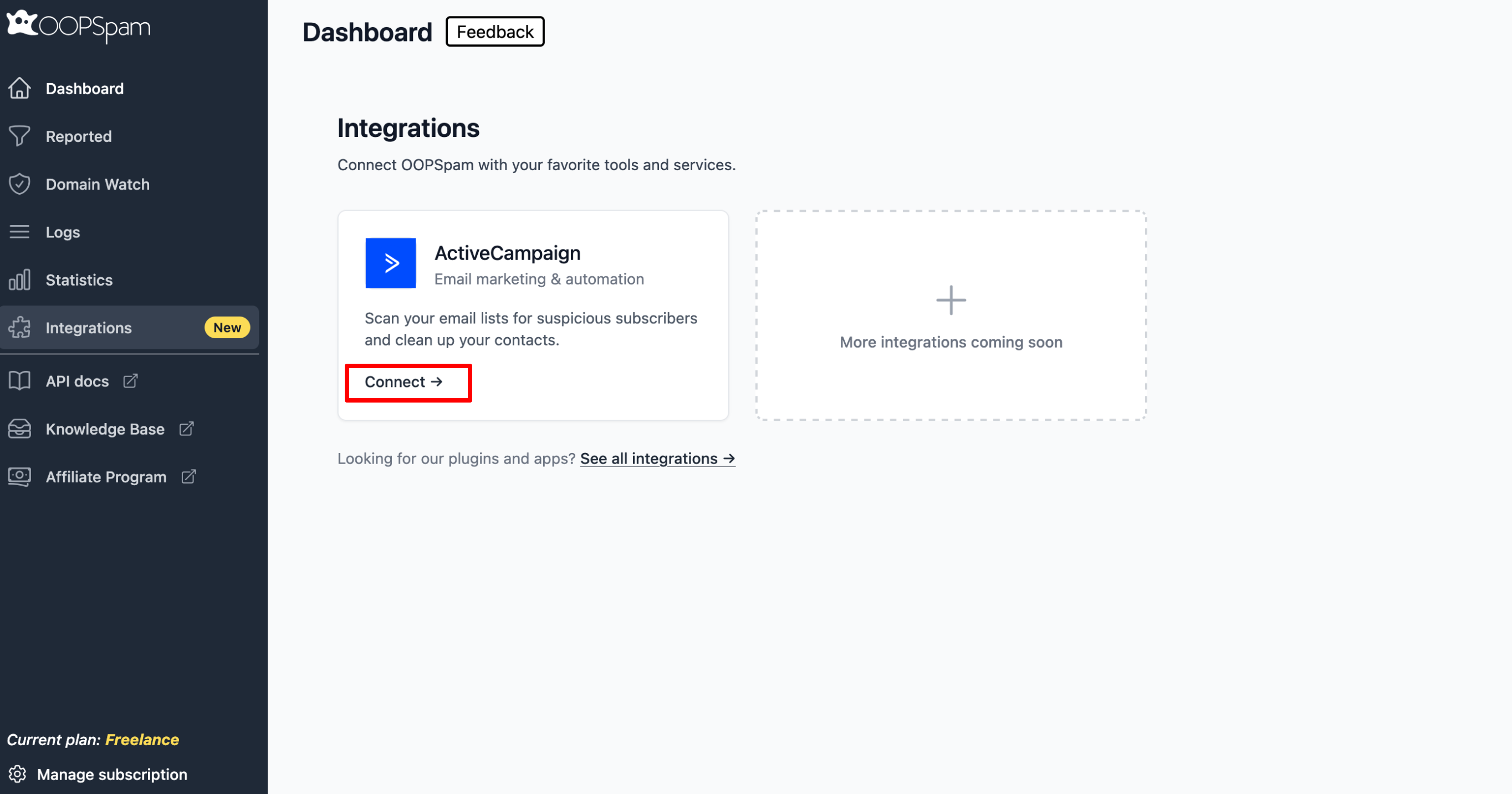
From your OOPSpam Dashboard, click Integrations in the left sidebar. You’ll see the ActiveCampaign integration card. Click Connect to begin.
Step 2: Enter Your ActiveCampaign Credentials
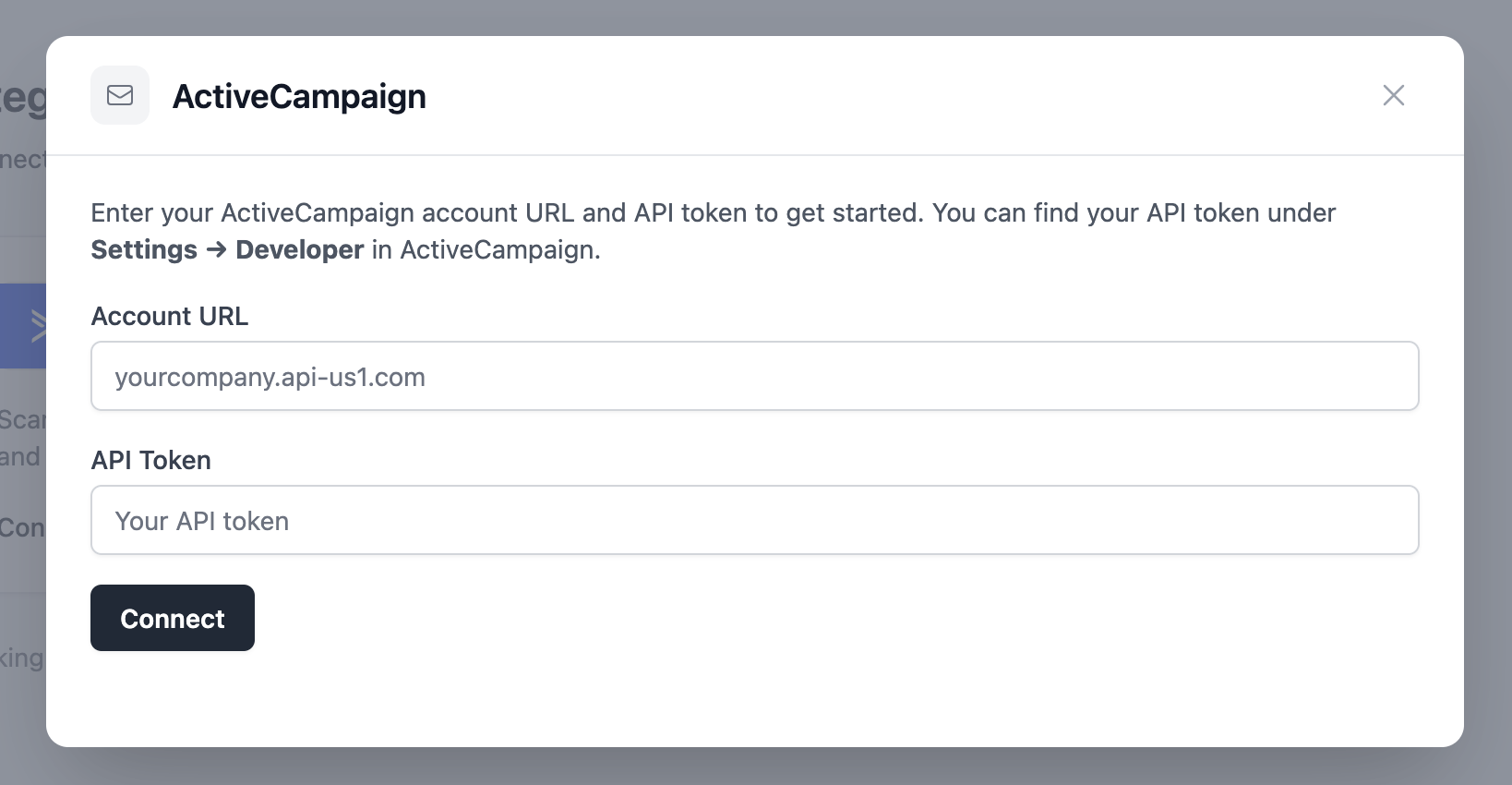
A dialog will appear asking for two things:
- Account URL — your ActiveCampaign account URL (you can also find this in Settings → Developer, along with your API details)
- API Token — find this under Settings → Developer in your ActiveCampaign account
Enter both fields and click Connect.
Step 3: Select an Email List
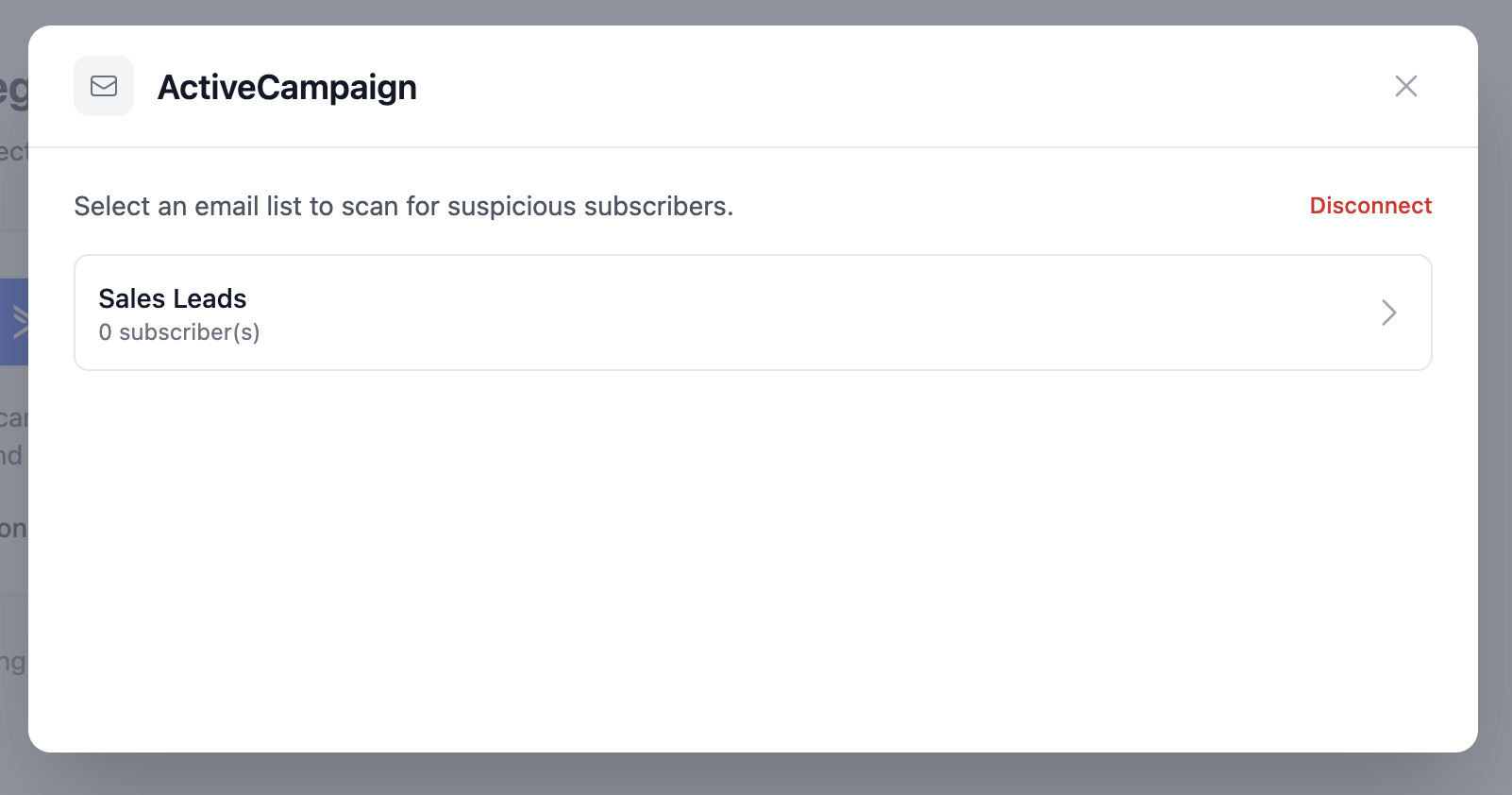
Once connected, OOPSpam will fetch your email lists from ActiveCampaign. Select the list you want to scan.
Step 4: Review Contacts and Start Scanning
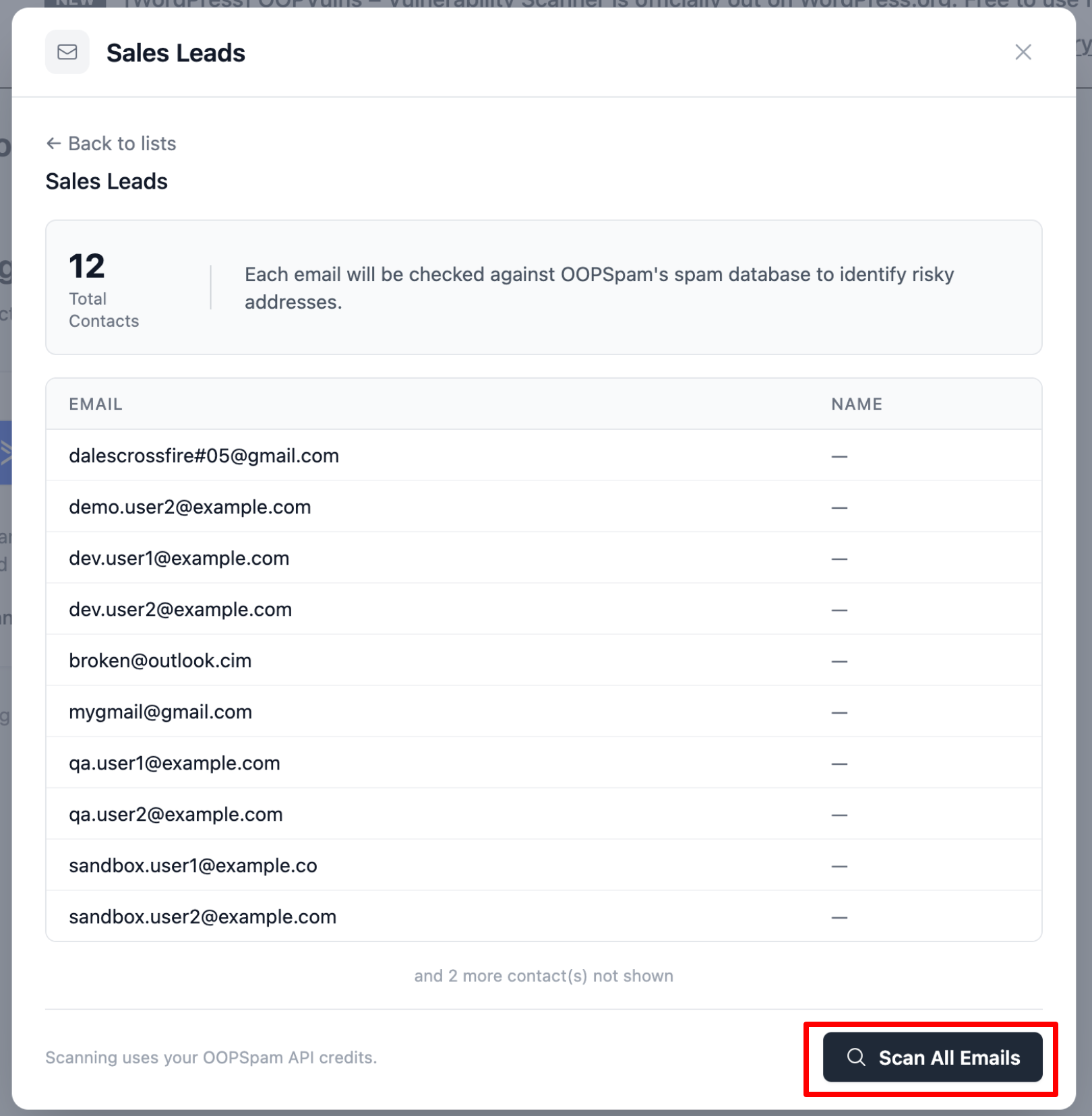
You’ll see a preview of the contacts in your selected list. OOPSpam checks each email address against its spam database to identify risky addresses.
Click Scan All Emails to start the scan. Note: scanning uses your OOPSpam API credits.
Step 5: Review Scan Results and Take Action
After scanning, OOPSpam shows a breakdown of your results:
- Total Scanned - total number of emails checked
- Clean - emails that passed and are safe to keep
- Risky - suspicious emails you should act on
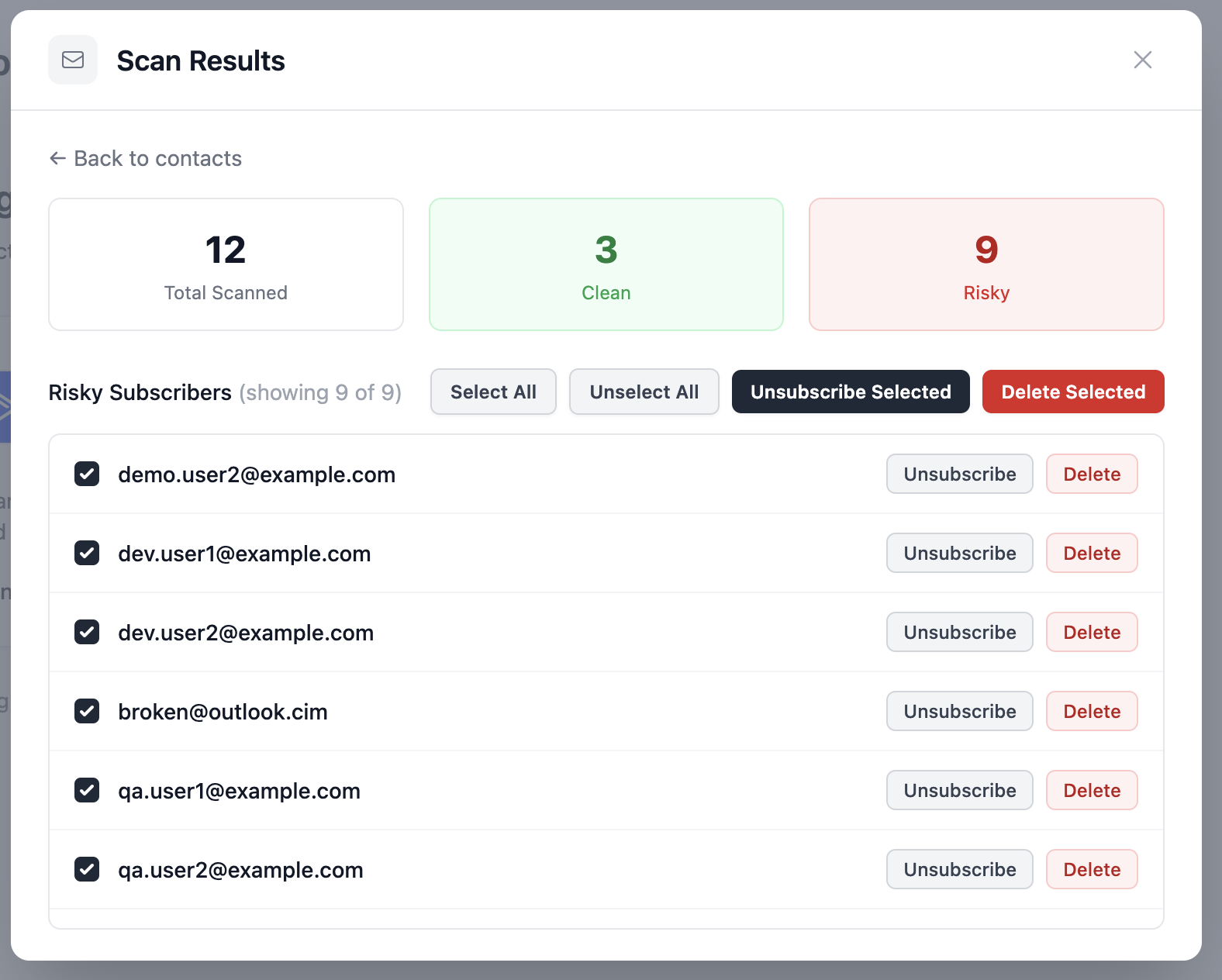
All risky subscribers are listed with individual action buttons. You have two options for each contact:
- Unsubscribe - removes the contact from the selected list, but keeps them in your ActiveCampaign account
- Delete - permanently removes the contact from your entire ActiveCampaign account
You can also use the bulk action buttons at the top:
- Unsubscribe Selected - unsubscribes all checked contacts from the list
- Delete Selected - permanently deletes all checked contacts from your account
Use Select All to check all risky contacts at once, or select them individually.
Step 6: Done! Your List Is Clean
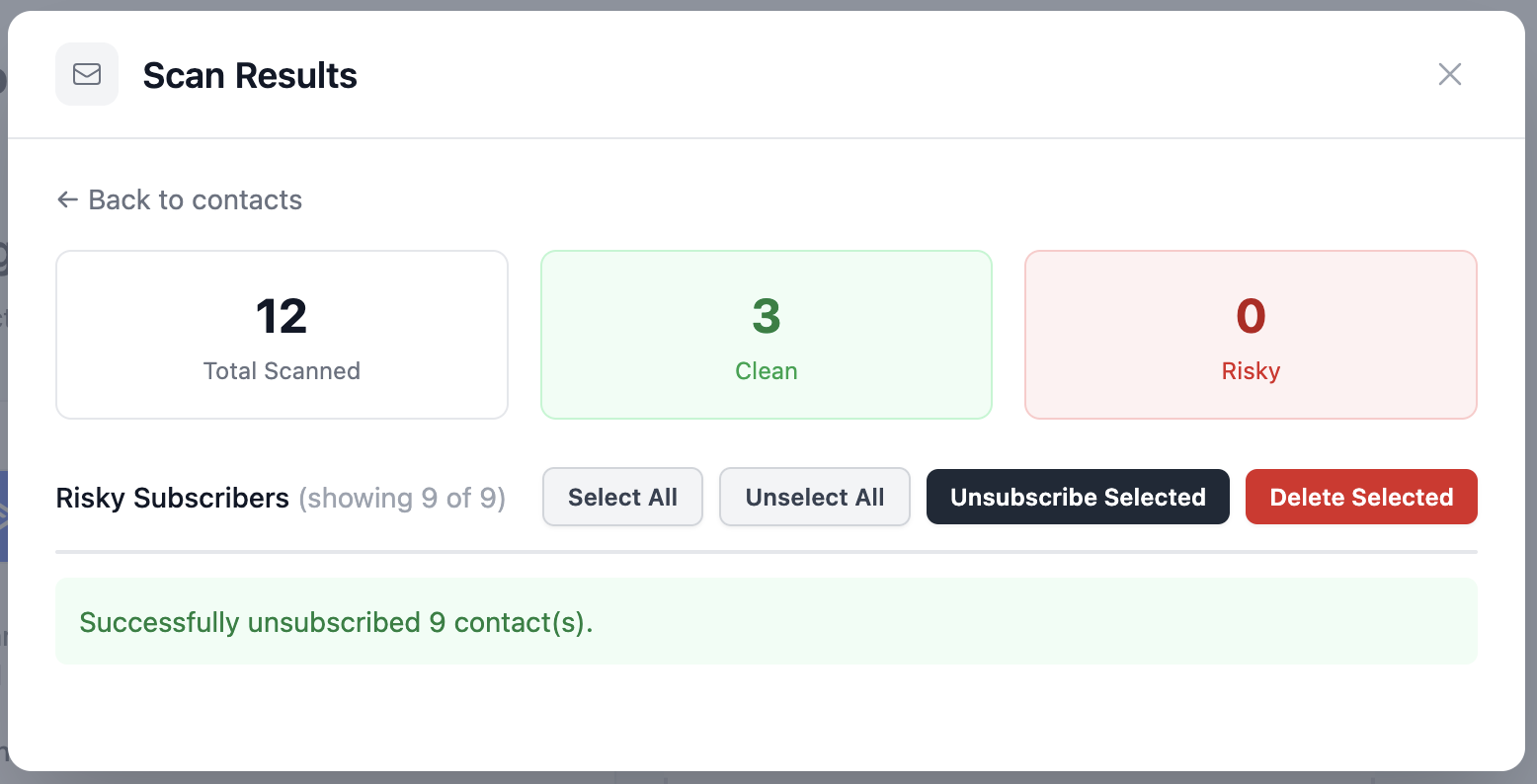
Once you’ve taken action, the risky count drops to 0 and you’ll see a confirmation message showing how many contacts were unsubscribed or deleted.
Why Clean Your Email List?
Cleaning your email list improves deliverability by reducing bounce rates and helping email providers trust your sender reputation. It also ensures more accurate metrics, so your open and click rates reflect real engagement.
By removing inactive or risky contacts, you can lower costs since most platforms charge per subscriber, while also avoiding spam traps that could get your domain blocklisted.
With OOPSpam’s ActiveCampaign integration, the entire process is quick and simple. No exports, no CSVs, no manual work. Connect once, scan anytime.
