
Chazie Baniquid
Technical Content Marketer
7 minutes to read
How to Block Disposable and Fake Emails from Entering Your CRM via Zapier
Disposable and fake emails contaminate your CRM, inflating metrics and wasting resources. By integrating OOPSpam into your Zapier workflow, you can block these addresses in real-time before they pollute your customer database. This three-step setup analyzes form submissions, assigns spam scores, and filters out bad data automatically.
Why Disposable Emails Threaten Your CRM
Disposable email addresses from services like Mailinator, Guerrilla Mail, and 10MinuteMail are created for one-time use to bypass registration requirements or exploit promotional offers.
The financial impact is severe. Bad data costs U.S. businesses $3.1 trillion annually, while 76% of organizations say less than half their CRM data is accurate. Disposable emails compound this by:
- Distorting engagement metrics and wasting marketing budgets
- Damaging sender reputation through high bounce rates
- Enabling fraud via repeated trial exploitation
- Creating orphaned accounts that block legitimate support
B2B contact data decays by 22.5% each year, and disposable emails speed up this decline, making your CRM less reliable for forecasting and decision-making.
How OOPSpam Detects Fake Emails
OOPSpam (that’s us 👋) uses machine learning combined with real-time database checks to identify spam at multiple levels. The system performs IP reputation checks to block known spammers, disposable email filtering to prevent fake signups using temporary email addresses, and spam score analysis to detect common spam patterns.
The detection engine maintains an updated database of known disposable email domains while using pattern recognition to catch new services. Machine learning analyzes patterns and classifies spam with high accuracy, while flagging submissions from IPs associated with spam or bot activity.
Three-Step Implementation Guide
Setting up spam protection in Zapier requires three core components working together.
Step 1: Configure Your Form Trigger
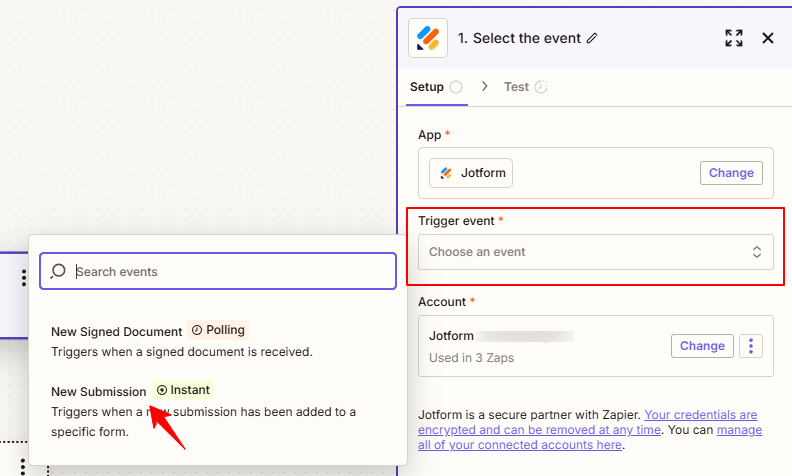
Start by creating a new Zap and selecting your form application as the trigger. This works with Typeform, Jotform, Google Forms, or any form builder that connects to Zapier.
- Choose your form app as the trigger
- Select “New Form Submission” as the trigger event
- Connect your account and select the specific form to monitor
- Test the trigger to confirm data flows correctly
Step 2: Add OOPSpam Spam Detection
After your trigger, add the OOPSpam Anti-Spam app to analyze each submission.
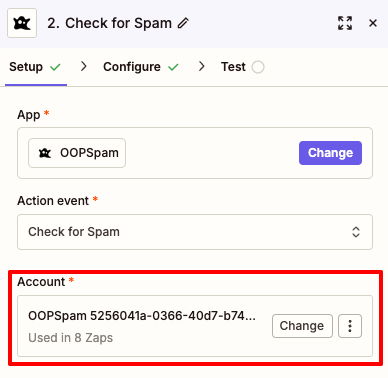
- Search for “OOPSpam Anti-Spam” in the Zapier app directory
- Select “Check for Spam” as the action
- Connect your OOPSpam account using your API key
- Map the form fields to OOPSpam parameters:
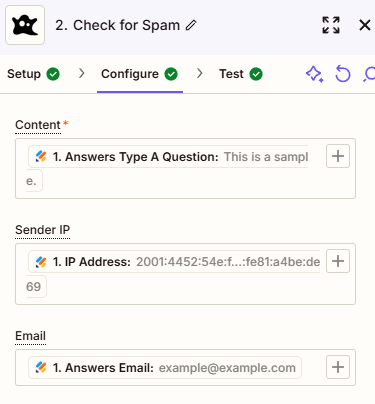
- Email: Map the email field from your form (required for disposable email detection)
- Content: Map the message or comment field (optional - adds content-based spam analysis)
- Sender IP: Map the IP address if your form captures it (optional - enables geographic and IP-based filtering)
Note: For email-only forms (like newsletter signups or simple contact forms without message fields), you only need to map the Email field. OOPSpam will still detect disposable email domains effectively.
Step 3: Configure Advanced Filtering Options
OOPSpam provides several additional options to help fine-tune spam filtering, including blocking temporary/disposable emails, filtering out emails from throwaway domains, blocking IP addresses from cloud providers to stop submissions from cloud-based bots, and blocking IP addresses from VPN providers.
Critical settings to enable:
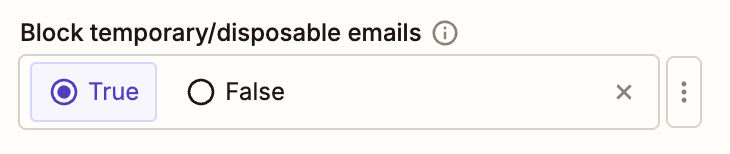
1. Block Temporary/Disposable Emails: Set to “True” to identify temporary email domains
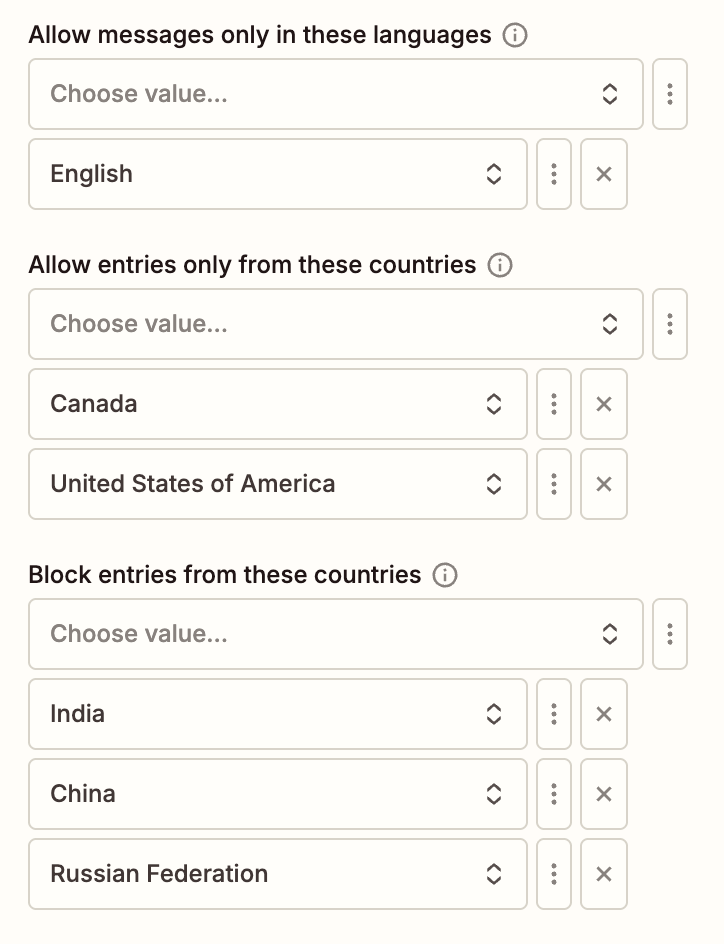
2. Language Allowlist and Country Filtering: Restrict submissions to your business languages. Block or allow specific geographic regions (requires Content and Sender IP field to be mapped)
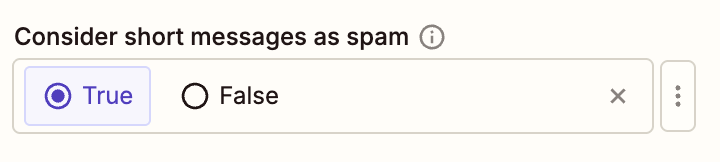
3. Consider Short Messages as Spam: Flag generic or minimal submissions (requires Content field to be mapped)
Understanding Spam Scores
OOPSpam outputs a Spam Score you can use to make decisions using Filter by Zapier, which allows you to set conditions for your automation flow. The scoring system ranges from 0 (legitimate) to 6 (definite spam).
Recommended thresholds:
- 0-2: Clean leads that proceed to your CRM
- 3-4: Borderline submissions requiring review
- 5-6: Clear spam that stops immediately
Filtering Leads Based on Score
Add a “Filter by Zapier” step immediately after the OOPSpam check.
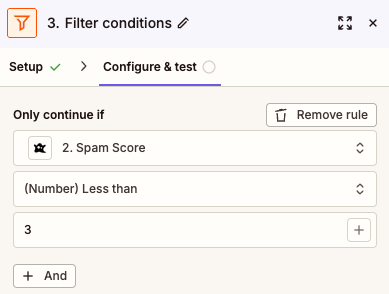
- Insert the Filter step between OOPSpam and your CRM
- Set the condition: “Spam Score” (from OOPSpam) must be “Less than 3”
- Only submissions passing this filter continue to your CRM
For more sophisticated routing, use “Paths by Zapier” to handle different score ranges:
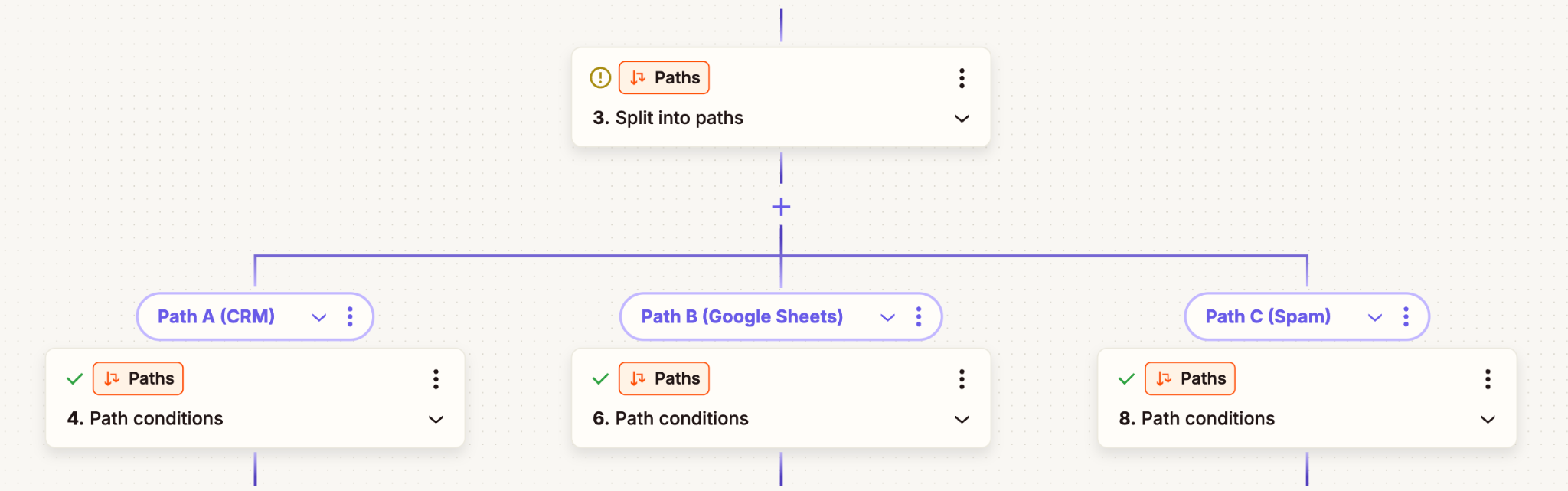
- Path A (Score 0-2): Send directly to CRM
- Path B (Score 3-4): Route to Google Sheets or Airtable for manual review
- Path C (Score 5-6): Stop the Zap entirely to save task usage
Connecting Your CRM
Add your CRM as the final step after filtering. Supported platforms include HubSpot, Salesforce, Pipedrive, Zoho CRM, and any CRM with Zapier integration. Map the filtered form fields to your CRM contact fields. Only legitimate submissions with low spam scores will create new records.
Advanced Protection Strategies
- IP Reputation Analysis: OOPSpam automatically checks IPs and emails against millions of malicious lists, preventing known spammers from reaching your workflows.
- Monitoring and Optimization: Review logs regularly and track false positive rates, false negative rates, and score distribution. Adjust your spam threshold based on results.
WordPress Integration for Earlier Blocking

If you use WordPress, install the OOPSpam Anti-Spam plugin to filter submissions before they reach Zapier. This reduces task usage and works with WPForms, Gravity Forms, and Contact Form 7.
Cost and Performance Benefits
Blocking spam at the Zapier level saves money in multiple ways:
- Reduces wasted email sends to invalid addresses
- Prevents CRM bloat that slows queries and reporting
- Stops spam from triggering unnecessary automation steps
- Protects sender reputation from bounce-related damage
Fake sign-ups, bots, and spam leads are expensive, hurting deliverability, polluting databases, skewing data, and lowering results from every campaign.
Key Takeaways
The three-step approach (trigger → OOPSpam check → filter → CRM) ensures only legitimate leads consume resources. Combined with geographic filtering, language restrictions, and IP reputation analysis, this system provides comprehensive protection against form spam. Prevention costs less than remediation, making real-time filtering essential for modern CRM hygiene.
