
Chazie Baniquid
Technical Content Marketer
7 minutes to read
How to Block Fake Leads in Unbounce Forms?
Fake leads are flooding Unbounce forms at scale. If you are running paid campaigns, bots are likely inflating your conversion numbers and polluting your CRM. The fix requires a layered defense combining CAPTCHA, honeypot fields, third-party spam filtering, IP controls, and smarter ad targeting. No single method is enough on its own.
Why Fake Leads Are a Real Problem
More than 51% of all internet traffic is now bot-generated, with roughly 37% coming from malicious sources. For marketers using Unbounce landing pages, this is not an abstract threat. Fake submissions corrupt A/B test data, drain ad budgets, and waste sales team time chasing leads that were never real.
The good news: a multi-layered approach can dramatically reduce fake lead volume on your Unbounce forms. Here is how to build one.
5 Methods to Block Fake Leads in Unbounce
1. Implement Invisible reCAPTCHA (v2 or v3)
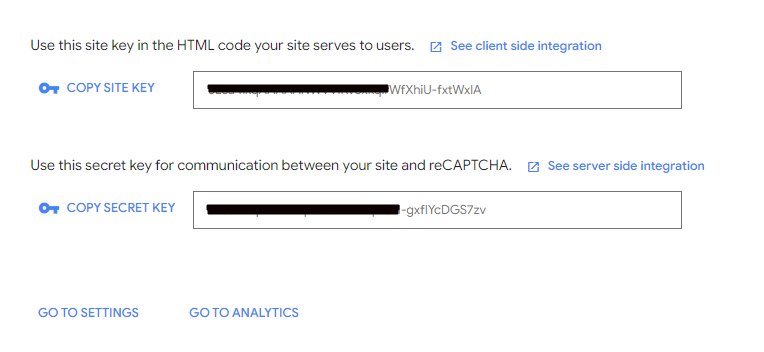
CAPTCHA remains the most widely recognized anti-bot defense. Unbounce does not natively provide a built-in backend reCAPTCHA toggle, but you can integrate Google’s invisible reCAPTCHA via a custom JavaScript snippet.
Here is the basic setup process:
- Register your domain at the Google reCAPTCHA Admin Console.
- Copy your Site Key and Secret Key.
- In your Unbounce page editor, navigate to Javascripts at the bottom of the editor.
- Add a new script that loads the reCAPTCHA library and renders the widget on your form.
- Add a second script placed Before Body End that intercepts the form submission event, checks for a valid reCAPTCHA response token, and blocks submission if the check fails.
- For stronger protection, pass the token to a server-side endpoint to verify it against Google’s reCAPTCHA API before accepting the lead.
Important caveat: reCAPTCHA is not foolproof. Advanced bots are increasingly able to bypass invisible reCAPTCHA v3, and the friction of a visible challenge can reduce conversions. Treat CAPTCHA as one layer, not the whole solution.
2. Add a Honeypot Field
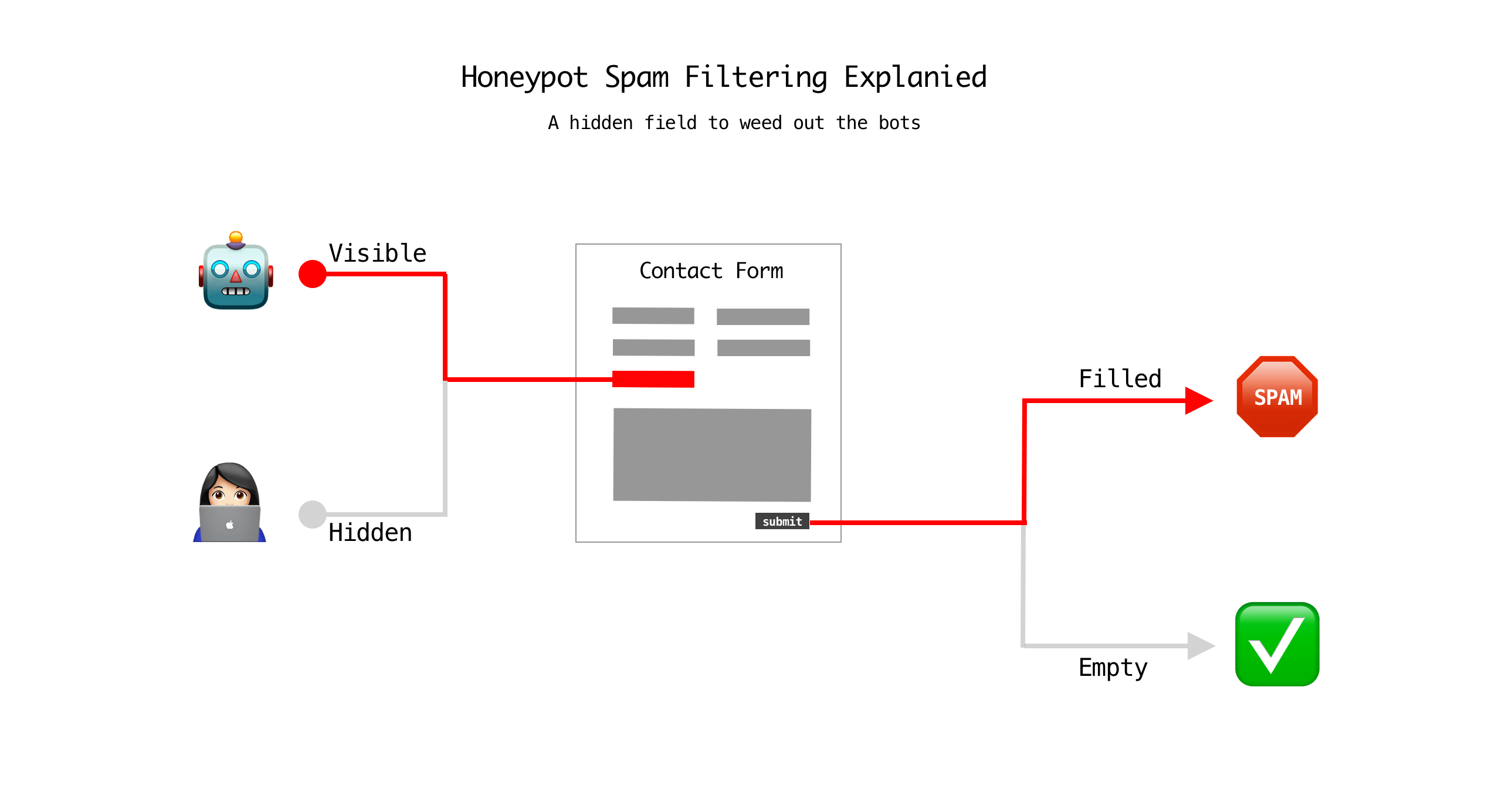
A honeypot is a hidden form field that human visitors cannot see but automated bots will fill in. When a submission arrives with that field populated, you know it came from a bot and can discard it.
To add one in Unbounce:
- Add a text input field to your form and style it with CSS to hide it from view (
display: noneorvisibility: hidden). - Give it a generic but enticing name like
websiteorphone_extra. - In your form-handling workflow (whether via webhook, Zapier, or a CRM integration), add a filter to reject any submission where that hidden field contains a value.
Honeypots are lightweight, add zero friction for real users, and are especially effective against simple bots that fill every form field they detect.
3. Use OOPSpam for Advanced Spam Filtering
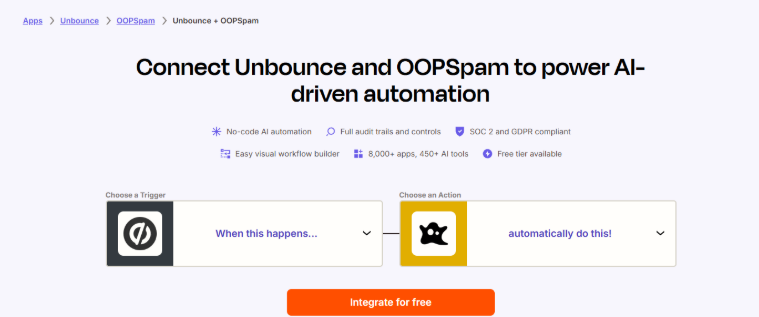
For teams that need a more automated and reliable solution, OOPSpam (that’s us 👋) is a dedicated anti-spam service that integrates directly with Unbounce via Zapier. It analyzes incoming form submissions against a continuously updated database of blocked IPs, disposable emails, and spam-linked content using a machine learning model.
What OOPSpam offers for Unbounce users:
- Returns a spam score with a detailed report for every submission
- Blocks specific IP addresses and email addresses
- Filters traffic by country, so you can allow leads only from your target markets
- Detects malicious links and suspicious keywords inside message fields
- Works in your Zapier automation flow, so you can set it up without touching your Unbounce page code
To connect it:
- In Zapier, create a new Zap with Unbounce: New Form Submission as the trigger.
- Add OOPSpam: Check for Spam as the next action.
- Use a Zapier Filter to stop the Zap if OOPSpam flags the submission as spam.
- Proceed with your CRM or email notification steps only for clean leads.
This approach is particularly effective against sophisticated bots that can bypass standard CAPTCHA, because OOPSpam evaluates behavioral signals and submission metadata rather than relying on user interaction.
4. Filter by IP Address
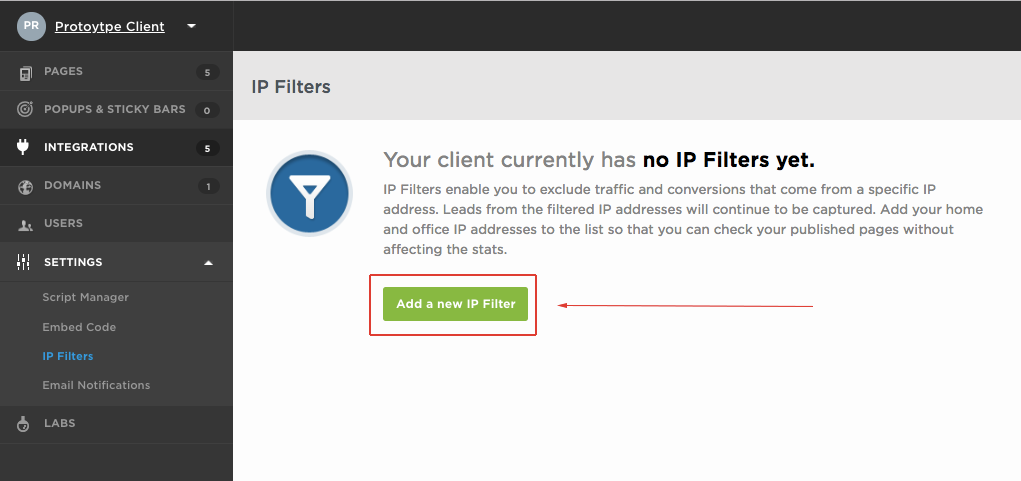
If you are seeing repeat fake submissions from identifiable IP addresses or geographic regions, Unbounce’s IP filtering feature lets you block specific IPs at the page level. You can also block entire country-level traffic ranges if your product or service does not target those markets.
Practical steps:
- Review your lead list and identify patterns: repeated IPs, unusual submission timing (e.g., hundreds of submissions in minutes), or suspicious geographic clustering.
- In the Unbounce dashboard, navigate to your page settings and add known offending IPs to the block list.
- For broader geographic filtering, consider using a tool like Cloudflare in front of your Unbounce pages to apply firewall rules at the network level.
- OOPSpam also lets you block IPs and restrict countries directly in Zapier, no need to configure Unbounce or use a separate firewall.
Note that many sophisticated bots rotate IPs dynamically, so IP filtering alone will not solve the problem. It works best as a complement to the other methods listed here.
5. Refine Your Ad Targeting
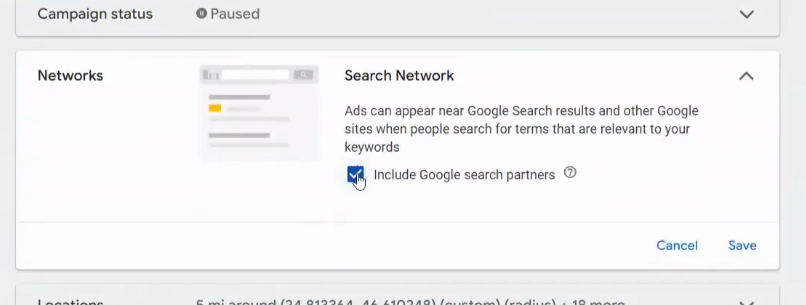
A significant source of bot traffic comes from ad networks that extend reach to low-quality placements. Two specific settings are responsible for a large share of fake lead volume:
- Google Ads Search Partners: This setting extends your ads beyond Google Search to partner websites, many of which have limited quality controls. Turning it off forces your ads to appear only on Google’s own properties.
- Facebook Audience Network: This expands your Facebook campaigns to third-party apps and websites. While it can reduce cost-per-click, it often introduces a higher percentage of bot or low-intent traffic.
To turn these off, go to your Google Ads campaign settings and uncheck the Search Network checkbox under Networks. In Meta Ads Manager, edit your ad set placements and deselect Audience Network.
This single change can meaningfully reduce fake lead volume for campaigns running on paid traffic.
Final Thoughts
No single technique will block all fake leads. The most effective approach stacks multiple defenses. Start with the honeypot and ad targeting changes as quick wins. Then layer in OOPSpam via Zapier for ongoing intelligent filtering. Add reCAPTCHA to harden the form itself.
Done right, this stack can reduce fake lead volume by well over half, giving your sales team cleaner data, your CRM fewer junk records, and your ad reporting a more accurate picture of what is actually working.
