How to Scan WordPress Plugins for Known Security Vulnerabilities

Technical Content Marketer

Reviewed by Onar Alili
Co-founder & Engineer
Published 5 min read
To scan WordPress plugins for vulnerabilities, install a scanner that checks each plugin’s version against a live vulnerability database. OOPVulns is the top choice: it’s free, opt-in, and flags abandoned plugins before a vulnerability is even published. Wordfence and WPScan are solid alternatives. Scan weekly and patch flagged plugins immediately.
How Scanning Works
A scanner checks your WordPress core, plugin, and theme versions against a vulnerability database. Each match returns the vulnerability type (SQL injection, auth bypass, arbitrary file upload, etc.), a severity rating (Critical, High, Medium, or Low, via CVSS), the affected version range, and whether a fix exists. CVSS 9.0+ is critical, patch same-day.
The Top 3 Tools
1. OOPVulns
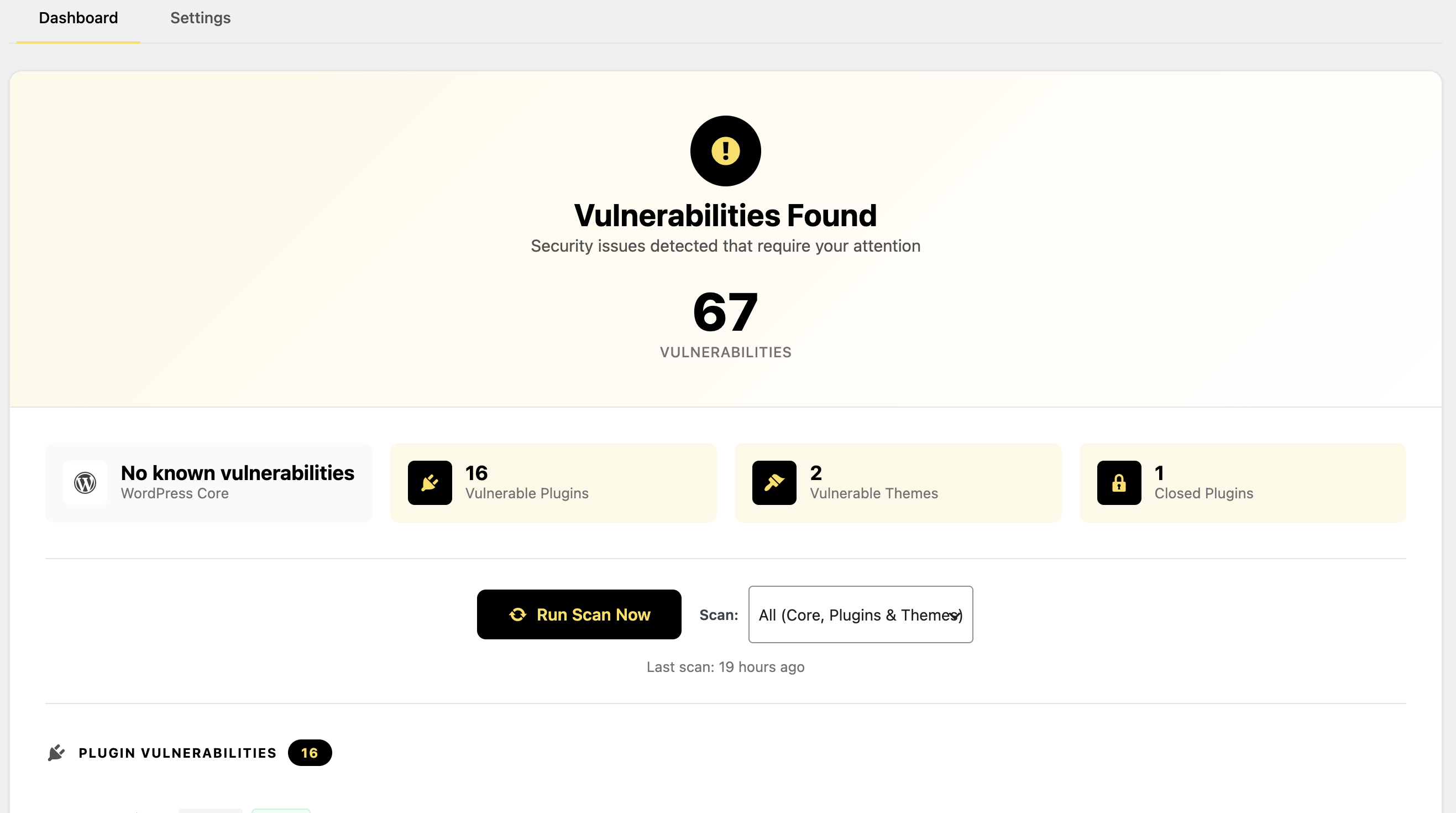
OOPVulns (that is us) is a plugin that scans WordPress core, all plugins, and all themes against a live vulnerability database. Scanning is opt-in, nothing runs until an admin turns it on in Settings. Scans can run daily or weekly, and results appear in a dashboard with color-coded severity badges.
The Risk: Outdated and Abandoned Plugins
Most WordPress hacks exploit an outdated plugin, not a flaw in core. Plugins have full access to your database and files, so one bad component risks the whole site. Once a vulnerability is disclosed, bots scan for unpatched sites within days.
A plugin with no known flaw today can still fail you tomorrow. If the developer stops maintaining it, no one is watching for new vulnerabilities, and no patch is coming if one is found.
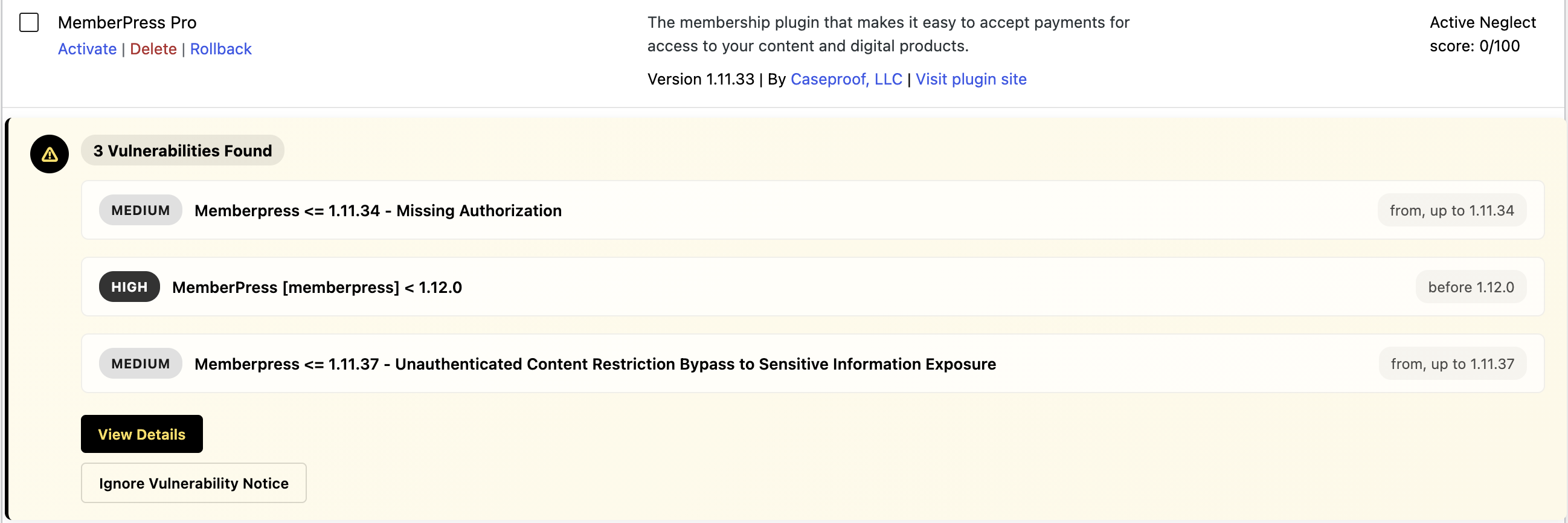
Below, a flagged plugin shows three vulnerabilities ranging from Medium to High, each tagged with the version range it affects.
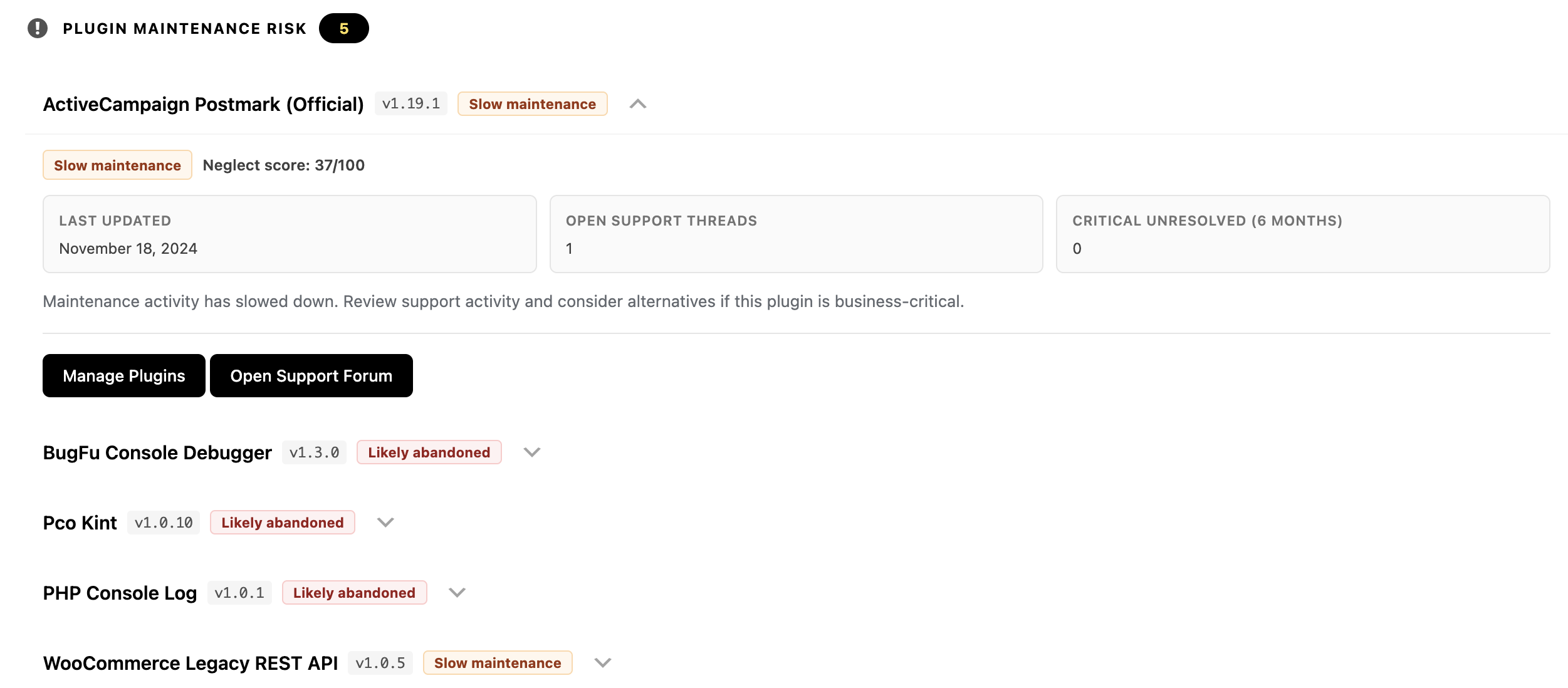
It’s the only one of the three that also scores abandonment risk. OOPVulns pulls WordPress.org maintenance signals, last-updated date and unresolved critical support threads, and turns them into a neglect score (0–100) and a badge: “Slow maintenance” or “Likely abandoned.” That flags risk before a CVE even exists, which none of the vulnerability-only scanners do.
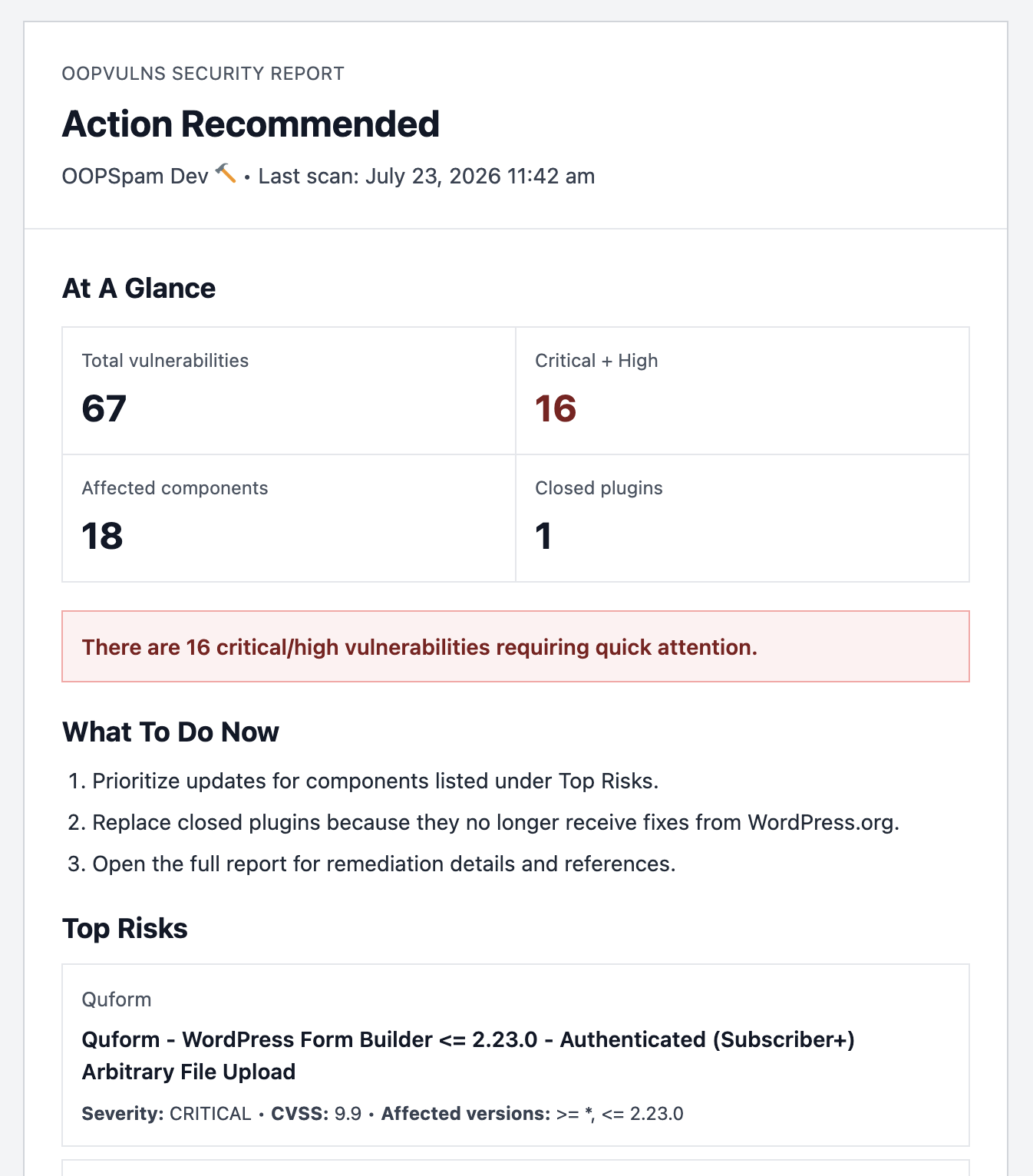
The dashboard also generates a shareable “Action Recommended” summary, total vulnerabilities, critical-plus-high count, affected components, closed plugins, and a Top Risks list, useful for handing to a client or logging in a maintenance record, like the one shown below.
On data: only your WordPress core version and the slugs/versions of installed plugins and themes are sent out. No personal data, user information, or site content leaves your server.
How to Scan with OOPVulns
Install OOPVulns from Plugins → Add New, then activate it.
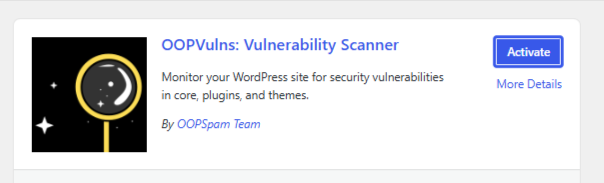
Enter your oopspam API key. Go to Settings and enable vulnerability scanning, it’s off by default until an admin enables it.
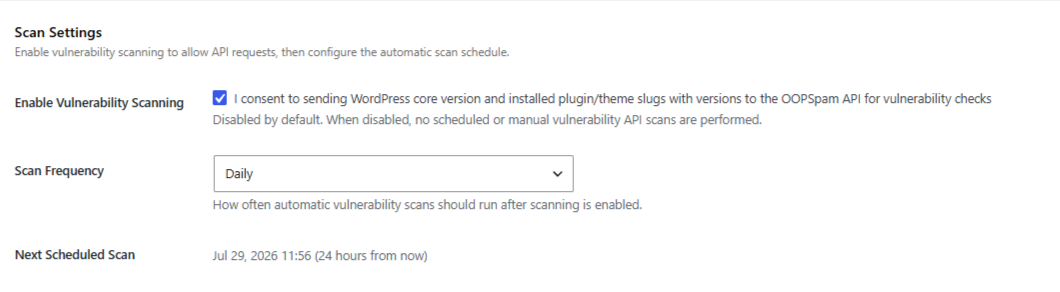
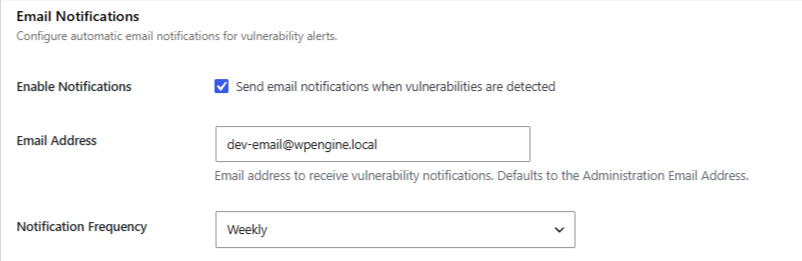
Set a scan schedule (daily or weekly) and turn on email notifications.
Run the first scan. Review the dashboard, sorted by severity.
Check the maintenance-risk section for anything marked “Likely abandoned,” especially plugins tied to payments, memberships, or forms.
Update any plugin with a fix available. If a plugin is closed or clearly abandoned, plan a replacement.
Re-scan to confirm flagged items clear, and repeat on the schedule you set.
2. Wordfence Security
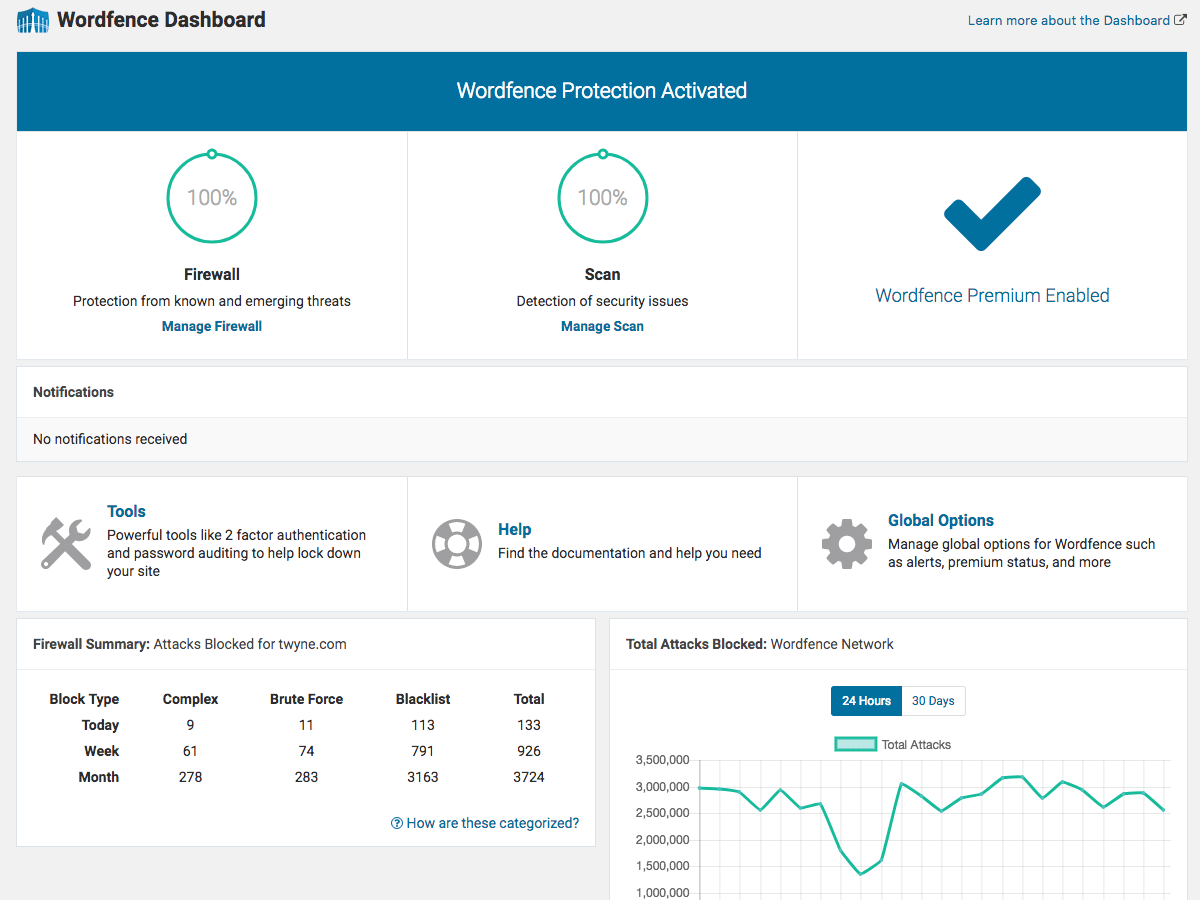
Wordfence is a full security suite, not a single-purpose scanner. Vulnerability checks run alongside a web application firewall, malware scanner, and login-attempt monitor. It cross-references your installed plugin versions against Wordfence’s own threat intelligence feed and can email an alert the moment a new vulnerability affecting your site is published.
Good fit if you want one plugin covering firewall, malware, and vulnerability scanning together. The tradeoff is more surface area to configure, and the free tier delays some vulnerability alerts by 30 days compared to the paid version.
3. WPScan
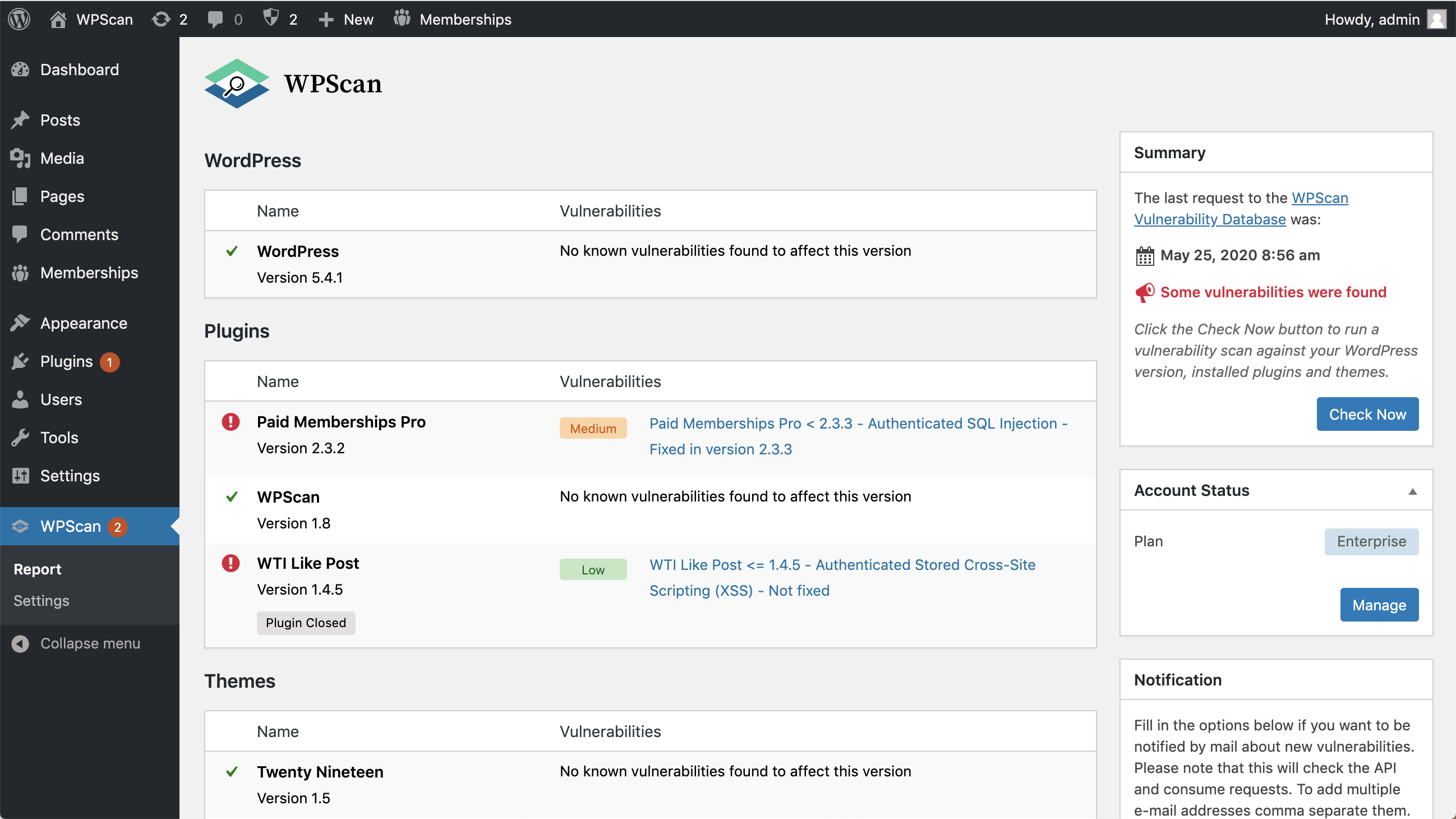
WPScan is the official plugin built on the same vulnerability database that powers the widely-used WPScan command-line tool. It’s narrowly focused: it checks core, plugin, and theme versions against the database and reports matches, without the firewall or malware layer Wordfence adds.
Good fit if you already use the WPScan database or CLI on other sites and want the same data source inside the dashboard, or if you want a lighter scanner without extra security features running in the background.
What to Do When You Find a Vulnerability
- Patch first. An available update is almost always faster and safer than any workaround.
- Don’t skip medium-severity findings, chained with another small flaw, they can lead to a full compromise.
- Treat long-unmaintained plugins as a risk even with zero disclosed CVEs. No updates in a year or more is a signal to replace, not wait.
- Remove plugins you don’t use. Inactive code is still on the server and still an attack surface if reactivated.
- Re-scan after every update to confirm the fix actually resolved the flagged issue.
Final thoughts
Scan plugins on a fixed schedule, not just when something feels wrong. OOPVulns is the strongest starting point because it covers both disclosed vulnerabilities and plugins likely to become a problem before a CVE ever exists. Pair it with prompt patching, and you close off most of the paths attackers use against WordPress sites.