
Onar Alili
Engineer
3 minutes to read
Introducing OOPVulns - The WordPress Vulnerability Scanner Plugin

Keeping WordPress secure means constantly tracking updates across core, plugins, and themes. It’s easy to miss something critical. OOPVulns is a vulnerability scanner that monitors your WordPress installation and alerts you to security threats, so you can stay protected with minimal effort.
What is OOPVulns?
OOPVulns automatically scans your WordPress installation and checks every component against a constantly updated database of known security threats:
- WordPress Core - Alerts you to outdated or vulnerable WordPress versions
- Plugins - Identifies security issues in your active and inactive plugins
- Themes - Finds vulnerabilities in the themes running on your site

Key Features
✅ Quick Setup - Install and activate to begin scanning immediately. Minimal configuration required.
✅ Email Notifications - Receive immediate alerts when vulnerabilities are detected.
✅ Seamless OOPSpam Integration - If OOPSpam Anti-Spam is active, OOPVulns automatically retrieves your API key without additional setup.
✅ Continuously Updated Database - Our vulnerability database is refreshed with the latest threats to ensure you stay protected.
✅ Comprehensive Reports - Detailed vulnerability information including severity levels and remediation guidance.
For OOPSpam Customers: Extra Value, Zero Extra Cost
If you’re already an OOPSpam Anti-Spam customer, OOPVulns adds significant value to your security arsenal:
- Use Your Existing API Key - No need for a new subscription. Your current OOPSpam API key works with OOPVulns
- Auto-Detection - The plugin automatically detects your API key from the OOPSpam Anti-Spam plugin if you have it installed
- Unified Security - Protect your site from spam AND vulnerabilities with one account
- Seamless Integration - Manage both services from your WordPress dashboard
New Users
If you’re not yet an OOPSpam user, you can obtain a free API key to begin using OOPVulns immediately. Setup takes just minutes.
How to Get Started
Installation
- Download OOPVulns from here
- Upload the plugin to your WordPress site
- Activate OOPVulns in your Plugins menu
- Navigate to Tools → Vulnerability Scanner to access the dashboard
Configuration
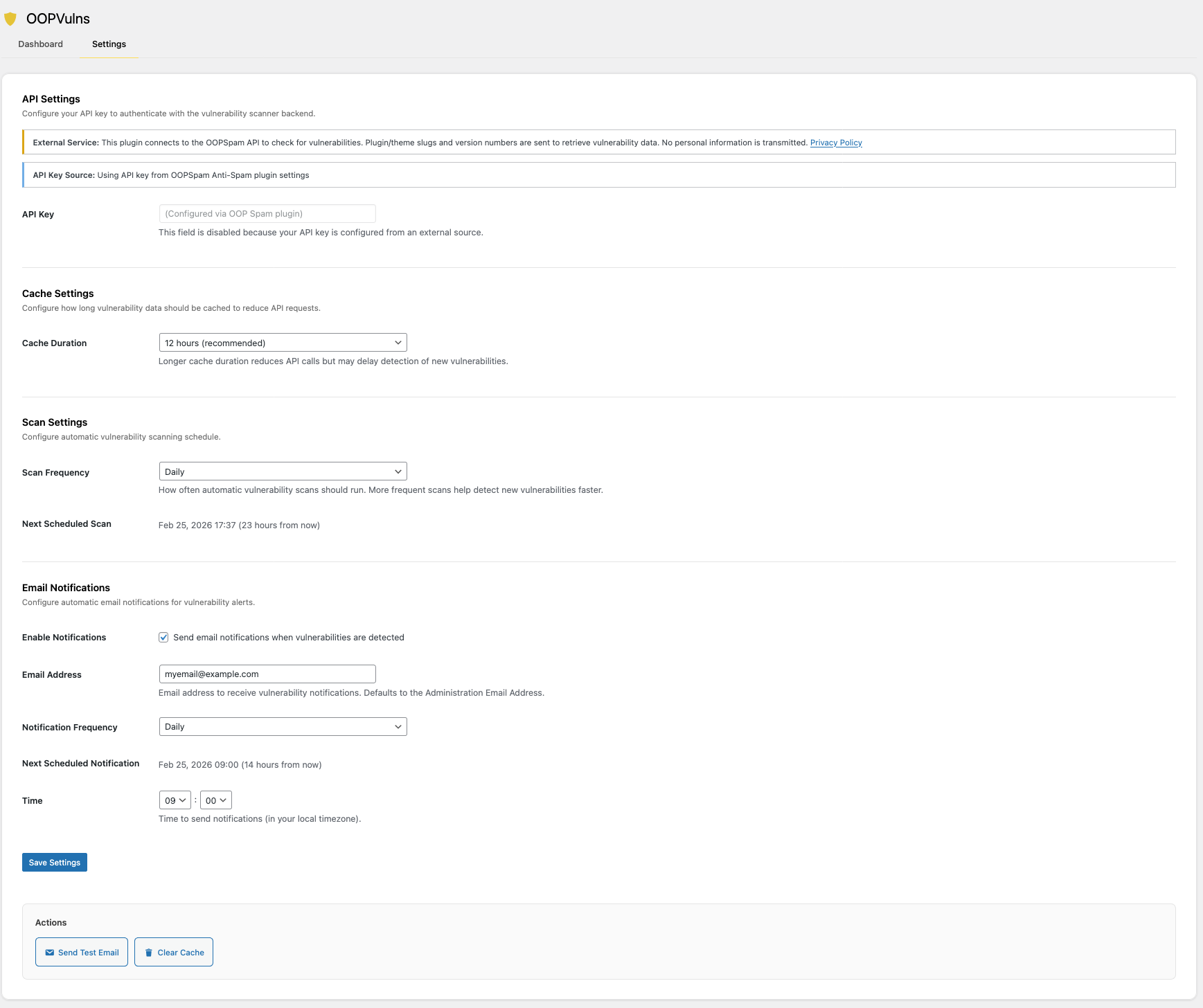
- Go to Tools → Vulnerability Scanner
- Click the Settings tab
- Enter your OOPSpam API key (or let it auto-detect if you have OOPSpam Anti-Spam active)
- Configure email notifications for vulnerability alerts
- Save your settings
Running a Scan
- Go to Tools → Vulnerability Scanner on your dashboard
- Click “Start Scan” to check for vulnerabilities right now
- Optionally, enable Automatic Scans in Settings for weekly or monthly checks
- Review your results. We’ll tell you what’s vulnerable and how to fix it

What’s Next? Our Roadmap
We’re committed to making OOPVulns the best vulnerability scanner for WordPress. Here’s what’s coming:
✅ Beta Version - Available now for early adopters
✅ WordPress.org Directory - Official submission in progress
🔜 OOPSpam Dashboard Integration - Coming soon! See all your websites’ vulnerability status in one unified view
Stay tuned for updates!
Pricing
OOPVulns is included with your OOPSpam API plan at no extra cost. If you’re new, grab a free API key and start scanning right away.
Support
If you have questions or encounter issues, our support team is available to assist.
