How to Limit Form Submissions in MailPoet?

Technical Content Marketer

Reviewed by Onar Alili
Co-founder & Engineer
Published 4 min read

MailPoet does not include built-in submission throttling. That means bots can submit forms repeatedly, use disposable emails, and inflate your subscriber count. Over time, this affects deliverability and engagement rates. The solution is to control validation first, then control frequency.
To limit form submissions in MailPoet, enable double opt-in, restrict how your forms are displayed, and add rate limiting with oopspam. These three steps prevent fake signups, reduce list pollution, and protect your sender reputation.
Below is the exact setup.
1. Control Signup Behavior in MailPoet
Start by configuring how subscriptions are handled. MailPoet includes built-in controls that reduce fake or automated signups.
Enable Double Opt-In
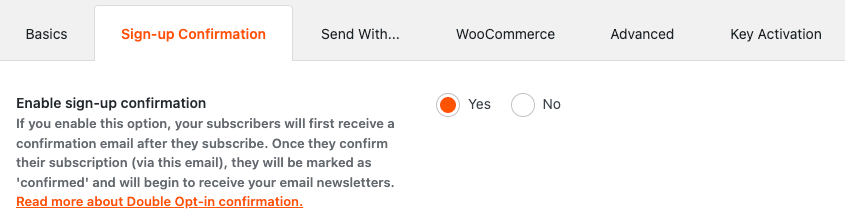
Double opt-in requires users to confirm their email before being added to your list.
To enable it:
- Go to MailPoet → Settings.
- Open the Sign-up Confirmation tab.
- Toggle Enable sign-up confirmation to active.
- Save changes.
Now users must confirm their subscription through email. This prevents bots from instantly joining your list with fake addresses.
Limit Which Lists a Form Can Subscribe To
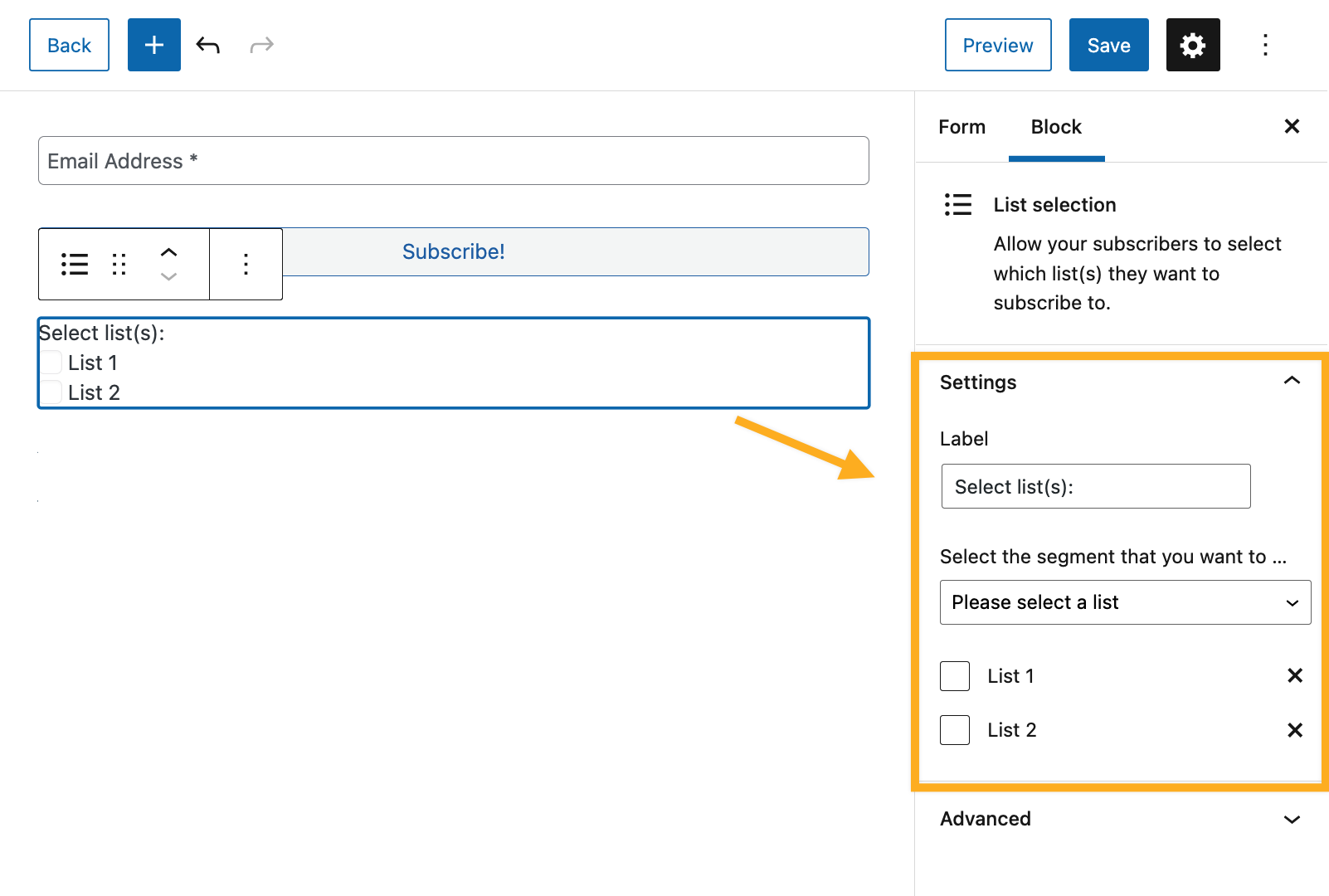
Each MailPoet form can be connected to specific lists.
- Go to MailPoet → Forms.
- Edit the form.
- Under form settings, select only the lists you want subscribers added to.
Avoid connecting one form to multiple unnecessary lists. This limits exposure if spam occurs.
MailPoet’s built-in settings reduce fake confirmations. However, they do not stop rapid repeated submissions. For that, you need rate limiting.
2. Restrict Form Access Using Display Rules
MailPoet forms allow display targeting. This does not directly limit submissions, but it reduces exposure.
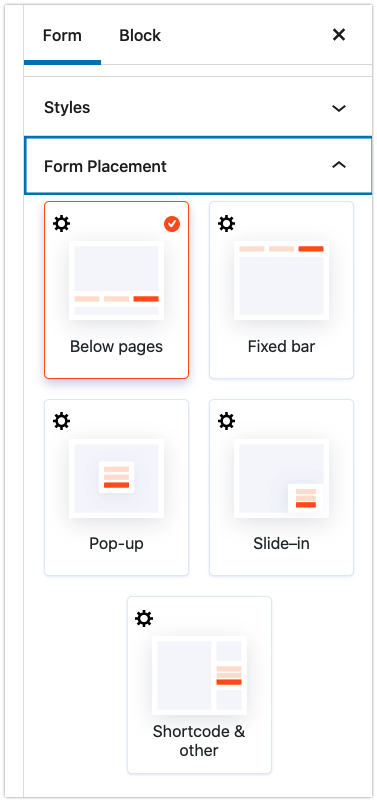
When editing a form:
- Open Display Settings.
- Choose where the form appears.
- Limit display to specific pages instead of the entire website.
This reduces unnecessary visibility and lowers automated scanning. You can also disable popups or floating bars if they attract spam.
Display control reduces surface area. It does not stop bots entirely.
3. Add Rate Limiting with oopspam
MailPoet does not include per-IP or per-email rate limits by default. Without rate limiting, a bot can submit your signup form many times within minutes.
oopspam (that’s us 👋) adds this control. It checks submissions before MailPoet processes them and blocks repeated abuse automatically.
Step 1: Install oopspam
Go to Plugins → Add New. Search for oopspam Anti-Spam. Install and activate the plugin.

Create an account at oopspam.com and copy your API key.

In WordPress, go to oopspam → General Settings, paste your API key, and save.

Your site is now connected.
Step 2: Enable Protection for MailPoet Forms
In oopspam settings, enable spam protection for MailPoet or general WordPress forms.
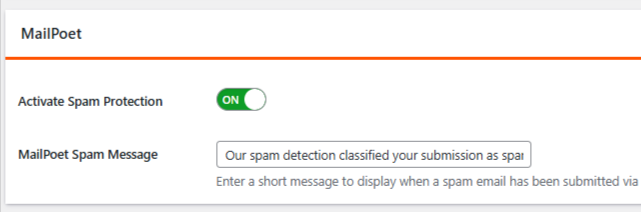
This ensures each subscription attempt is checked before MailPoet adds the user.
Step 3: Turn On Rate Limiting
Open the Rate Limiting tab and enable it.
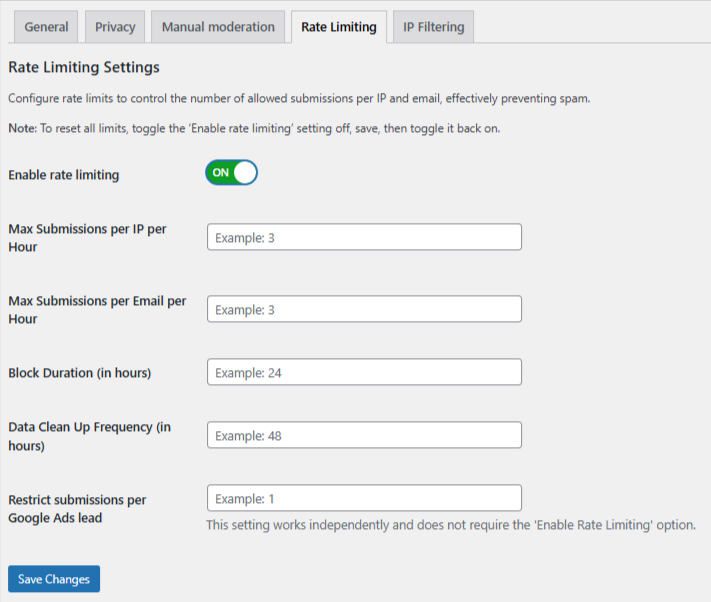
You can configure:
- Max submissions per IP per hour – Limits how many times one IP can subscribe in an hour.
- Max submissions per email per hour – Limits how often one email can attempt signup.
- Block duration – How long an IP or email stays blocked after hitting the limit.
- Data cleanup schedule – Automatically removes old logs to keep performance stable.
For example, you might allow 5 submissions per IP per hour. If exceeded, that IP is temporarily blocked.
This stops rapid bot-driven signups.
Strengthen Protection with Advanced Filters
oopspam also provides additional controls:
- VPN, proxy, and TOR blocking
- Country allow or deny lists
- Language filtering
- Contextual spam detection
- Logs for monitoring attempts
You can also use manual moderation to block specific emails, IP addresses, or keywords, and allow trusted users to bypass checks.
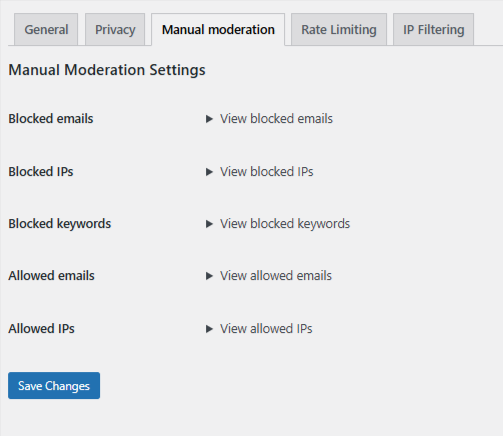
These features create layered protection and reduce false positives.
Final Thoughts
Limiting form submissions in MailPoet is simple when you apply the right controls. With these layers in place, your MailPoet forms remain clean, manageable, and focused on real subscribers instead of spam.
A smaller, verified list always performs better than a large, polluted one. Protect your forms early and you avoid cleanup later.
