5 Ways to Stop Spam in Mailchimp

Technical Content Marketer

Reviewed by Onar Alili
Co-founder & Engineer
Updated Published 6 min read
To stop spam in Mailchimp, scan your audience for fake or risky emails, enable double opt-in, authenticate your domain with SPF, DKIM, and DMARC, avoid spam-triggering content, and never use purchased lists. oopspam integrates directly with Mailchimp to scan contacts against over 200 million blocked email addresses. Here’s how to apply each method.
1. Scan and Clean Your Audience with oopspam
Spam signups and fake addresses sit quietly in your audience until a campaign goes out, bounces, and drags down your sender score. The fastest fix is to check every contact against a spam database before that happens. oopspam (that is us) just added a native Mailchimp integration that does exactly this.
Here is the workflow:
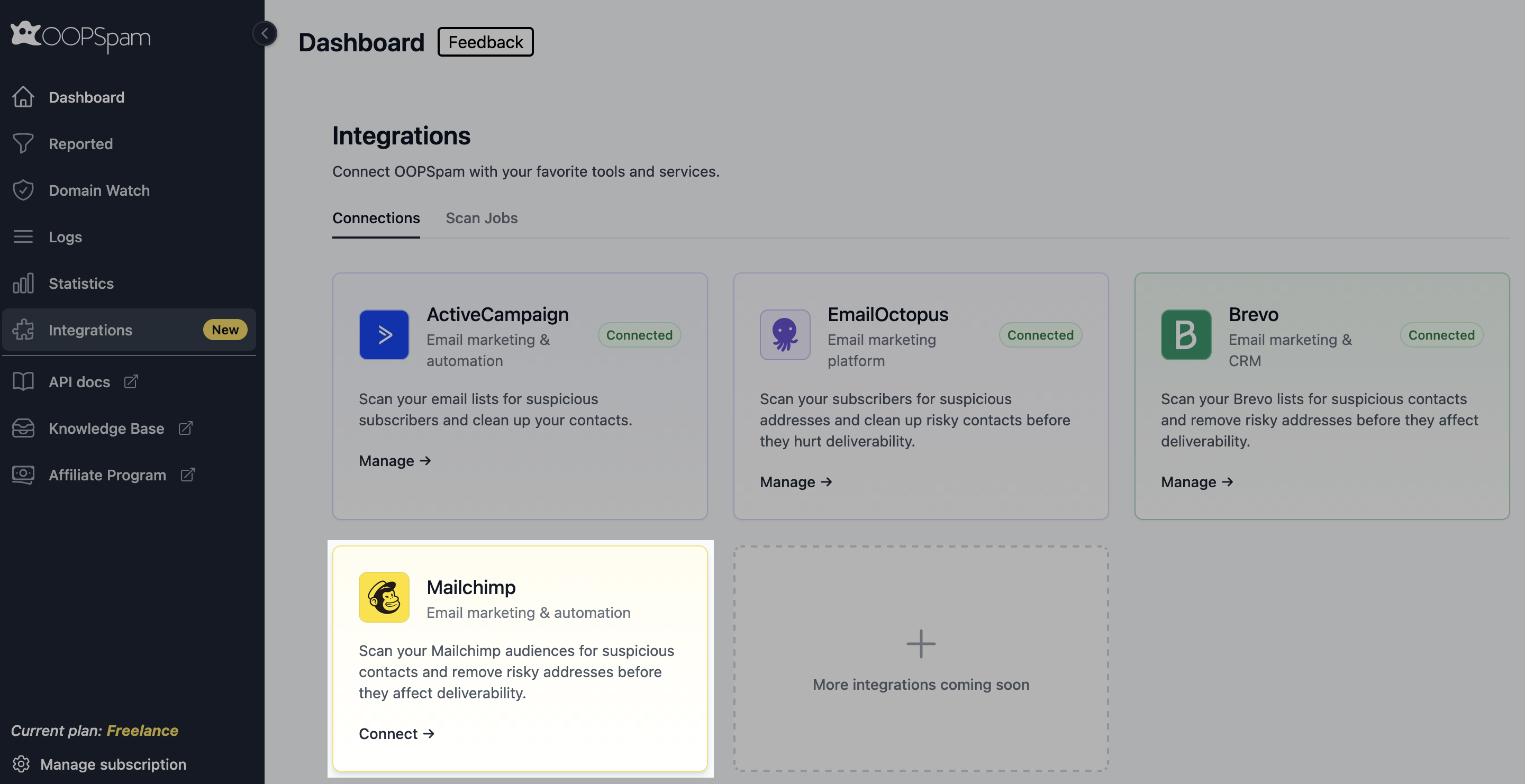
Go to your oopspam Dashboard and click Integrations in the left sidebar. Click Connect on the Mailchimp card.
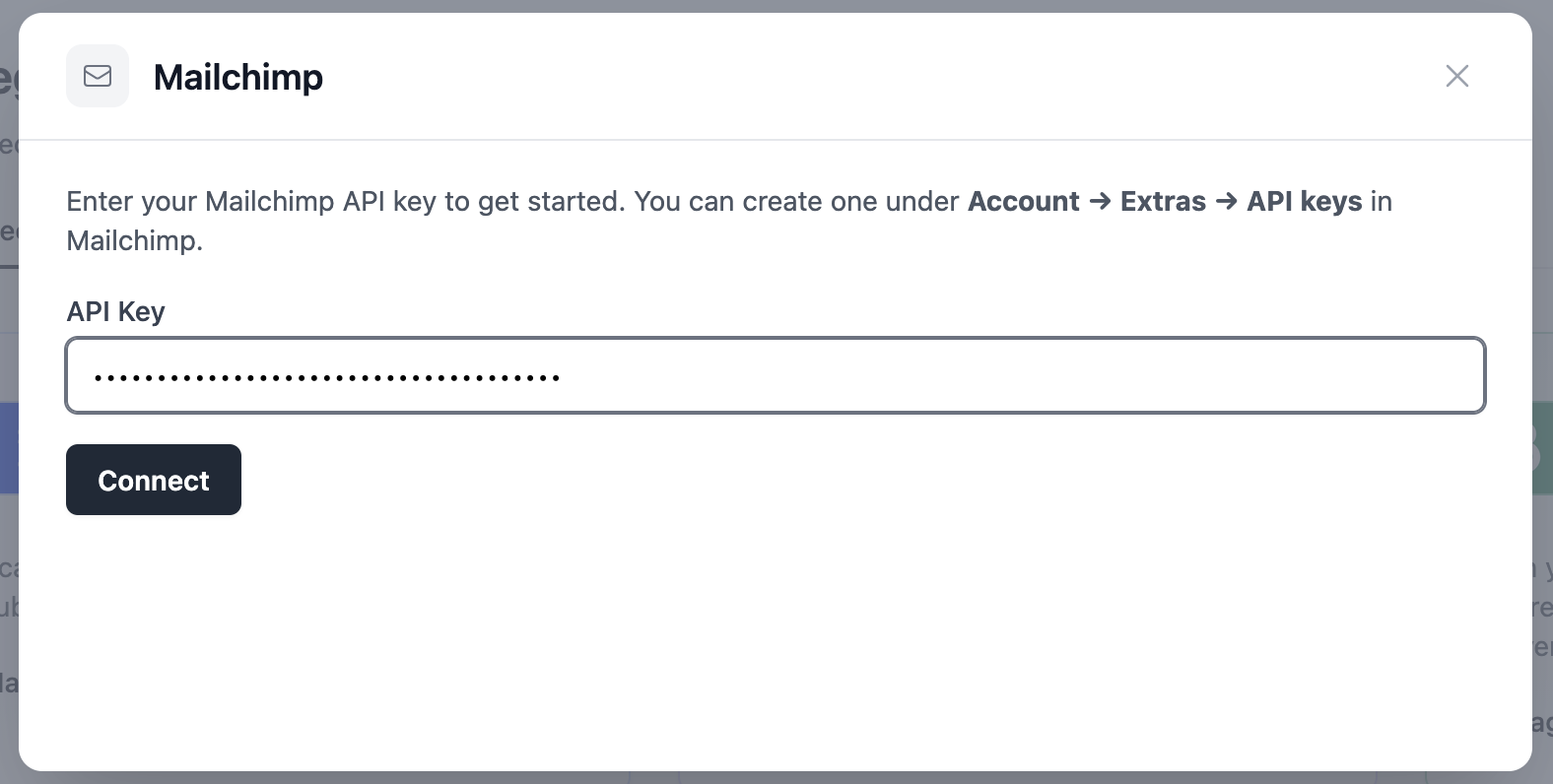
Enter your Mailchimp API key. You can create one in Mailchimp under Account → Extras → API keys.
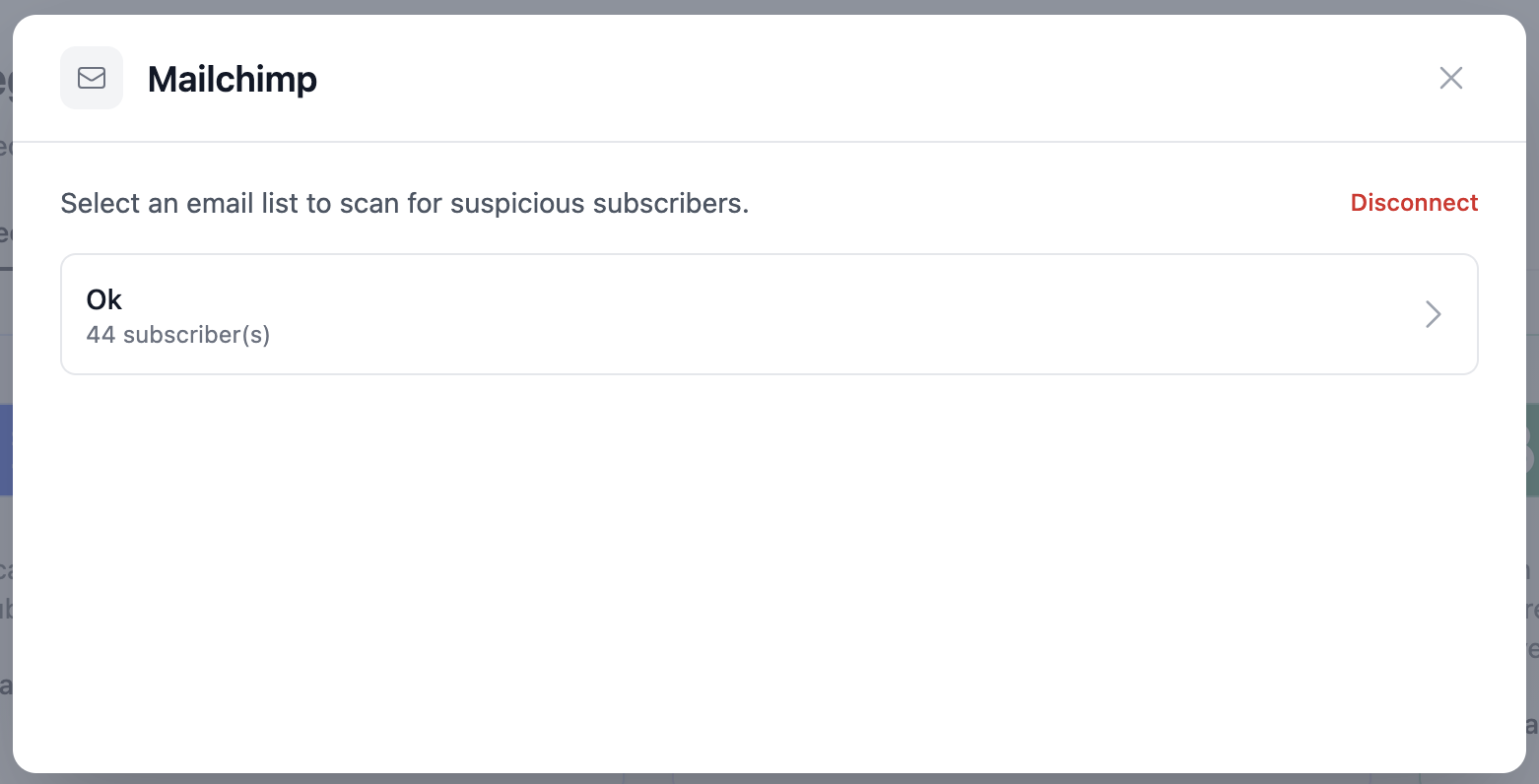
Select the audience you want to scan.
Preview your contacts, then turn on any optional filters before you scan:
- Flag soft bounces. Contacts whose most recent send came back as a soft bounce get flagged as risky.
- Flag non-openers. Contacts who haven’t opened your last 3 emails get flagged. This needs open tracking enabled in Mailchimp and can be less reliable.
- IP-based filters. Block VPN, proxy, Tor, or data center IPs, or restrict scans to allowed and blocked countries, wherever Mailchimp exposes contact IPs.
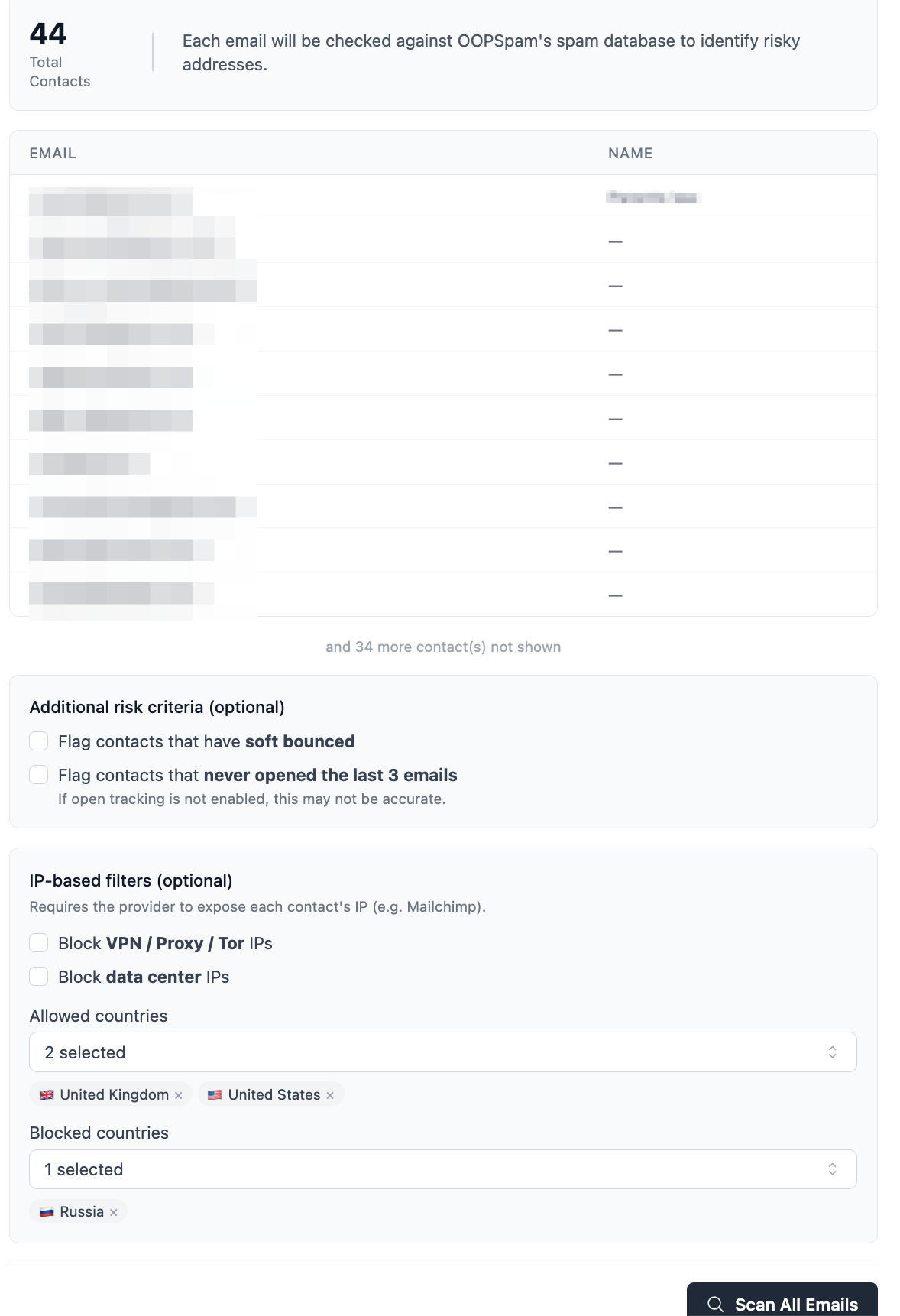
Click Scan All Emails. Note that scanning consumes oopspam API credits, so plan scans before major sends.
Review your results across three categories: Total Scanned, Clean, and Risky. Each risky subscriber shows a Spam tag.
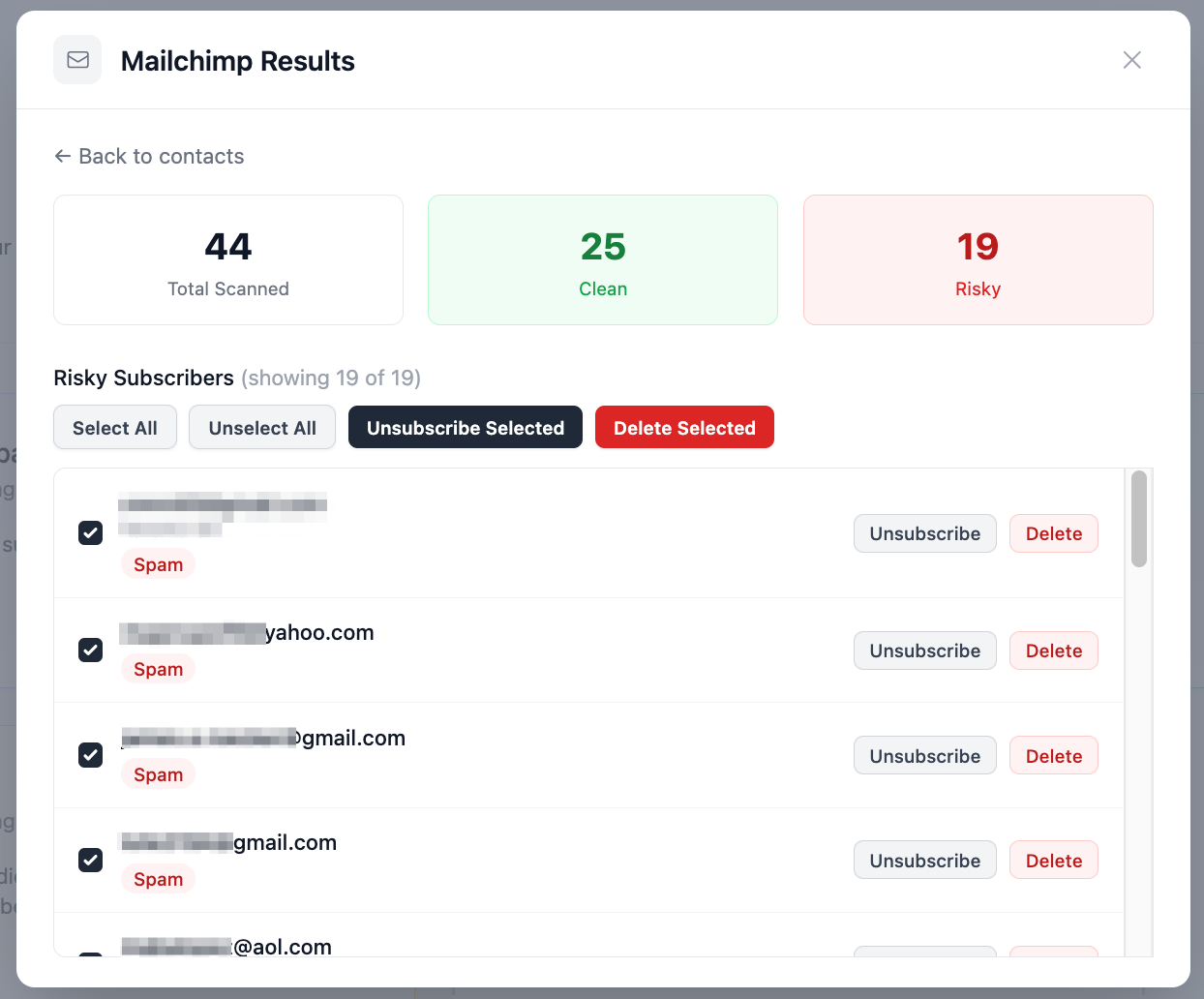
Select the contacts you want to act on, then Unsubscribe (removes them from the audience only) or Delete (removes them from your account entirely). Use Select All, Unselect All, Unsubscribe Selected, or Delete Selected to handle results in bulk.
This single scan can remove a meaningful chunk of the fake and risky addresses sitting in your audience before your next send, without touching Zapier or a third-party automation.
If you’d rather catch spam signups automatically as they come in instead of scanning in batches, see our guide on how to stop spam signups in your Mailchimp email list using oopspam and Zapier. It’s a good complement to the native integration above for accounts that add new subscribers continuously.
2. Turn on Double Opt-In
Double opt-in requires new subscribers to confirm their email address before they join your audience. A bot can submit a fake or stolen address, but it cannot click the confirmation link that lands in that inbox. This blocks most automated signups outright.
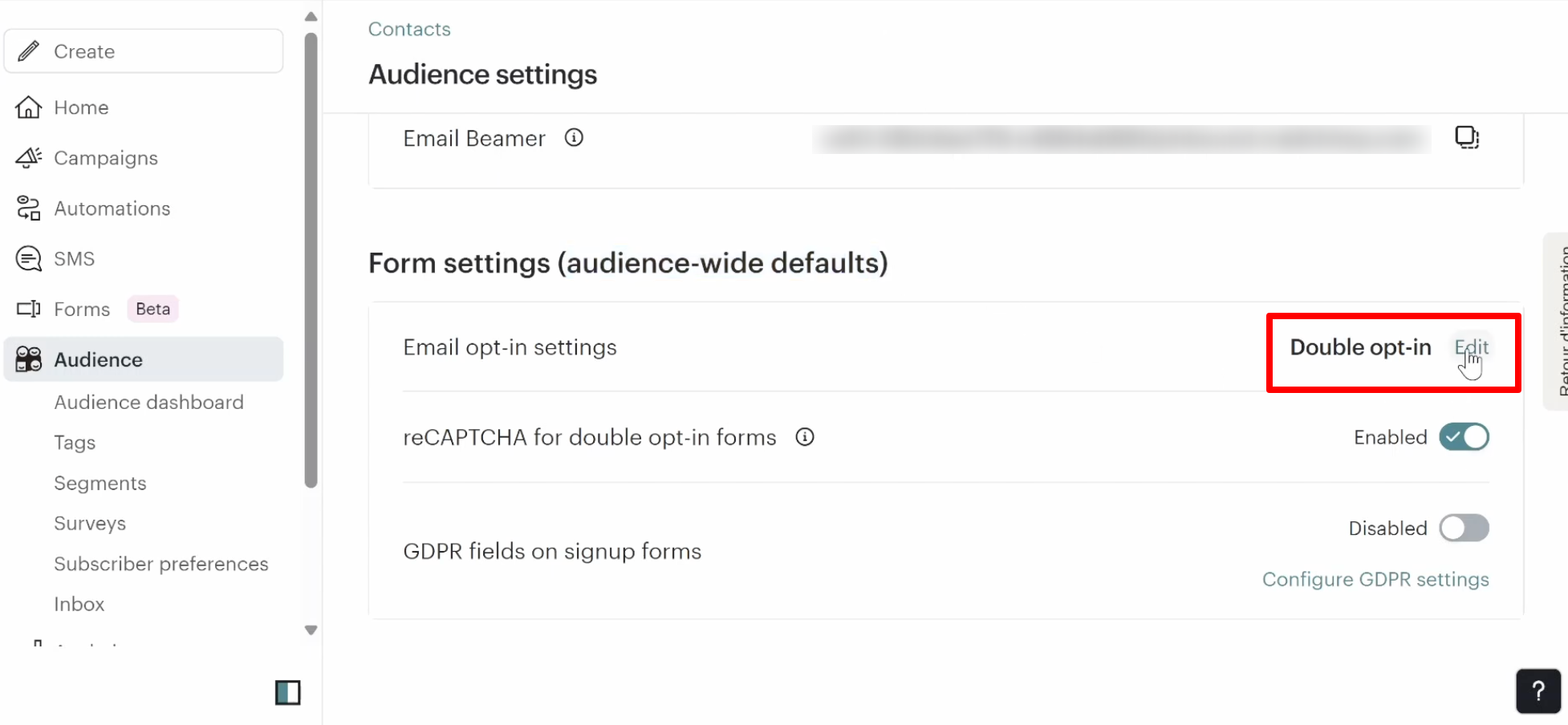
In Mailchimp, go to your audience’s settings and enable double opt-in. It costs nothing and takes a couple of minutes to turn on. It will not stop every bot, especially ones using disposable email services, which is why list scanning still matters even after you enable it.
If your signups come through an embedded Mailchimp form on WordPress, double opt-in is your first and most important layer, since WordPress security plugins never see submissions that go straight to Mailchimp’s servers.
3. Authenticate Your Sending Domain
Domain authentication proves to inbox providers that your emails genuinely come from you and not from someone spoofing your domain. Without it, your campaigns are far more likely to land in spam or get rejected outright.
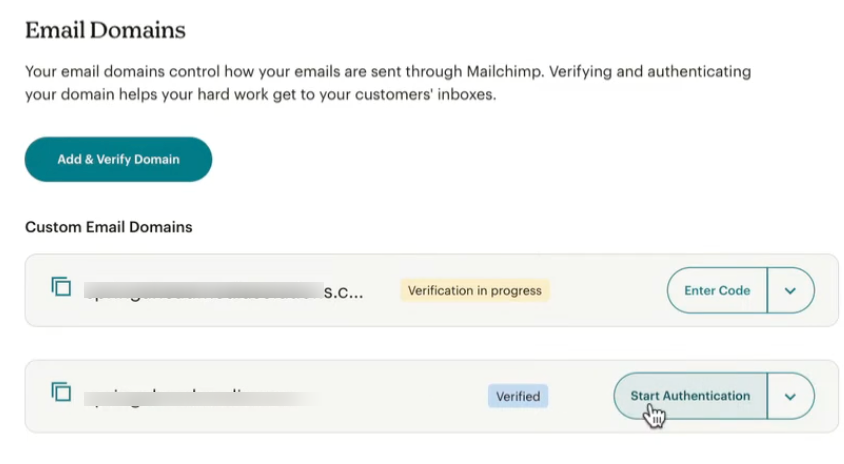
Set up these three DNS records for your sending domain:
- SPF (Sender Policy Framework): Lists which mail servers are allowed to send on behalf of your domain.
- DKIM (DomainKeys Identified Mail): Adds a cryptographic signature that proves your email wasn’t altered in transit.
- DMARC (Domain-based Message Authentication, Reporting, and Conformance): Tells inbox providers what to do with mail that fails SPF or DKIM.
You can check and manage this under Mailchimp → Settings → Domains. As of 2024, Gmail and Yahoo require SPF, DKIM, and DMARC for bulk senders, and Microsoft added similar requirements in 2025. If your domain isn’t authenticated, some inboxes will flag or bury your campaigns by default.
4. Remove Spam Triggers From Your Content
Spam filters score the content of your email, not just the sender. A few habits raise that score fast:
- All-caps subject lines, excessive punctuation (“Buy Now!!!”), or words like “free” and “guaranteed.”
- Image-only emails with little or no real text. Keep a healthy balance of text alongside your visuals.
- Broken personalization tags, mismatched links, or a reply-to address that doesn’t match your sending domain.
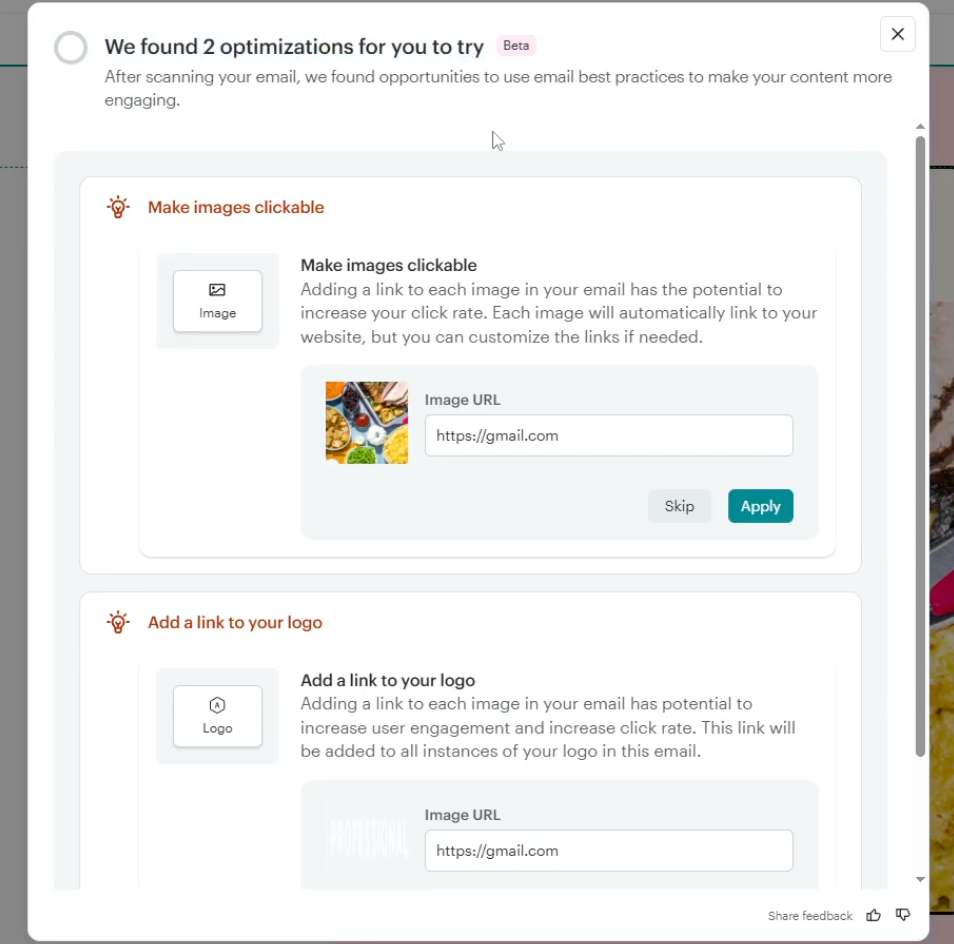
Mailchimp’s built-in content checker flags some of these before you send. You can also run your subject line and body copy through a free tool like Spam Word Checker before every campaign, a five-minute habit that protects your sender reputation.
5. Never Import a Purchased List
Buying an email list violates Mailchimp’s policy against purchased lists and is one of the fastest ways to spike spam complaints and get your account suspended. People on a purchased list never opted in, so they mark your mail as spam at a much higher rate than people who signed up directly.
Build your audience only from people who subscribed through your own forms, and scan it periodically with oopspam to catch anything that slipped through.
Final takeaway
Stopping spam in Mailchimp is not a one-time fix. Scan your audience regularly, keep double opt-in on, authenticate your domain, write clean content, and only ever grow your list organically. Each layer makes your account harder for spam to reach and your campaigns more likely to land in the inbox.