Why Your Embedded Mailchimp Form Keeps Getting Spam on WordPress

Technical Content Marketer

Reviewed by Onar Alili
Co-founder & Engineer
Published 7 min read
Embedded Mailchimp forms submit directly to Mailchimp’s servers, not through WordPress. That means WordPress security plugins never see the submission, so they can’t block it. Mailchimp’s own reCAPTCHA and honeypot fields catch some bots, but not all. The fix is to enable double opt-in in Mailchimp, add network-level filtering with Cloudflare, or replace the raw embed with a WordPress form builder connected to Mailchimp and protect that form with oopspam.
Why embedded Mailchimp forms get spam in the first place
Mailchimp gives you a raw HTML/JS snippet to paste into a page. This is called an embedded form. When someone submits it, the browser sends the data straight to Mailchimp’s servers. WordPress never processes that request.
This creates three specific weak points:
- WordPress never sees the submission. Any plugin that filters spam by hooking into WordPress form handling (
admin-post.php,wp_ajax, or a form builder’s own submission hook) simply never fires. The request skips WordPress entirely. - Single opt-in is the default. If your Mailchimp audience uses a single opt-in, any email a bot submits is added to your list immediately. No confirmation step, no friction.
- The form endpoint is public. Bots scan page source for form action URLs. Once they find one, they can fire POST requests directly at it, with no need to render the page or run JavaScript.
Mailchimp does have its own defenses baked into every hosted and embedded form: reCAPTCHA, honeypot fields, and signup throttling. These stop a meaningful share of bot traffic. They are not foolproof against more targeted or scripted attacks, which is why sites still see spam getting through even with these settings on.
A real example: hidden fields made it worse, not better
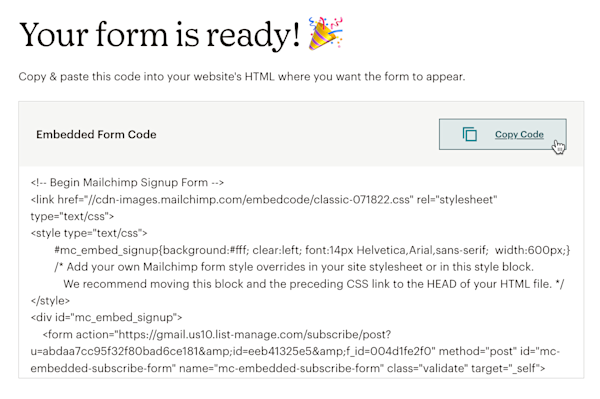
Here’s a pattern that shows up often. A site runs an embedded Mailchimp form with no problems for weeks. Then someone adds hidden UTM tracking fields to the form to pass campaign data into Mailchimp. Within days, bot signups start, and the UTM fields on those submissions are blank.
Blank UTM fields on bot traffic are actually a useful diagnostic. A real ad click populates those fields. A blank value means the submission didn’t come through the actual ad-click path. It’s a script hitting the form endpoint directly, not a person who clicked an ad and filled out the form.
Editing and republishing an embed can also change the form’s markup slightly, which can put it back in front of bots that fingerprint pages for form fields. If a site has no analytics in place (no GA4, no server logs), there’s no way to see this happening until the spam shows up in Mailchimp itself.
The lesson: adding fields to an embedded form doesn’t add spam protection, and it can coincide with new spam simply because the form was touched and re-crawled. Protection has to come from somewhere else.
Fix 1: Turn on Mailchimp’s own settings first
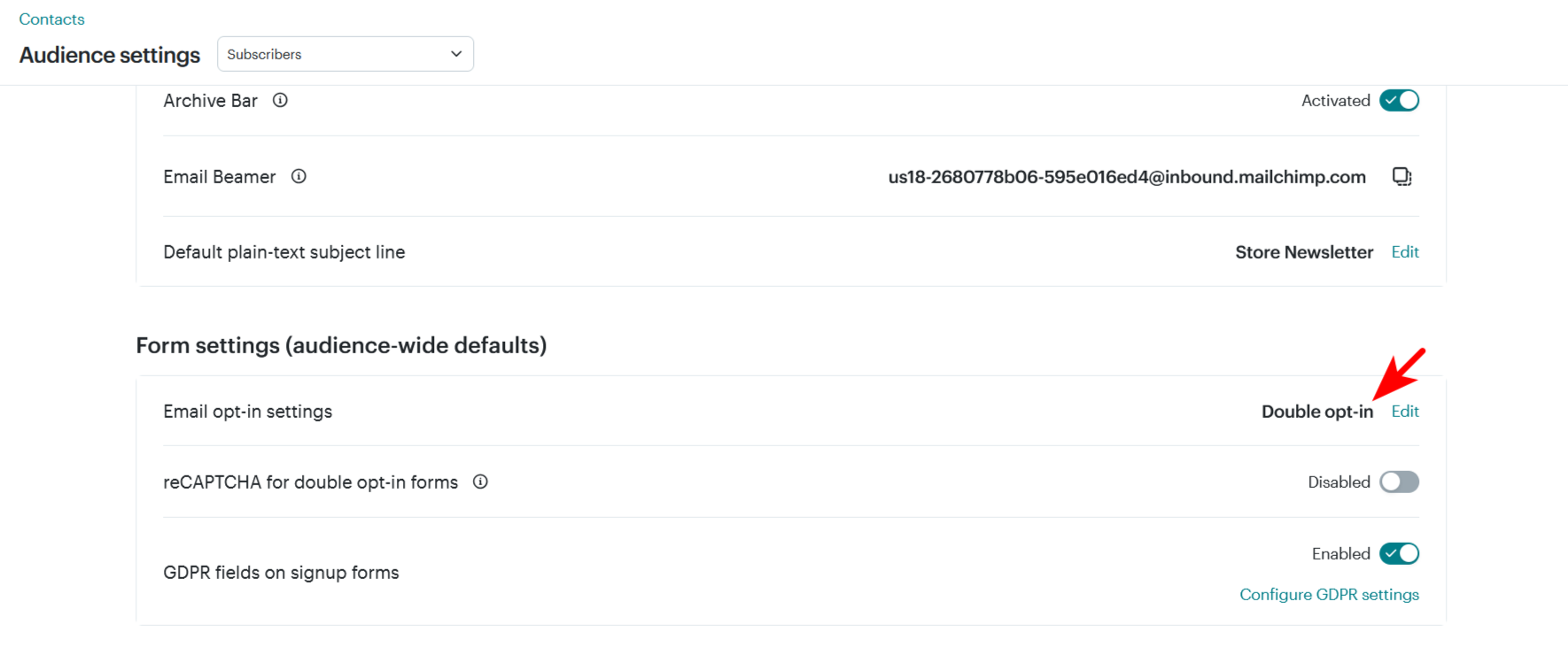
These take a few minutes and cost nothing.
- Enable double opt-in. Go to your audience’s settings and require confirmation before a signup is added to the list. This blocks most bots outright, since they can’t complete an inbox confirmation step.
- Turn on reCAPTCHA for the embedded form. In Mailchimp, go to Audience → Settings → Audience name and defaults, and enable reCAPTCHA for embedded and pop-up forms.
- Review your signup source segment periodically. Mailchimp lets you segment contacts by signup source and date added. Use this to spot and clean out batches of fake signups after the fact.
These reduce spam. They don’t eliminate the underlying problem: the embed still bypasses WordPress, and determined bots still get through.
Fix 2: Block bad traffic before it reaches your site
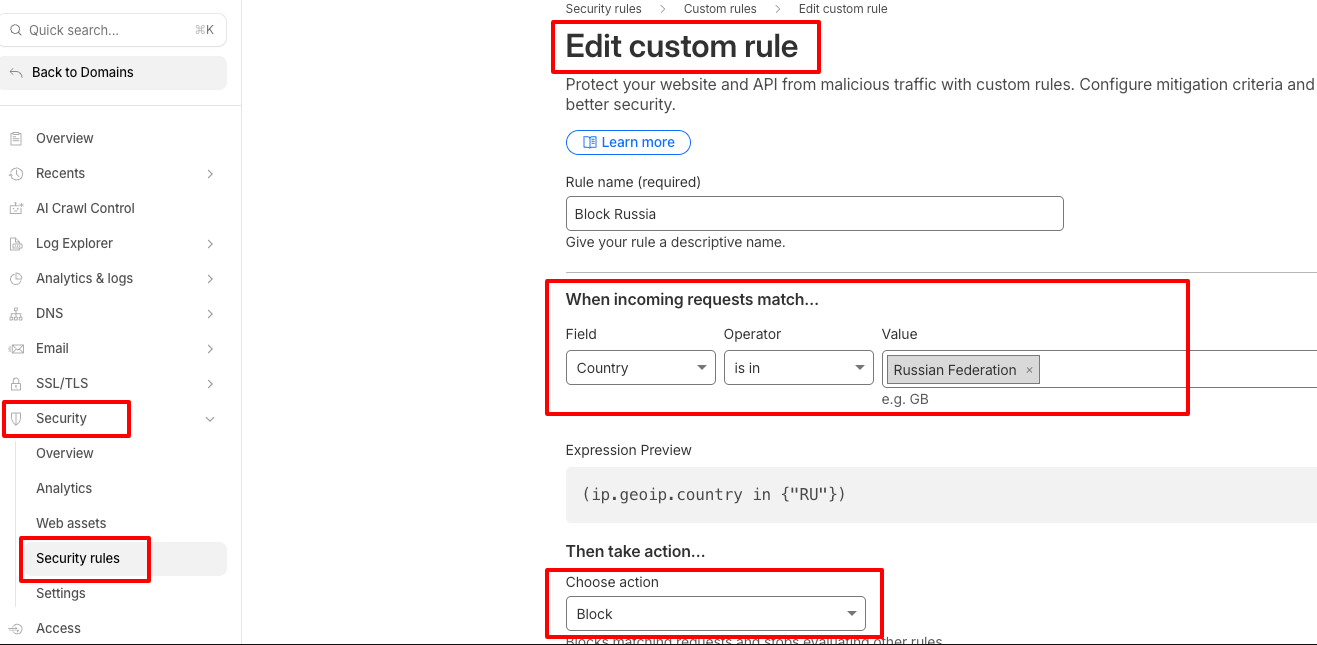
Since the embed skips WordPress, filtering has to happen at the network level instead.
- Put the site behind Cloudflare (or a similar CDN/WAF).
- Turn on Bot Fight Mode or an equivalent bot-management setting.
- Block traffic from countries you don’t serve, if your audience is regional.
- Watch for repeated submissions from the same IP range or data center, and challenge or block them.
This stops a lot of scripted traffic before it ever loads the page. It won’t stop every bot, especially ones using residential proxies or rotating IPs.
Fix 3: Move off the raw embed and protect the form with oopspam
This is the only option that puts a filtering layer back in front of the form. It works because it changes where the submission happens.
Instead of Mailchimp’s raw embed, use a WordPress-native form that sends data to Mailchimp on the backend, either MC4WP: Mailchimp for WordPress, or a form builder like WPForms, Gravity Forms, Fluent Forms, or Ninja Forms with a Mailchimp integration enabled. Because the submission now goes through WordPress, oopspam (that is us) can inspect it before it ever reaches Mailchimp.
How to set it up:
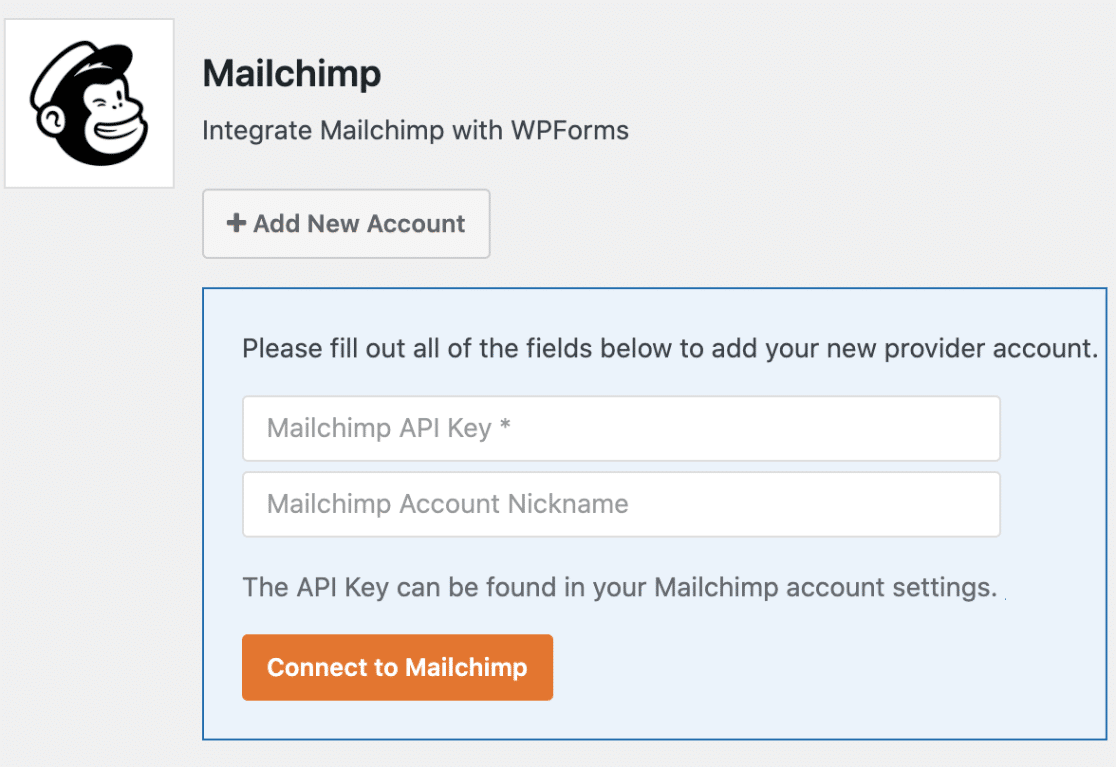
Install a WordPress form connected to Mailchimp. If you’re already using MC4WP, you can keep it. If not, install a form builder plugin and connect it to your Mailchimp audience through its built-in Mailchimp integration.
Go to Plugins → Add New in WordPress, search for oopspam Anti-Spam, then install and activate it.
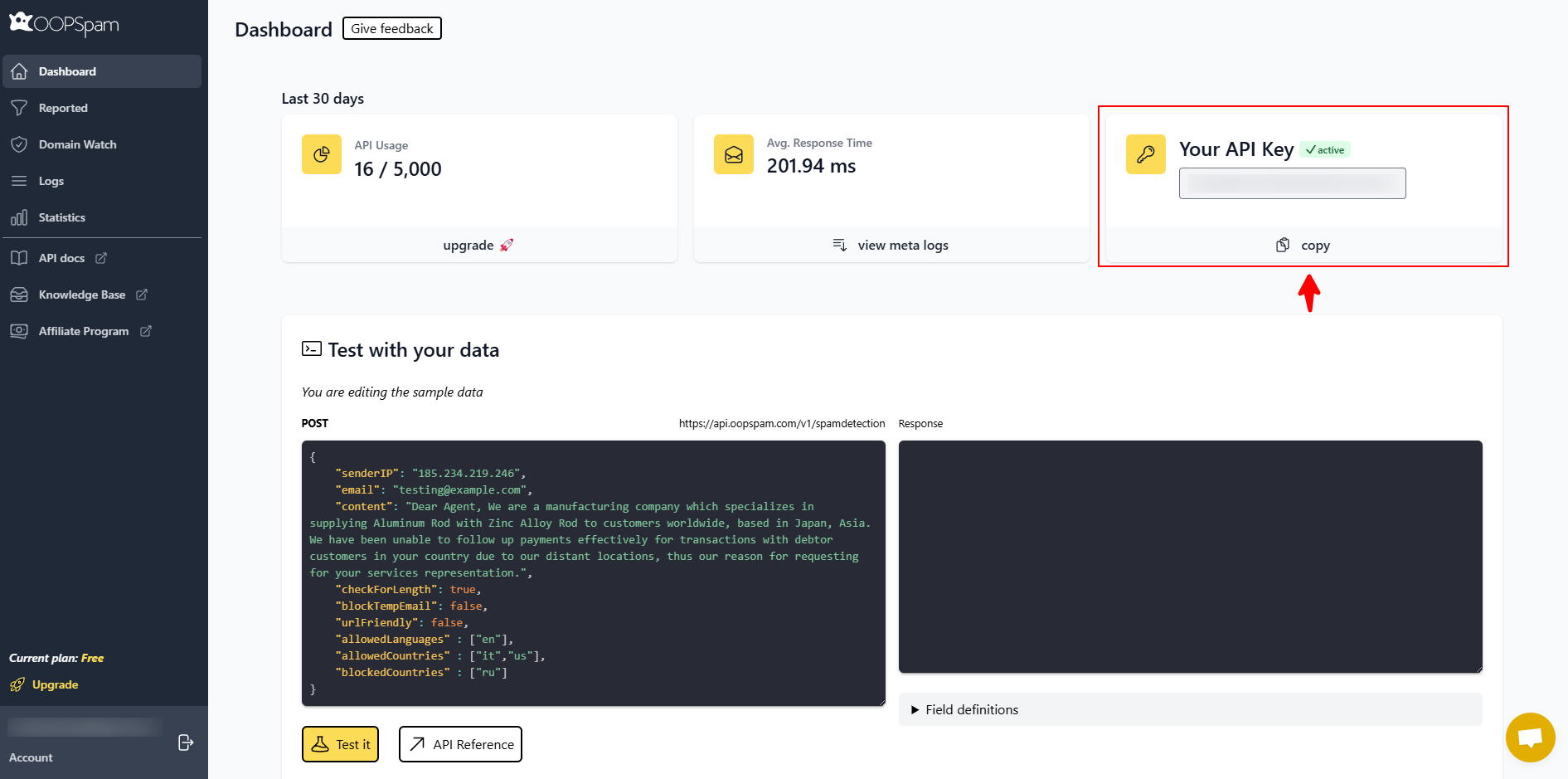
Create a free oopspam account and copy your API key from the dashboard.
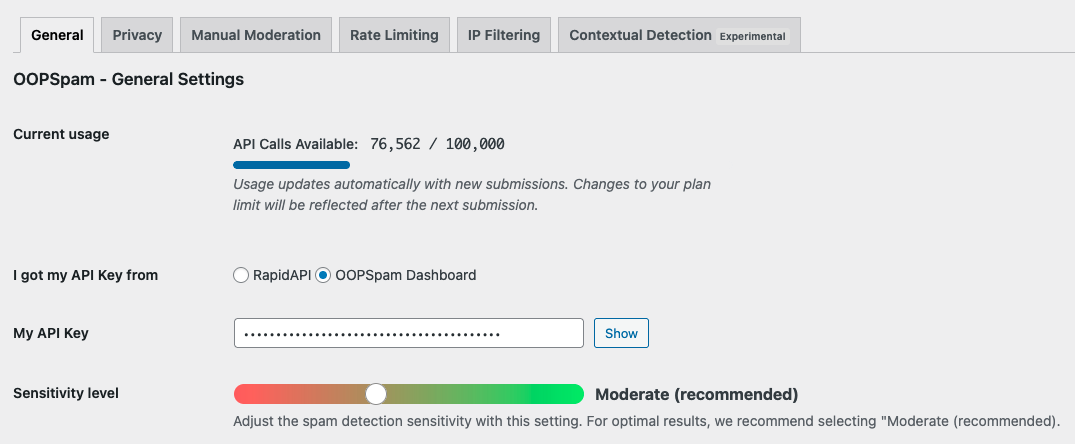
In WordPress, go to Settings → oopspam and paste in your API key.
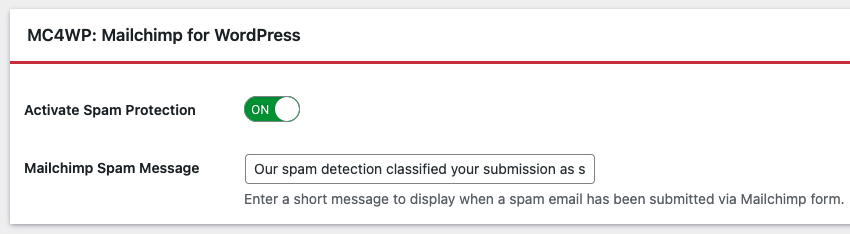
Enable protection for the specific form connected to Mailchimp.
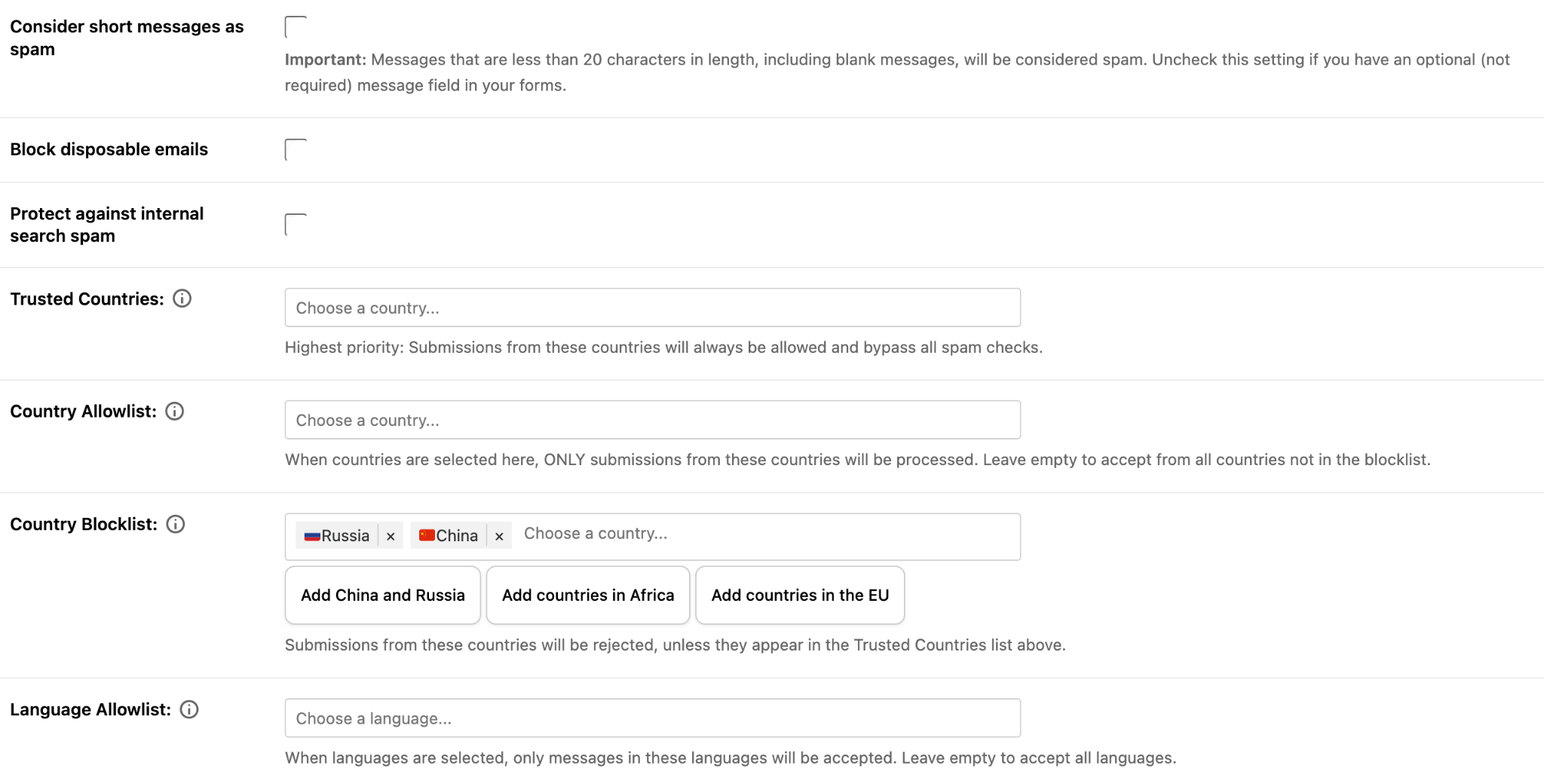
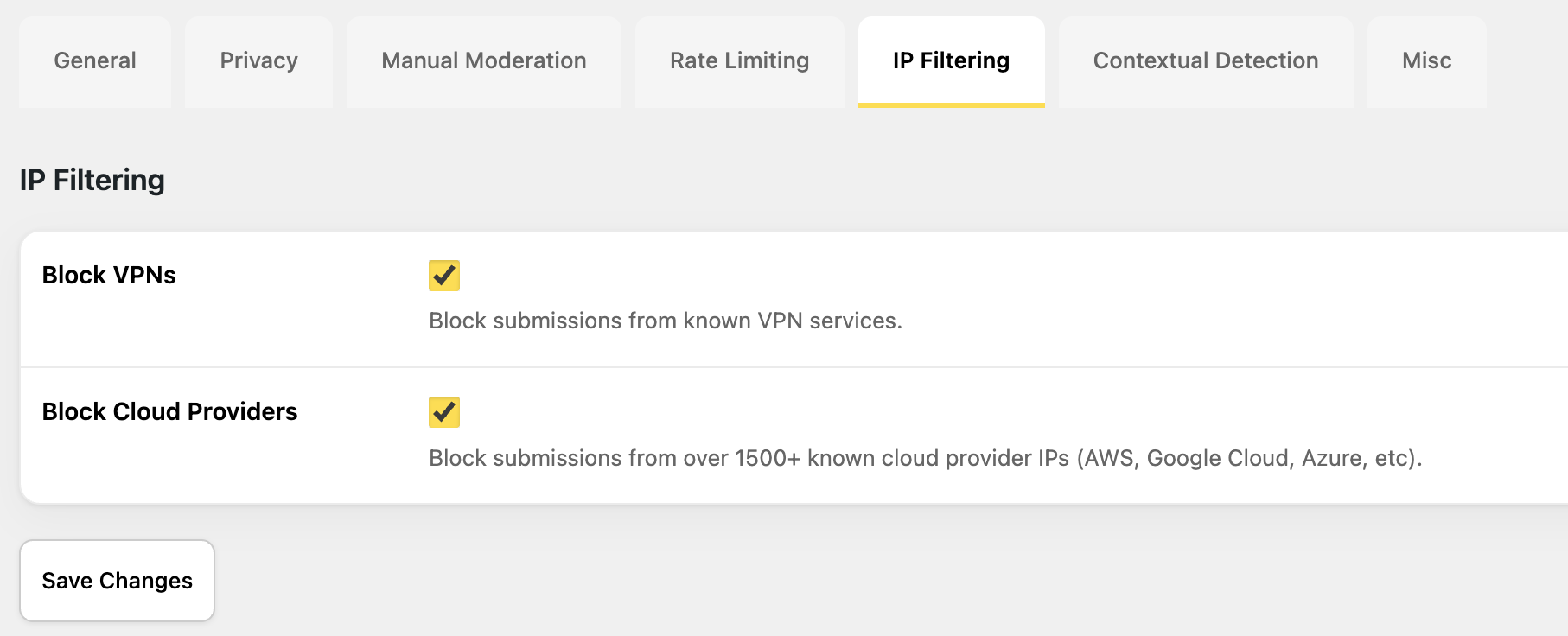
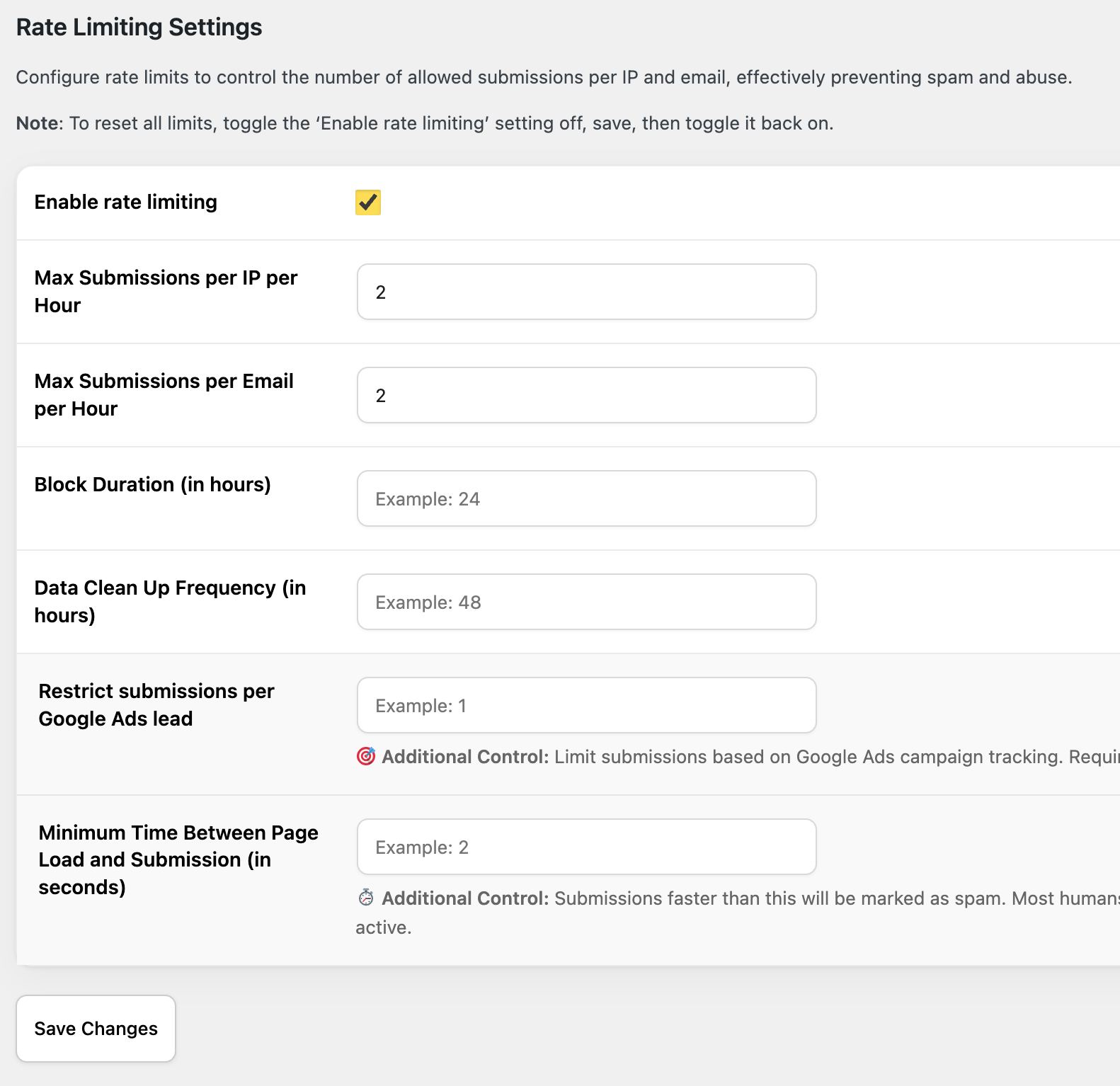
Turn on the filters you need: block disposable email addresses, restrict submissions by country and language,
block VPN and data center IPs,
and limit repeated submissions from the same IP or email.
From this point on, every submission is checked before it reaches Mailchimp. Spam gets rejected at the form. Your audience only fills up with contacts who actually filled it out.
Which fix should you use?
Layer them. Start with Mailchimp’s double opt-in and reCAPTCHA since they’re free and take minutes. Add Cloudflare if you’re getting volume-based attacks. If you want the embedded form itself to stop letting bots through, that requires switching off the raw embed and onto a WordPress form connected to Mailchimp, protected with oopspam.