
Chazie Baniquid
Technical Content Marketer
6 minutes to read
Honeypot Spam Protection for WordPress: How It Works, When It Fails, and Better Alternatives
A honeypot is a hidden form field that’s invisible to humans but visible to bots. If it gets filled in, the submission is rejected as spam. It’s free, fast, and doesn’t annoy visitors. But smart bots, caching plugins, and JavaScript-dependent setups can all break it. For sites that still get spam after adding a honeypot, layer it with oopspam, Cloudflare Turnstile, or reCAPTCHA v3.
How Honeypot Spam Protection Works
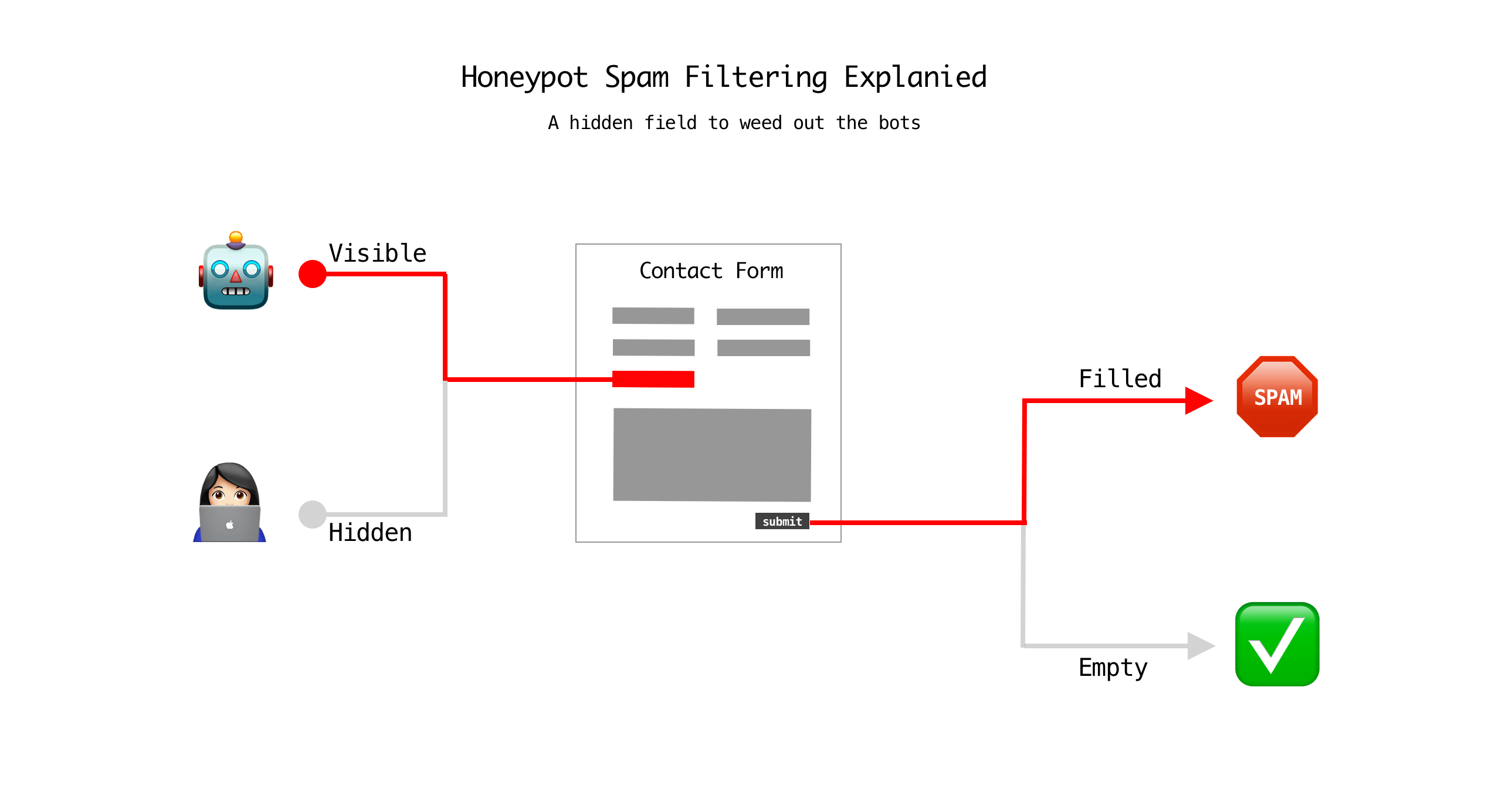
A honeypot works on one simple rule: real people can’t fill out a field they can’t see.
- The plugin adds a hidden field. CSS (
display: none) or JavaScript hides an extra input on the form. - Humans never see it. Browsers render the field invisible, so visitors skip it naturally.
- Bots fill it anyway. Basic scrapers read raw HTML and complete every field they find, hidden or not.
- The form checks it on submit. If that field has any text in it, the submission is silently discarded or flagged as spam.
No CAPTCHA puzzle. No extra click. No impact on conversion rates.
Where Honeypots Fail
Honeypots stop unsophisticated bots, but they don’t stop everything.
- CSS-aware bots. Modern spam scripts parse stylesheets before filling a form and skip any field marked
display: noneorvisibility: hidden. - AI-assisted bots. Bots that use headless browsers (Puppeteer, Playwright) render the page like a real user would, including hidden elements, and can be scripted to avoid them.
- Caching conflicts. Plugins like WP Super Cache or WP Rocket can serve a stale version of the form. If the honeypot field or its hidden-field token doesn’t regenerate correctly, the trap can misfire or disappear entirely.
- JavaScript-only honeypots. Some plugins insert the field client-side via JavaScript. If a bot, or a real visitor with JS disabled, never runs that script, the field either never exists (no protection) or never gets hidden (false positives).
- Targeted, human-operated spam. A person manually filling out your form, or a script written specifically for your site, will see the trap and route around it.
In short: honeypots catch generic, low-effort bots. They don’t stop anything built with your site in mind.
Better Alternatives (and When to Add Them)
Don’t replace the honeypot. Most sites keep it as a free first layer. Add one of these on top when spam keeps getting through.
| Method | Best for | Trade-off |
|---|---|---|
| Cloudflare Turnstile | Most WordPress sites in 2026 | Free, no request cap, invisible to users. Requires a Cloudflare account. |
| Google reCAPTCHA v3 | High-value forms (checkout, lead gen) needing a risk score | Free for 10,000 assessments/month, then billed. Ties into Google's data ecosystem. |
| oopspam | Contact forms, comments, WooCommerce, Mailchimp/MailPoet signups | API-based detection scoring behavior, content, and IP reputation. No CAPTCHA puzzle. Free tier: 40 spam checks/month, then paid. |
| Math/logic CAPTCHA | Low-traffic sites wanting zero dependencies | Blocks basic bots only, same ceiling as a honeypot. |
oopspam (that’s us) is worth a closer look because it goes beyond a hidden field. It scores every submission using behavior, content, and IP reputation, and it works across contact forms, comments, WooCommerce, and email signup plugins without a CAPTCHA puzzle.
How to Set Up oopspam on WordPress
Install the plugin. In your WordPress dashboard, go to Plugins → Add New, search for “oopspam Anti-Spam,” then click Install Now and Activate.
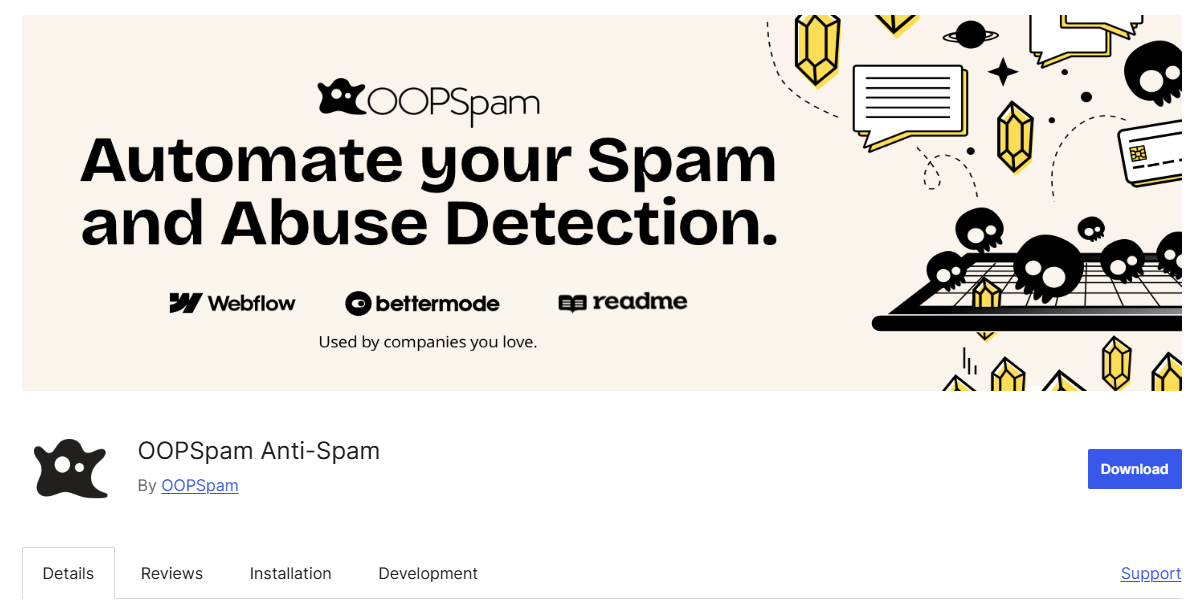
Create an oopspam account. Sign up at oopspam.com (no credit card required). Every account starts with 40 free spam checks per month.
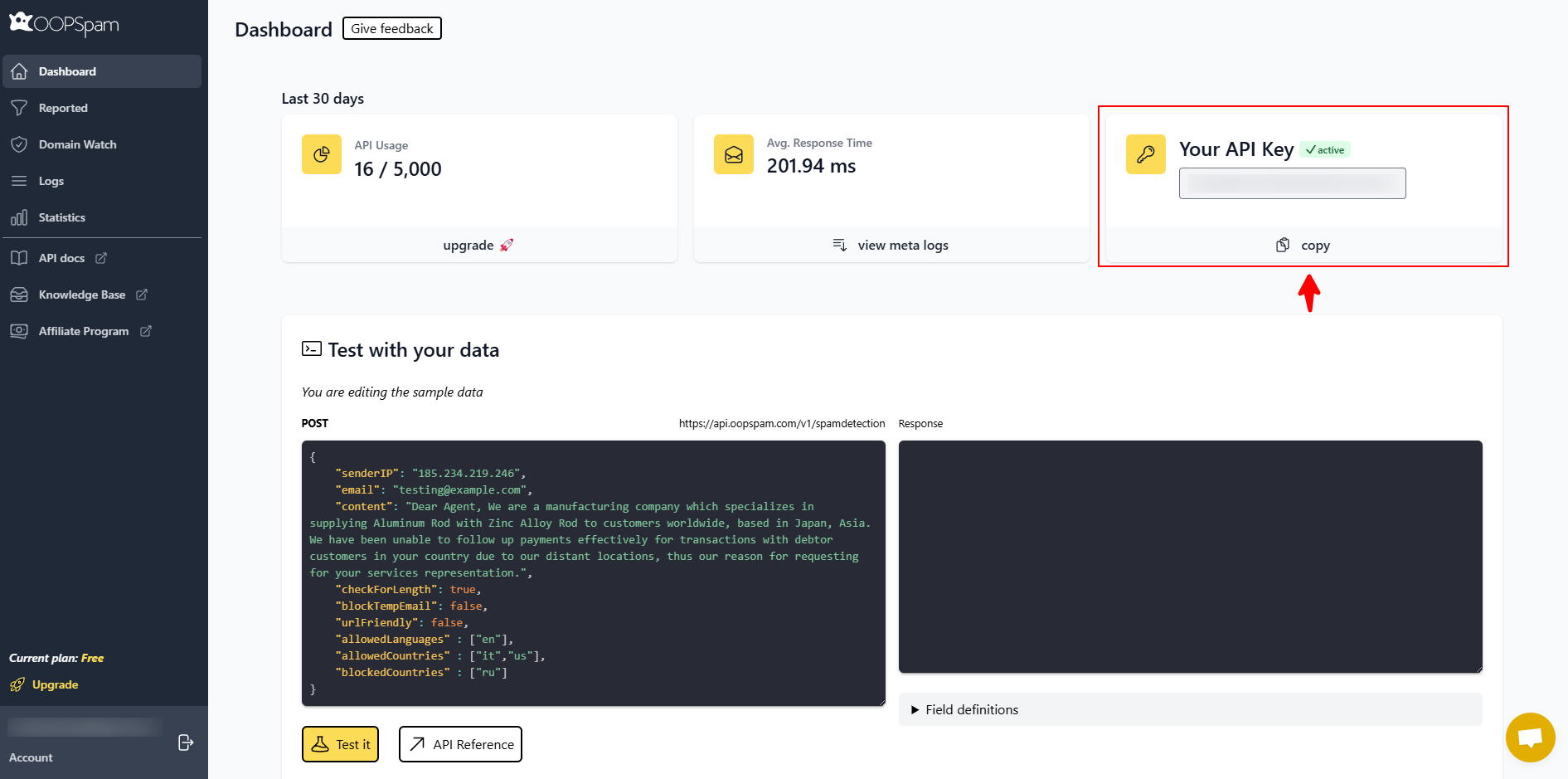
Copy your API key. Log in to your oopspam dashboard and copy the API key shown there.
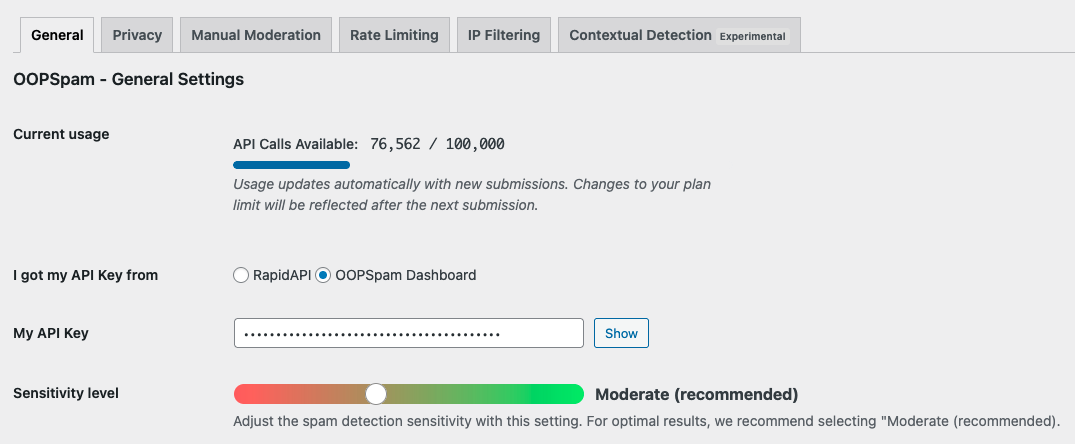
Connect the plugin. In WordPress, go to Settings → oopspam Anti-Spam, paste the API key into the My API Key field, and save.
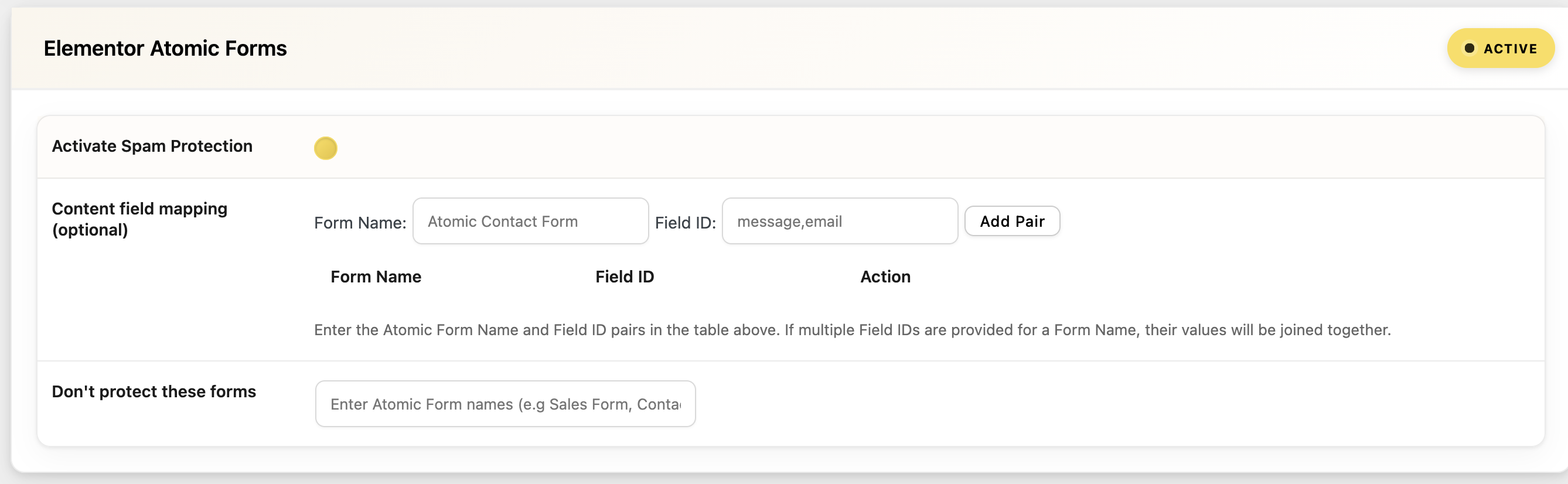
Enable protection per form plugin. If you use Contact Form 7, WPForms, Elementor Forms, or a similar builder, make sure the “Activate Spam Protection” option is on that plugin’s settings page. oopspam auto-detects supported form builders and surfaces relevant settings.
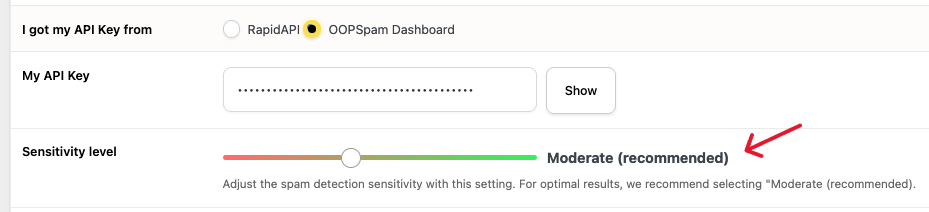
Set your sensitivity level. Under the plugin’s general settings, choose a Sensitivity Level. The default (Moderation) balances spam detection against false positives. Adjust up if spam still gets through, or down if real submissions get flagged.
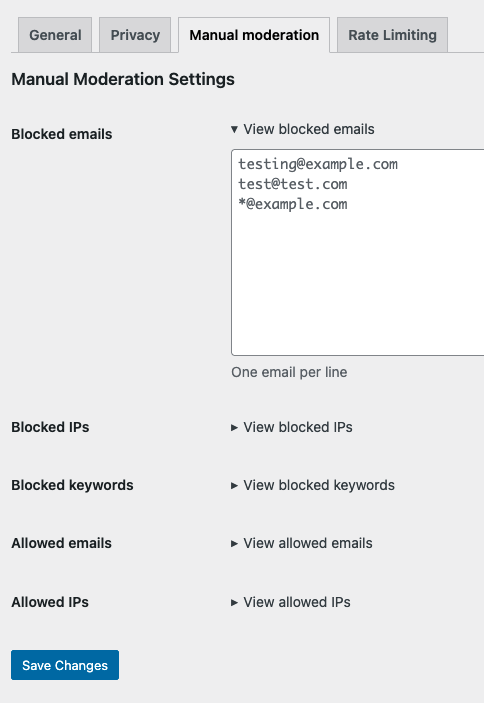
Optional: fine-tune further. Under Manual Moderation, add blocked or allowed emails, IPs, and keywords. Other tabs let you set rate limiting, IP filtering, and contextual detection, each with its own settings panel.
That’s it! oopspam runs in the background from that point on, no code changes required.
A practical setup for 2026: honeypot (catches dumb bots for free) + Turnstile or oopspam (catches everything else) + WordPress’s built-in comment moderation as a backstop. Layering catches more than any single tool, because comment spam, form spam, and registration spam don’t all behave the same way.
Final thoughts
Honeypots are a good first line of defense: cheap, invisible, and effective against basic bots. They’re not enough on their own against modern scrapers or anyone targeting your site specifically. Pair one with Turnstile, reCAPTCHA v3, or oopspam depending on your traffic and risk level.