
Chazie Baniquid
Technical Content Marketer
7 minutes to read
CAPTCHA and Accessibility: Why Your Forms Might Be Breaking the Law in 2026
CAPTCHA can violate the Web Content Accessibility Guidelines (WCAG) 2.2, specifically SC 1.1.1 and SC 3.3.8. That puts your site at risk under the Americans with Disabilities Act (ADA) in the US and the European Accessibility Act (EAA) in the EU. Both laws are now actively enforced. Over 3,100 ADA web lawsuits were filed in US federal court in 2025, and the EAA produced its first major court order against a retailer in 2026. One way to reduce this exposure is to replace visual and audio CAPTCHA challenges with invisible, server-side spam filtering, like oopspam, that never puts a barrier in front of any user.
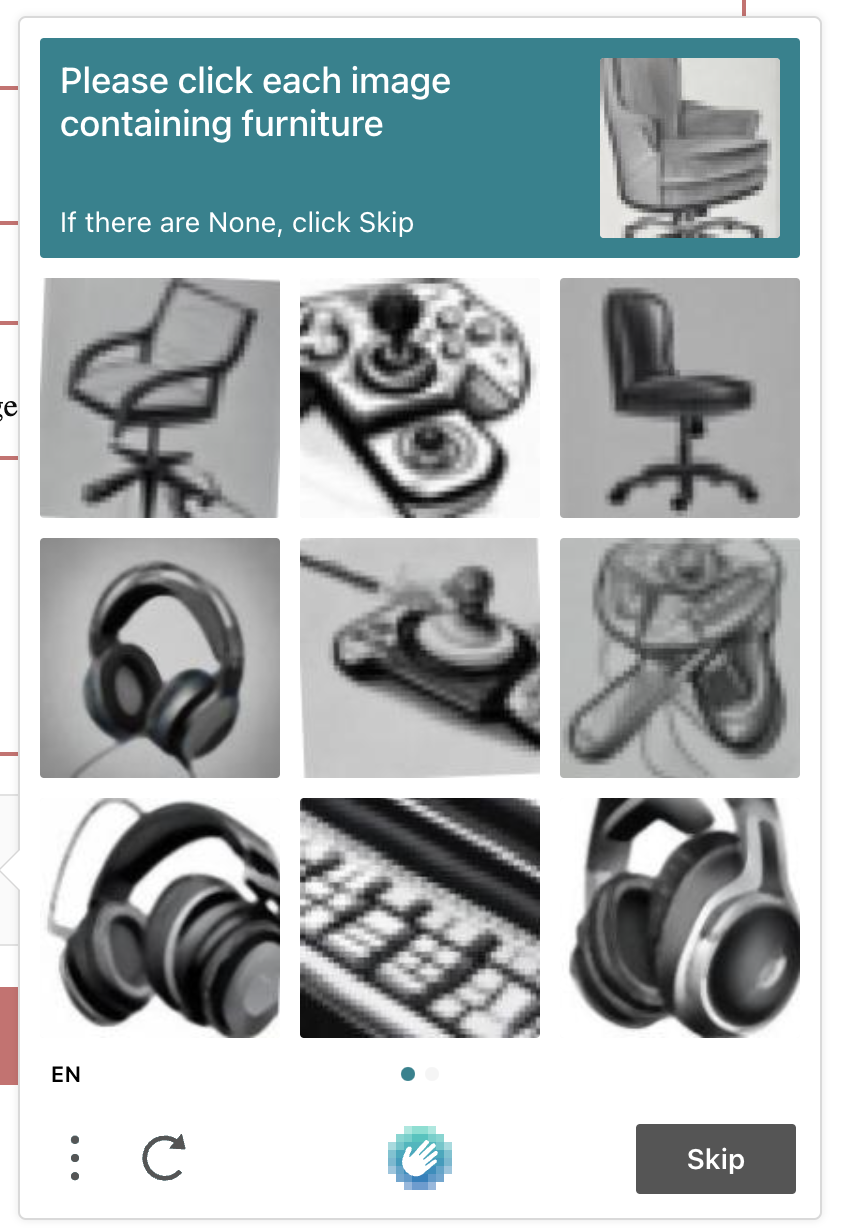
If your forms use a traditional CAPTCHA (image grids, distorted text, audio clips), you likely have a compliance gap, not just a UX problem.
1. What the EAA Actually Requires (and Who It Applies To)
The European Accessibility Act has been enforceable since June 28, 2025. It applies to any business, EU-based or not, that sells digital products or services (e-commerce, banking, self-service tools) to EU consumers. Microenterprises (under 10 employees, under €2 million turnover) get limited exemptions, but most stores don’t qualify.
Enforcement has already started. In 2025, French disability groups sent formal notices to Auchan, Carrefour, and E.Leclerc. When the responses fell short, they filed emergency injunctions, the first EAA lawsuits in Europe. By mid-2026, a French court ordered Carrefour to fix both its site and app within six months or face daily fines.
The pattern: a demand letter, then a lawsuit, then a court-ordered deadline with penalties attached.
2. Why CAPTCHAs Fail WCAG by Design

Most EAA and ADA obligations trace back to one standard: WCAG 2.2, Level AA. Two criteria hit CAPTCHA directly.
- SC 1.1.1, Non-text Content requires a text alternative for CAPTCHA, plus an alternative format using a different sense (audio backup for an image test, and vice versa). Most implementations skip this.
- SC 3.3.8, Accessible Authentication bans cognitive function tests, like clicking specific images or transcribing distorted text, as a required step, unless an accessible alternative exists. That’s precisely what most CAPTCHA widgets are.
Beyond the letter of the standard, CAPTCHA has practical accessibility failures that both audits and lawsuits flag:
- Screen readers can’t parse it. Distorted text and image grids aren’t machine-readable. In a WebAIM survey of screen reader users conducted from 2023 to 2024, CAPTCHA was ranked the single most problematic barrier on the web, above unlabeled links, unexpected page changes, and missing alt text.
- Audio alternatives exclude deaf and hard-of-hearing users. The deliberate distortion used to defeat bots also defeats people with auditory processing disorders.
- Time limits and fine motor requirements (sliding puzzles, precise clicking) exclude users with motor impairments, tremors, or slower processing speed.
- Assistive technology itself can get flagged as a bot. Behavioral CAPTCHA systems that watch for “human-like” mouse movement sometimes misread screen readers and switch-access devices as automated traffic, which triggers a harder challenge for the people who need it least.
There’s also an irony worth noting for the security case: a 2024 study covered by Ars Technica found bots could solve image-classification CAPTCHA with up to 100% accuracy on certain object categories, using a free, open-source model, while legitimate human users increasingly fail or abandon the same test.
3. ADA Enforcement: Real Numbers, Real Risk
In the US, the ADA doesn’t name a specific technical standard for websites, but courts and the Department of Justice consistently treat WCAG 2.1/2.2 Level AA as the practical benchmark. Title III of the ADA covers “public accommodations,” a category that federal and state courts have repeatedly extended to commercial websites.
Litigation volume has grown sharply and shows no sign of slowing:
- Plaintiffs filed 3,117 website accessibility lawsuits in US federal court in 2025, a 27% increase over 2024
- By the end of 2025, plaintiffs had filed nearly 5,000 web accessibility lawsuits total across tracked state and federal courts, continuing a pattern of more than 4,000 filings every year since 2021
- Online stores are especially exposed. Roughly 69% of web accessibility lawsuits target e-commerce sites
- Settlements typically range from $5,000 to $75,000, not counting legal fees. Many cases specifically involve users with cognitive disabilities who couldn’t complete forms or authenticate because of CAPTCHA barriers
A meaningful share of this litigation is concentrated. A relatively small number of plaintiffs and law firms file a disproportionate number of cases, often after using automated scanners to find likely violations. CAPTCHA is a common, easy-to-detect target. Once a demand letter arrives, businesses typically have a narrow window to remediate before a suit is filed.
The practical takeaway for a private business owner: you don’t need to be a large enterprise to get sued, and “we didn’t know” is not a defense once a formal notice has been sent.
4. The Business Risk: Fines, Lawsuits, and Lost Conversions
Legal exposure is only part of the cost. Even where no lawsuit is ever filed, CAPTCHA quietly taxes every business that uses it.
- Conversion loss. Extra steps increase abandonment, especially for users with slow connections or disabilities, the same users most likely to complain.
- Legal cost stacking. ADA settlements plus fees can hit tens of thousands of dollars. The EAA adds court-ordered deadlines and daily fines, as with Carrefour.
- Reputational exposure. Accessibility lawsuits are increasingly public and covered by industry press.
- Repeat exposure. Fixing one complaint without fixing the pattern often invites another lawsuit.
For agencies, this risk transfers to clients: a CAPTCHA added for “spam protection” can become their liability, and a reason to question your build.
The Solution: Invisible Spam Protection That’s WCAG-Compliant by Default
CAPTCHA’s real flaw is the model itself: it puts a barrier in front of the user to prove they’re human. WCAG’s Accessible Authentication criterion rules that model out. The compliant path is to move detection off the user and onto the server.
That’s how oopspam works. It evaluates form submissions in the background (spam score, IP reputation, language and country filtering, content analysis) before anything reaches your inbox or database. No challenge, no puzzle, no time limit, because there’s nothing for the visitor to solve. A control with no user-facing test can’t fail SC 1.1.1 or SC 3.3.8. It’s accessible by default.
Getting set up takes a few minutes:
- Sign up for a free oopspam account and grab your API key.
- Connect your form, either through the WordPress plugin, a direct API integration, or a Zapier/Make connection.
- Set your filters, like blocked countries, languages, or a spam-score threshold, from the dashboard.
- Remove your CAPTCHA widget. oopspam checks submissions server-side, so no CAPTCHA is needed.
- Monitor and adjust using the analytics dashboard as real traffic comes in.
See how oopspam compares to CAPTCHA, hCAPTCHA, reCAPTCHA, and Turnstile in this comparison guide.
This article is for informational purposes and does not constitute legal advice. Consult a qualified attorney to assess your specific EAA or ADA compliance obligations.