
Chazie Baniquid
Technical Content Marketer
7 minutes to read
3 Ways to Protect Your Bricks Forms from Spam

If you are using Bricks Forms, you already have access to strong built-in tools. However, modern spam is no longer easy to detect. Bots can now mimic real users, submit well-written messages, and bypass basic protections.
You should use Bricks’ built-in protections, strengthen your form validation, and add a filtering layer that works in the background.
This guide explains exactly how to do that.
1. Use Bricks’ Built-In Spam Protection
Bricks Forms includes several native anti-spam features that are easy to enable and require no additional plugins. These tools are designed to stop automated submissions before they reach your inbox.
Honeypot Field
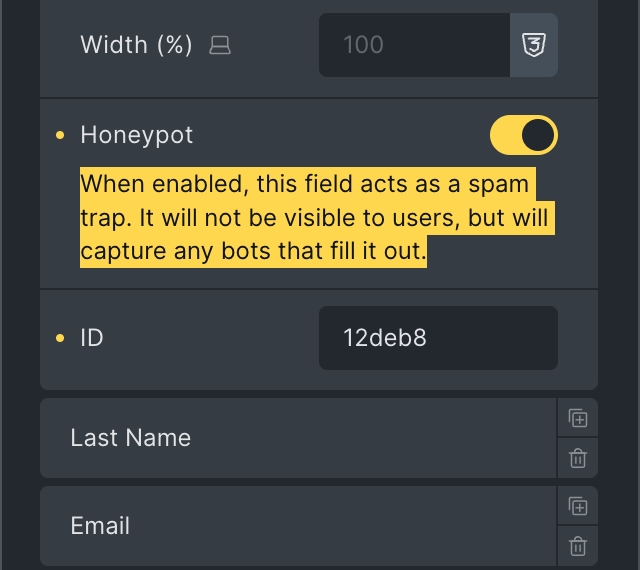
A honeypot field is one of the simplest and most effective spam protection methods. It works by adding a hidden field to your form that real users cannot see.
Bots typically fill out every field they detect. When a bot fills in the hidden honeypot field, Bricks automatically identifies the submission as spam and blocks it.
How to enable in Bricks:
- Edit your form in the builder
- Select any field
- Toggle “Honeypot” ON
Google reCAPTCHA v3
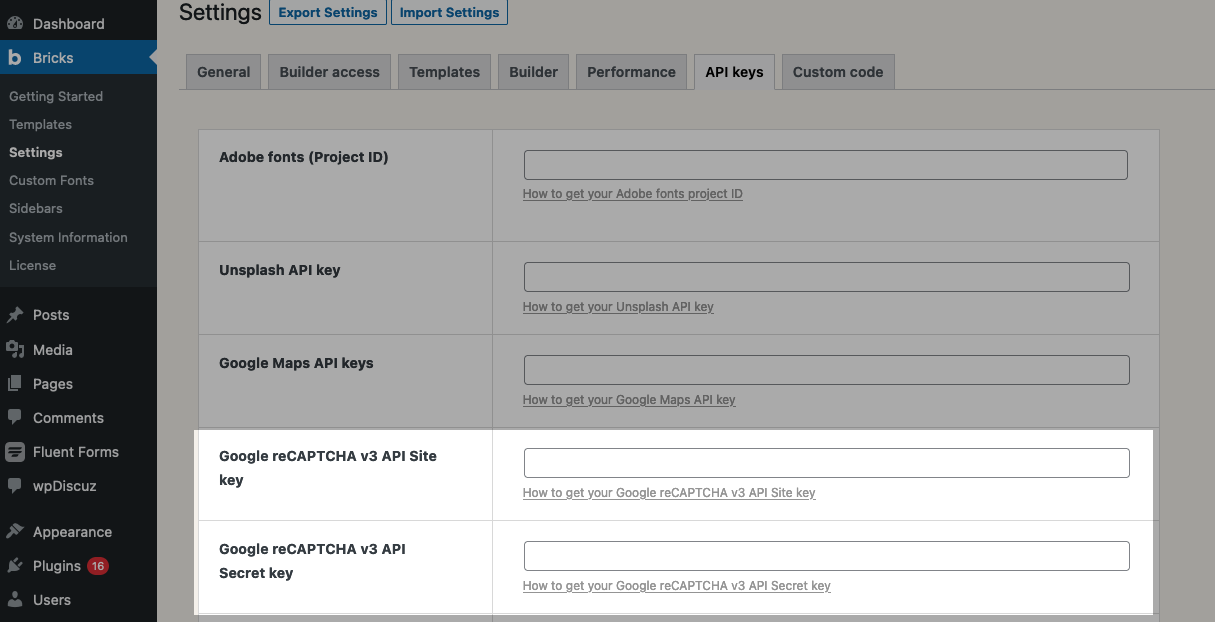
Google reCAPTCHA v3 works differently from traditional CAPTCHA challenges. Instead of asking users to solve puzzles, it analyzes behavior in the background and assigns a score to each submission.
A lower score indicates a higher chance that the submission is from a bot. By default, Bricks uses a threshold of 0.5. This means submissions below that score are more likely to be blocked.
If you continue receiving spam, you can increase the threshold to make the filter stricter. For example:
add_filter( 'bricks/form/recaptcha_score_threshold', function( $score ) {
    // Bricks default is 0.5
    $score = 0.8;
    return $score;
}, 10, 1 );
Setup steps:
- Go to Bricks → Settings → API Keys
- Add your reCAPTCHA site key + secret key
- Enable it in the form under Spam Protection
hCaptcha
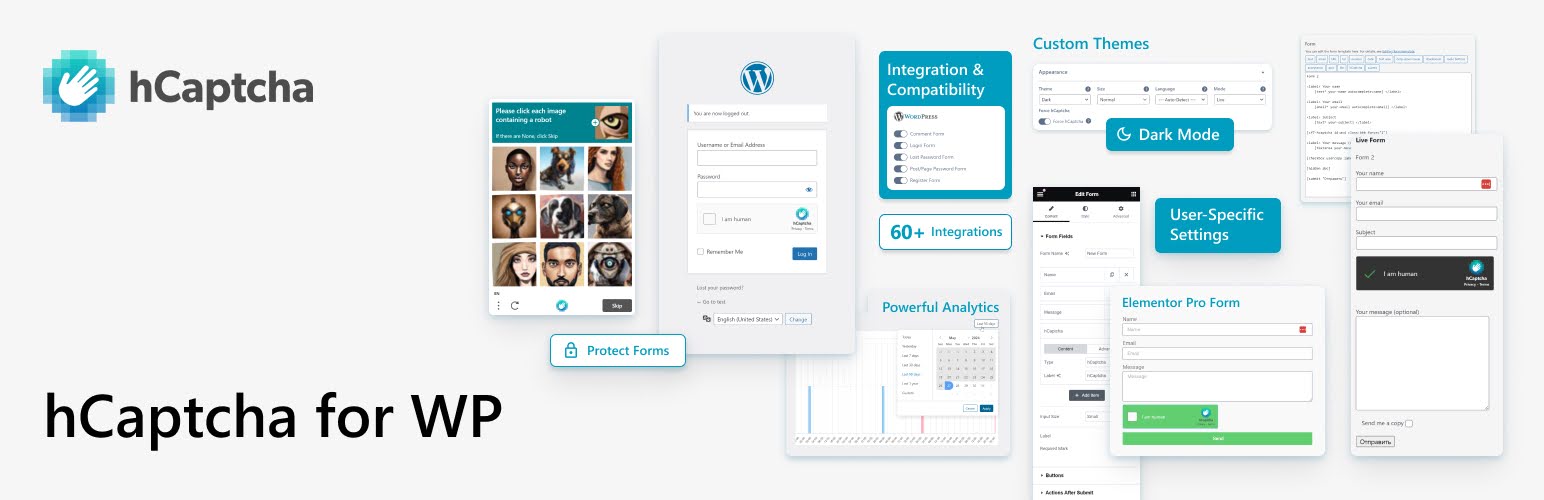
hCaptcha provides a similar level of protection but is often preferred for privacy-focused websites. It allows you to choose between visible and invisible modes, depending on how much interaction you want from users.
Once configured, it can be customized to match your site’s appearance by adjusting the theme and size.
Setup:
- Add keys under Bricks → Settings → API Keys
- Enable inside your form → Spam Protection
Cloudflare Turnstile

Cloudflare Turnstile is a newer CAPTCHA alternative designed to reduce friction. It verifies users without requiring traditional challenges, which makes it ideal for forms where conversion rates matter.
Setup:
- Add Turnstile keys in Bricks → Settings → API Keys
- Enable it in your form’s Spam Protection settings
At a minimum, you should enable a honeypot field and one CAPTCHA option. This combination blocks most basic bot traffic without affecting real users.
2. Strengthen Protection with Form Validation
Bricks allows you to validate submissions using built-in rules and custom PHP filters. This means you can control what data is accepted before the form is processed.
For example, you can ensure that:
- Email addresses follow valid formats
- Required fields are completed correctly
- Certain values or patterns are rejected
More advanced validation can be implemented using the bricks/form/validate filter. This allows you to inspect submissions and return an error if the data does not meet your criteria.
Here is a simple example:
add_filter( 'bricks/form/validate', function( $errors, $form ) {
  $form_settings = $form->get_settings();
  $form_fields   = $form->get_fields();
  $form_id       = $form_fields['formId'];

  // Skip validation: Form ID is not 'kfbqso'
  if ( $form_id !== 'kfbqso' ) {
    // Early return the $errors array if it's not target form
    return $errors;
  }

  // Get submitted field value of form field ID '7e30aa'
  $email_address = $form->get_field_value( '7e30aa' );

  // Error: Email from registered user (show error message, and don't send email)
  if ( ! email_exists( $email_address ) ) {
    // Add error message to the $errors message array
    $errors[] = esc_html__( 'This email address is not in our system, sorry.', 'bricks' );
  }

  // Make sure to always return the $errors array
  return $errors;
}, 10, 2 );.
This type of validation helps prevent low-quality or suspicious submissions from being processed. It is especially useful for filtering out AI-generated spam that looks legitimate at first glance.
3. Add Advanced Filtering with OOPSpam
Even with CAPTCHA and validation in place, some spam will still pass through. This is because advanced bots can mimic human behavior and generate realistic content.
OOPSpam (that’s us 👋) adds another layer of protection by analyzing submissions in real time. It evaluates content, IP reputation, and behavioral signals to determine whether a submission is spam.
Unlike CAPTCHA, it works silently in the background and does not interrupt users.
How to Add OOPSpam to Bricks Forms
Install the plugin from your WordPress dashboard by going to Plugins → Add New and searching for “OOPSpam Anti-Spam.” Once installed, activate it.

Create an account on the OOPSpam website, then log in to your dashboard and copy your API key.

Go back to WordPress and navigate to Settings → OOPSpam Anti-Spam. Paste your API key and save the settings.

If Bricks is installed, you’ll see a Bricks Forms spam protection option inside OOPSpam settings. Enable it.
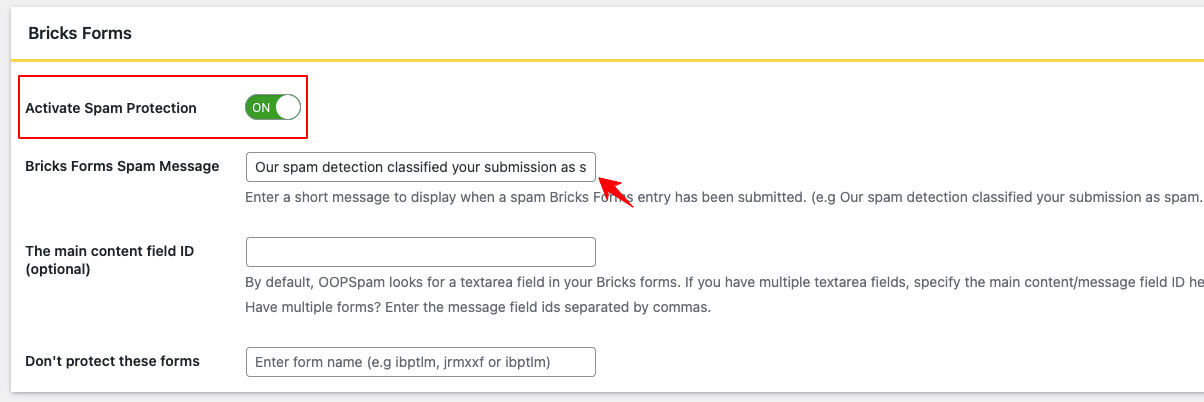
Once activated, OOPSpam will automatically monitor and filter all Bricks form submissions, no changes needed inside the form builder.
Advanced Filtering Options
OOPSpam also provides additional controls that can improve protection further. These include:
- Rate limiting to block repeated submissions
- Country filtering (allow/deny specific regions)
- VPN / Proxy / TOR blocking
- Disposable email detection
- Language filtering
- Contextual spam detection
- Spam logs for monitoring attempts
These features are particularly useful for websites that receive a high volume of submissions or operate in specific regions.
Final Thoughts
The most effective way to protect Bricks Forms is to use a layered approach. No single tool can stop all spam.
Start with Bricks’ built-in features. Add validation to control data quality. Then use a service like OOPSpam to filter advanced threats.
When done correctly, you will not just reduce spam. You will also improve the quality of the submissions you receive.
