
Chazie Baniquid
Technical Content Marketer
5 minutes to read
How to Block VPN and Data Center IP Submissions in Piotnet Forms?
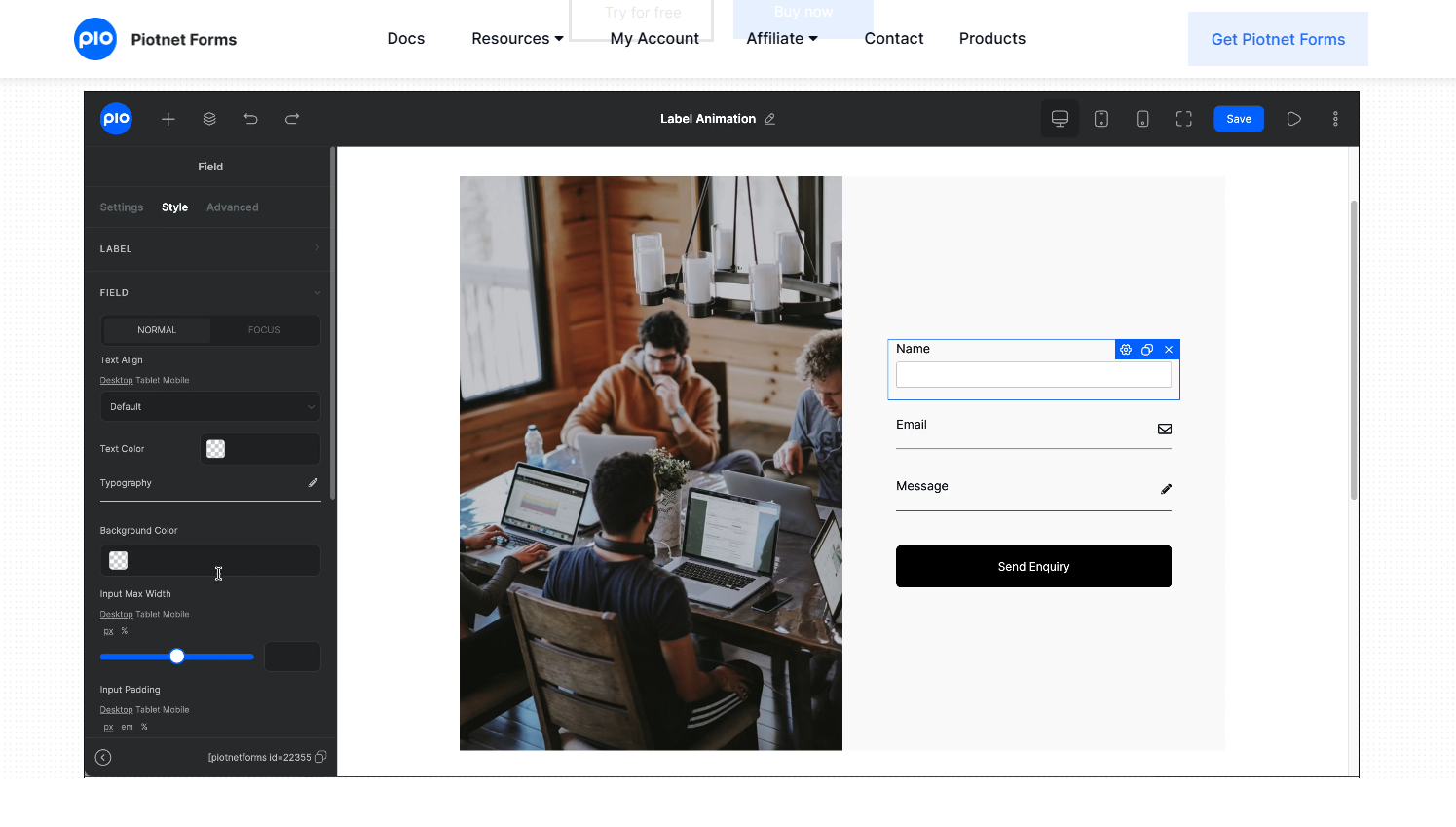
Piotnet Forms does not have built-in VPN or data center IP blocking. If your forms are being abused, the most reliable solution is to add a third-party spam layer like oopspam. For advanced cases, you can also block infrastructure traffic at the network edge using Cloudflare security rules. This guide shows exactly how to do both, and when each method makes sense.
Why This Matters for Piotnet Forms Users
Spam doesn’t just come from basic bots anymore. Many attacks now come from VPNs, proxies, and cloud servers that appear legitimate.
Piotnet Forms focuses on form logic and design. It does not check IP reputation. That means it cannot tell whether a submission comes from a real user or from a data-center script.
If CAPTCHA and honeypots are failing, VPN and cloud traffic is usually the cause.
Method 1: Automatically Block VPN and Cloud IPs With oopspam
This is the safest option for most sites. oopspam (that’s us 👋) filters submissions before they are saved. It checks each submission against a live threat database that includes known VPNs, proxies, cloud networks, and abuse patterns. This lets Piotnet Forms evaluate where traffic comes from, not just what users type.
Step 1: Install and configure oopspam
Install oopspam Anti-Spam from the WordPress plugin directory and activate it.

After activation, create a free account in the oopspam dashboard. Copy your API key.

In WordPress, go to Settings → oopspam Anti-Spam. Open the General tab and paste your API key into the My API Key field.

Save your settings.
Step 2: Make sure Piotnet Forms protection is active
Once active, oopspam automatically applies to supported form plugins, including Piotnet Forms. In the oopspam settings, confirm that spam protection is turned on.
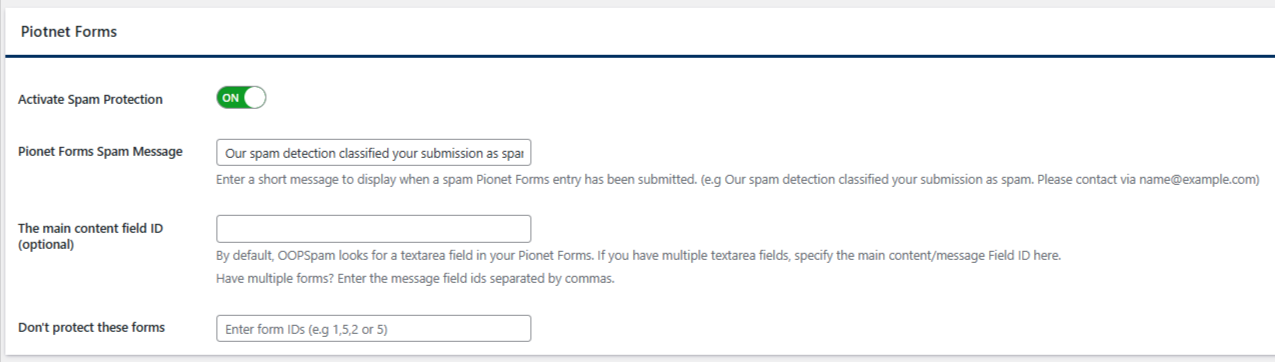
No additional configuration is required inside the Piotnet Forms editor.
Step 3: Enable IP filtering (the critical step)
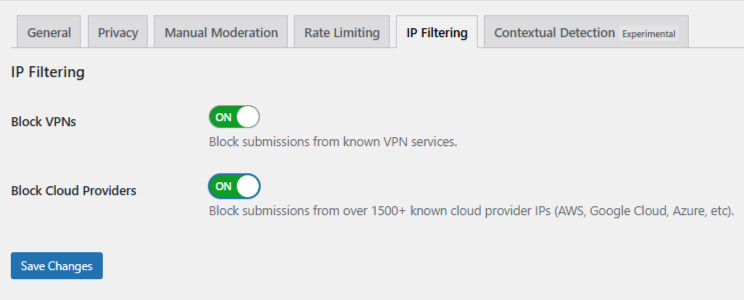
Open the IP Filtering tab in oopspam settings. You will see two important toggles:
- Block Cloud Providers – Turn this on first. This blocks submissions from known cloud infrastructure providers commonly used for automated attacks.
- Block VPNs – Enable this only if it fits your audience. VPN blocking can affect privacy-focused users or corporate networks.
Click Save Changes. Once enabled, oopspam filters submissions automatically in the background.
When oopspam alone is enough
oopspam is usually sufficient if:
- Spam comes in waves or patterns
- Submissions look human but repeat similar behavior
- CAPTCHA and honeypots are already failing
- You want form-specific protection without affecting the whole site
For many Piotnet Forms users, this is the only step needed.
Using Manual Moderation When Spam Is Targeted
oopspam includes a Manual Moderation section for handling targeted abuse. It allows you to respond to repeat patterns while keeping normal users unaffected.
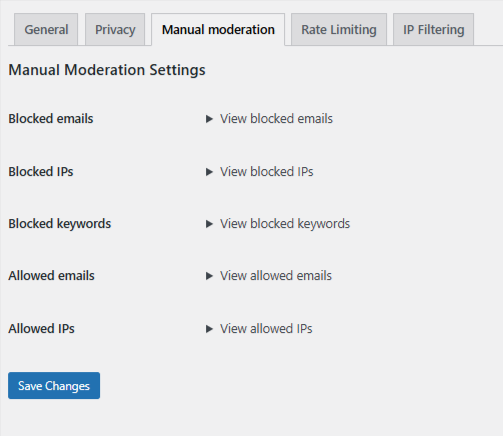
From the Manual Moderation tab, you can:
- Block specific IP addresses that repeatedly submit spam
- Block email addresses linked to known offenders
- Block keywords or phrases that commonly appear in abusive messages
- Allow trusted IPs or email addresses so they are never filtered
This approach is useful when spam is persistent but does not justify blocking VPNs or entire cloud networks.
Method 2: Block VPN and Cloud Traffic Using Cloudflare Security Rules
If your site runs on Cloudflare, you can block or challenge traffic at the network edge. This happens before WordPress loads and before Piotnet Forms is reached.
This method uses ASN-based rules. An ASN represents a network operator, such as Amazon AWS.
Cloudflare rules apply to your entire website, not just Piotnet Forms. Unless you scope rules carefully, they can block real users accessing normal pages.
Step-by-step: Create a Cloudflare ASN rule
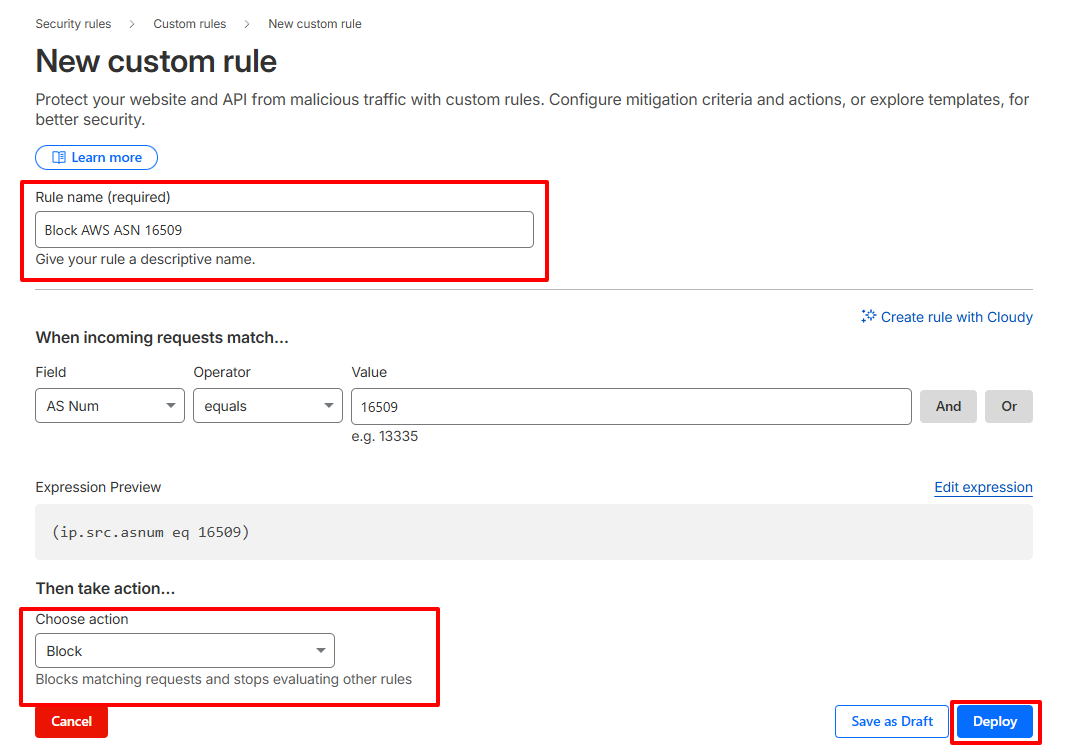
- Log in to Cloudflare and select your website.
- Go to Security → Security Rules → Custom rules
- Create a new rule
- Match traffic by AS Num
- Example for Amazon AWS:
(ip.src.asnum eq 16509) - Choose an action:
-
-
Managed Challenge (recommended starting point)
-
Block (use only if you are confident)
-
- Name the rule clearly and deploy it
When Cloudflare rules make sense
Use Cloudflare ASN rules if:
- You are seeing very high-volume abuse
- Spam continues even after form-level filtering
- Infrastructure traffic is overwhelming your server
- You understand the risk of blocking legitimate users
For most Piotnet Forms sites, Cloudflare rules should be a secondary layer, not the first one.
Final Recommendations
If you are using Piotnet Forms and dealing with spam from VPNs or data centers, start simple.
Enable oopspam. Turn on Block Cloud Providers. Monitor results. Add Block VPNs only if needed.
Use Cloudflare rules only when form-level protection is not enough. This layered approach keeps Piotnet Forms usable for real users while stopping the traffic that does not belong there.
