
Chazie Baniquid
Technical Content Marketer
5 minutes to read
How to Limit Form Submissions in Ultimate Member
Ultimate Member cannot limit form submissions by itself. To control repeated registrations, spam attempts, or abusive activity, you must add rate limiting, spam detection, or a third-party form plugin. The easiest method is using oopspam with Ultimate Member.
Ultimate Member Does Not Offer Form Submission Limits
Ultimate Member focuses on managing users, roles, and content access. It does not track or control submission frequency. There is no feature to limit total entries, per-user attempts, or per-IP activity.
UM does include basic spam prevention:
- Blocked email addresses
- Blacklisted username words
- Google reCAPTCHA
- Content restriction for non-public pages
These tools help reduce low-quality signups, but they do not stop repeated or automated submissions.
Why You Need a Third-Party Solution
Spam bots often submit the registration form many times within minutes. Since UM cannot block these repeated attempts, a layer of rate limiting and spam scoring is necessary.
oopspam (that’s us 👋) provides:
- Spam detection
- Rate limiting
- Country and proxy filtering
- Logs and monitoring
This gives you full control over how often the form can be submitted.
How to Set Up oopspam for Ultimate Member

Step 1 — Install the Plugin
Go to Plugins → Add New, search for oopspam Anti-Spam, install, and activate.
Step 2 — Connect Your API Key
Create an account at oopspam.com. Copy your API key.

In WordPress, open oopspam → General Settings, paste your key, and save.

Step 3 — Enable Ultimate Member Protection
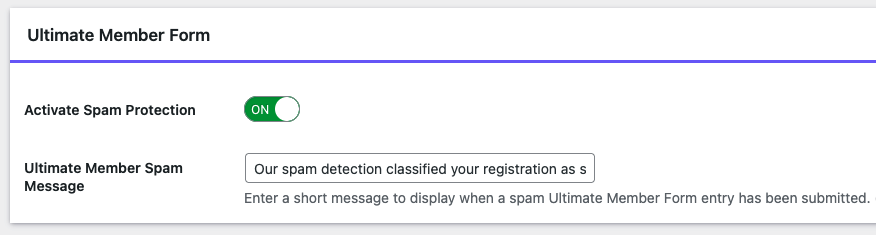
Toggle Ultimate Member Form Spam Protection on. This ensures every registration and login attempt is checked before submission.
Step 4 — Turn On Rate Limiting (The Feature UM Lacks)
Open oopspam → Rate Limiting tab and toggle Enable Rate Limiting on.
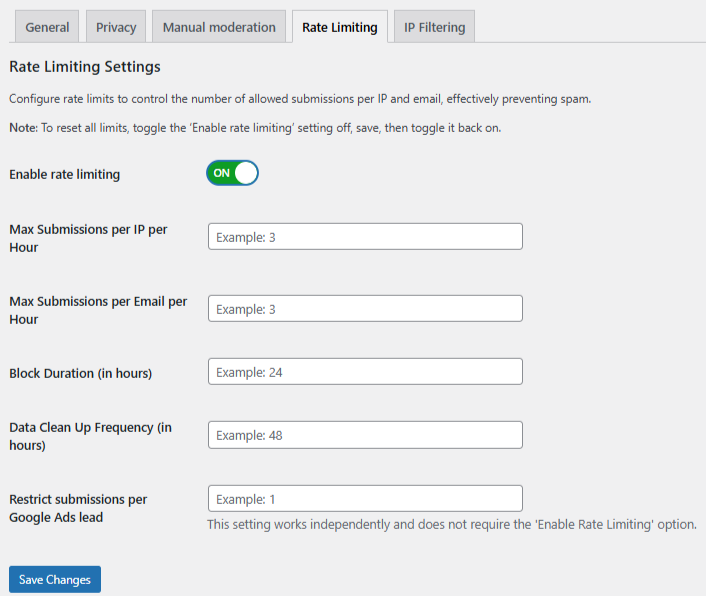
Set limits such as:
- Max submissions per IP per hour — Limits how many times the same IP address can submit within an hour.
- Max submissions per email per hour — Prevents one email address from sending multiple repeated submissions.
- Block duration (hours) — Sets how long oopspam will block an IP or email after it reaches the limit.
- Data cleanup schedule — Automatically removes old submission records to keep rate limiting running smoothly.
These settings stop rapid-fire form submissions from bots and abusive users. Save your changes to apply the limits.
Strengthen Your Protection Further
oopspam includes advanced filters that reduce false positives and catch sophisticated bots. Useful settings include:
- VPN / Proxy / TOR blocking
- Country allow/deny list
- Language filtering
- Contextual spam detection
- Logs for monitoring attempts
These features create a layered defense that Ultimate Member does not provide.
If You Are Using oopspam
If oopspam is installed, you do not need to rely on Ultimate Member’s manual blocking tools.
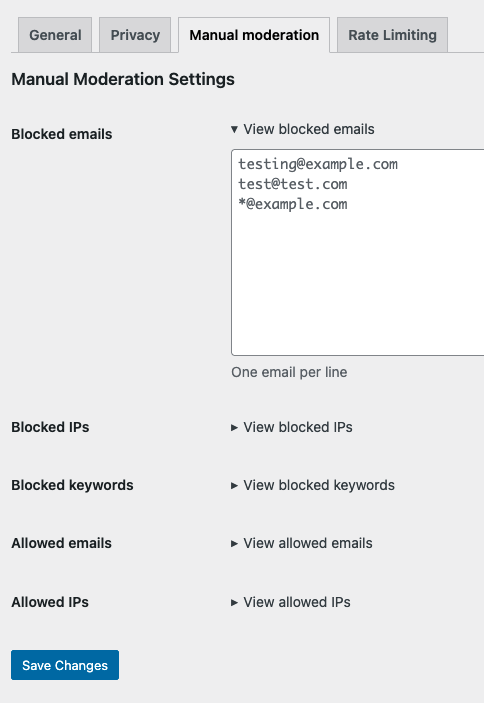
oopspam allows you to manually control submissions before they reach Ultimate Member. From the Manual Moderation tab, you can:
- Block email addresses to stop known spam sources
- Block IP addresses that repeatedly abuse registration or login forms
- Block specific keywords commonly used by bots or fake accounts
- Allow trusted emails or IPs to bypass spam checks when needed
These rules are applied before Ultimate Member processes the form, which makes them more effective than UM’s built-in manual blocking.
If You Are Not Using oopspam
If oopspam is not installed, Ultimate Member’s built-in options can still help reduce low-quality registrations. You can use:
Blocked Email Addresses
You can enter individual emails or entire domains. This stops disposable or suspicious addresses from registering.
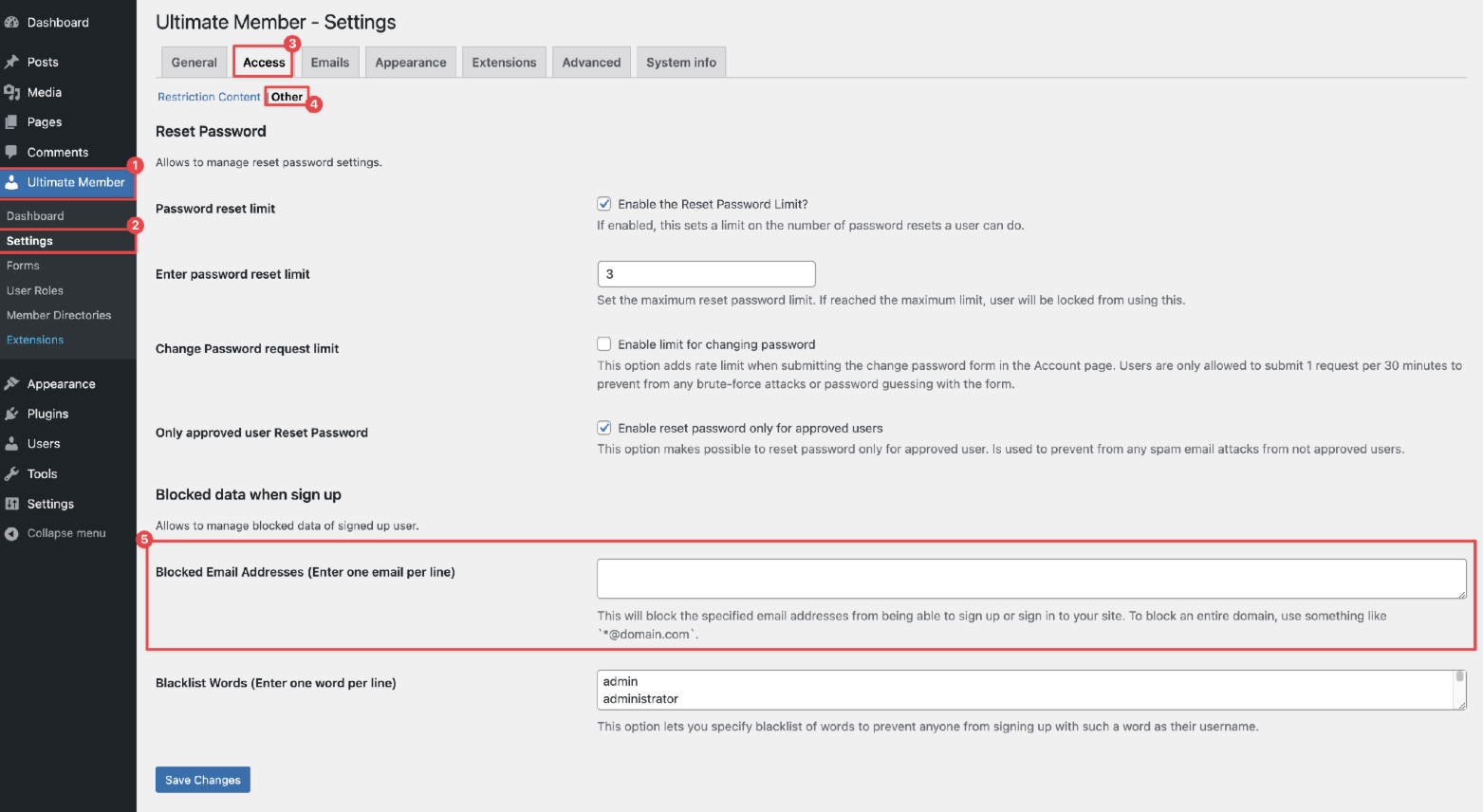
Blacklist Words
UM prevents usernames containing specific words. Default entries include admin, webmaster, support, staff, and similar terms. Add more if needed.

Content Restriction
You can restrict most pages to logged-in users.
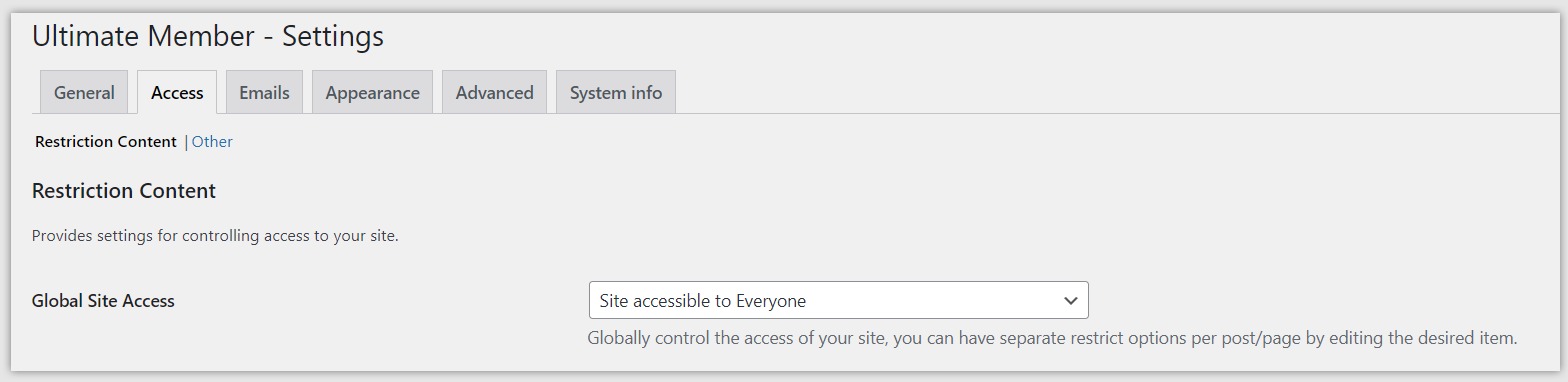
Note: Login, Registration, and Password Reset cannot be restricted and will always be public.
Alternative Method: Use a Form Plugin With Built-In Limits
If your form needs a strict total limit, per-user cap, or scheduled availability, use a form builder that supports these features. Reliable options include:
- WPForms (Form Locker Add-On)
- Ninja Forms
- Gravity Forms
These plugins handle submission limits, while Ultimate Member handles user roles and profiles.
Final Thoughts
Ultimate Member does not offer submission limits. To protect your registration and login forms from repeated attempts, you need rate limiting and advanced spam filtering. oopspam provides this through IP and email caps, country filtering, proxy blocking, and contextual detection. Ultimate Member’s built-in settings help reinforce your defenses.
Together, these tools keep your membership site clean, secure, and free from automated abuse.
