7 Ways to Protect Your Bricksforge Forms from Spam

Technical Content Marketer

Reviewed by Onar Alili
Co-founder & Engineer
Published 8 min read

The best way to stop spam on Bricksforge Pro Forms is to layer protections. Use a server-side spam filter such as oopspam Anti-Spam, which supports Pro Forms natively. Add a honeypot, one CAPTCHA (Turnstile, reCAPTCHA v3 or hCaptcha), validation rules, and duplicate limits. Built-in tools stop simple bots. A server-side filter stops AI-written and human spam.
Bricksforge is an add-on for the Bricks site builder for WordPress. Its Pro Forms element adds nestable fields, multi-step flows, and database actions to Bricks forms. This guide ranks 7 ways to protect them.
Why do Bricksforge Pro Forms get spam?
Pro Forms can create posts, register users, call webhooks, and take Stripe or Mollie payments. One spam submission can create a fake account, publish a junk post, or pollute your CRM.
Bot traffic keeps rising. Bad bots made up 37% of internet traffic in 2024, up from 32% in 2023, according to the 2025 Imperva Bad Bot Report. Automated traffic passed human traffic for the first time in a decade, at 51%. AI now helps bots write realistic messages and solve CAPTCHAs.
Three facts shape your defense:
- Bots skip the browser. Attackers can post straight to your form endpoint, so a client-side widget alone is not enough. You need server-side checks.
- Humans spam too. Paid spammers pass any CAPTCHA. Content, IP, and email checks stop them.
- Friction costs leads. Visible challenges lower conversions and can hurt accessibility.
1. Add a server-side spam filter
A server-side filter checks each submission after it reaches your server. Bots cannot skip it by blocking JavaScript, and visitors see no challenge. It is the only layer in this list that catches human spammers and AI-written messages.
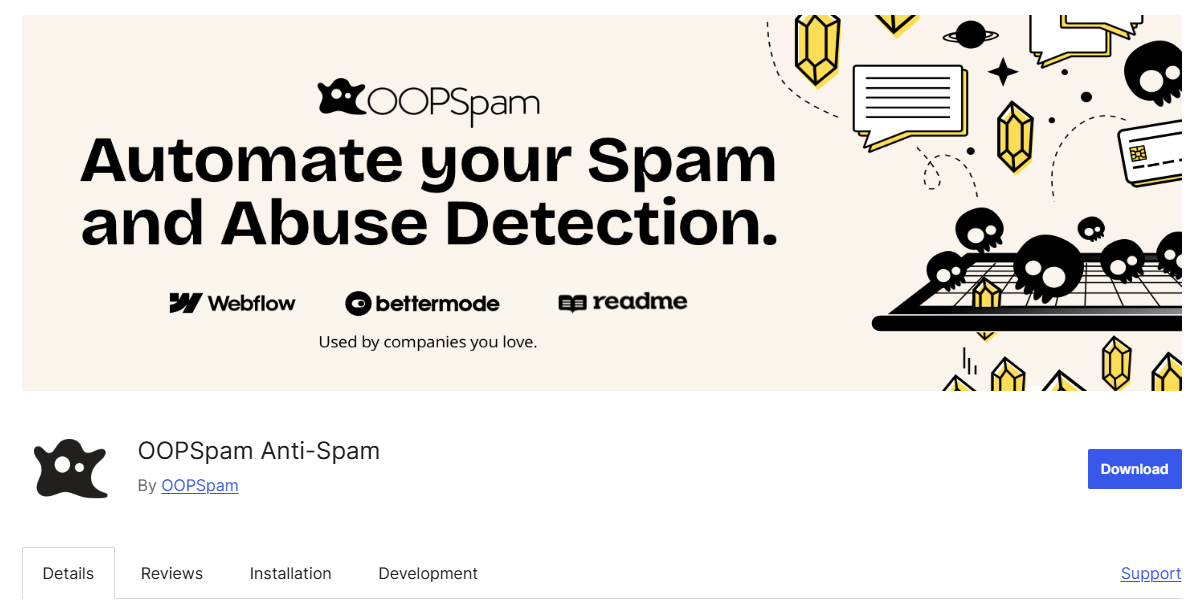
oopspam Anti-Spam added native Pro Forms support in version 1.2.87. It also covers native Bricks Forms.
It scores message content and checks IP and email reputation. Optional rules add rate limits, country and language filters, VPN blocking, and disposable email detection. Each blocked entry is logged with a reason. It is a paid API after 40 free checks a month, and submissions are sent to its API for analysis.
How to set up oopspam with Bricksforge Pro Forms
Setup takes about five minutes. No changes inside the Bricks builder are needed.
In WordPress, go to Plugins > Add New, search for oopspam Anti-Spam, then install and activate it. Make sure you run version 1.2.87 or later.
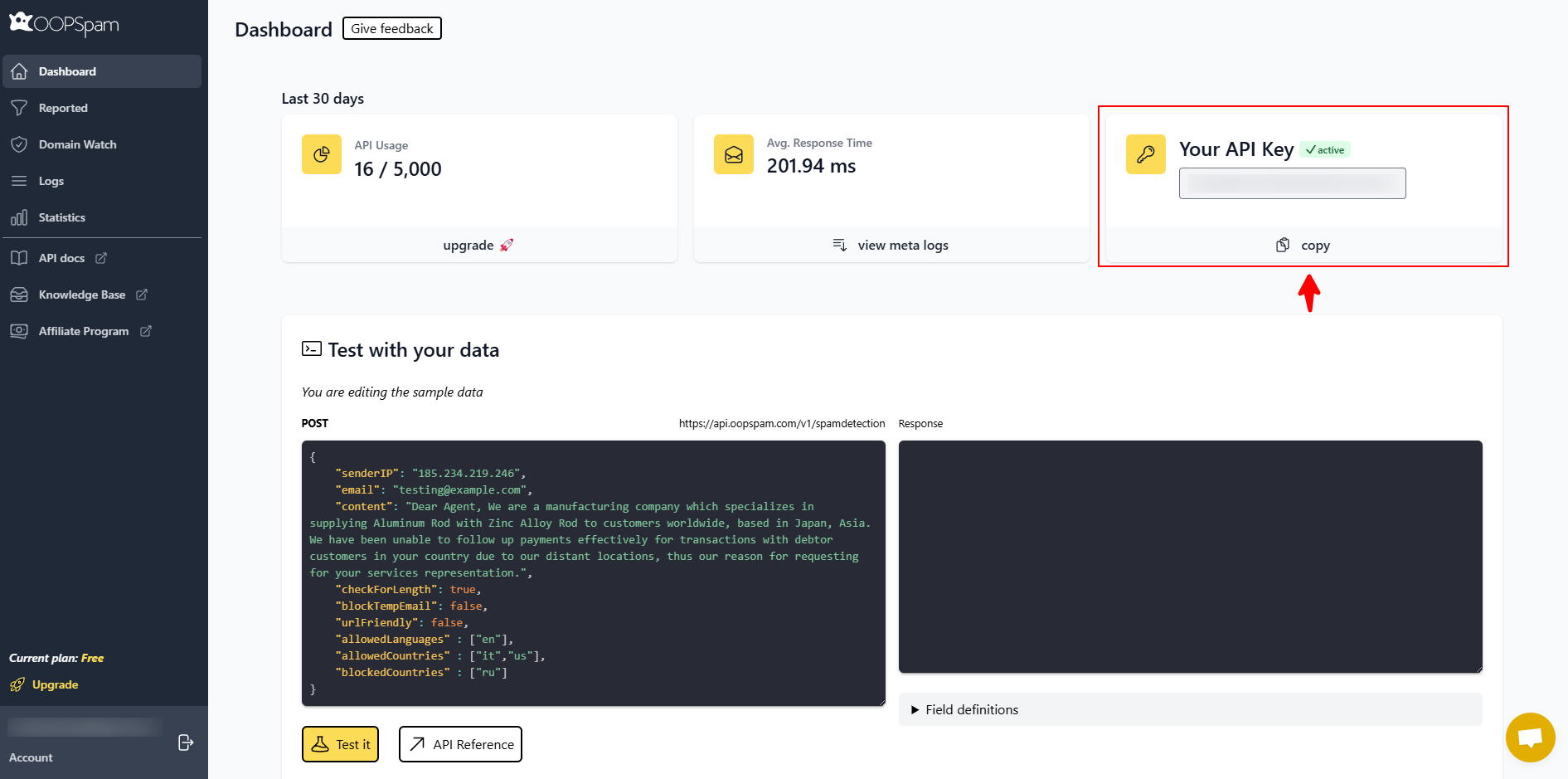
Create an oopspam account and copy your API key from the dashboard.
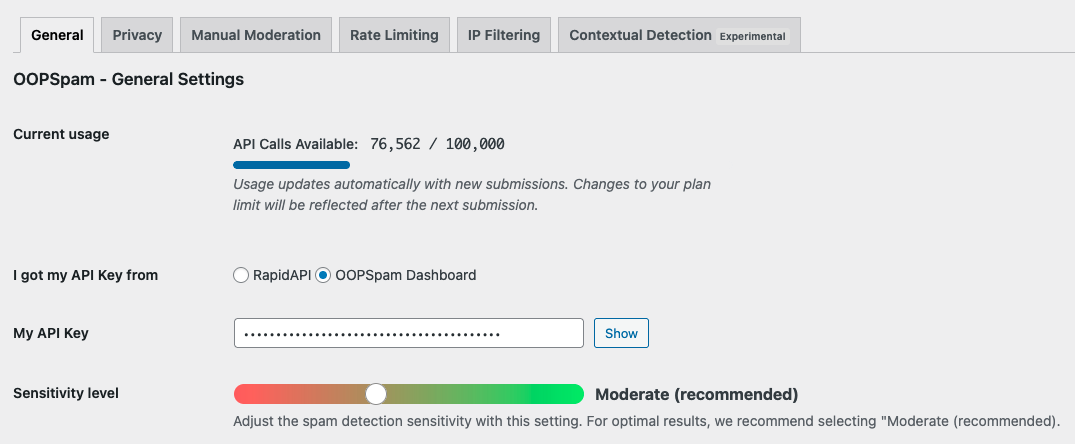
Go to Settings > oopspam Anti-Spam. Paste the key into My API Key and select oopspam Dashboard as the key source.
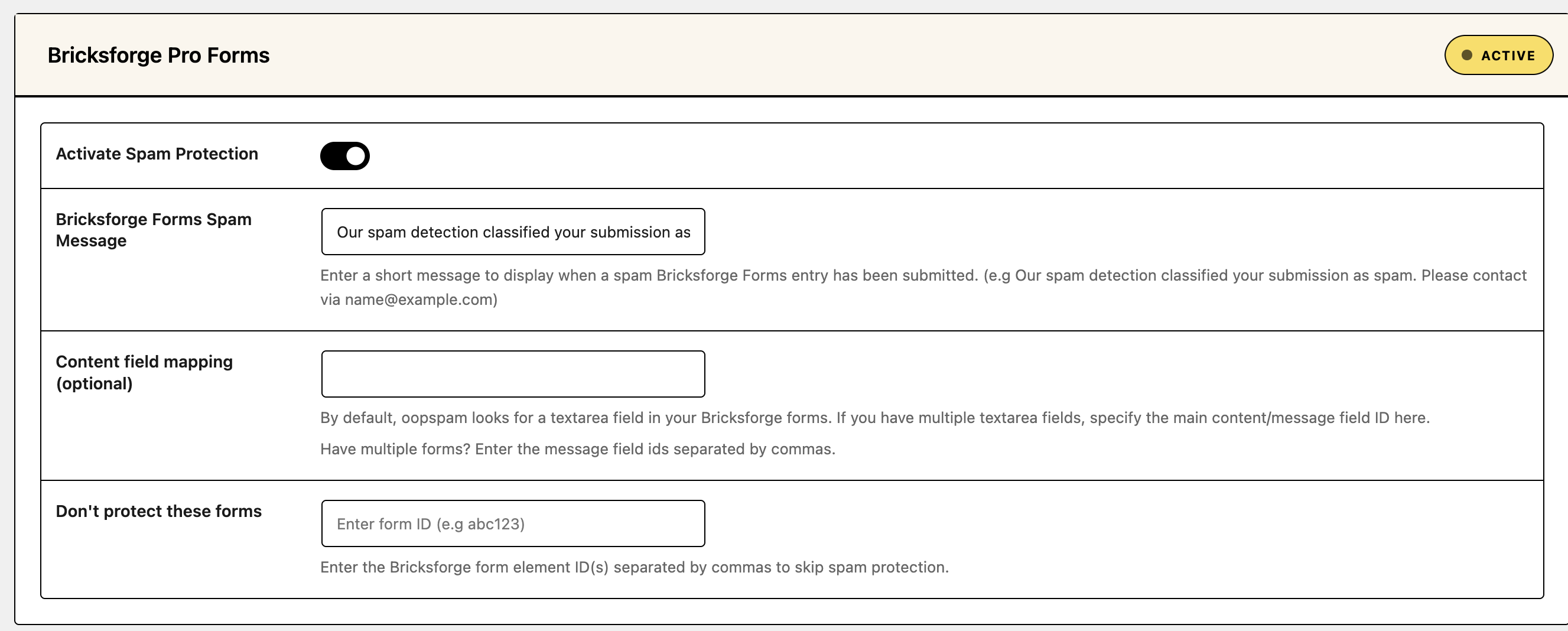
Find the Bricksforge Forms section and check Activate Spam Protection. Do the same for Bricks Forms if you also use native Bricks forms.
Optional: set the sensitivity level, enable rate limiting, and add country, language, VPN, or disposable email filters.
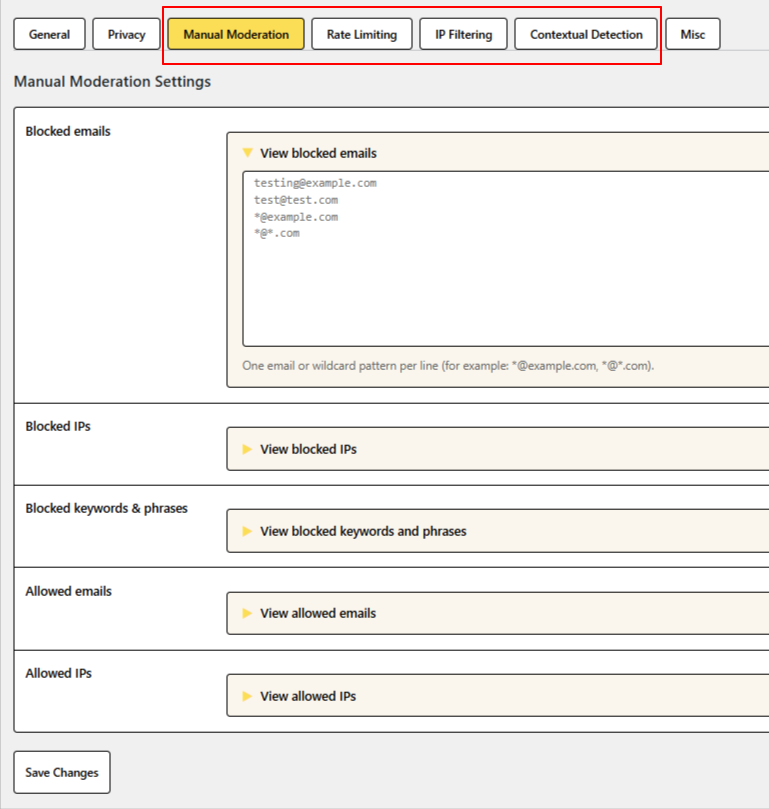
If your site runs behind Cloudflare or another proxy, enable Trust proxy headers so oopspam sees real visitor IPs.

Submit a test entry. Check Spam Entries and Valid Entries to confirm it was logged.
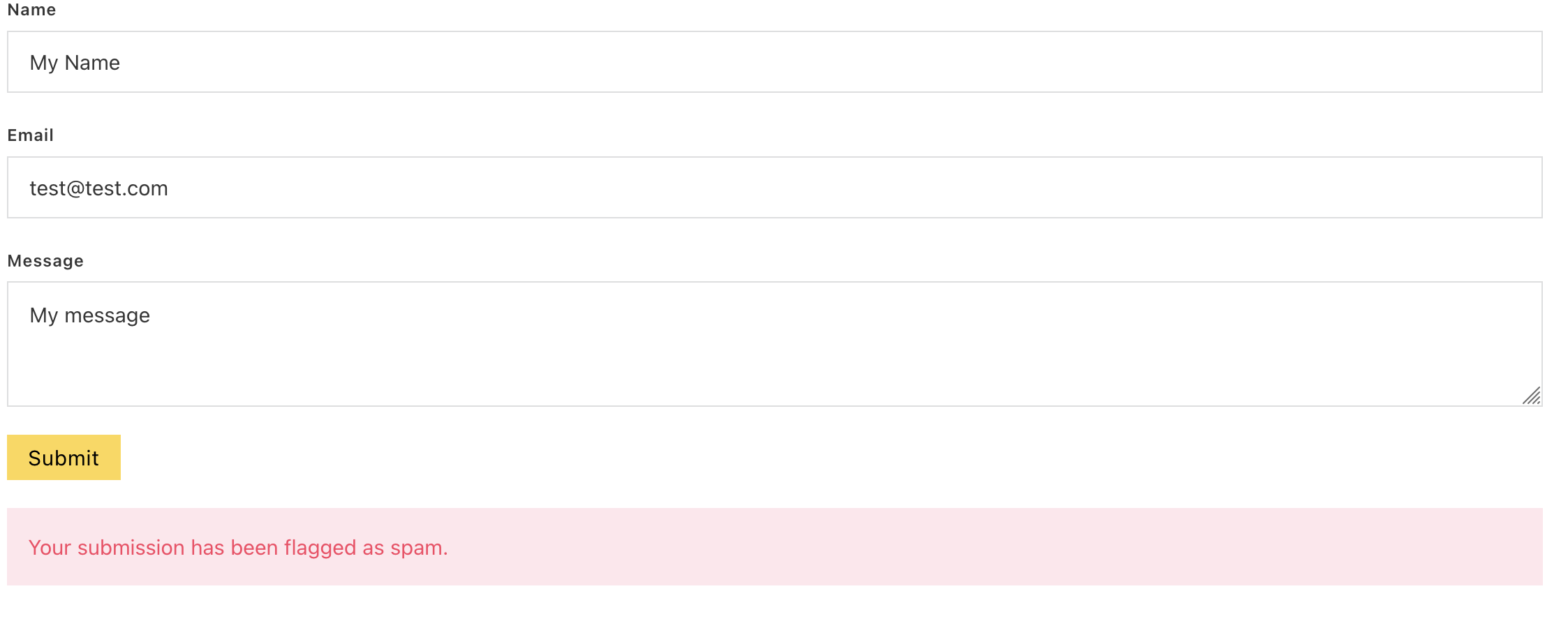
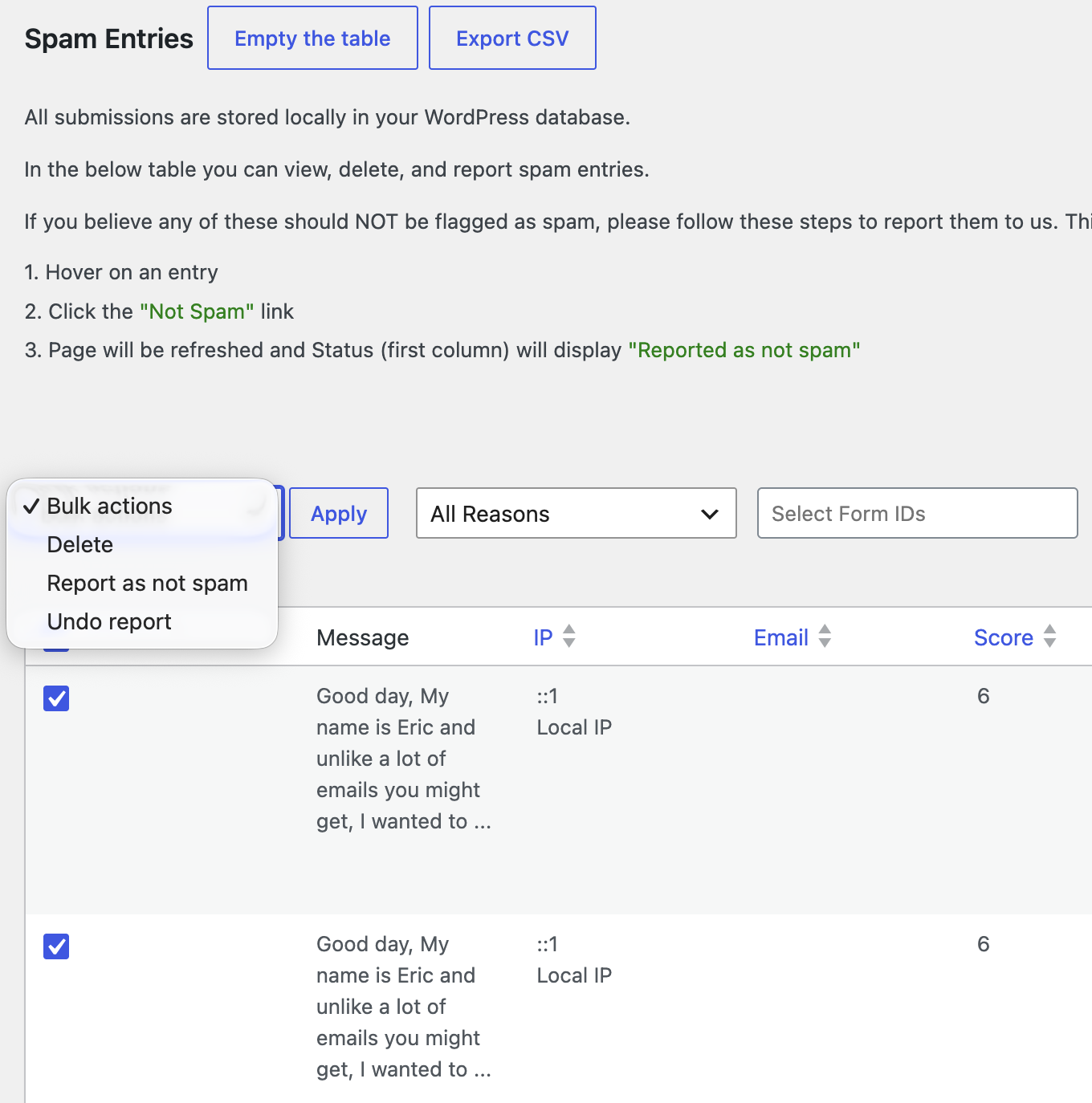
If a real message gets blocked, open Spam Entries to see the reason. Mark it as not spam, add the sender to your allowed list, or lower the sensitivity.
2. Turn on a honeypot field
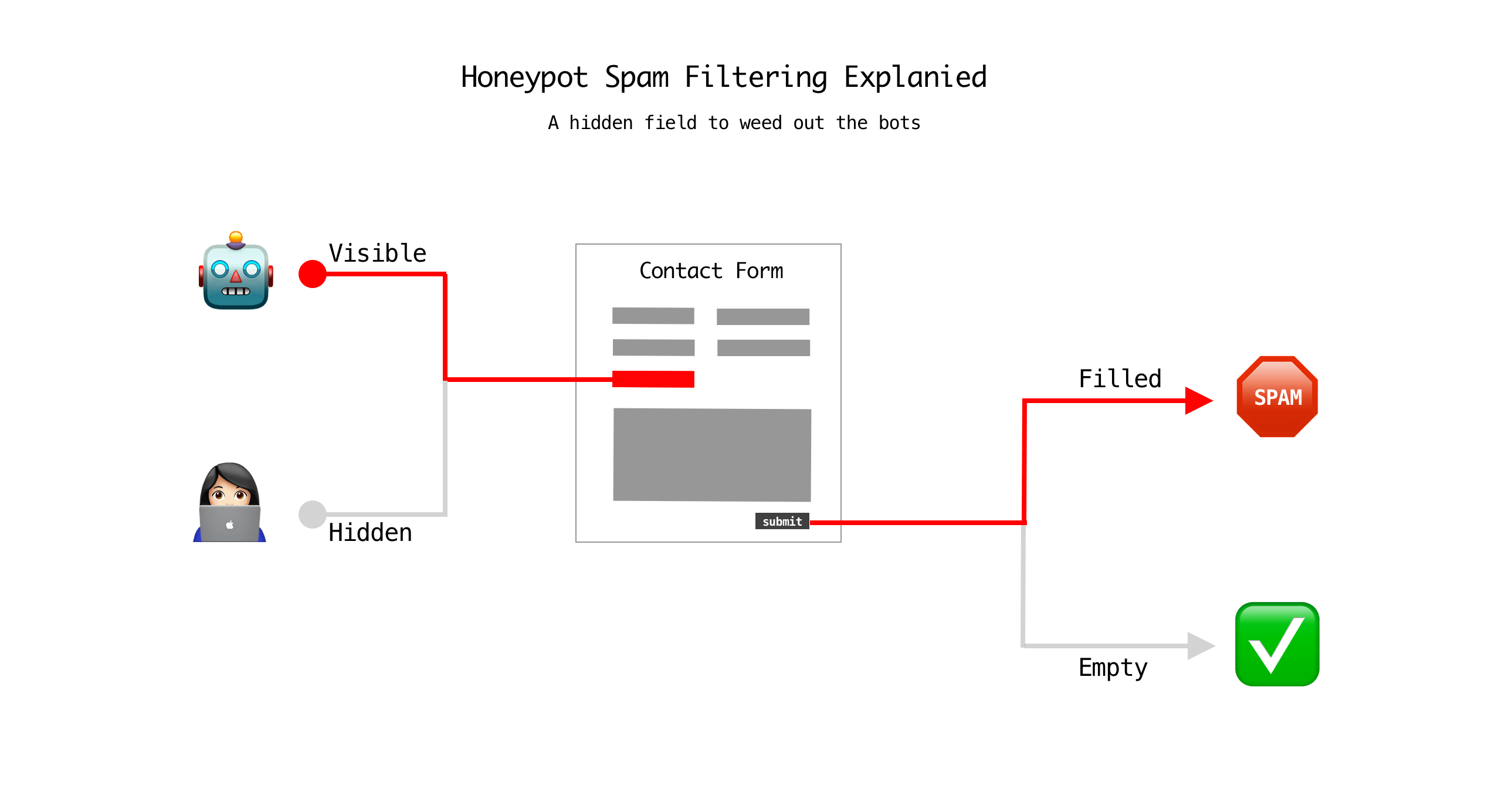
A honeypot is a hidden field that real visitors never see. Bots fill in every field they find, so a filled honeypot marks the submission as spam. Pro Forms lists honeypot fields among its built-in protections.
- It is free and invisible.
- Its weakness: bots that run JavaScript can detect hidden fields and skip them. Never rely on a honeypot alone.
3. Enable Cloudflare Turnstile
Turnstile verifies visitors without puzzles. It runs quick browser checks in the background and only shows a widget when needed. It is free and privacy friendly.
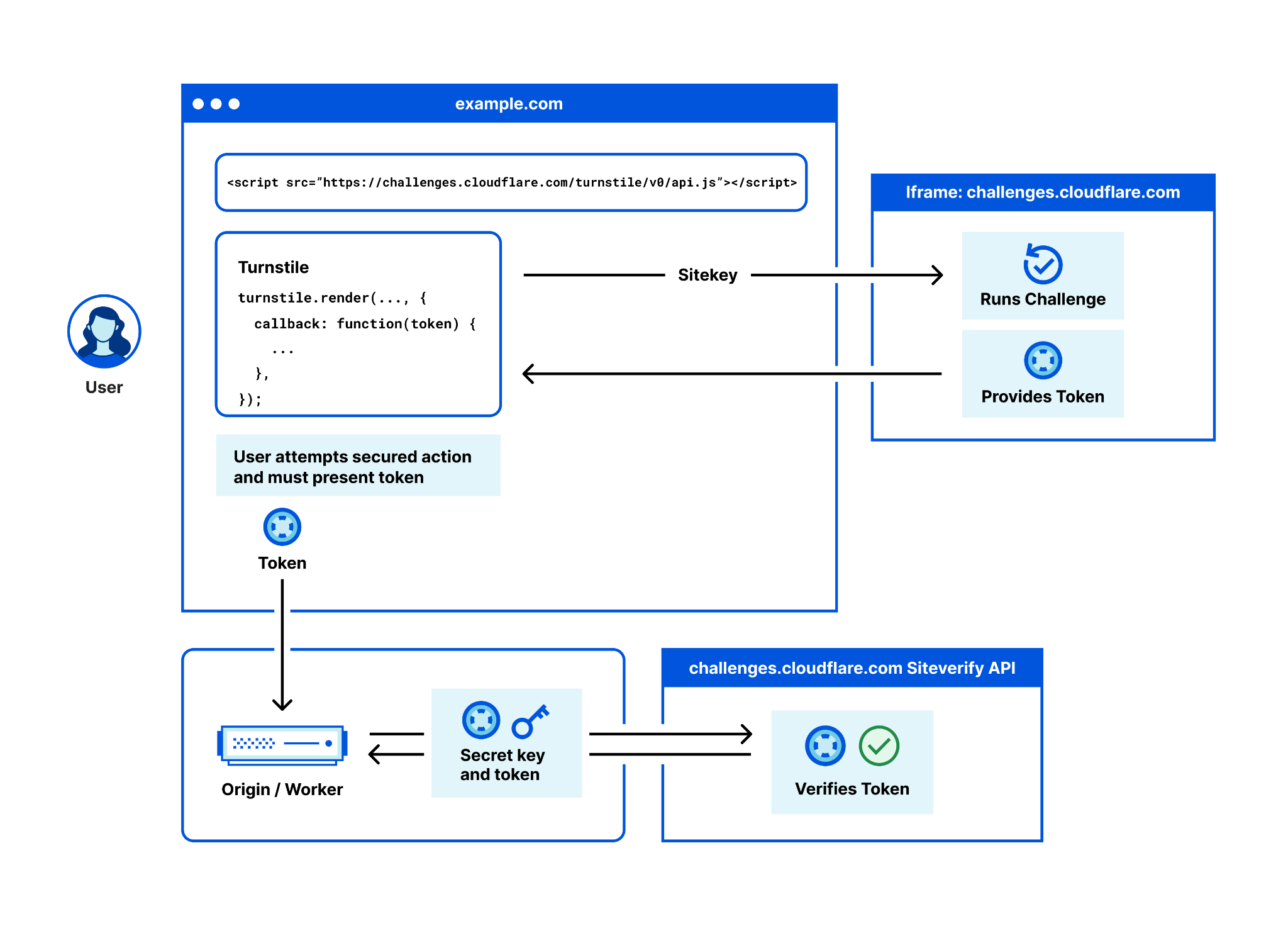
- Create a widget in the Cloudflare dashboard and copy the site key and secret key.
- Add the keys and enable Turnstile in your Pro Forms spam protection settings.
- Best for: conversion-sensitive forms like contact, quote, and lead forms.
4. Set strict validation rules
Validation stops junk data before any action runs. Pro Forms runs validation on the server, so bots cannot skip it. Use the field settings and the Validation group:
- Mark key fields as Required.
- Set Max Length on text and textarea fields to block bulk link dumps.
- Turn on Strip HTML to remove injected tags.
- Add a Custom (Regex) rule, for example**
^[^0-9]*$** to forbid numbers in a name field. - Use File field limits: allowed types and max size.
5. Use Google reCAPTCHA v3
reCAPTCHA v3 scores each visitor from 0.0 to 1.0 based on behavior. It shows no checkbox. Low scores are treated as bots.
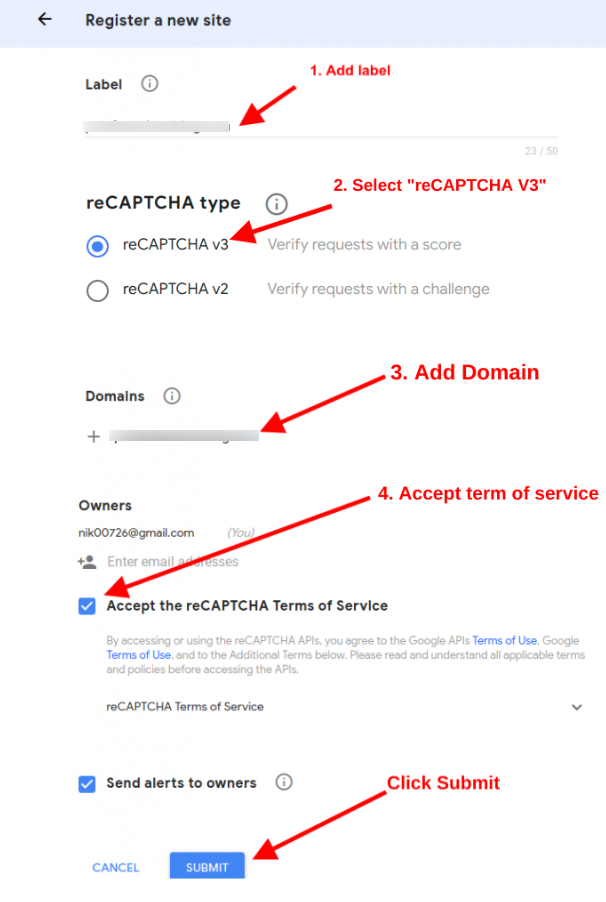
- It is invisible, but it loads a Google script on your pages.
- It sends visitor data to Google, which matters for GDPR.
- AI-driven bots increasingly pass behavior-based scoring.
6. Use hCaptcha for privacy-focused sites
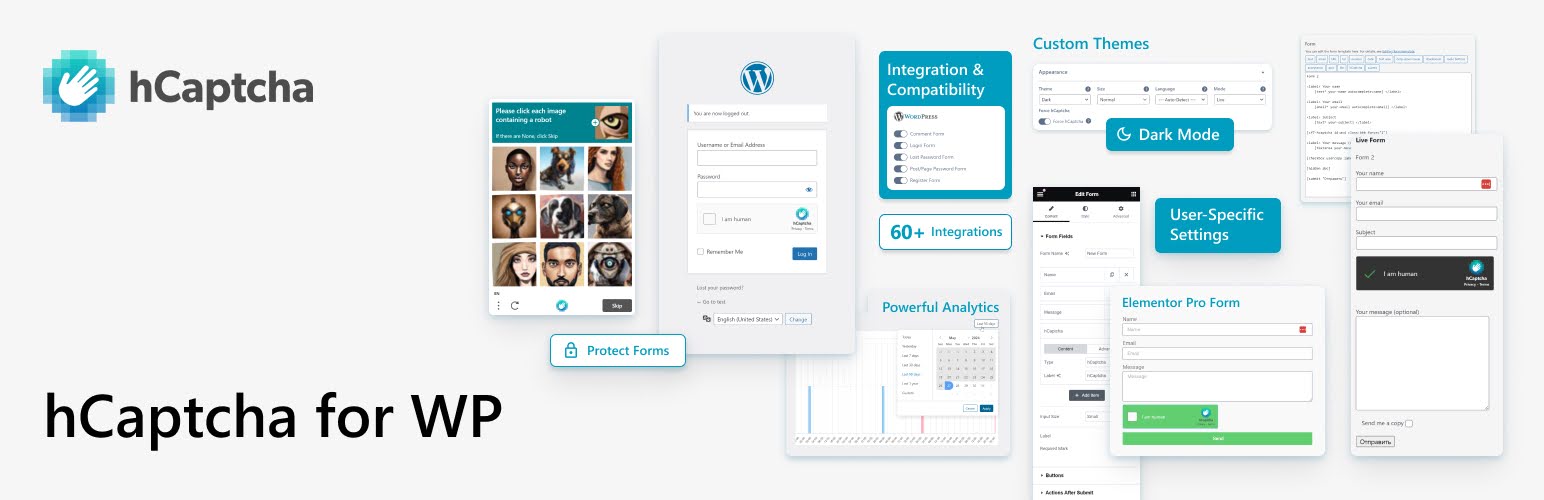
Pro Forms also supports hCaptcha. Bricksforge positions it as the privacy-focused option with GDPR compliance. It can show a visible challenge, so expect some friction. Pick one CAPTCHA provider per form; stacking several adds friction without much gain.
7. Limit duplicates and submission volume
Repeat submissions flood inboxes and databases. The Create Submission action in Pro Forms includes Prevent Duplicates and Maximum Submissions. Prevent Duplicates compares a field you choose, such as email, and blocks repeats with a custom message.
These controls cap totals. They do not limit submissions per hour. For time-based limits, use the rate limiting settings in oopspam.
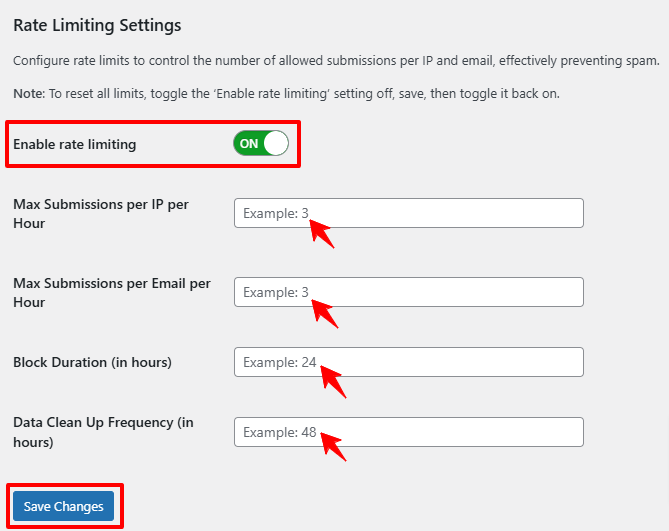
Comparison
Built-in tools block bots and bad data. Only a server-side filter catches human spam.
| Method | Stops bots | Stops human spam | Visitor friction | Cost |
|---|---|---|---|---|
| oopspam Anti-Spam | Yes | Yes | None | 40 free checks/month, then paid |
| Honeypot | Simple bots | No | None | Free |
| Cloudflare Turnstile | Most bots | No | Low | Free |
| reCAPTCHA v3 | Most bots | No | None | Free tier |
| hCaptcha | Most bots | No | Medium | Free tier |
| Validation rules | Bad data only | Partly | None | Free |
| Duplicate limits | Repeat posts | Partly | None | Free |
Final thoughts
No single tool stops all spam. Built-in Pro Forms tools block simple bots and bad data. A server-side filter handles AI-written messages, human spammers, and bots that post straight to your endpoint. Use them together.