
Chazie Baniquid
Technical Content Marketer
9 minutes to read
Best Fraud Detection Plugins for WordPress in 2026
If you run a WordPress site, whether it sells products or captures leads, you need a dedicated fraud detection plugin. General security tools like Wordfence protect your site from hackers, but they do nothing to stop fraudulent orders, fake signups, stolen credit card abuse, or bot-driven form spam. The plugins below fill that gap and protect your revenue and data quality directly.
Why WordPress Sites Get Hit Hard in 2026
WordPress powers 43% of the web, making it the number one target for automated fraud attacks. Threats have grown more sophisticated: AI-assisted bots now bypass traditional CAPTCHAs, card testing attacks have become more frequent, and attackers increasingly route traffic through residential proxies rather than data centers, making simple IP and geo-blocking less reliable than before.
Our own 2025 Annual Spam Report (25.6M malicious IPs analyzed, up 34% from 2024) backs this up: WordPress accounts for 61% of CMS-based spam, and September 2025 saw over 450,000 card-testing attempts blocked in a single week, mostly aimed at WooCommerce checkouts.
The damage is real across both site types:
- Ecommerce stores face card testing attacks, fraudulent orders, and chargebacks that cost an average of $2,400 per month in failed transactions and processing fees.
- Non-ecommerce sites face bot signups, fake form submissions, affiliate fraud, and polluted CRM data that drain marketing budgets and distort analytics.
The plugins below address both scenarios using real-time multi-signal analysis, behavioral detection, and IP reputation data.
Top Fraud Detection Plugins for WordPress
1. oopspam

oopspam (that is us) is one of the most well-rounded fraud and spam detection solutions available for WordPress and WooCommerce today. It covers both ecommerce fraud and form spam under a single plugin with no CAPTCHA friction.
What makes it stand out:
- 99.9% accuracy rate powered by machine learning and a multi-signal detection engine
- Privacy-first by design: No user tracking, no data storage, fully GDPR compliant
- No CAPTCHAs or puzzles that hurt conversions, it runs entirely server-side
- Lightweight: Adds zero JavaScript, CSS, or external font loads to your pages
- Unlimited websites on all plans, making it practical for agencies managing multiple client sites
oopspam protects WooCommerce stores from card testing attacks, fake orders, and fraudulent emails, while also protecting contact forms, lead forms, comment sections, and newsletter signups from bot abuse. It also lets you block traffic by country, filter VPN users, and block requests from cloud provider IP ranges commonly used by bots.
Setup takes under five minutes, works out of the box, and a free trial is available with no credit card required.
- Pricing: Starts at $23/month (Starter, 25,000 checks). Agency plan at $69/month covers 300,000 checks across unlimited sites.
- Best for: Agencies, developers, and WooCommerce store owners who want accurate, privacy-friendly protection with no front-end performance impact.
2. FraudLabs Pro
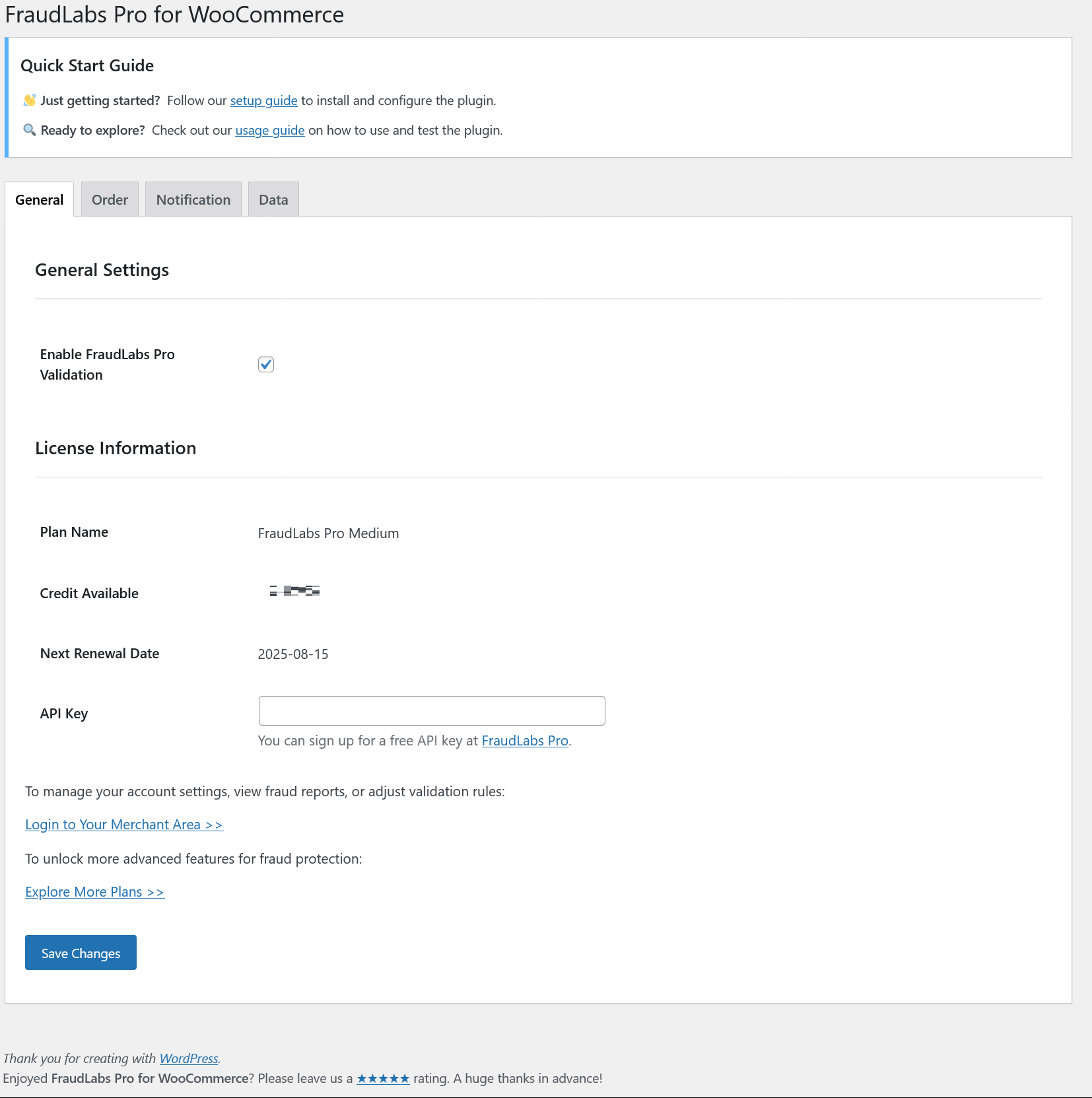
FraudLabs Pro is one of the most widely used fraud screening plugins for WooCommerce, with over a decade in the fraud prevention business and active development (the plugin has shipped regular updates, most recently improvements to its order approval workflow and HPOS compatibility). It scores each incoming order based on:
- IP geolocation and proxy detection
- Email address validation
- Billing and shipping address mismatch checks
- Device fingerprinting
Orders receive a risk score, and you can configure the plugin to automatically approve, review, or reject orders above a set threshold. The Micro plan offers 500 free validations per month, which works for small stores getting started.
- Pricing: Paid plans start at approximately $29.95/month for higher volume.
- Best for: Small to mid-sized WooCommerce stores wanting easy plug-and-play fraud screening.
3. YITH WooCommerce Anti-Fraud
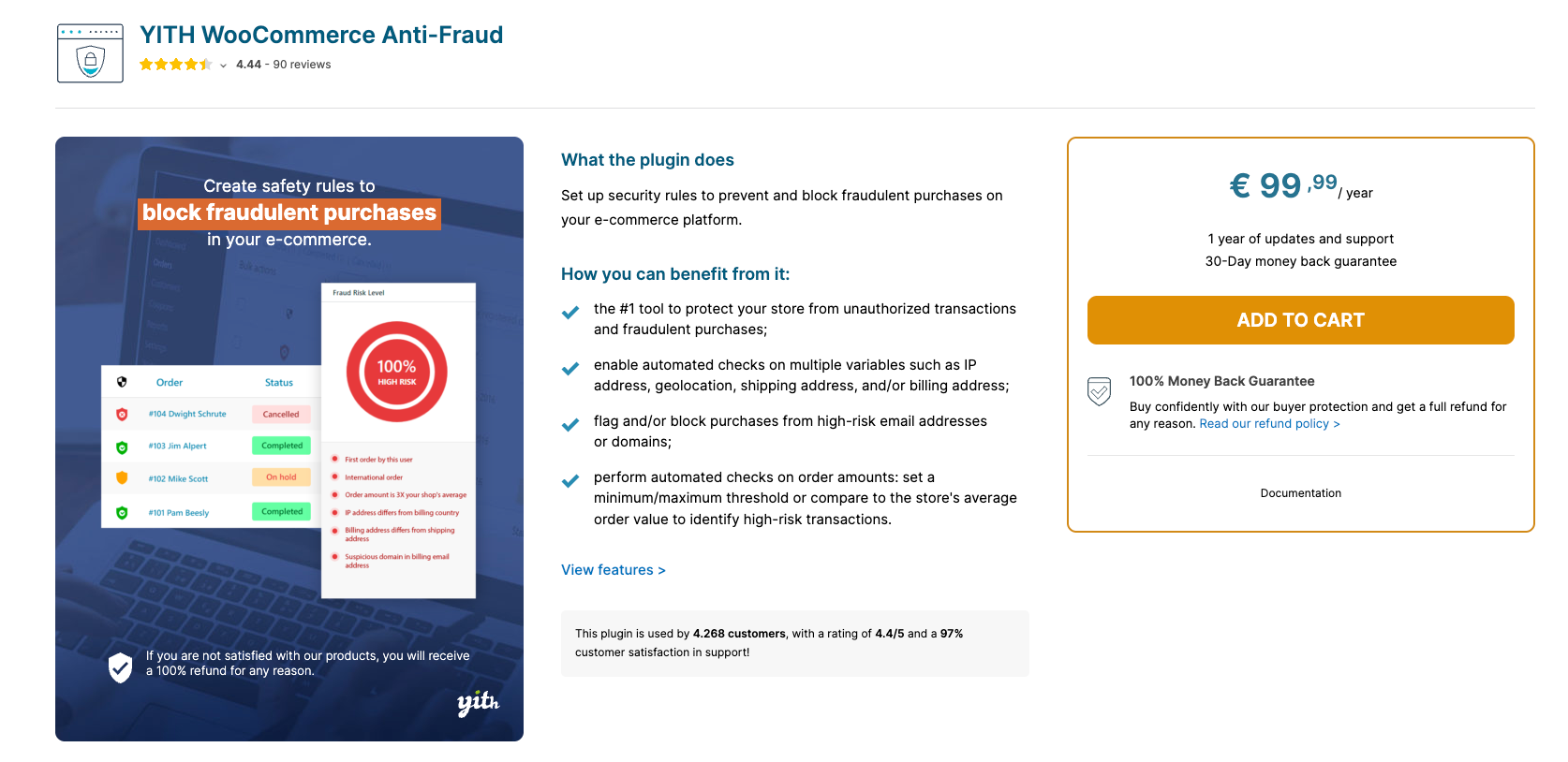
YITH’s anti-fraud plugin focuses on a highly configurable risk scoring system for merchants who want hands-on control over how orders are flagged and handled. YITH is a long-established WooCommerce plugin developer with a large existing ecosystem of extensions, which is worth factoring in if you’re already running other YITH plugins.
Key detection signals include:
- Proxy and VPN usage
- Mismatched billing and shipping addresses
- Order velocity from a single IP or email
- High-risk country detection
- Customer order history analysis
You set the risk thresholds yourself, and the plugin can automatically hold, alert, or cancel high-risk orders. It integrates cleanly with the broader YITH plugin ecosystem.
- Pricing: Approximately $179.99/year as a premium plugin.
- Best for: Merchants who want granular control over their own fraud scoring thresholds and rules.
4. Cloudflare (Turnstile + WAF)
Cloudflare isn’t a single WordPress plugin, it’s a network-level security layer, but for stores that want to block malicious traffic before it ever reaches WordPress, it’s worth including alongside dedicated plugins. Two Cloudflare features are especially relevant to fraud and spam defense:
Turnstile at checkout
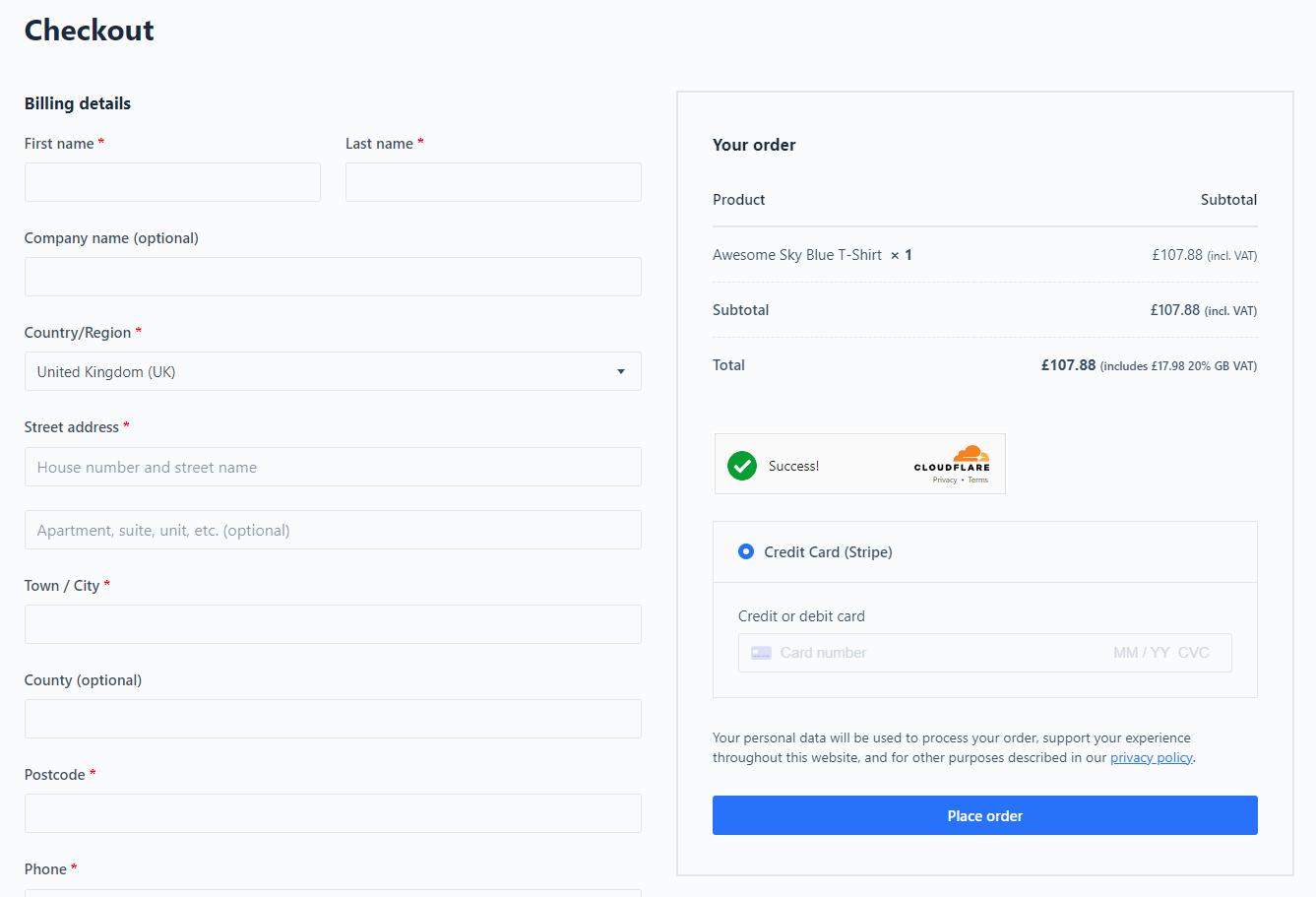
Turnstile is Cloudflare’s free, invisible CAPTCHA alternative. Instead of asking shoppers to solve puzzles, it verifies the visitor in the background. You can add it to your WooCommerce checkout, login, and registration forms using a free plugin like Simple CAPTCHA with Cloudflare Turnstile (actively maintained, no paid tier required):
- Log in to your Cloudflare dashboard and go to Turnstile, then add a widget for your domain to generate a Site Key and Secret Key.
- In WordPress, install and activate a Turnstile plugin (Simple CAPTCHA with Cloudflare Turnstile, or your checkout builder’s built-in integration if it has one).
- Paste in your Site Key and Secret Key in the plugin settings.
- Enable Turnstile on the forms you want protected: WooCommerce checkout, “Pay for Order,” login, and registration.
- Save and use the plugin’s test button to confirm the widget is verifying correctly, then place a test order to check it doesn’t interfere with legitimate checkouts.
WAF custom rules for network-level blocking
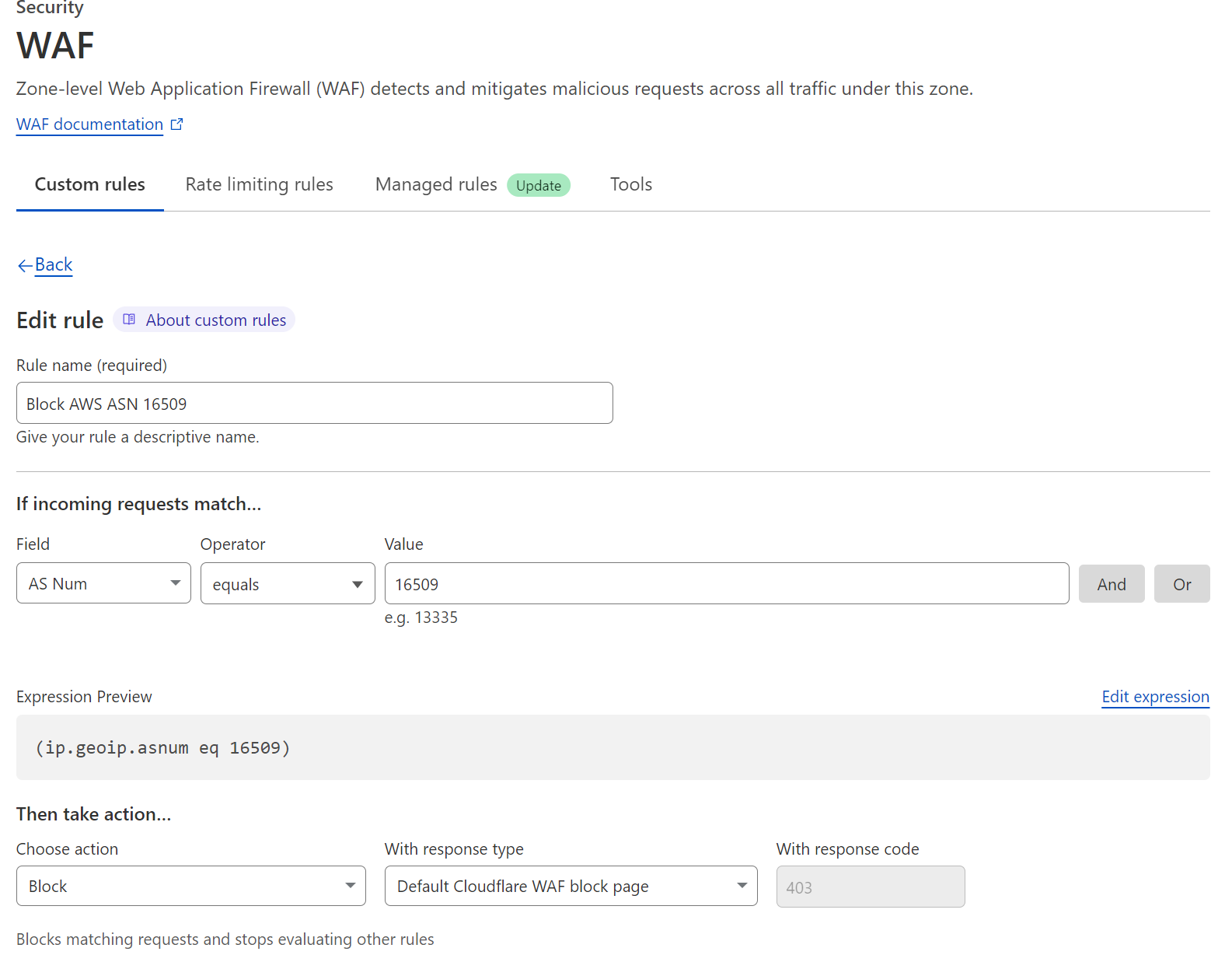
Separately, Cloudflare’s Web Application Firewall lets you write custom rules directly in the Cloudflare dashboard (Security > WAF > Custom rules) to block or challenge traffic by country, Autonomous System Number (ASN), or known VPN and hosting-provider IP ranges, useful for cutting off traffic from cloud data centers commonly used to spin up bots. Basic custom rules are available on the free plan (with a lower rule limit); country- and ASN-based blocking work well on Free and Pro plans, though a handful of the most granular IP Access Rule features are Enterprise-only.
- Pricing: Turnstile is free and unlimited. Cloudflare’s Free plan includes a limited number of custom WAF rules; Pro starts at $20/month for more rules and additional bot management features.
- Best for: Sites that want network-level blocking (by country, ASN, or VPN) in addition to invisible CAPTCHA protection, and that are comfortable working directly in the Cloudflare dashboard rather than a WordPress settings screen.
How to Choose the Right Plugin
Use this quick checklist before deciding:
- Site type: Do you run an ecommerce store, a lead generation site, or both? Some plugins are purpose-built for one or the other.
- Volume: How many orders or form submissions do you process monthly? Match this to the plan’s check limits.
- Privacy requirements: Serving EU users? GDPR compliance is non-negotiable. oopspam and Cloudflare Turnstile are both built for this.
- Control vs. automation: Do you want to configure your own rules, or prefer a fully automated system with sensible defaults?
- Site performance: If page speed matters, choose server-side solutions. oopspam adds zero front-end load; Turnstile’s client-side script is lightweight and asynchronous.
- Multi-site needs: Managing multiple client sites? oopspam’s unlimited-sites model works well for agencies, and Cloudflare’s account-level dashboard makes it straightforward to replicate WAF rules across domains.
Final Verdict
Every WordPress site is a potential fraud target in 2026, making proactive protection essential. oopspam is the best all-around choice for ecommerce and mixed-use sites, since it handles both order fraud and form spam without adding CAPTCHA friction. FraudLabs Pro is a solid, long-standing budget-friendly option for smaller WooCommerce stores, YITH offers merchants who want to hand-tune their own risk rules, and Cloudflare’s Turnstile plus WAF combination is worth layering on top of any of these if you want to block traffic by country, ASN, or VPN before it even reaches WordPress. The best time to stop fraud is before it happens.