
Chazie Baniquid
Technical Content Marketer
7 minutes to read
How to Protect Your Store from Fake Orders, Card Testing, and Checkout Spam
Card testing and checkout spam are no longer occasional nuisances. Attackers now run large scale, automated attempts against checkout pages, and the tools that stop them are the same ones that have protected stores for years: CAPTCHA or Turnstile at checkout, AVS and CVV enforcement, account verification, a web application firewall, and a dedicated fraud or spam detection layer. Stack these together and most fake orders and card testing attempts never reach your payment processor.
Why This Problem Got Bigger
Fraud on checkout pages used to be an occasional annoyance. That changed in 2025. According to our 2025 Annual Spam Report, e-commerce spam jumped to 22% of all tracked spam activity, up from 15% the year before, driven mostly by card testing attacks against WooCommerce stores. In a single week in September 2025, the report recorded over 450,000 card testing attempts, the largest wave it had ever logged, hitting both classic and block based checkout flows.
Two shifts make this harder to catch with old school tools:
- Residential proxies replaced data center IPs. Attackers now route traffic through real home devices, routers, and IoT hardware, so IP blocking and geo-fencing catch far less than they used to.
- Free webmail dominates fake signups. Gmail addresses made up more than 63% of the email addresses seen in card testing attempts in the same report, with Yahoo and Microsoft services rounding out the top three.
That combination means bot traffic increasingly looks like normal shopper traffic, which is why layered defenses matter more than any single tool.
Step 1: Stop Bots and Spam Traffic Before Checkout
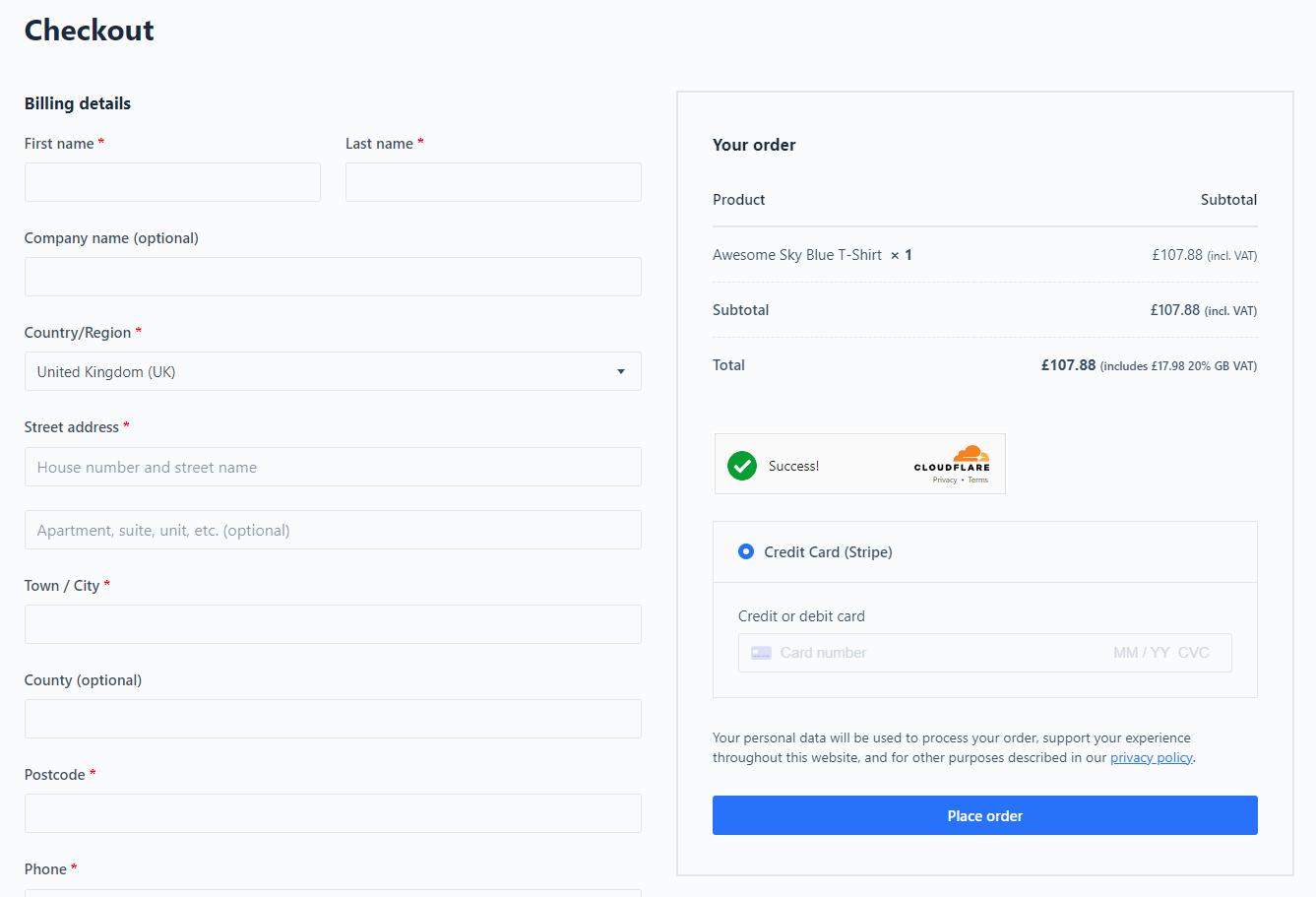
- Turn on CAPTCHA or Turnstile. Google reCAPTCHA or Cloudflare Turnstile on your checkout, login, and registration forms filters out scripted bot traffic without adding much friction for real shoppers.
- Put a WAF in front of your store. Cloudflare and similar firewalls flag known bad data centers and sudden traffic spikes before they hit your server.
- Rate limit checkout attempts. Cap how many checkout submissions a single IP address or email can make in an hour. Most fraud plugins and security tools include this out of the box.
Step 2: Shut Down Card Testing
Card testing is when someone runs a batch of stolen card numbers through your checkout to see which ones are still active, usually with tiny or even $0 transactions.
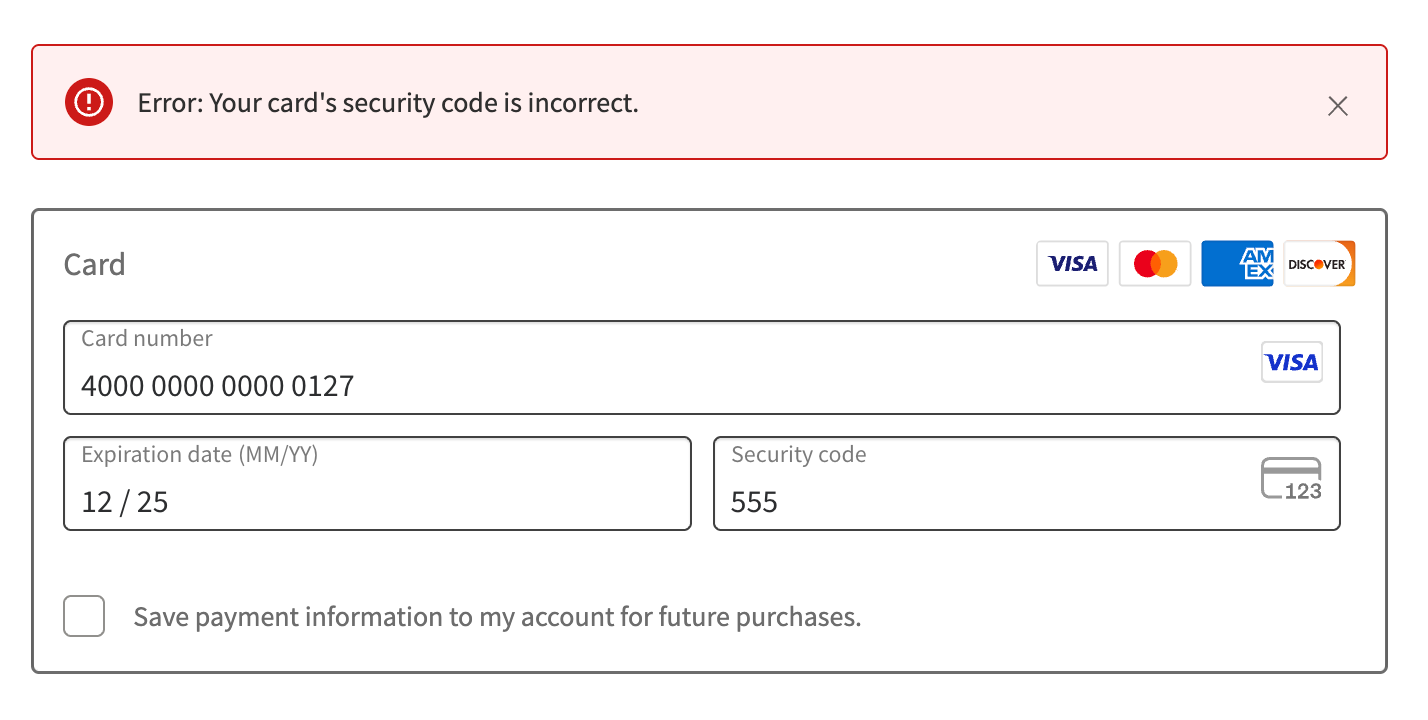
- Require CVV on every transaction. This is a default setting most gateways offer, but it is worth confirming it is actually turned on.
- Enforce AVS. Address Verification checks that the billing address matches the one on file with the card issuer, which stops a large share of stolen card attempts.
- Restrict shipping geographies. If you only ship domestically, block checkout traffic and transactions from outside your target countries.
- Turn on 3D Secure. 3DS adds one extra verification step and shifts chargeback liability to the issuing bank, which matters a lot if testing attacks slip through.
Step 3: Prevent Fake Orders and Chargebacks

Add a dedicated fraud or spam detection layer.
This is where a purpose-built tool earns its keep. oopspam (that’s us) is worth a close look because it offers:
- WooCommerce checkout protection alongside form and comment spam filtering in a single plugin.
- Contextual and behavioral detection instead of relying solely on IP reputation, a significant advantage now that residential proxies can bypass traditional geo and IP-based blocking.
- One API key that agencies can use across unlimited websites, making management much simpler.
- Optional blocking of VPN and cloud provider traffic with a single toggle.
- Protection that works without forcing shoppers to complete CAPTCHA puzzles, helping maintain a smoother checkout experience.
- Another option is to use Stripe Radar if you’re using Stripe as your payment processor. Stripe Radar uses machine learning to detect and block fraudulent payments and can flag high-risk transactions before processing, adding an extra layer of protection against fake orders.
- Require an account with verified email. Removing guest checkout and adding a double opt in step filters out a large share of automated order attempts, since bots generally do not bother completing email verification.
- Enable 3D Secure as described above, since it directly reduces chargeback exposure on fraudulent orders that do get through.
Platform Specific Checklist
WooCommerce
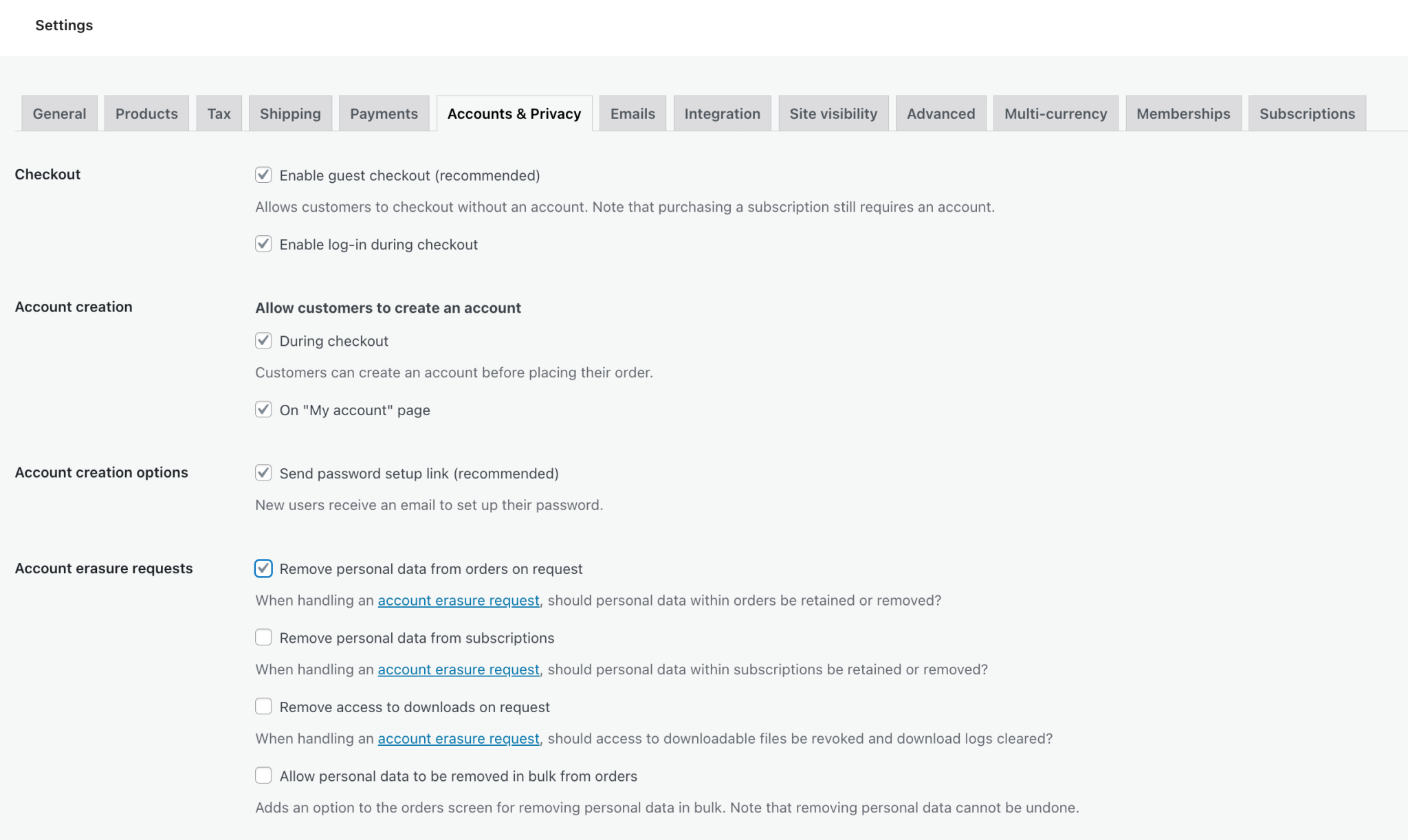
- Disable guest checkout under Settings > Accounts & Privacy.
- Install a WooCommerce focused anti-fraud plugin and enable reCAPTCHA v2 (it tends to hold up better at checkout than v3).
- Add rate limiting through a firewall or a security plugin such as Wordfence.
- Consider installing oopspam, since it flags orders with unknown origin or missing device data on both Classic and Block based Checkout that many fraud plugins miss.
Shopify
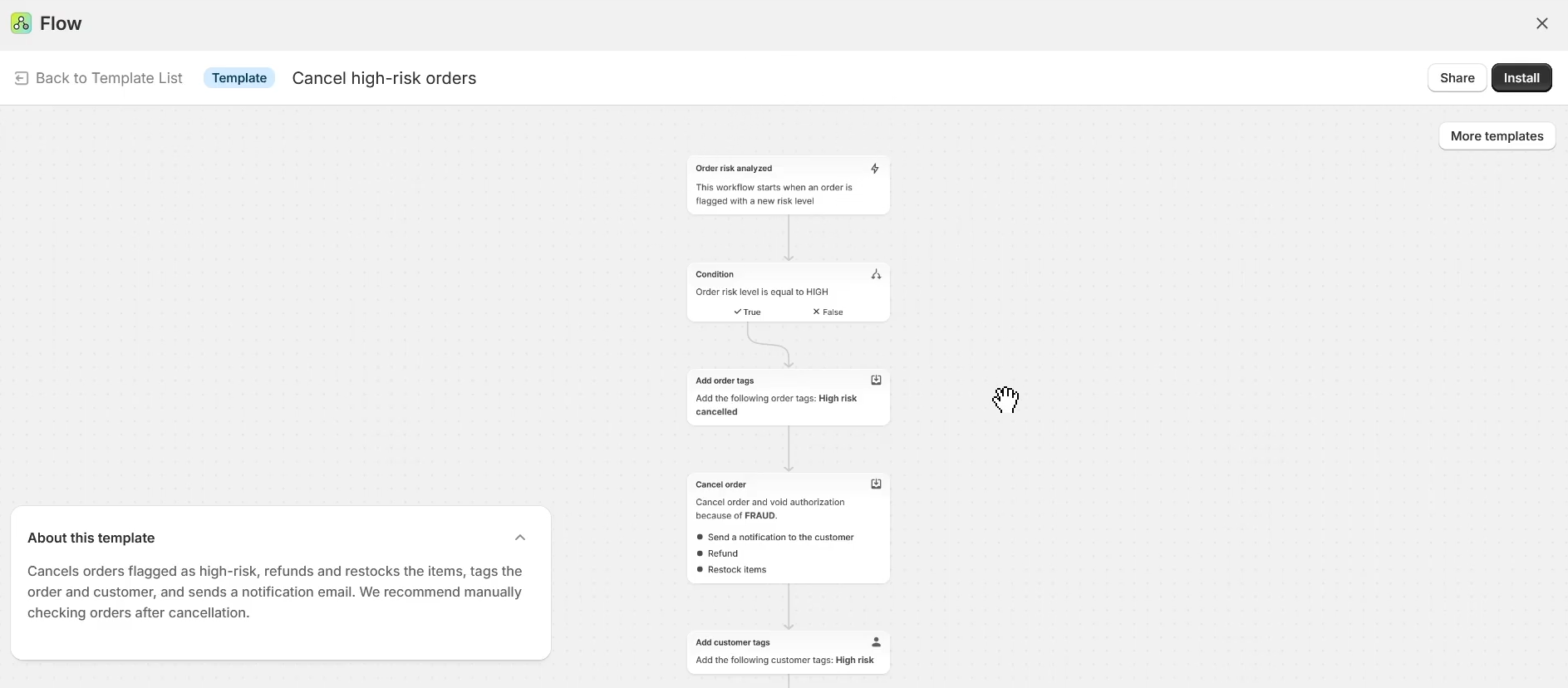
- Use Shopify Flow to auto cancel or hold high risk orders for review.
- Install the built in Shopify Fraud Filter app to block known bad IPs, emails, and repeat offenders.
- Confirm AVS and CVV checks are enforced under Shopify Payments settings.
- Consider connecting oopspam to Shopify Flow to score orders by IP and email risk and auto flag suspicious ones for review.
SureCart
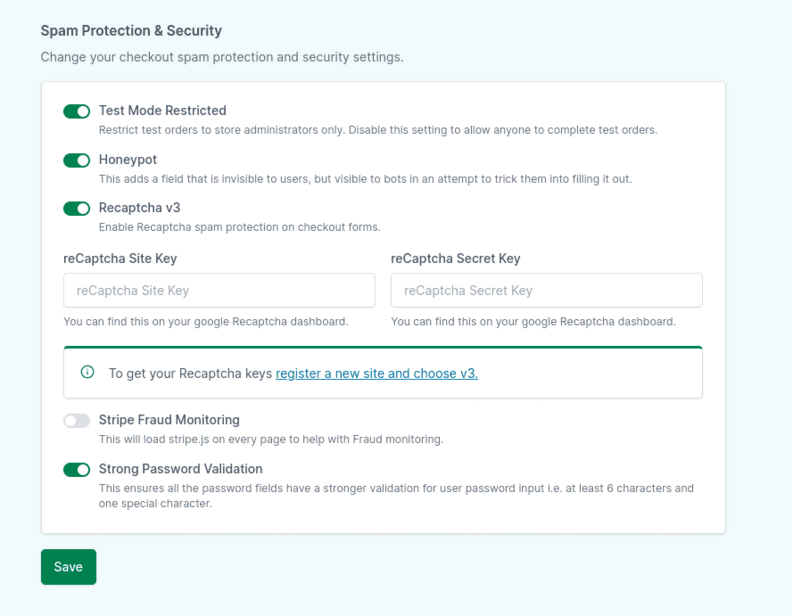
- Turn on native Spam Protection under SureCart > Settings > Advanced.
- Consider installing oopspam alongside SureCart to add rate limiting, country filtering, and cloud provider IP blocking on top of SureCart’s native protections.
MemberPress
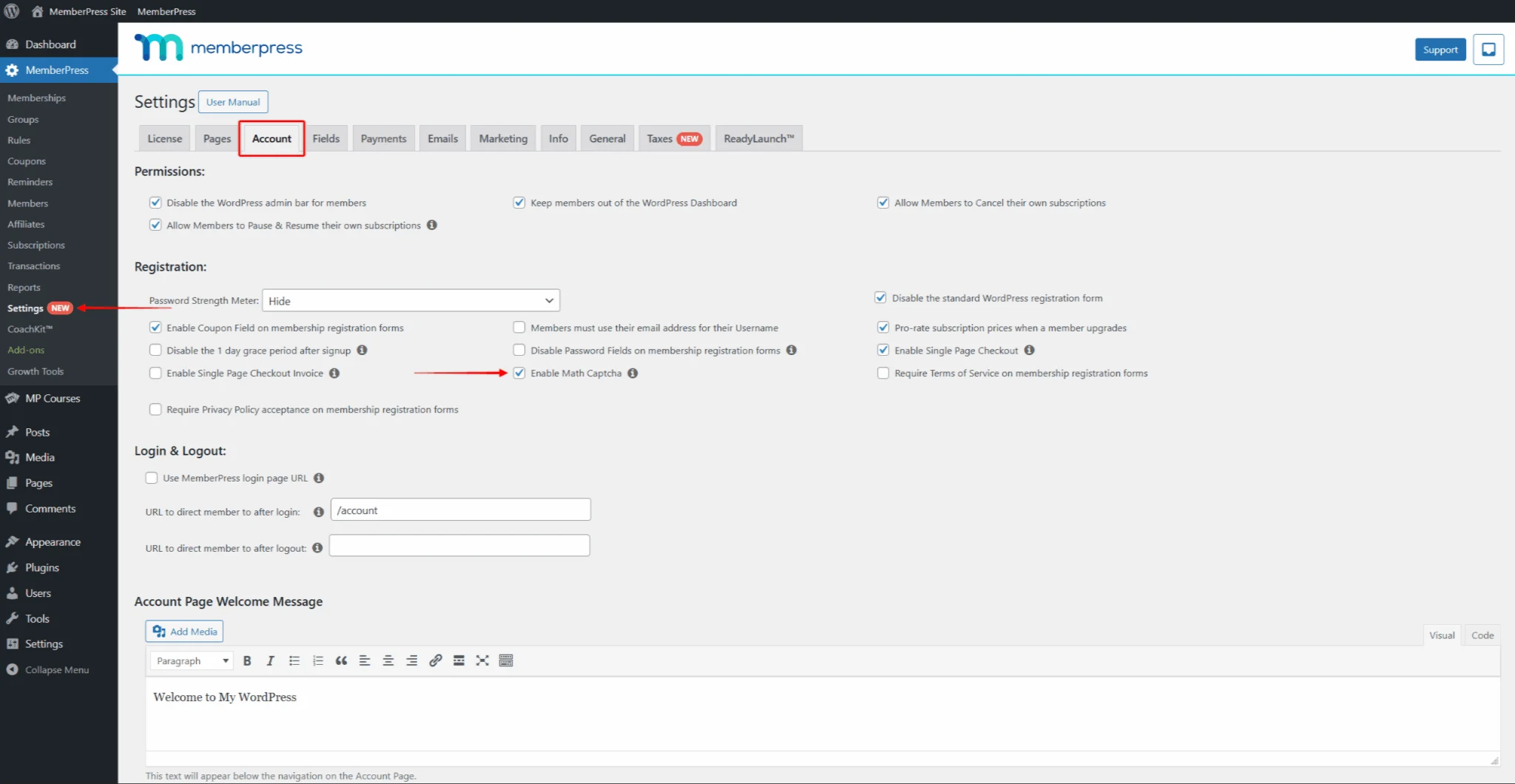
- Enable Math CAPTCHA on registration pages under the Account settings tab.
- Require email verification before granting access to paid content.
- Consider installing oopspam for MemberPress to add rate limiting and country filtering, VPN detection, and cloud provider IP blocking for registration and contact forms.
Final Takeaway
No single tool stops every fake order or card testing attempt. The stores that hold up best combine a firewall at the network level, CAPTCHA or oopspam at the form level, AVS and CVV at the payment level, and a checkout and spam protection plugin like oopspam watching the checkout itself. Layer these together, keep an eye on which tactics are trending, and stick with tools that have a real track record behind them.