How to Limit Form Submissions in Meta Box Frontend Submission

Co-founder & Brand Designer

Reviewed by Onar Alili
Anti-Abuse Engineer & Co-founder
Published 8 min read
Meta Box has no setting to limit form submissions. MB Frontend Submission accepts as many entries as anyone sends, from the same IP or email. To cap how often one visitor can submit, add rate limiting with the oopspam Anti-Spam plugin (that’s us 👋), which sets hourly limits per IP and per email. Cloudflare’s rate limiting rules add a coarser limit at the network edge.
Meta Box’s MB Frontend Submission extension lets visitors submit posts, listings and other content from the front end. Without a limit, one bot can create hundreds of posts in minutes. This guide covers each option, step by step.
What Meta Box Has Built In
MB Frontend Submission has no submission limit of any kind: no cap per IP, per email, per hour or in total. Two settings make floods less harmful:
- Hold submissions as pending. Set
post_status="pending"in the shortcode, or set Post Status to pending in the Submission Form block. A flood still lands in your database, but nothing goes live until you approve it. - Add a CAPTCHA. Cloudflare Turnstile or Google reCAPTCHA v3 slows down simple bots. It doesn’t stop a human, or a bot that solves it, from submitting again and again.
For real rate limiting, add it on top.
Method 1: Rate Limit Submissions per IP and Email with oopspam
The oopspam Anti-Spam plugin supports Meta Box Frontend Submission natively. It checks each submission on the server and blocks visitors who go over your hourly limit, before Meta Box saves anything.
How to Set It Up
In WordPress, go to Plugins > Add New, search for oopspam Anti-Spam, then install and activate it.
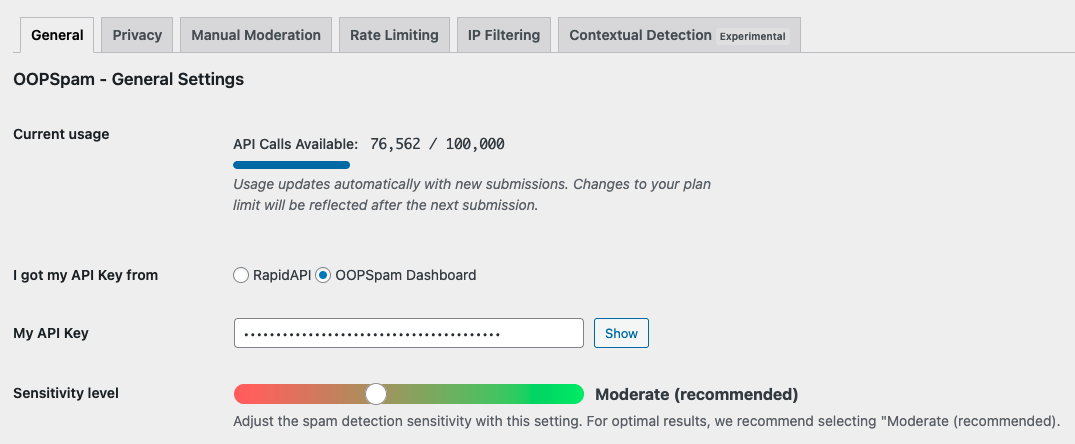
Create a free oopspam account and copy your API key. Go to Settings > oopspam Anti-Spam. In the General tab, select oopspam Dashboard as the source and paste your key into My API Key.
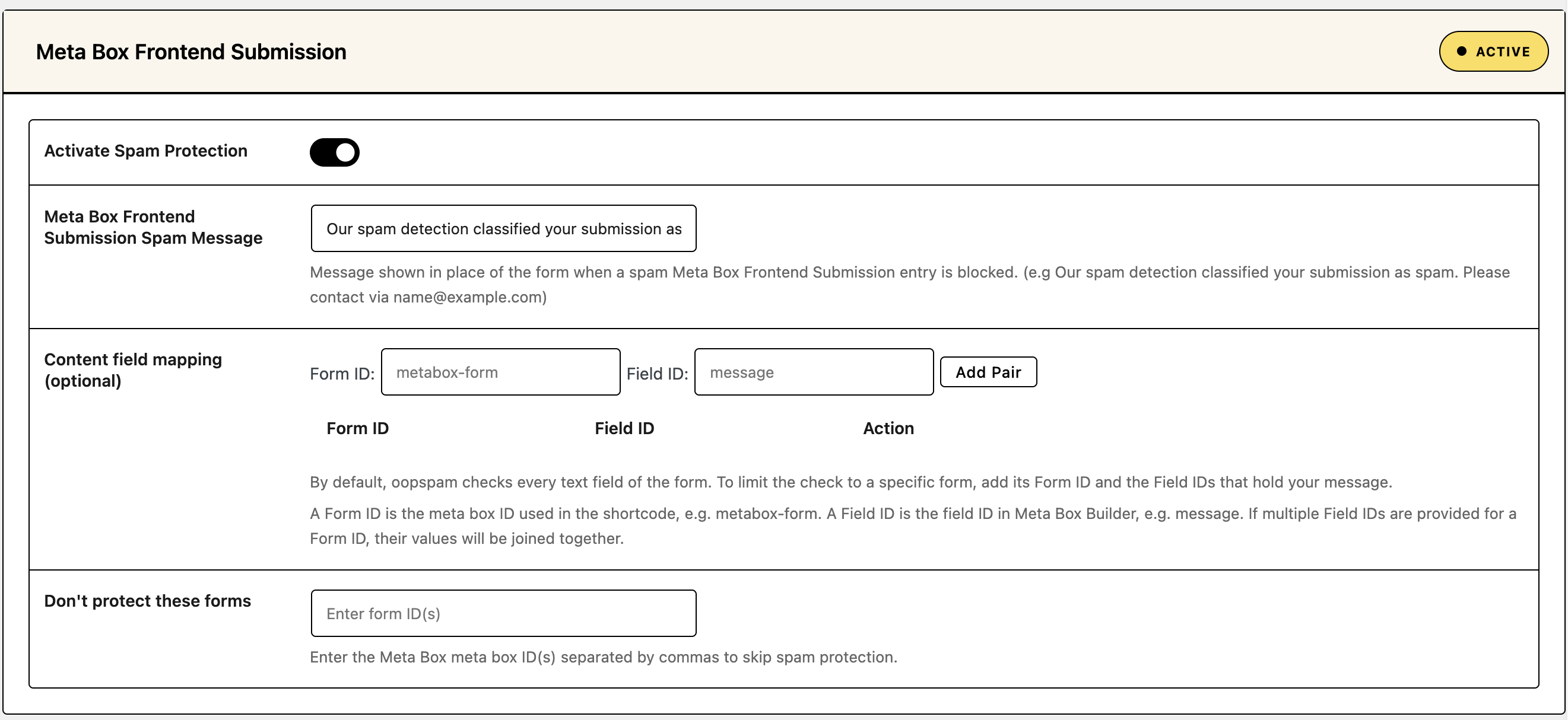
Scroll to the Meta Box Frontend Submission section and turn on Activate Spam Protection.
Open the Rate Limiting tab and turn on Enable Rate Limiting. Then set your limits:
- Max submissions per IP per hour: how many times one IP address can submit in an hour.
- Max submissions per email per hour: how many times one email address can submit in an hour.
- Block duration (in hours): how long an IP or email stays blocked after hitting the limit.
- Data clean-up frequency (in hours): how often oopspam clears the table it uses to track submissions.
Click Save Changes.
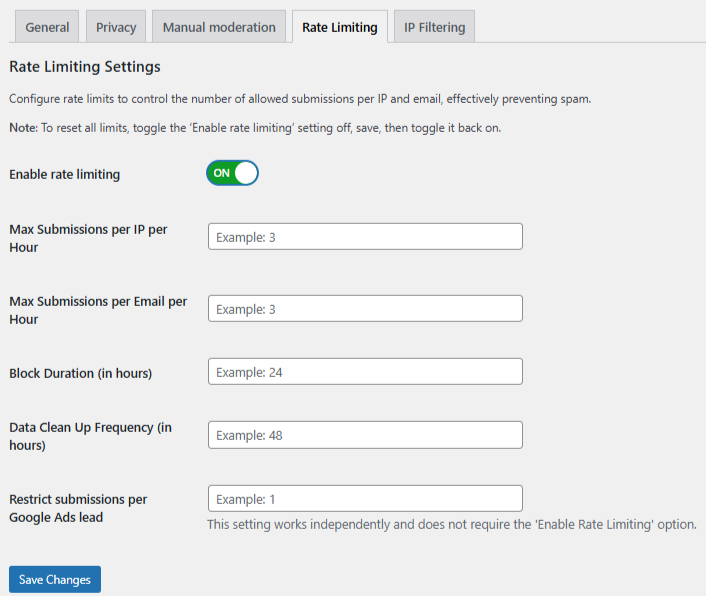
A good starting point is 3 submissions per hour per IP and per email, a 24-hour block and a 48-hour clean-up. Raise the limits if your users submit several listings in one sitting.
If your site runs behind Cloudflare or another proxy, open the Misc tab and turn on Trust proxy headers. Without it, all visitors share the proxy’s IP and could hit the limit together.

Set the Spam Message and Test
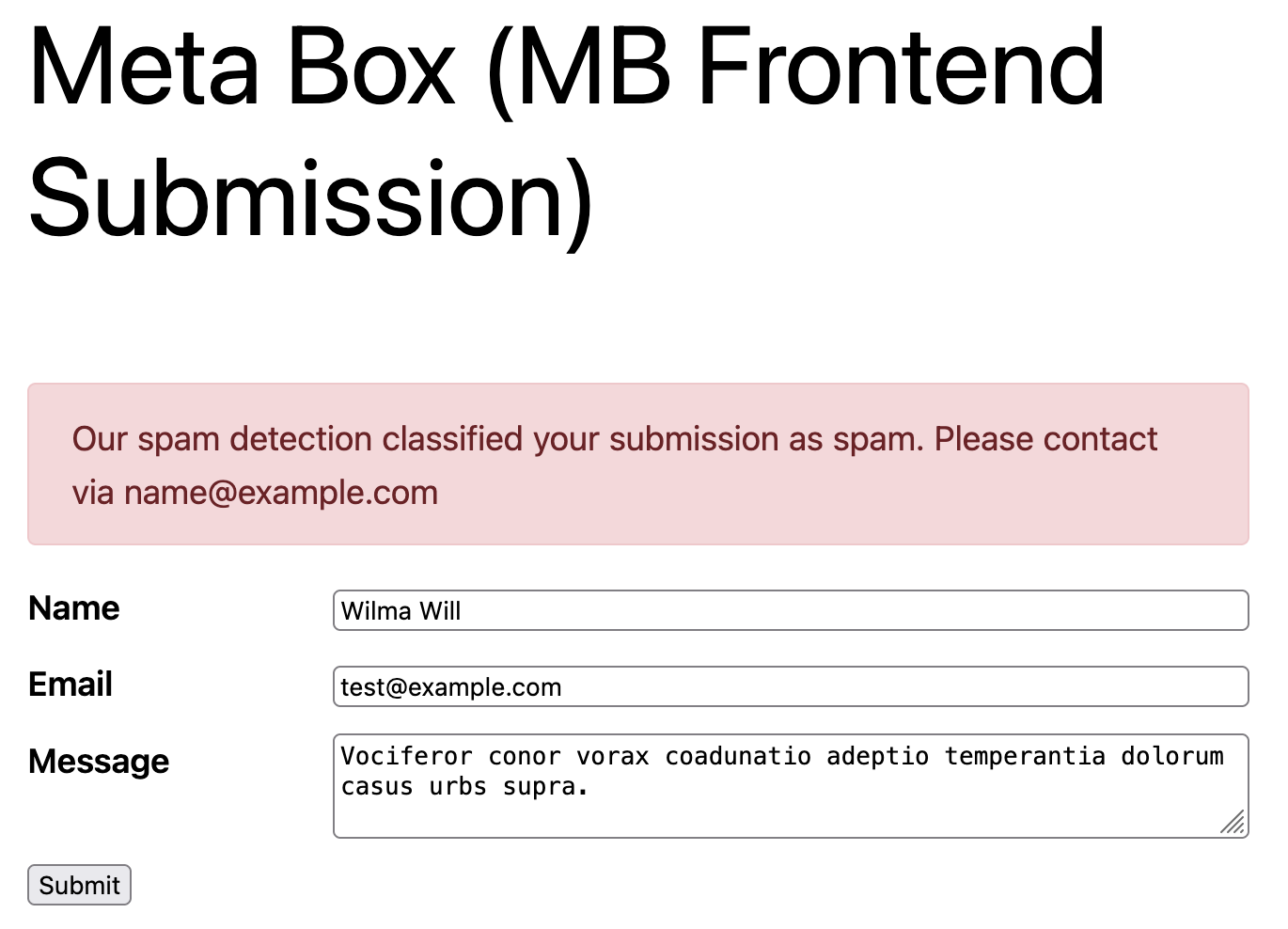
Write the message blocked visitors see in the Meta Box Frontend Submission Spam Message field, for example: “You’ve sent several submissions in a short time. Please try again later or email us at [email protected].”
The message only shows when the form uses Ajax. Turn on Enable ajax submission in the Submission Form block settings, or add ajax="true" to the shortcode. Without it, a blocked visitor lands on your 404 Not Found page.
Then submit the form a few more times than your limit allows. The blocked attempt shows your spam message in place of the form.
Check Form Spam Entries in WordPress to see blocked attempts and the reason (form entries guide).
Add More Filters
Rate limiting works best with oopspam’s other filters:
- VPN and data center blocking: see How to block VPN and data center IP submissions in Meta Box Frontend Submission forms.
- Country filtering: see How to block countries in Meta Box Frontend Submission forms.
- Disposable email blocking: see How to block disposable email addresses in WordPress forms. Throwaway addresses are how bots get around per-email limits.
Method 2: Add a Cloudflare Rate Limiting Rule
If your site runs behind Cloudflare, a rate limiting rule can stop bursts of requests at the network edge, before they reach WordPress. The path to limit depends on how your form submits:
- With Ajax on (needed for oopspam’s spam message), the form posts to
/wp-admin/admin-ajax.php. - With Ajax off, the form posts back to the page it sits on, for example
/submit-listing/.
- In the Cloudflare dashboard, go to Security > Security Rules.
- Click Create rule, then select Rate limiting rules.
- Name the rule, for example “Limit form submissions.”
- Under When incoming requests match, set URI Path to equals your form’s path from above.
- Set the rate, for example 5 requests per 10 seconds per IP.
- Choose Block as the action, then click Deploy.
Three things to know:
- It’s short-term only on the Free plan. You get one rate limiting rule, a 10-second counting period and a 10-second block. That stops fast floods, not a bot that sends one entry a minute.
- It counts more than submissions. On
admin-ajax.php, other plugins’ requests count too, such as live search or cart updates. On a page path, page views count too. Set the limit high enough that normal browsing never hits it, and test after deploying. - It doesn’t know about emails. Cloudflare counts by IP only, so it can’t stop one email address from submitting again from a new IP.
Use Cloudflare for burst protection and oopspam for the hourly per-IP and per-email limits.
Which Method Should You Use?
| Goal | Best method |
|---|---|
| Stop one visitor from flooding a form | oopspam rate limiting per IP |
| Stop repeat submissions from one email address | oopspam rate limiting per email |
| Stop fast bursts before they reach WordPress | Cloudflare rate limiting rule |
| Keep a flood off your live site | Meta Box pending post status |
FAQ
Can Meta Box limit submissions per user?
No. MB Frontend Submission has no limit per IP, email, user or time period. Use oopspam for hourly limits per IP and per email.
What limit should I set?
Start with 3 submissions per hour per IP and per email. Raise it if real users submit several entries in one session, such as a batch of listings.
Will rate limiting block visitors on a shared network?
It can, since people in one office or school may share an IP. Keep the per-IP limit a little higher than the per-email limit, and review Form Spam Entries for false positives.
Why does a blocked visitor see a 404 page?
The form isn’t using Ajax. Turn on Enable ajax submission in the Submission Form block, or add ajax="true" to the shortcode, so visitors see your spam message instead.
Final Thoughts
Meta Box can’t limit submissions on its own. oopspam adds hourly limits per IP and per email in a few minutes, alongside its other spam checks. Cloudflare adds burst protection at the network edge. Holding submissions as pending keeps whatever gets through off your live site.
